
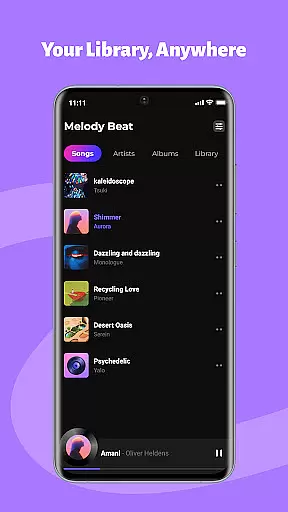
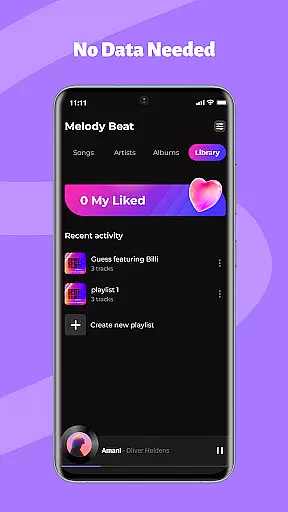
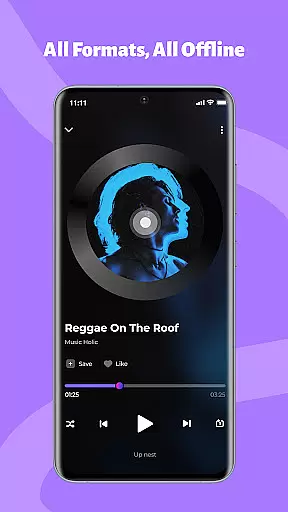
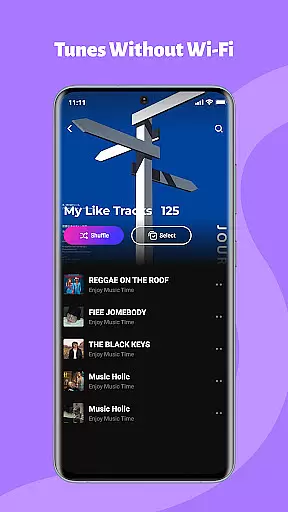
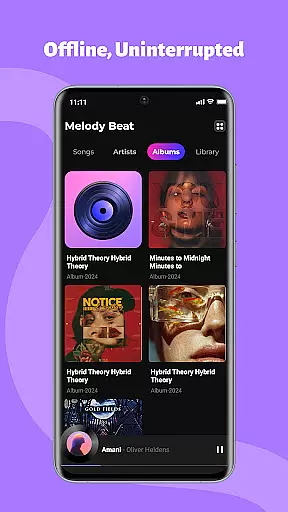
Melody Beat is a premium offline music player tailored for audiophiles who value quality and control. Designed to support over 30 audio formats including MP3, FLAC, and WAV, it ensures lossless playback without the need for file conversion. The app's intelligent library management system organizes tracks by artist, album, genre, or folder, making navigation effortless.
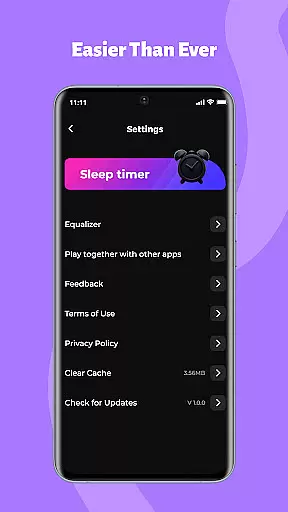
With its advanced equalizer, users can customize their listening experience through various presets like Pop, Rock, and Jazz. Melody Beat also offers uninterrupted background playback, lockscreen controls, and privacy-first features that guarantee local-only storage. Whether you're traveling, working out, or commuting, this app provides a seamless, buffer-free experience while protecting your personal data.
Melody Beat stands out with its universal format compatibility, supporting more than 30 audio formats without compromising on quality. Its smart library management automatically categorizes music and includes a robust search function with quick filters. Lyrics are displayed even without an internet connection, enhancing the user's engagement with their music.
The app's sound customization tools include a professional-grade equalizer, bass boost, and virtualizer, offering presets for different genres. Background and lockscreen playback allow users to control music from anywhere on their device. Privacy-centric design ensures all files remain locally stored, with no cloud access or data tracking, providing peace of mind for security-conscious listeners.
When it comes to music applications, the size and authenticity of the music library are crucial factors. Melody Beat offers an extensive offline music experience by supporting over 30 audio formats including MP3, FLAC, WAV, and AAC without the need for conversion. This ensures that users have access to a vast array of music with lossless quality.
The application's smart library management automatically organizes music by artist, album, genre, or folder, making it easy for users to find exactly what they're looking for. With quick filters and included lyrics support, even without an internet connection, Melody Beat provides a seamless and enriched music discovery process.
For travelers, gym enthusiasts, daily commuters, and privacy-conscious users, Melody Beat is designed to cater to every scenario. Pre-downloaded albums and playlists ensure uninterrupted playback in flights, during workouts, or while commuting. The local-only storage policy guarantees that all files are kept private, with no cloud storage or data tracking involved.
Audio quality is paramount for any music lover, and Melody Beat excels in delivering a superior sound experience. With its professional equalizer, bass boost, virtualizer, and pre-set modes for various music genres like Pop, Rock, Jazz, and Classical, users can customize their sound to match their preferences perfectly.
Melody Beat stands out with its background and lockscreen playback features. Users can control their music directly from the notification bar or lockscreen, which is perfect for multitasking during workouts, commutes, or when conserving battery life. This feature ensures that the music never stops, providing a smooth and uninterrupted listening session.
Designed with privacy in mind, Melody Beat offers a subscription-free experience with zero hidden costs. Its intuitive interface makes navigation effortless, ensuring that all users can enjoy a clutter-free layout. Regular updates bring new features, enhanced performance, and even smoother playback, solidifying Melody Beat's commitment to quality and user satisfaction.
User-friendly interface
Lossless audio playback
Advanced equalizer settings
Offline functionality
Regular feature updates
Limited online features
No cloud integration
Heavy on storage
Occasional bugs
Ads in free version

Equalizer, Bass Booster and Volume Booster (Eq & Bass) improve sound quality
 4.30
4.30
Formerly known as Spotistats! View your top tracks, artists, albums and more!
4.40
Remove ads permanently from Music Visualizer
4.1
Network/Cloud Streaming, Visualization, Graphic Equalizer and Sound Effects.
4.20
Super Sound Editor, Song Maker & Mixer, Vocal Remover, Voice Recorder & Changer!
4.60
Learn to play the piano using falling notes!
3.80
Let your Android device with the sound effects you want
4.50
Play KORG’s revolutionary touch-based instrument on a variety of devices.
4.40
Turn Every Moment into Music
3.60
Full-featured, High-Quality Groovebox Workstation, perfect for Live Performance!
4.80
SqueezePlayer turns your Android phone or tablet into a SqueezeBox on its own!
4.60
Taal player that lets you sing any Indian & Western song with Tabla & Tanpura
4.60
The best music and audio player, with beautiful UI, music search and equalizer.
4.60
AI Music Maker: Generate And Compose AI Tunes & AI Songs & AI Music & AI Melody!
4.60
Save hundreds of dollars for a physical strobe tuner and instead use this app.
4.50
10-Band Audio Equalizer, Sound / Bass Booster for Spotify Users & Music Players
4.40
Help you quickly get started with Shokz headphones
4.40
Learn and play 2M+ music tabs & chords on guitar, ukulele, bass, and more
4.30
The Minimalistic Premium Music Player. Handmade with passion for music
2.20


User Reviews