
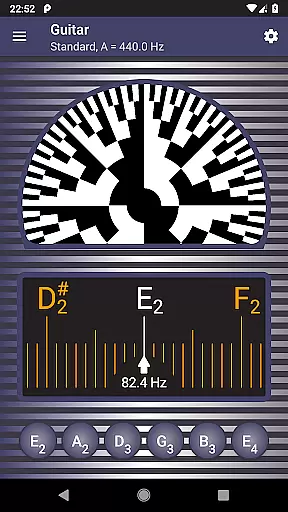
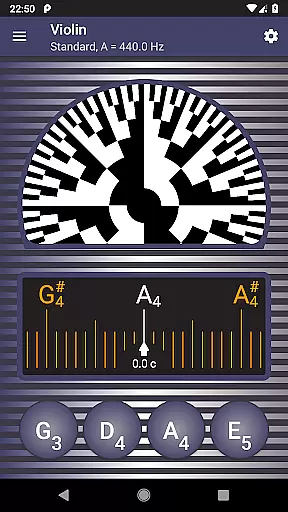
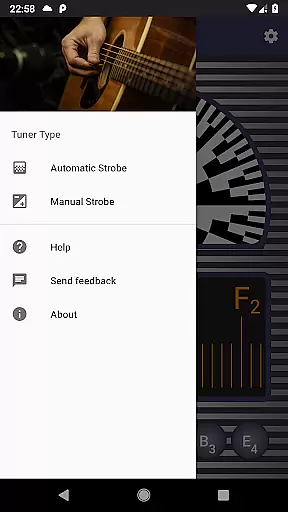
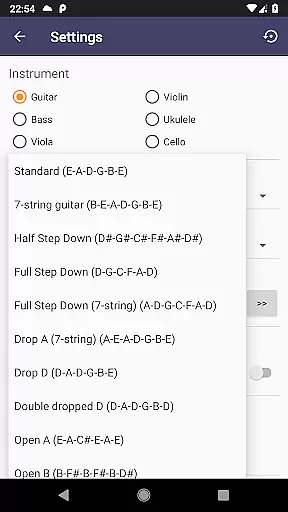
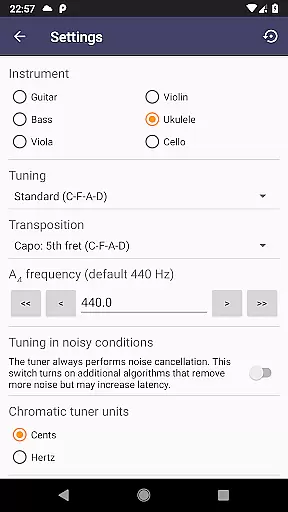
Strobe Tuner Pro is a highly accurate tuning application designed for musicians of all levels. This app offers both chromatic and strobe tuner functionalities, making it suitable for a wide range of instruments including guitar, violin, bass, ukulele, viola, cello, banjo, and shamisen. The advanced algorithms provide precise tuning even in noisy environments, while the built-in metronome helps with practice sessions.
The app's unique stroboscopic effect provides visual feedback for fine-tuning, allowing users to achieve professional-level accuracy. Beginners benefit from the intuitive interface and helpful tutorials, while professionals appreciate the extreme precision and reliability. With features like reference tone playback and multiple temperament options, Strobe Tuner Pro delivers exceptional value for musicians seeking a comprehensive tuning solution.
Strobe Tuner Pro stands out with its dual tuning system that combines traditional chromatic tuning with an authentic stroboscopic effect. The chromatic tuner uses Fast Fourier Transformation to accurately detect frequencies across the musical spectrum, while the strobe tuner employs advanced GPU-based algorithms similar to those found in professional oscilloscopes.
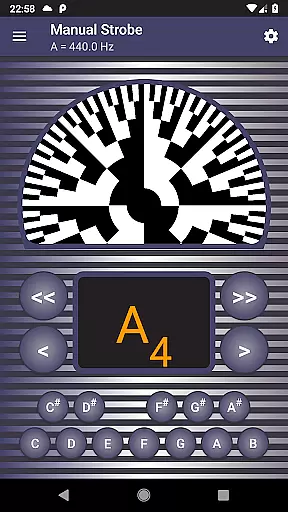
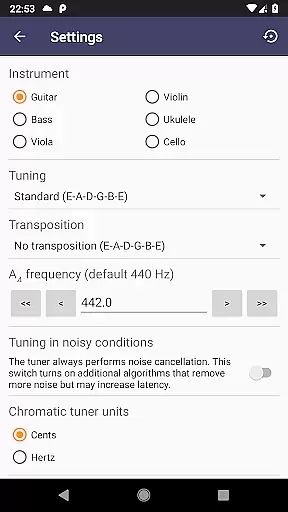
The application supports various instrument tunings and offers specialized features such as manual mode for precise control, advanced noise cancellation, and multiple note naming conventions. Users can customize their experience through detailed settings, including concert pitch adjustment and temperament selection. The inclusion of a metronome alongside the tuner makes this app particularly valuable for practice sessions and performance preparation.
Additional notable features include support for alternate tunings, quick access to instrument switching, and compatibility with different musical notation systems. The app's robust testing protocol ensures reliable performance across various devices and operating conditions, making it a trustworthy tool for both casual players and professional musicians.
Strobe Tuner Pro offers an extensive music library that caters to a wide range of instruments including guitar, violin, bass, ukulele, viola, cello, banjo, and shamisen. This vast selection ensures that musicians of all kinds can find their instrument's tuning with ease.
The application guarantees copyright authenticity by using advanced algorithms for its chromatic and strobe tuners. These tuners operate independently but share the same input from your device's built-in microphone, ensuring original and accurate sound processing without infringing on copyrighted material.
With features like manual mode emulating a physical strobe tuner and the ability to play reference tones, users are provided with professional-grade tools that respect intellectual property rights while delivering high-quality performance.
Moreover, Strobe Tuner Pro includes favorite alternate tunings for guitars, ukuleles, banjos, and shaminsens which have been tested and recorded to expand the appu2019s test coverage legally and ethically. This approach not only enriches the user experience but also upholds strict copyright compliance.
Audio quality in Strobe Tuner Pro is exceptional due to its advanced noise cancellation feature that works even when a metronome is on. This ensures that musicians can tune their instruments accurately in any environment without audio interference affecting the precision of the tuning process.
The app provides extreme accuracy through two independent tuning algorithms: one using Fourier transformation for the chromatic tuner and another emulating the stroboscopic effect for the strobe tuner. These sophisticated methods allow for quick, precise adjustments that reflect true audio fidelity expected by professionals and beginners alike.
Users can customize their experience with settings such as concert pitch frequency adjustment and note naming conventions including English, European, Solmization options. Such customization supports different educational backgrounds while maintaining superior audio output standards throughout every session.
In addition to these features, Strobe Tuner Pro has been rigorously tested across many instruments ensuring consistent audio quality regardless of whether you're playing a guitar or a cello. The result is an intuitive interface combined with reliable sound detection that makes tuning both enjoyable and dependable.
Highly accurate tuning
User-friendly interface
Advanced noise cancellation
Comprehensive feature set
Excellent value for money
Requires good device microphone
May drain battery quickly
Interface could be overwhelming
Limited free features
Occasional calibration needed

The Music Journey in Your Hands
 4.30
4.30
Full-featured, High-Quality Groovebox Workstation, perfect for Live Performance!
4.80
A High-Precision Audio Spectrum Analysis App
4.20
Network/Cloud Streaming, Visualization, Graphic Equalizer and Sound Effects.
4.20
Recording studio w/ 10k beats, pro vocal FX and a network of 20M rappers & fans!
4.60
Play your hearts out on TouchTunes jukeboxes & connect with fellow music lovers.
4.80
Help you quickly get started with Shokz headphones
4.40
Offline Tunes, Unlimited Vibes
3.90
Reverse your voice & songs instantly! Fun singing challenge with cool effects.
4.60
JBL PartyBox APP works with 110/310/710/120/320/520/Encore/Encore 2/Encore Ess 2
4.80
More downloads than any other metronome. Includes drum machine & tempo trainer.
4.80
Brian Eno and Peter Chilvers’ acclaimed music app Bloom, radically reinvented.
4.80
A complete sound package for the sound engineer or enthusiast
4.60
Fun & Easy Voice Changer – Record, Edit & Add Hilarious Effects!
4.50
DJ Music Mixer Pro is a real DJ controllers and DJ Music Studio to remix DJ.
4.40
Play KORG’s revolutionary touch-based instrument on a variety of devices.
4.40
Versatile MP3 recorder with auto-backup to Dropbox and Google Drive
4.10
The Skullcandy App Experience
3.20
Simply convert wav to mp3. Clear. Reliable. Safe.
4.2


User Reviews