
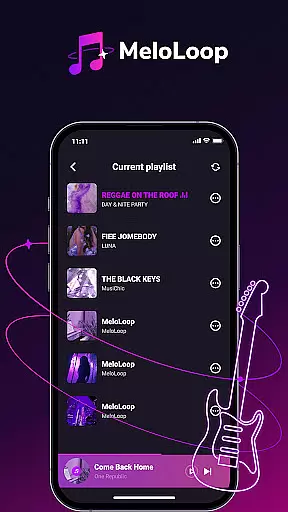
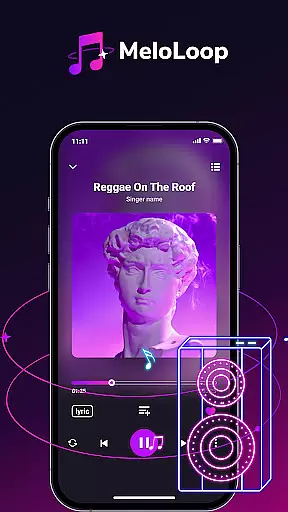
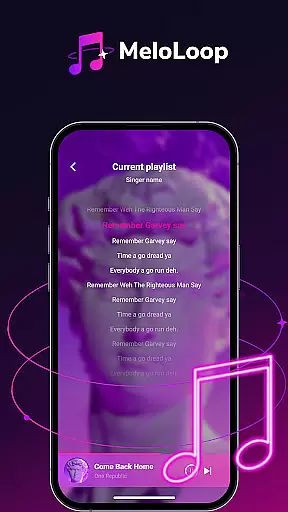
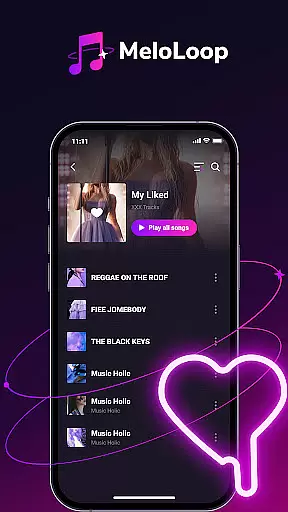
MeloLoop is a premium music player designed for audiophiles seeking an exceptional listening experience. This application offers instant access to your local music library through smart scanning technology, supporting multiple formats including MP3, FLAC, and WAV. Enjoy lossless audio playback even without an internet connection.
The app's intelligent curation system automatically organizes your collection by album, artist, and mood while allowing custom tagging for personalized management. MeloLoop also functions as your personal music studio, enabling unlimited playlist creation and exclusive collection building. Whether you're relaxing at night, traveling, or enjoying studio-quality sessions, MeloLoop delivers refined audio perfection.
MeloLoop stands out with its comprehensive feature set tailored for music enthusiasts. The app's instant local library function employs advanced scanning algorithms to detect all audio files on your device, ensuring no track is left behind. It maintains original sound quality through lossless playback capabilities, making it ideal for discerning listeners.
What sets MeloLoop apart is its intelligent music curation system. The app automatically categorizes your music collection using smart recognition technology while offering customizable tagging options. This dual approach provides both automated convenience and personalized control. Additionally, the app's personal music studio feature lets users create unlimited playlists and build specialized collections, giving them complete creative freedom over their listening experience.
When it comes to digital music players, the size and authenticity of the music library are crucial factors for discerning audiophiles. MeloLoop addresses these concerns by offering instant access to your local music library while ensuring all content remains properly licensed.
The application performs a smart scan of all your audio files, supporting various formats including MP3, FLAC, and WAV. This comprehensive approach to library management ensures that users can enjoy a wide range of music without worrying about copyright infringement or format compatibility issues.
MeloLoop's offline playback capability allows users to enjoy their legally-acquired music collection anytime, anywhere, without an internet connection. The app maintains the integrity of lossless audio quality, making it an ideal choice for those who value both convenience and legal compliance in their music listening experience.
For true audiophiles, audio quality is paramount, and MeloLoop excels in delivering premium sound experiences. The application supports multiple high-quality audio formats, including lossless options, ensuring that listeners can enjoy studio-grade sound reproduction on their mobile devices.
Users can choose from various audio quality settings, allowing them to customize their listening experience based on their preferences and available storage space. Whether you're using high-end headphones or standard earbuds, MeloLoop optimizes playback to match your audio equipment's capabilities.
The player's advanced audio engine maintains pristine sound quality across different formats, from compressed MP3 files to uncompressed WAV tracks. This flexibility in audio quality options makes MeloLoop suitable for both casual listeners and professional audio enthusiasts who demand the best possible sound reproduction from their mobile music player.
Lossless audio quality
Smart library scanning
Customizable organization
Unlimited playlists
Multiple format support
No streaming service
Limited social features
Premium price point
Android only
Complex interface

Simply convert wav to mp3. Clear. Reliable. Safe.
 4.3
4.3
Formerly known as Spotistats! View your top tracks, artists, albums and more!
4.40
Control your MIDI USB or Bluetooth devices in app and avoid some trampling
3.30
VB-AUDIO Software / VBAN-Receptor allows listening to any VBAN Streams
4.10
JBL PartyBox APP works with 110/310/710/120/320/520/Encore/Encore 2/Encore Ess 2
4.80
Guzheng Master supports many playing techniques as an acoustic Guzheng
4.50
Recording studio w/ 10k beats, pro vocal FX and a network of 20M rappers & fans!
4.60
Turn Every Moment into Music
3.60
One-tap booster for max volume - enjoy powerful sound with this audio booster
4.50
Tune in to the greatest hits on UK Radio | The home of Capital, Smooth & Heart.
4.90
Performance-Synthesizer & Multi-Track-Sequencer, polyphonic + multi timbral!
4.70
Unleash your creativity! Turn simple prompts into full fledged songs.
4.70
Listen radio AM / FM Stations. Live AM / FM Radio App Station. Radio Com.
4.70
Enhance the sound quality of your devices, listen to what you want
4.50
Play KORG’s revolutionary touch-based instrument on a variety of devices.
4.40
Next generation modular control surface
4.10
USB audio recording and playback finally possible on Android 3.1 or higher!
3.90
Sheet music reader, piano & music note player. Play music score & learn to read.
3.90
The Cubase remote control app
3.60


User Reviews