
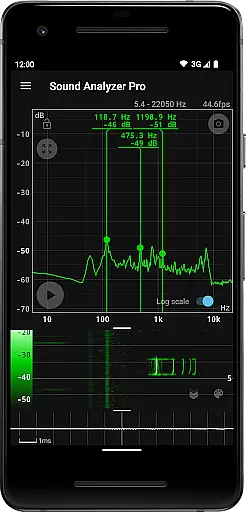
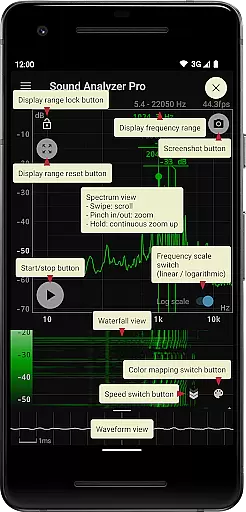
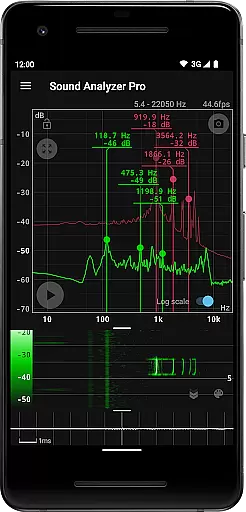
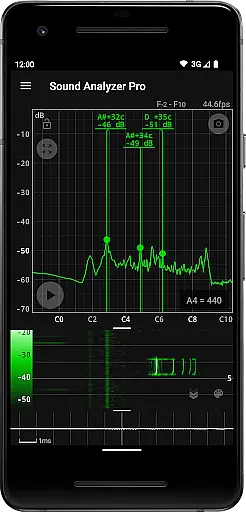
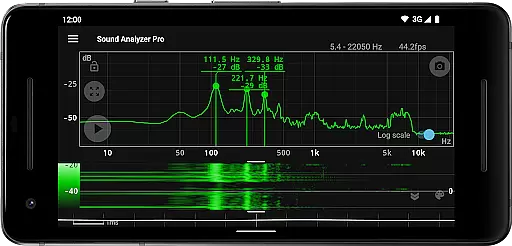
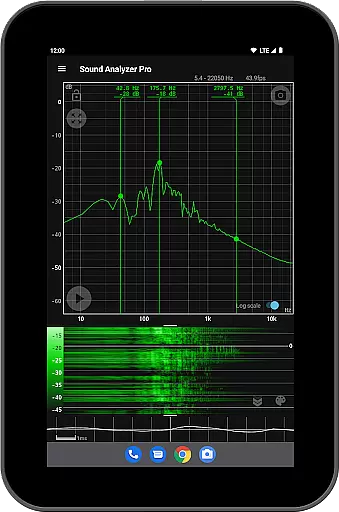
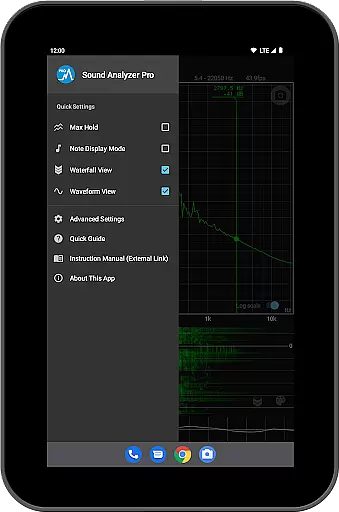
Sound Analyzer is a sophisticated audio analysis tool designed for both professionals and enthusiasts in the music and audio field. The app's core functionality lies in its ability to display real-time frequency (Hz) and amplitude (dB) spectra directly on your mobile device, eliminating the need for bulky external equipment. Its high measurement accuracy, with errors typically within 0.1 Hz in low-noise environments, ensures reliable data for critical audio tasks.
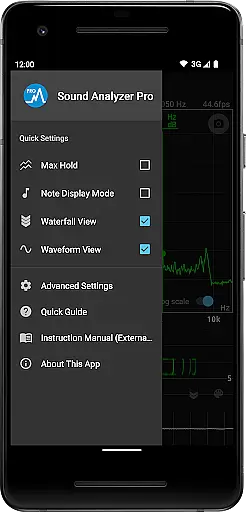
Beyond basic spectrum analysis, Sound Analyzer offers advanced features such as waterfall views for tracking spectral changes over time, waveform views for visualizing sound waves, and a note display mode that translates frequencies into musical notes. These capabilities make it an invaluable tool for sound engineers, musicians, and researchers who require detailed audio insights on the go.
A key practical application of Sound Analyzer is in live sound monitoring and tuning. For instance, audio technicians can use the app during concerts or studio sessions to identify problematic frequencies and adjust equipment accordingly. This real-time analysis capability provides significant value by enabling precise audio adjustments without interrupting workflow.
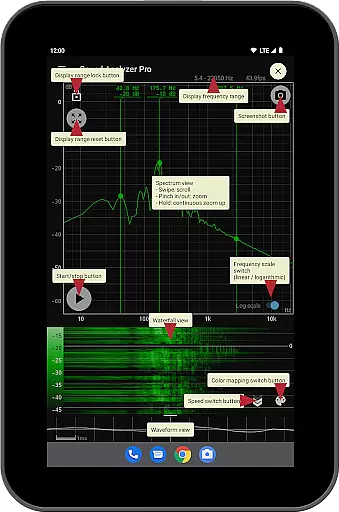
Sound Analyzer distinguishes itself through its comprehensive feature set tailored for professional audio analysis. The app's peak frequency display function provides real-time information about prominent spectral components, while its innovative touch-based interface allows users to easily adjust display ranges and switch between logarithmic and linear frequency scales.
The implementation of specialized views demonstrates the app's technical sophistication. The waterfall view effectively visualizes spectral changes over time, while the waveform view offers precise representations of sound waveforms. The inclusion of a max hold function and note display mode, which translates frequencies into musical notes with cent precision, showcases the app's versatility across different audio analysis needs.
These features deliver substantial user value by providing multiple analysis perspectives within a single mobile application. The ability to capture screenshots with timers, combined with the absence of advertisements, creates an uninterrupted workflow for professionals who require clean, reliable data capture in various audio environments.
Sound Analyzer does not focus on providing a vast music library but rather emphasizes real-time audio signal analysis. The app allows users to analyze any audio input, making it versatile for various sound sources.
The application ensures that all the features provided are authentic and respects copyright laws by not storing or sharing any analyzed audio data. This makes it a reliable tool for professionals who need accurate audio analysis without legal concerns.
Users benefit from the ability to use the app in diverse environments, knowing they are not infringing on any copyrights. This feature is particularly useful for sound engineers, musicians, and researchers who require precise audio data.
Sound Analyzer offers multiple advanced audio quality options, allowing users to adjust settings such as frequency range up to 96 kHz. This flexibility caters to both standard devices and high-performance equipment, ensuring optimal performance across different hardware.
The app provides detailed waveform and spectrum views, giving users comprehensive insights into their audio signals. These visual tools help users understand the intricacies of sound patterns and make informed decisions based on accurate data representation.
With its high measurement accuracy and minimal error margin, Sound Analyzer stands out in delivering top-notch audio quality analysis. Users can trust the precision of the displayed frequencies and amplitudes, which is crucial for tasks requiring meticulous attention to audio detail.
High measurement accuracy
Real-time spectrum analysis
No advertisements
Multiple display modes
Professional-grade features
Complex for beginners
Requires high-end device
Limited high-frequency support
Advanced features overwhelming
Specialized user base

Fun & Easy Voice Changer – Record, Edit & Add Hilarious Effects!
 4.50
4.50
Walkout Song DJ is the most intuitive app to manage your sports music.
4.70
AI Music Maker: Generate And Compose AI Tunes & AI Songs & AI Music & AI Melody!
4.60
Listen radio AM / FM Stations. Live AM / FM Radio App Station. Radio Com.
4.70
Play your hearts out on TouchTunes jukeboxes & connect with fellow music lovers.
4.80
Learn the notes on the guitar fretboard fast with this easy and fun app
4.60
Versatile MP3 recorder with auto-backup to Dropbox and Google Drive
4.10
Full featured mp3 and audio player with Chromecast and Android Auto support.
4.40
Offline Tunes, Unlimited Vibes
3.90
24,000 free audio books and no ads!
4.90
JBL PartyBox APP works with 110/310/710/120/320/520/Encore/Encore 2/Encore Ess 2
4.80
Offline Music Player & MP3 Player.Powerful equalizer, Lyrics, Themes, Tag Editor
4.80
Record, Mix & Master with all n-Track effects, 64-bit audio and Stem Separation.
4.70
Manage your Sonos system directly from your home-screen!
4.40
Ringtone Maker is free app create ringtone from music files or your recording.
4.40
Enjoy singing any song, no matter how high or low it is
4.30
No wifi music app. Mp3 offline. Tuner radio, young radio music. Music downloader
4.20
Background pads for your band
3.80
Slow music down without changing pitch.
3.70


User Reviews