
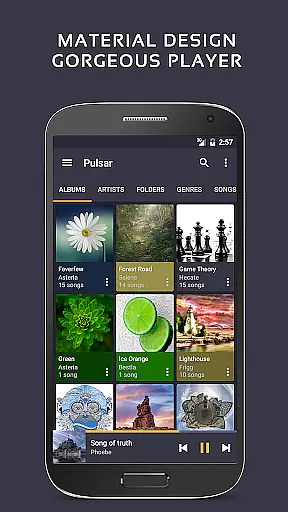
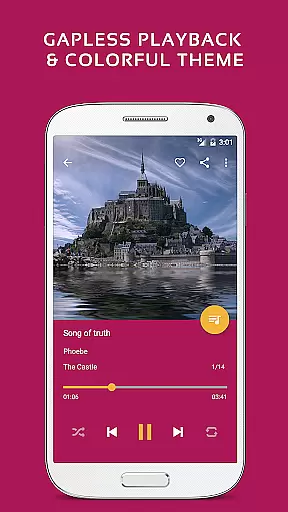
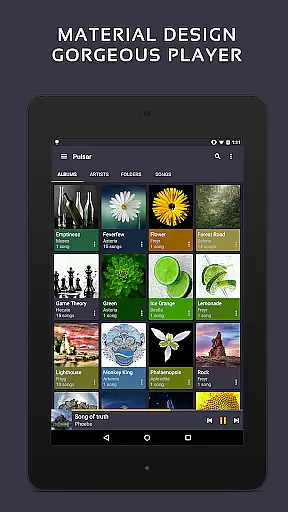
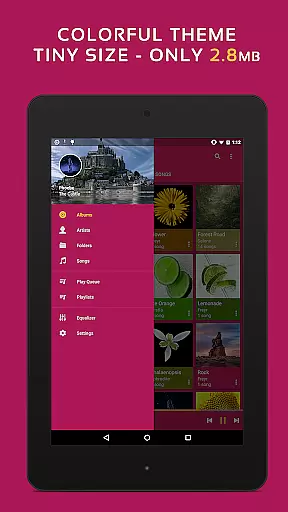
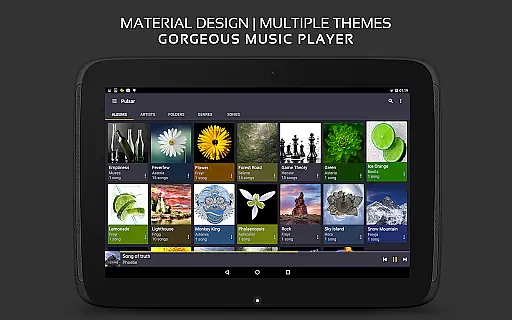
Pulsar Music Player Pro stands as a premium music application designed for Android users who appreciate high-quality audio playback and an elegant user interface. This offline audio player offers an ad-free experience while adhering to material design guidelines, ensuring a visually appealing and intuitive interaction.
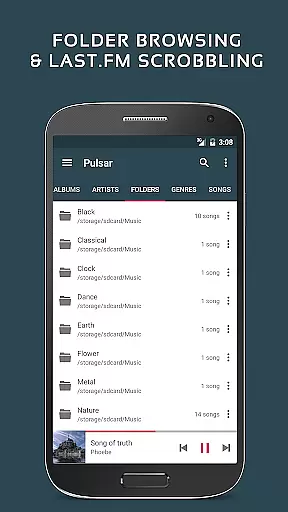
With features like gapless playback, lyrics display, crossfade, play speed adjustment, tag editing, last.fm scrobbling, Chromecast support, voice commands, Android Auto compatibility, equalizer settings, music visualizer, audio balance control, ReplayGain, and a sleep timer, Pulsar fulfills diverse musical needs. Whether you're managing your library by album, artist, folder, or genre, or enjoying smart playlists, Pulsar provides a seamless experience.
Ideal for audiophiles and casual listeners alike, Pulsar Music Player Pro enhances the way you engage with music on your device, offering advanced functionalities that elevate your listening sessions.
Pulsar Music Player Pro boasts an array of sophisticated features tailored to enhance music playback and management. The app's user interface is meticulously crafted with material design principles, providing stunning animations and a fluid user experience. It supports organizing and playing music through various categories such as album, artist, folder, and genre, alongside smart playlists that highlight most played, recently played, and newly added tracks.
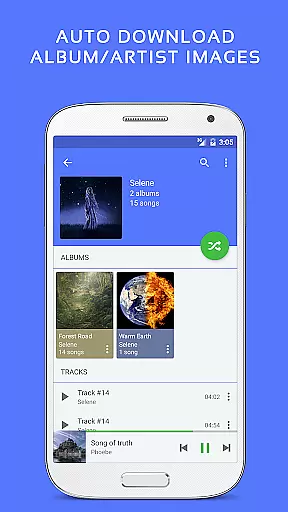
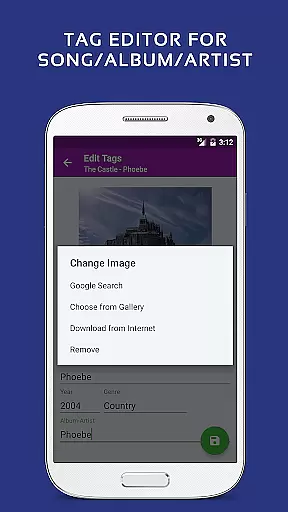
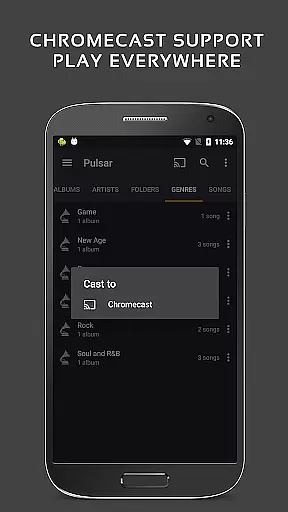
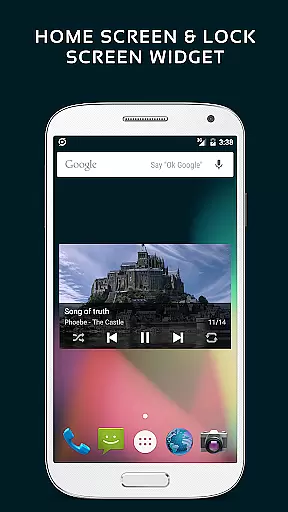
Advanced functionalities include automatic syncing of missing album/artist images, fast search capabilities across albums, artists, and songs, and a resizable home screen widget for quick access. The app also supports gapless playback, play speed adjustment, crossfade, ReplayGain for volume normalization, a built-in metadata tag editor, lyrics display, music visualizer rendering, Chromecast integration, Google voice commands, Android Auto support, sound balance adjustment, and Last.fm scrobbling.
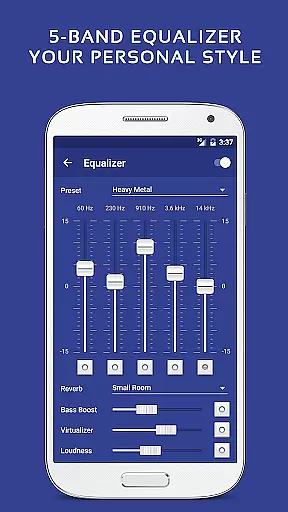
Exclusive to the Pro version are 16 extra themes, theme customization options, a 5-band equalizer controller, 9 pre-built equalizer presets, bass booster, reverb effects, and more. These features collectively ensure a personalized and enriched audio experience, setting Pulsar apart from other music players in its category.
Pulsar Music Player Pro offers an extensive music library that supports a wide range of audio file formats including MP3, AAC, FLAC, OGG, and WAV. This ensures that users can enjoy their music collection without compatibility issues.
The application respects copyright laws by providing tools for managing legally owned music files. Users can import their personal collections and manage them by album, artist, folder, and genre, ensuring that all content is authentic and legally acquired.
With features like automatic syncing of missing album or artist images and fast search capabilities across albums, artists, and songs, Pulsar enhances the user's ability to organize and access their legitimate music library efficiently.
Additionally, Pulsar's tag editing functionality allows users to maintain accurate metadata for their music files, further supporting the integrity and authenticity of their music library.
Pulsar Music Player Pro places a strong emphasis on delivering high-quality audio experiences. With its support for gapless playback and ReplayGain volume normalization, listeners can enjoy uninterrupted and balanced sound output throughout their playlists.
The app includes a 5-band equalizer controller with nine pre-built presets, allowing users to customize their audio experience according to their preferences. Whether it's boosting the bass or enhancing the clarity of vocals, Pulsar provides the tools necessary for an optimized listening session.
Advanced audio settings such as play speed adjustment and crossfade support give audiophiles even more control over how their music sounds. These features ensure that every track plays exactly how the user wants, whether they're relaxing at home or enjoying music on the go.
Furthermore, Pulsar's commitment to high-fidelity audio is evident in its support for high-resolution audio formats, making it a top choice for users who demand the best in audio quality from their mobile music player.
Ad-free experience
Gapless playback
Customizable themes
Advanced equalizer
Chromecast support
Paid version only
No cloud integration
Limited file format support
Occasional bugs
High system requirements

The Skullcandy App Experience
 3.20
3.20
The Music Journey in Your Hands
4.30
A High-Precision Audio Spectrum Analysis App
4.20
Permanently backup Now Playing. Maps, filters & listening stats.
4.00
Record, Mix & Master with all n-Track effects, 64-bit audio and Stem Separation.
4.70
A sleek, no-frills player designed for true music lovers.
4.20
A complete sound package for the sound engineer or enthusiast
4.60
The iconic iOS metronome app is now on Android.
3.70
Customize Your Favorite Songs and Videos with booster.
4.70
Gorgeous UI, Powerful music Search and Equalizer, the great choice for you!
4.70
SqueezePlayer turns your Android phone or tablet into a SqueezeBox on its own!
4.60
Recording studio w/ 10k beats, pro vocal FX and a network of 20M rappers & fans!
4.60
10-Band Audio Equalizer, Sound / Bass Booster for Spotify Users & Music Players
4.40
Equalizer, Bass Booster and Volume Booster (Eq & Bass) improve sound quality
4.30
Advanced 10-Band Audio Graphic Equalizer Sound Booster Pro
4.30
Master Salsa Rhythm quickly and with a lot of fun!
4.30
The official Sonos app
4.10
Powerful beat maker & DJ mixer to remix tracks, make music, & perform DJ mix
3.70
MilkDrop for Android TV
3.00


User Reviews