
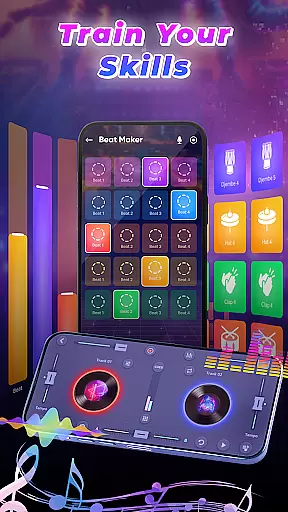
DJ Music Mixer - Beat Maker is a versatile music production app designed for both amateur and professional DJs. This all-in-one solution allows users to create, mix, and record high-quality music tracks directly on their mobile devices. The app features advanced mixing tools, sound effects, and an intuitive interface that supports both horizontal and vertical orientations.
With its powerful equalizer and bass booster, users can fine-tune their mixes with precision. The app includes a professional beat maker with multiple drum kits, DJ mixer functionality with built-in launchpad samples, and access to the device's full music library. Whether you're creating beats for live performances or producing tracks in your studio, this app provides everything needed to produce professional-grade music.
The application's standout feature is its ability to transform your smartphone into a portable DJ station, making it perfect for live events, parties, or personal music creation. Its user-friendly design ensures that even beginners can achieve impressive results while offering enough depth for experienced DJs to explore creative possibilities.
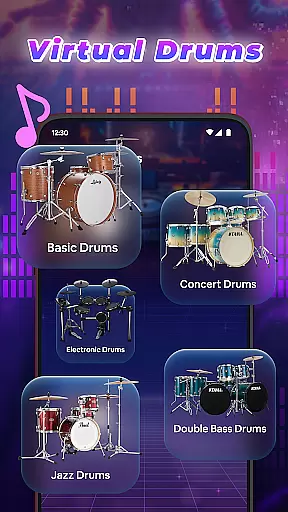
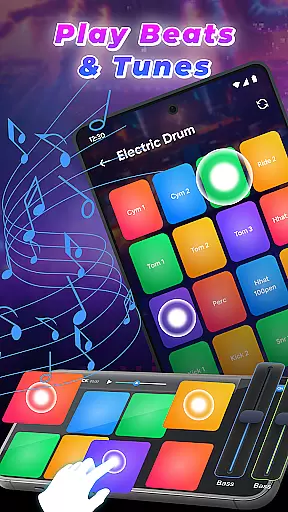
DJ Music Mixer - Beat Maker stands out with its comprehensive set of features tailored for music producers. The app includes a sophisticated beat maker system with various drumming styles ranging from classic to modern beats, supporting drum kits like Ludwig, Electronic, Jazz, and African percussion sets.
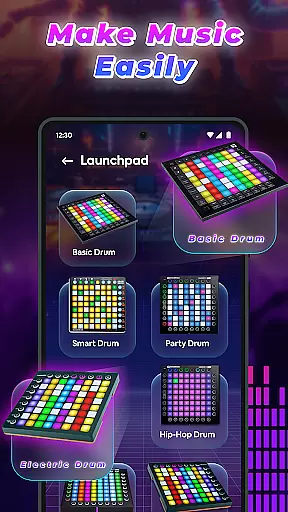
Users can explore built-in launchpad samples including Party Drum, Acoustic Drums, and Hip-hop Drum collections. The app's advanced DJ music mixer allows access to complete music libraries, enabling users to organize tracks by artists, albums, and folders. Real-time effects can be applied during mixing, with optimized beat detection ensuring smooth transitions between tracks.
Additional notable features include HD audio recording capabilities, customizable playlists, and professional-grade mixing tools. The app's interface is designed to accommodate different user preferences with both landscape and portrait modes available. These features collectively enable users to create polished, professional-quality mixes regardless of their experience level.
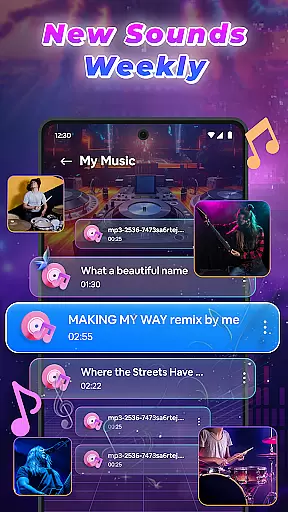
In the realm of digital music creation, having access to an extensive music library is crucial for unleashing creativity. DJ Music Mixer - Beat Maker offers a vast array of tracks, artists, albums, and folders at your disposal, ensuring that your creative process is not hindered by the lack of variety. This extensive library allows you to experiment with different genres and styles, from classic to modern beats, providing endless possibilities for your mixes.
Copyright authenticity is another cornerstone of DJ Music Mixer - Beat Maker. The app ensures that all the music content available for mixing is properly licensed, giving you peace of mind when creating and sharing your work. By respecting intellectual property rights, the app fosters a safe environment for music creators to explore, mix, and innovate without legal concerns looming over their artistic endeavors.
The integration of various drum kits such as Ludwig, Electronic, Jazz, and African beats adds another layer of depth to the music library. These kits are not only diverse but also authentic, capturing the essence of different musical traditions and allowing users to infuse their mixes with genuine sounds. This level of detail enriches the user experience, making every mix unique and culturally resonant.
Audio quality is paramount when producing music that stands out. DJ Music Mixer - Beat Maker places a strong emphasis on delivering high-quality audio output, ensuring that every beat, note, and effect is rendered with precision. The app supports HD audio recording, enabling users to capture their creations in crystal-clear detail, which is essential for professional-grade music production.
Beyond just recording quality, the app provides a range of audio format options for saving your mixes. This flexibility allows DJs and music producers to choose the most suitable format for their specific needs, whether it's for online streaming, live performances, or personal archiving. Such versatility ensures that your music maintains its intended impact across different platforms and devices.
Furthermore, the inclusion of advanced features like Equalizer and Bass Booster enhances the overall audio quality. These tools allow for meticulous sound customization, letting you fine-tune every aspect of your mix to achieve the perfect balance and depth. With DJ Music Mixer - Beat Maker, superior audio quality is not just an option; it's a standard that empowers creators to deliver their best work consistently.
User-friendly interface
Wide range of drum kits
Real-time effects processing
HD quality recording
Comprehensive music library access
Limited free features
Occasional performance lag
In-app purchases required
Steep learning curve
High storage requirements

Equalizer, Bass Booster and Volume Booster (Eq & Bass) improve sound quality
 4.30
4.30
Remove ads permanently from Music Visualizer
4.4
Visualize the guitar fretboard, master scales & play through changes like a pro!
4.50
The only true audiophile music player with Hi-Fi audio rendering and DSP engine
3.90
Bass Booster Pro takes auto-equalizing to the next level!
4.30
Simple mp3 and mp4 player with advanced features.
3.40
The Minimalistic Premium Music Player. Handmade with passion for music
2.20
The iconic iOS metronome app is now on Android.
3.70
One-tap booster for max volume - enjoy powerful sound with this audio booster
4.50
Gorgeous UI, Powerful music Search and Equalizer, the great choice for you!
4.70
Walkout Song DJ is the most intuitive app to manage your sports music.
4.70
Simple & Intuitive Metronome
4.70
Listen radio AM / FM Stations. Live AM / FM Radio App Station. Radio Com.
4.70
Taal player that lets you sing any Indian & Western song with Tabla & Tanpura
4.60
The best music and audio player, with beautiful UI, music search and equalizer.
4.60
Guzheng Master supports many playing techniques as an acoustic Guzheng
4.50
DJ Music Mixer - DJ Remix: remix songs, make beat music & record mix of DJ.
4.40
Offline and always ad-free - stream in the highest quality available.
4.10
VB-AUDIO Software / VBAN-Receptor allows listening to any VBAN Streams
4.10


User Reviews