
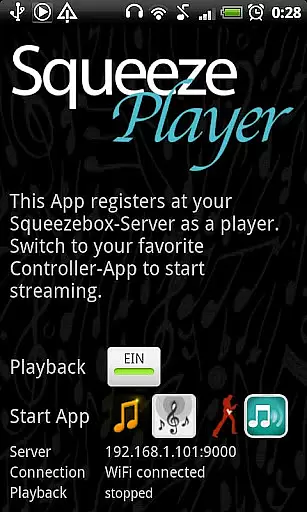
SqueezePlayer is a powerful music streaming application designed specifically for Android users who want to access their Logitech Squeezebox content on the go. This app transforms your Android device into a fully functional Squeezebox, enabling seamless streaming of your entire music library.
With support for WiFi and mobile connections, SqueezePlayer allows you to enjoy your favorite tracks anywhere - whether you're at home, in the car, or outdoors. The app supports various formats including FLAC, MP3, WAV, and PCM, ensuring high-quality playback. Additionally, it integrates with internet radio stations and services like Last.FM and Deezer through your Squeezebox Server.
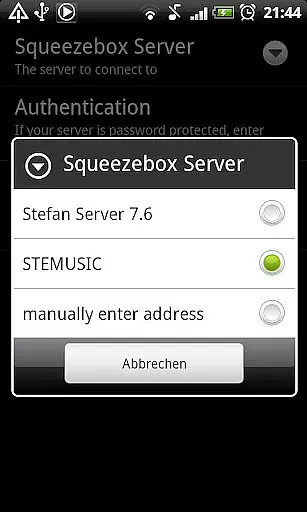
The app requires a Squeezebox Server (now called Logitech Media Server) to function optimally, which can be downloaded for free. While it doesn't offer control features for other Squeezebox devices, it works seamlessly with third-party controller apps, providing a complete audio experience.
SqueezePlayer stands out with its ability to stream music directly from a Squeezebox Server to your Android device. It supports both local music files and internet radio stations, making it versatile for different listening preferences. The app handles various audio formats natively, including FLAC, MP3, WAV, and PCM, ensuring optimal sound quality without additional conversion.
One notable feature is its compatibility with multiple controller applications such as OrangeSqueeze and SqueezeCommander. These apps allow you to manage playback across all connected devices, including SqueezePlayer itself. The integration is smooth, especially with OrangeSqueeze, which can automatically launch SqueezePlayer when needed.
For users concerned about network setup, SqueezePlayer provides comprehensive guidance on configuring your router for 3G streaming. The app's developer also offers excellent customer support, ready to assist with any technical issues that may arise during setup or usage.
When it comes to streaming music, the size and authenticity of the library are crucial factors. SqueezePlayer offers an extensive music library that includes local music files, internet radio stations, and songs from various apps like Last.FM, Deezer, or WiMP. This vast selection ensures users have access to a wide range of music genres and artists.
The app supports popular music formats such as FLAC, MP3, WAV, and PCM natively, meaning these files are decoded directly on your Android device. Additionally, the Logitech Squeezebox Server can convert other file types like Ogg and mp4 to FLAC or MP3 on the fly, expanding the range of playable formats. This flexibility allows users to enjoy their entire music collection without worrying about compatibility issues.
Copyright authenticity is another key aspect of SqueezePlayer. By integrating with the Logitech Squeezebox Server, which has been renamed to Logitech Media Server, users can be confident that their music streams are legitimate and properly licensed. The server's advanced settings allow users to check which file types will be transcoded to ensure compliance with copyright regulations.
Overall, SqueezePlayer provides a robust solution for streaming music, ensuring both a comprehensive library and adherence to copyright laws. Users can enjoy their favorite tunes with peace of mind, knowing they are accessing a legitimate and diverse music collection.
Audio quality is paramount for any music streaming application, and SqueezePlayer excels in providing high-quality audio options. The app supports native decoding of popular formats such as FLAC, MP3, WAV, and PCM directly on Android devices. This ensures that users experience the highest possible sound fidelity without any loss in quality during playback.
In addition to native support, SqueezePlayer leverages the capabilities of the Logitech Squeezebox Server to transcode other file types into FLAC or MP3. This feature allows users to enjoy a broader range of audio formats while maintaining excellent sound quality. The serveru2019s advanced settings enable users to configure how different file types are handled, ensuring optimal performance based on individual preferences.
For those who demand the best audio experience, SqueezePlayer offers seamless integration with external servers and devices. By connecting to a dedicated Logitech Media Server, users can take advantage of superior transcoding capabilities compared to the built-in server of the Squeezebox Touch. This setup guarantees that even less common formats are converted accurately, preserving the integrity of the original recordings.
Ultimately, SqueezePlayer stands out by delivering exceptional audio quality through its support for multiple formats and advanced transcoding features. Whether listening at home or on the go, users can expect clear, rich, and immersive sound that enhances their overall music enjoyment.
User-friendly interface
High-quality audio streaming
Wide format compatibility
Excellent customer support
Seamless third-party integration
Requires separate server app
No standalone control features
Limited transcoding on Touch
Some services not supported
Complex network setup

Your HD audio recorder on the go for music, meetings, ambience, animal sounds…
 4.30
4.30
Time Trainer: accurate metronome w tools to help you develop your internal time!
4.20
Enhance the sound quality of your devices, listen to what you want
4.50
USB audio recording and playback finally possible on Android 3.1 or higher!
3.90
AI Music Maker: Generate And Compose AI Tunes & AI Songs & AI Music & AI Melody!
4.60
Unleash your creativity! Turn simple prompts into full fledged songs.
4.70
Enjoy singing any song, no matter how high or low it is
4.30
Voice recorder - Audio recorder. Best recorder for recording
4.90
Sing, record, and create music together — enhanced by smart voice tools.
4.00
JBL PartyBox APP works with 110/310/710/120/320/520/Encore/Encore 2/Encore Ess 2
4.80
Offline Music Player & MP3 Player.Powerful equalizer, Lyrics, Themes, Tag Editor
4.80
Ultimate Sonos Controller
4.70
Pay Once, no monthly payment
4.60
Fun & Easy Voice Changer – Record, Edit & Add Hilarious Effects!
4.50
Full featured mp3 and audio player with Chromecast and Android Auto support.
4.40
Offline and always ad-free - stream in the highest quality available.
4.10
Next generation modular control surface
4.10
Slow music down without changing pitch.
3.70
The Skullcandy App Experience
3.20


User Reviews