
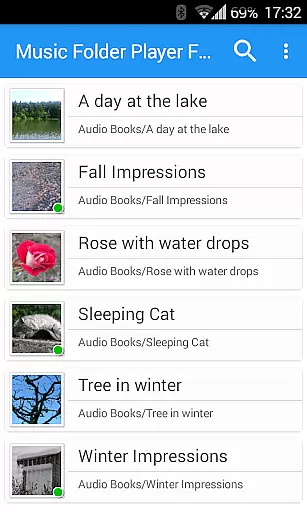
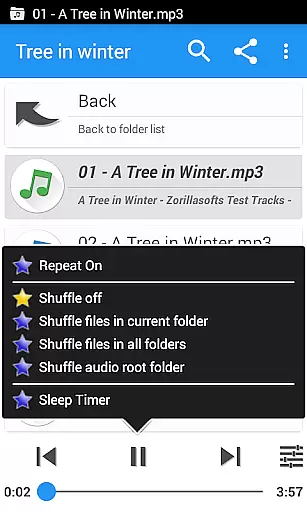
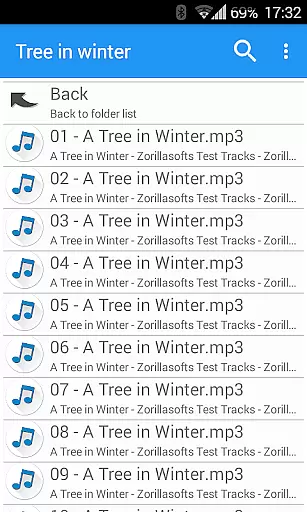
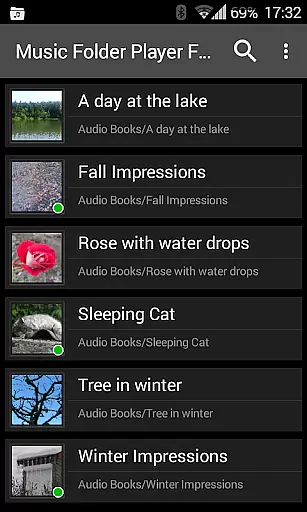
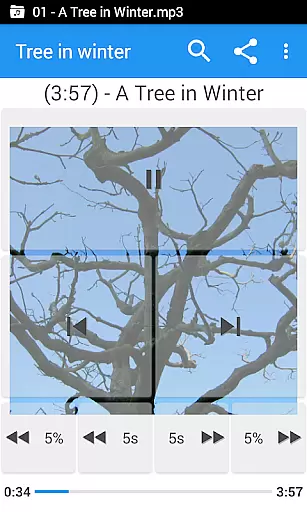
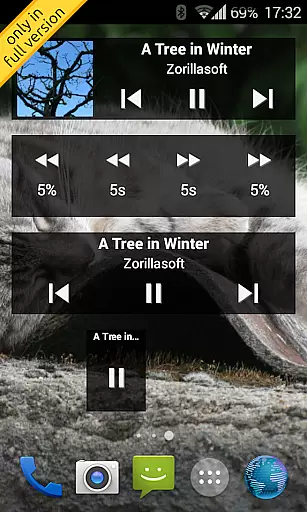
Music Folder Player Full is a specialized audio player designed for users who prefer organizing their music files in folders rather than traditional categories like artist or album. This full version offers an ad-free experience with additional features such as homescreen widgets.
The app provides unique functionalities including folder-based playback, resume functionality, and customizable seek buttons ideal for podcasts. With support for equalizer settings, speed control with pitch correction, and virtual room effects, it caters to audiophiles seeking enhanced listening experiences.
Whether you're managing a small or extensive music library, the app's dual display modes offer both simplicity and depth. Its intuitive design makes it suitable for various use cases, from casual listening to professional audio management.
Music Folder Player Full stands out with its array of distinctive features tailored for diverse audio playback needs. The app embraces Material Design principles, ensuring a modern and user-friendly interface across different devices.
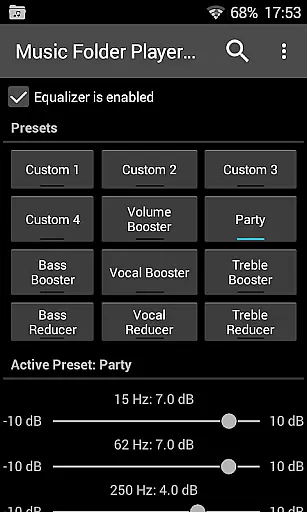
One of the key highlights is the advanced playback options. Users can benefit from four configurable seek buttons, making it exceptionally handy for navigating through podcasts or audiobooks. The inclusion of an equalizer with customizable and predefined settings allows for personalized sound adjustments.
Additional notable features include speed control with pitch correction, pre-amplification for low-level recordings, and innovative 432 Hz playback mode. These functionalities, combined with practical tools like sleep timer and Last.fm scrobbling support, create a comprehensive audio management solution.
Music Folder Player Full offers an extensive music library management system that allows users to organize their audio tracks in folders rather than traditional categories like artist or album. This unique approach provides a personalized way to manage large collections of audio files.
The application supports various file formats and ensures that all content is displayed accurately within its folder structure. The flat list view is perfect for smaller collections, while the hierarchical folder view caters to larger libraries, maintaining copyright authenticity by respecting the original file organization.
With features like virtual folders for favorite songs and advanced search capabilities, users can easily locate and play their preferred tracks. The app also integrates with external services like Last.fm for scrobbling, enhancing the music discovery experience while ensuring proper attribution and copyright compliance.
One of Music Folder Player Full's standout features is its comprehensive audio quality options. The app includes a robust equalizer with four customizable settings and eight predefined options such as Bass Booster and Vocal Booster, allowing users to fine-tune their listening experience according to their preferences.
For audiobooks and podcasts, the speed control feature with pitch correction enables users to adjust playback speed without affecting audio quality. This functionality is particularly useful for those who want to consume content more efficiently while maintaining clarity.
Additional enhancements include virtual room and reverb effects, a pre-amplifier for low-level recordings, and a unique 432 Hz playback mode. These options provide users with professional-grade tools to optimize sound quality and enjoy a richer, more immersive audio experience across different types of content.
User-friendly interface
Customizable playback options
Advanced equalizer settings
Speed control with pitch correction
Comprehensive widget support
Limited traditional categorization
Complex for novice users
Requires folder organization
No native cloud integration
Premium pricing structure

SqueezePlayer turns your Android phone or tablet into a SqueezeBox on its own!
 4.60
4.60
Performance-Synthesizer & Multi-Track-Sequencer, polyphonic + multi timbral!
4.70
Background pads for your band
3.80
Listen to live FM radio stations, sports, music and news on global radios online
4.70
Enjoy singing any song, no matter how high or low it is
4.30
The original SP-1200 experience on your iPad
4.20
Let your Android device with the sound effects you want
4.50
Powerful 10-Band equalizer pro with sound booster improves Android audio quality
4.30
The iconic iOS metronome app is now on Android.
3.70
24,000 free audio books and no ads!
4.90
Voice recorder - Audio recorder. Best recorder for recording
4.90 4.70
4.70
DJ Music Mixer - DJ Remix: remix songs, make beat music & record mix of DJ.
4.40
Ringtone Maker is free app create ringtone from music files or your recording.
4.40
Your HD audio recorder on the go for music, meetings, ambience, animal sounds…
4.30
Bass Booster Pro takes auto-equalizing to the next level!
4.30
Offline Tunes, Unlimited Vibes
3.90
Control your MIDI USB or Bluetooth devices in app and avoid some trampling
3.30
The Skullcandy App Experience
3.20


User Reviews