
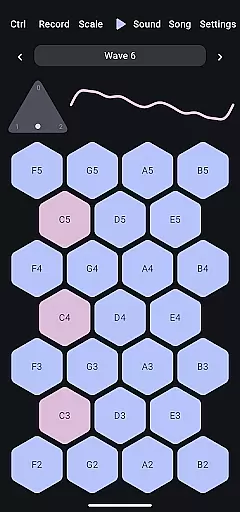
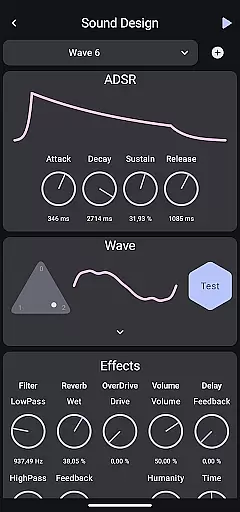
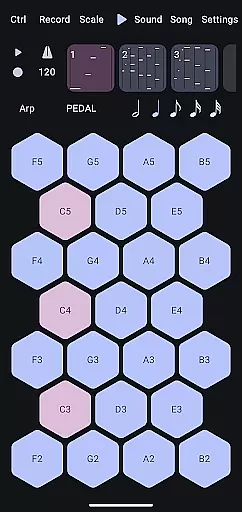
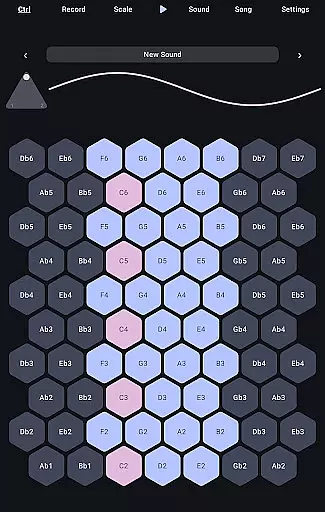
Wave 6 is a cutting-edge wavetable and additive synthesizer designed to transform your mobile device into a versatile musical instrument. This app allows musicians and enthusiasts to create, record, and perform music anywhere, anytime. With its ability to mix and morph between three customizable waveforms, Wave 6 empowers users to craft dynamic and organic sounds that range from smooth ambient tones to bold electronic leads.
The app's intuitive interface makes it easy to compose songs, design unique textures, and even collaborate with friends in real-time. Whether you're an experienced producer or just starting out, Wave 6 provides the tools needed to unleash your creativity and make music that truly moves with you.
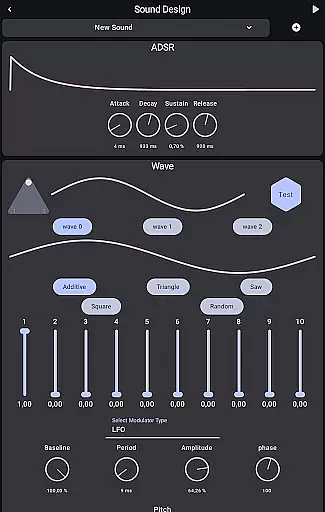
Wave 6 stands out with its powerful wavetable and additive synthesis capabilities. The app offers three fully customizable waveforms that can be mixed and morphed to create complex, evolving sounds. This flexibility enables users to produce both subtle ambient textures and striking electronic leads, making it suitable for various musical genres.
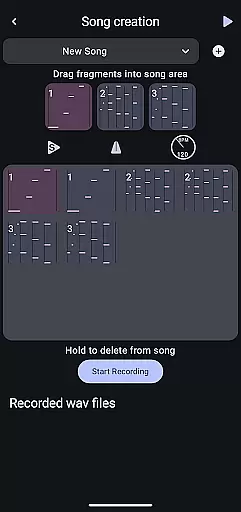
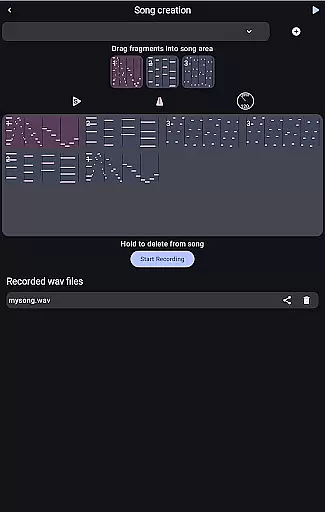
In addition to its sound design prowess, Wave 6 includes robust recording and performance features. Users can compose multi-track songs directly within the app, save their creations, and share them effortlessly. The app also supports real-time collaboration, allowing musicians to jam together regardless of location. These comprehensive features make Wave 6 an essential tool for modern music production on mobile devices.
Wave 6 offers a versatile music creation platform that allows users to craft their own unique sounds. The app provides an extensive range of customizable waves, giving musicians the freedom to experiment with different tones and textures.
With its powerful wavetable and additive synthesis capabilities, Wave 6 ensures that all created music is original and copyright-free. This means users can confidently use their compositions for personal or commercial projects without legal concerns.
The app's vast sound library supports various musical genres, from ambient tones to electronic leads. Musicians can explore endless creative possibilities, making it an ideal tool for both amateur enthusiasts and professional composers.
Audio quality is at the heart of Wave 6's design philosophy. The app delivers pristine sound output through advanced synthesis algorithms, ensuring every note sounds clear and professional-grade.
Users have multiple audio quality settings to choose from, allowing them to optimize performance based on their device capabilities and project requirements. Whether creating high-fidelity studio tracks or quick mobile demos, Wave 6 adapts to meet diverse needs.
The app also supports various audio formats, providing flexibility in exporting and sharing creations. This versatility makes Wave 6 an indispensable tool for modern music producers who demand both quality and convenience in their workflow.
Intuitive user interface
Powerful synthesis engine
Real-time collaboration
Highly customizable waveforms
Cross-platform compatibility
Steep learning curve
Resource-intensive operation
Limited free content
No MIDI support
Frequent updates needed

Turn your phone into a musical instrument from the future!
 3.90
3.90
Tune in to the greatest hits on UK Radio | The home of Capital, Smooth & Heart.
4.90
DJ Music Mixer - DJ Remix: remix songs, make beat music & record mix of DJ.
4.40
Brian Eno and Peter Chilvers’ acclaimed music app Bloom, radically reinvented.
4.80
Ultimate Sonos Controller
4.70
The best music and audio player, with beautiful UI, music search and equalizer.
4.60
The original SP-1200 experience on your iPad
4.20
Master Salsa Rhythm quickly and with a lot of fun!
4.30
Play your music offline without limits
4.80
Offline Music Player & MP3 Player.Powerful equalizer, Lyrics, Themes, Tag Editor
4.80
Your song collections with lyrics and chords on Android smartphones and tablets.
4.80
Walkout Song DJ is the most intuitive app to manage your sports music.
4.70
A synth that really lets you shape your sounds!
4.50
Let your Android device with the sound effects you want
4.50
Help you quickly get started with Shokz headphones
4.40
The official Sonos app
4.10
Versatile MP3 recorder with auto-backup to Dropbox and Google Drive
4.10
Sheet music reader, piano & music note player. Play music score & learn to read.
3.90
The Skullcandy App Experience
3.20


User Reviews