
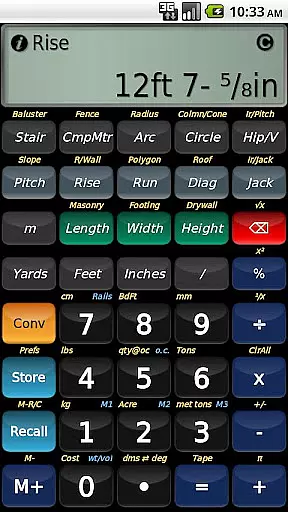
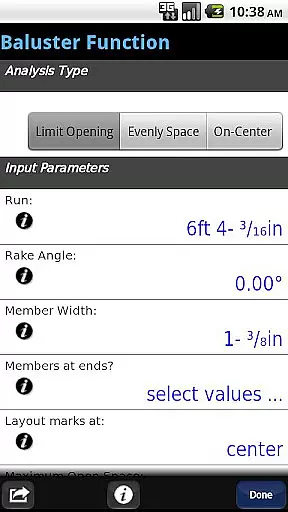
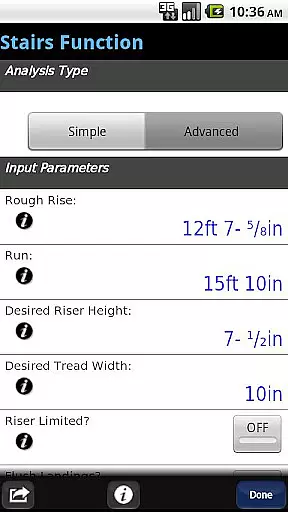
BuildCalc is a comprehensive construction calculator app designed to simplify complex calculations for professionals in the building industry. This powerful tool offers advanced functionalities such as the Baluster Function, Stair function with dimensioned drawings, and Fence Function that calculates materials needed for a fence row. The app also features interactive functions allowing users to modify inputs like Run or switch between Regular and Irregular Hip Roof analysis with automatic result updates.
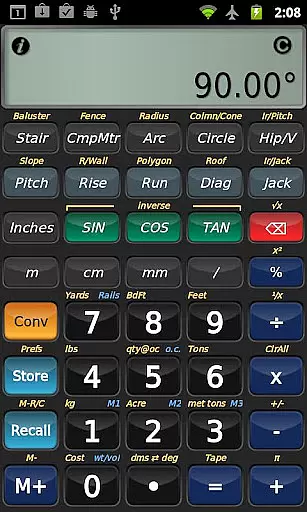
In addition to its robust feature set, BuildCalc provides users with more answers by customizing sizes for masonry, drywall, and roofing materials. It includes specialized calculations not found on other calculators, such as Sheathing Angles and Gable Area. To reduce complexity, it presents all results in list form with minimal taps, allows saving of results, and streamlines key sequences with checklists and help prompts. Its emulation of Construction Master® Pro ensures familiarity for those transitioning from traditional calculators.
Whether you're a seasoned contractor or a DIY enthusiast, BuildCalc serves as an essential companion on any job site by delivering precise calculations with ease and efficiency, ultimately saving time and reducing errors in your projects.
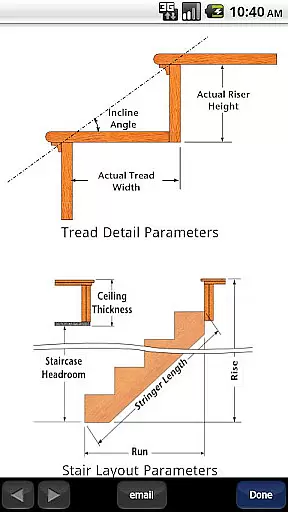
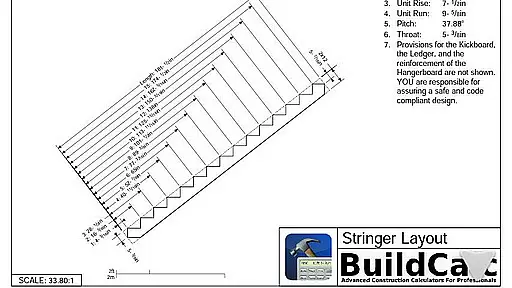
BuildCalc stands out with its array of sophisticated features tailored for construction professionals. One notable feature is the Advanced Baluster Function which simplifies railing and staircase baluster layouts while offering flexibility for custom jobs. Another highlight is the Advanced Stair function that produces professional stair layout plans including Stringer, Stringer Installation, and Finished Staircase drawings, which can be emailed as PDFs directly from the app.
The app's interactive capabilities allow users to change input values dynamically without needing to remember specific key presses, making tasks like switching between Miter Saw and Protractor results seamless. Additionally, BuildCalc introduces a Full Daylight Visibility Mode and supports storing multiple material sizes for various calculations, presenting them in an intuitive Length x Width format.
By focusing on user experience, BuildCalc eliminates cumbersome button sequences and instead delivers all calculation results with just one or two taps. Users benefit from being able to save complete results for later recall, receive on-the-spot help during complex calculations, and utilize Room Mode for quick Drywall or Masonry estimations. These innovations ensure that users spend less time figuring out how to use the tool and more time applying their expertise on-site.
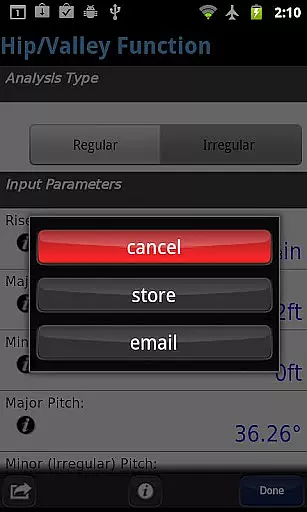
In the realm of construction and design, collaboration is key. BuildCalc understands this and offers features that enhance team productivity and accuracy. The app provides advanced interactive functions such as Stair, Baluster, and Compound Miter which are fully interactive. This means that any changes to input values or parameters like Run or switching between Regular and Irregular Hip Roof analysis are updated automatically.
Furthermore, the app allows users to save their results from all advanced functions. This feature ensures that teams can recall complete results at their convenience without the need to write down or memorize figures. By providing a checklist of inputs and on-the-spot help for complex calculations, BuildCalc reduces errors and enhances precision in collaborative projects.
The ability to email a PDF of dimensioned drawings directly from the app adds another layer of utility for teams working on construction projects. Whether it's sharing plans for a Stringer installation or finalizing a Finished Staircase layout, these capabilities ensure that everyone is on the same page, streamlining workflows and improving overall project efficiency.
Effective task management is crucial in construction projects, and BuildCalc excels in this area by simplifying complex processes. The app introduces innovative functionalities such as the Full Daylight Visibility Mode and advanced calculation options that require fewer button presses. Instead of remembering complicated key sequences, users can now get all their results in list form with just one or two taps.
BuildCalc also addresses common pain points in traditional construction calculators by offering intuitive tools like Drywall and Masonry 'Room Mode'. With stored dimensions for a room, calculating material requirements for walls, ceilings, and floors becomes straightforward with minimal input needed. This mode eliminates guesswork and reduces the time spent on manual calculations.
Additionally, BuildCalc supports various custom sizes for materials such as bricks, blocks, tiles, and shingles. Users can store multiple sizes in Length x Width format, making it easier to manage diverse project specifications without mental gymnastics. These enhancements not only improve task management but also contribute to more accurate planning and execution of construction tasks.
User-friendly interface
Comprehensive calculation tools
Interactive function adjustments
Customizable material sizes
Professional layout drawings
May have a learning curve
Requires email support
No offline functionality
Premium pricing model
Limited to Android platform

All Your Gig Work. One App.
 4.30
4.30
ANDROID'S TOP MOBILE OFFICE - Word, Excel, PowerPoint and PDF at your fingertips
4.50
Get your benefits on-the-go.
3.80
Windows App allows you to connect to remote PCs and virtual apps.
3.70
Earn free swag, G-Cards & food • Enter sweepstakes • Find stores • So much more.
4.70
Finance, Investing, Stocks, Trading and Stock news
4.60
Mobile POS for any business: sales, invoices, retail, restaurants & appointments
4.60
Access to Paylocity, empowering employees with information they need 24/7.
4.70
We help people get jobs
4.70
TurboScan turns your phone into a full-featured PDF document scanner.
4.80
Ask Accio anything about business. Alibaba-backed, built by experts, not just AI
4.60
Earn money with the driver & delivery partner app for Uber, UberEats & Postmates
4.60
Amazon A to Z is the place to manage your work-life at Amazon.
4.50
The revolutionary flexible staffing platform
4.40
Find work, shifts and gigs near you. Jobs lasting a few hours to a few months.
4.30
A secure, all-in-one team collaboration app
4.30
Find flexible, hourly jobs hiring near you in restaurant, retail & hospitality!
4.00
Zoom built for Chrome OS
3.90
view, manage, and share every PDF file you have
3.60


User Reviews