
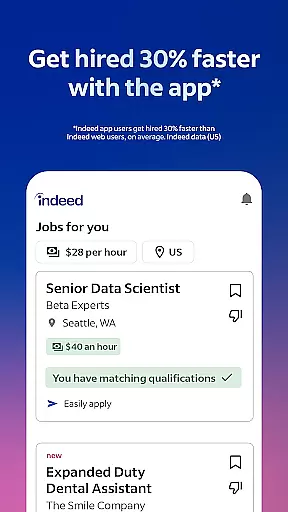
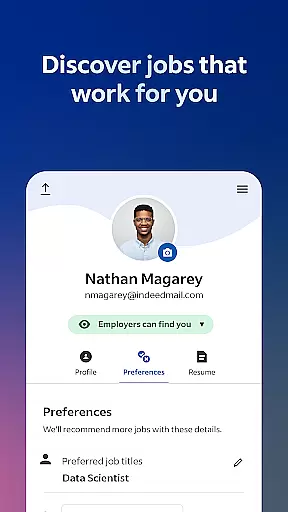

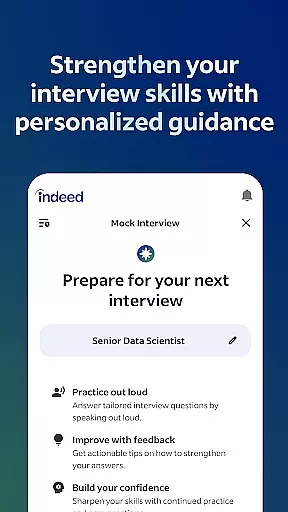
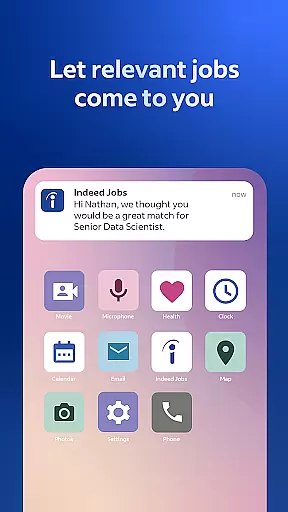
Indeed Job Search is a leading job search application designed to help users find their next career opportunity with ease. The app provides access to a comprehensive database of job listings, including roles posted on other job search platforms, making it a one-stop solution for job seekers. With smart search filters and personalized recommendations based on user preferences and work experience, Indeed ensures that you can quickly narrow down your options to find the ideal role.
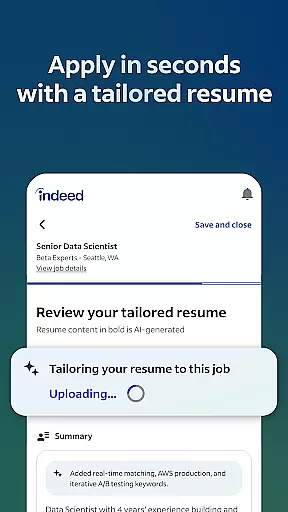
In addition to its robust search capabilities, Indeed offers advanced features such as resume uploading and a built-in resume builder, allowing users to present their best selves to potential employers. The app also tracks job applications and notifies users when employers respond, streamlining the entire job search process. Whether you're casually browsing or urgently applying, Indeed's mobile platform makes it easy to manage your job search from anywhere.
Indeed Job Search stands out with its powerful set of features tailored to simplify and enhance the job hunting experience. One of its key strengths is the extensive job database, which includes over 12 jobs added every second and integrates listings from various sources, ensuring users have access to the widest range of opportunities. The app's smart search filters allow users to refine results by location, job type, and even flexible work options like remote or freelance positions.
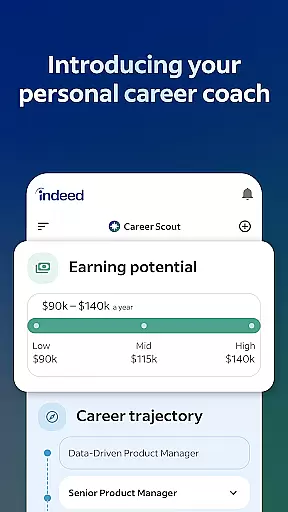
Beyond job searching, Indeed provides valuable tools such as salary insights, company reviews, and application tracking. Users can uncover expected salaries for specific roles using Indeed's database of over 1.1 billion salaries. Additionally, the app aggregates more than 700 million company ratings and reviews, helping candidates make informed decisions about potential employers. These features collectively empower job seekers to not only find suitable roles but also understand the companies they are applying to, ultimately improving their chances of securing the right job.
Indeed Job Search offers collaborative work features that streamline the job application process for both job seekers and employers. The app allows users to upload their resumes or utilize Indeed's resume builder, presenting their best qualifications to potential employers effortlessly. This feature not only simplifies the application process but also ensures that your profile is always ready for new opportunities.
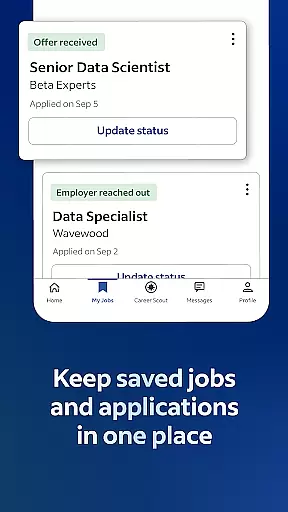
For those actively applying to multiple positions, Indeed enables saving your resume within the app. This means you can apply to jobs without the need to repeatedly input the same information, making your job search more efficient. The ability to track applications directly through the app provides a clear overview of where you stand with each opportunity.
Additionally, Indeed facilitates communication between employers and candidates by notifying users when their application has been viewed or responded to. This transparency helps job seekers manage their expectations and plan their next steps accordingly. Such collaborative features ensure that users are always informed and can focus on securing their ideal role.
Task management is a crucial aspect of any successful job search, and Indeed Job Search excels in this area by providing tools that help users organize and prioritize their applications effectively. With smart search filters, users can quickly narrow down job listings to find roles that match their skills and preferences, ensuring they spend their time on the most relevant opportunities.
The app goes beyond simple job listings by offering insights into companies through over 700 million company ratings and reviews. Understanding workplace culture and employee satisfaction can be pivotal in deciding where to apply, thus enhancing your task management strategy. Moreover, Indeed provides salary information for more than 1.1 billion jobs, allowing users to weigh financial considerations early in their search process.
Indeed also supports various work options such as remote jobs, freelance positions, part-time roles, and opportunities to work from home or anywhere. These filters aid in managing your job search tasks by aligning them with personal lifestyle needs and career goals. By leveraging these comprehensive tools, Indeed empowers users to take control of their job search journey efficiently and effectively.
User-friendly interface
Extensive job listings
Smart search filters
Resume builder included
Application tracking system
Limited customization options
Occasional irrelevant matches
Ads within the app
Premium features require subscription
Privacy concerns with data sharing

Zoom built for Chrome OS
 3.90
3.90
All Your Gig Work. One App.
4.30
Measure distances, surfaces and draw plans in seconds with CamToPlan!
4.40
BuildCalc - the easiest AND the most advanced construction calculator app.
4.80
viewing and sharing PDFs and other files—anytime, anywhere!
4.0
Start earning fast. Apply Today.
4.80
Find part-time earning opportunities near you that pay within days.
3.20
Make invoices, bills, receipts & estimates on the go with Invoice Generator.
4.70
Say hello to the mobile work experience built to help you thrive at work.
4.30
Employee Management Made Easy
4.80
The MyWalmart App is available for all associates in stores.
4.70
AI-powered document scanner with auto enhance for perfect PDFs.
4.60
Earn money with the driver & delivery partner app for Uber, UberEats & Postmates
4.60
ADP Mobile Solutions is an employee self service app
4.50
The Penny Puss app with DG penny finder
4.10
Work happy with AI Companion
4.10
enjoy effortless PDF reading anytime, anywhere
3.90
Quickly open and manage PDF files on your device.
3.80
Convert Your Lovable.dev Website into a Mobile App Instantly!
4.5


User Reviews