
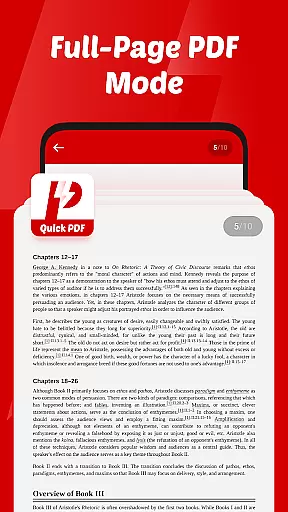
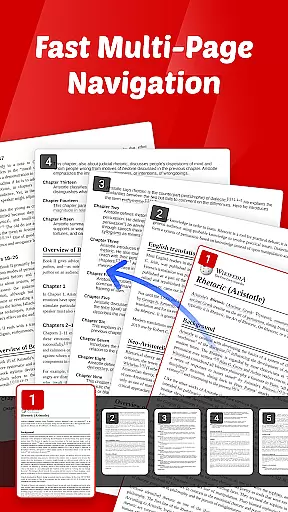
Quick PDF-View PDF is a versatile document management app designed for professionals and students alike. This application allows users to view, manage, and share PDFs and other file formats such as DOC, PPT, and XLS with ease. Its intuitive swipe controls ensure smooth page navigation, while the clutter-free interface helps users focus on their content without distractions.
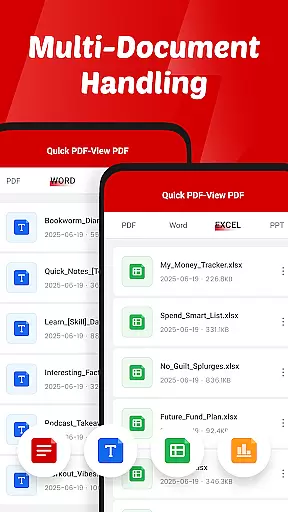
One of the standout features of Quick PDF-View PDF is its ability to handle multiple file formats seamlessly. Whether you need to open a PDF stored locally or share an important document directly from your device, this app provides a reliable solution. It's particularly useful for business professionals who require quick access to documents on the go, making it an essential tool for enhancing productivity in various work environments.
Quick PDF-View PDF offers a comprehensive set of features that cater to diverse document management needs. The app supports multiple file formats including PDF, DOC, PPT, and XLS, allowing users to access various types of documents from a single platform. Its intuitive swipe controls make navigating through pages effortless, providing a user-friendly experience.
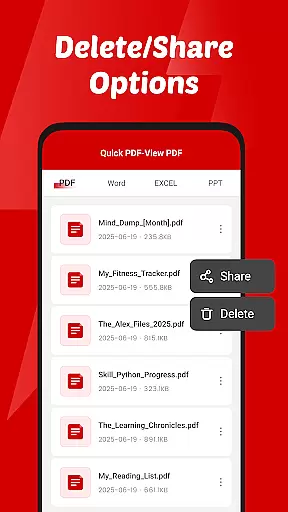
In addition to viewing capabilities, the app enables quick sharing of documents directly from the interface. This feature is especially beneficial for teams that need to collaborate and exchange files efficiently. Furthermore, the app's permission system ensures secure file management by allowing users to read, organize, and delete documents as needed. These robust functionalities make Quick PDF-View PDF a valuable asset for anyone seeking efficient document handling solutions.
Collaborative work features are essential for modern business applications, enabling teams to work together efficiently regardless of location. Quick PDF-View PDF supports this by allowing users to share documents directly from the app, streamlining communication and collaboration.
The app's support for multiple formats including PDF, DOC, PPT, and XLS ensures that all team members can access files in their preferred format. This versatility enhances workflow flexibility and ensures everyone is on the same page, literally and figuratively.
With intuitive swipe controls for smooth page navigation, users can quickly find and review the information they need. This ease of use translates into faster decision-making and more productive teamwork, as less time is spent on document management and more on actual work tasks.
Effective task management is crucial for productivity, and Quick PDF-View PDF aids in this by providing a clutter-free interface focused on your documents. The simplicity of the design helps users concentrate on their tasks without unnecessary distractions, making it an ideal tool for managing document-related assignments.
The app's instant opening and viewing capabilities ensure that users can access their PDFs stored on the device without delay. This immediacy is vital for task management, where time is often of the essence, and quick access to information can make or break deadlines.
Additionally, the permission to read, organize, and delete documents allows for efficient file management. Users can keep their workspace tidy, ensuring that important documents are easily accessible while irrelevant files do not clutter their environment. This organized approach contributes significantly to overall task efficiency and effectiveness.
User-friendly interface
Multi-format support
Intuitive navigation
Quick sharing options
Secure file management
Limited advanced editing
No cloud integration
Basic annotation tools
Occasional performance lags
Ads in free version

viewing and sharing of PDFs
 3.60
3.60
FX Plus adds media, networking, and cloud capabilities to FX File Explorer.
4.10
Earn crypto with secure cloud mining. Monitor, track & withdraw easily
4.40
Paychex Flex - Save Time and Stay Connected
4.60
We are a dynamic team of creatives people of design, marketing, web & apps
3.00
Start earning fast. Apply Today.
4.80
Access All PDF Files
3.40
Make invoices, bills, receipts & estimates on the go with Invoice Generator.
4.70
Ship, Track, Find a Location or Get a Quote with UPS. Anytime. Anywhere.
4.60
TurboScan turns your phone into a full-featured PDF document scanner.
4.80
All your team communication in one place
4.70
Access to Paylocity, empowering employees with information they need 24/7.
4.70
Manage work life on the go
4.50
Master crypto trading with real-time simulations and exciting challenges!
4.50
Find jobs near you and temp work in minutes, from your phone.
4.50
Work happy with AI Companion
4.10
Quickly open and manage PDF files on your device.
3.80
Windows App allows you to connect to remote PCs and virtual apps.
3.70
view, manage, and share every PDF file you have
3.60


User Reviews