
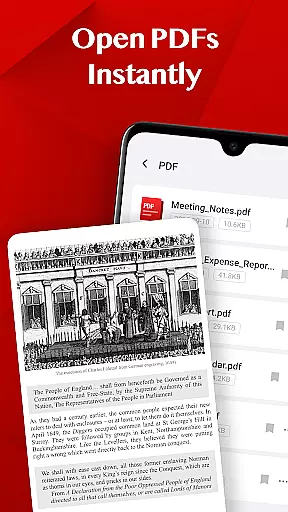
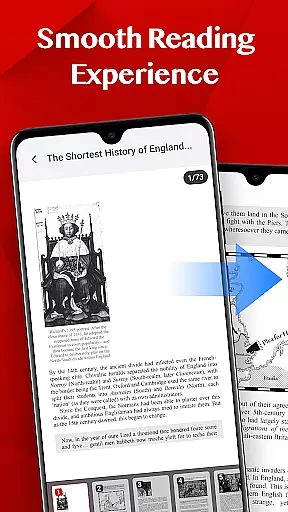
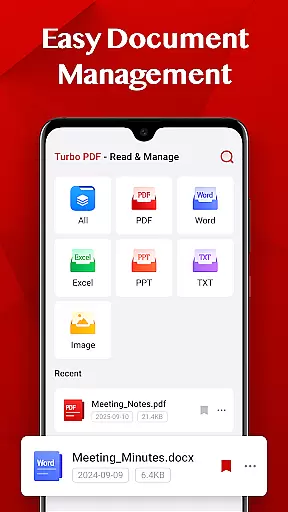
Turbo PDF is a lightweight and practical PDF reader designed for Android devices. With an intuitive interface, it allows users to open PDF files instantly without waiting. The app provides essential tools for smooth reading experiences such as fluid scrolling, zooming, and page navigation. It also supports easy document management by enabling users to share or delete files, keeping their PDFs well-organized.
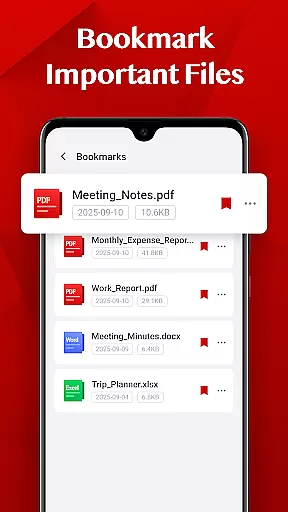
One standout feature of Turbo PDF is its bookmarking capability, which lets users mark important documents for quick access later. This makes the app particularly useful for professionals and students who need to manage multiple PDF documents efficiently. Its clean and responsive layout ensures that users can focus on content without distractions, making it a valuable tool for anyone dealing with PDFs regularly.
Turbo PDF offers several key features that enhance the user experience when working with PDF documents. First, it provides an instant opening function, allowing users to access PDF files stored on their device without delay. This feature is especially beneficial for those who need quick access to information while on the go.
The app also delivers a smooth reading experience through fluid scrolling, zooming, and responsive page navigation. These functionalities ensure that users can interact with PDF content seamlessly. Additionally, Turbo PDF includes easy document management options, enabling users to share or delete files effortlessly. The bookmarking feature further enhances productivity by allowing users to mark and retrieve important documents quickly.
All these features are wrapped in a clean and intuitive interface, making Turbo PDF accessible even to those who may not be tech-savvy. Whether you're a student managing lecture notes or a professional handling reports, Turbo PDF's comprehensive set of tools will streamline your workflow and improve efficiency.
In today's interconnected work environments, collaborative work features are essential for seamless teamwork. Turbo PDF offers practical solutions that enable multiple users to interact with PDF documents efficiently.
The app allows teams to access and manage PDF files stored on their devices, ensuring everyone has the necessary documents at their fingertips. With instant file opening and smooth navigation, team members can quickly review and share important information.
While Turbo PDF focuses on individual efficiency, its document management capabilities indirectly support collaboration. Users can easily organize, bookmark, and retrieve key files, which simplifies sharing relevant documents with colleagues.
Although Turbo PDF doesn't currently offer real-time co-editing features, its reliable performance and intuitive interface make it a valuable tool for professionals who frequently work with PDF documents in team settings.
Effective task management is crucial for maintaining productivity, especially when working with numerous PDF documents. Turbo PDF provides essential tools that help users stay organized and focused on their tasks.
The application enables users to bookmark important files, allowing them to quickly return to critical documents without wasting time searching through folders. This feature proves particularly useful when managing multiple projects or handling extensive research materials.
With its easy document management system, users can maintain an organized workspace by deleting unnecessary files and sharing relevant documents with colleagues. The smooth reading experience further enhances productivity by providing fluid scrolling and responsive page navigation.
While Turbo PDF may not function as a dedicated task manager, its ability to streamline PDF document handling contributes significantly to overall task efficiency and organization.
User-friendly interface
Instant file opening
Smooth navigation
Efficient document management
Bookmarking capability
Limited advanced editing
No cloud integration
Basic security features
Few customization options
Android only

Completed Course Lectures on how to use IBM Maximo in Maintenance issues
 4.0
4.0
Formerly Facebook Ads Manager. Manage and create ads on the go.
4.20
The revolutionary flexible staffing platform
4.40
Windows App allows you to connect to remote PCs and virtual apps.
3.70
Finance, Investing, Stocks, Trading and Stock news
4.60
Access to Paylocity, empowering employees with information they need 24/7.
4.70
Access All PDF Files
3.40
Earn money with the driver & delivery partner app for Uber, UberEats & Postmates
4.60
Chat, meet, and collaborate to achieve more together, all in one place on Teams
4.60
Job search app that finds jobs for you! Takes the work out of looking for a job!
4.90 4.70
4.70
Manage Your Shop
4.70
Make invoices, bills, receipts & estimates on the go with Invoice Generator.
4.70
Earn crypto with secure cloud mining. Monitor, track & withdraw easily
4.40
Make money as a delivery driver with DoorDash and work when you want as a Dasher
4.30
Scan Business Cards & Conference Badges - Capture Leads at Events & Tradeshows
4.20
VSD Viewer - Visio Drawings Viewer for Android Preview VSD, VDX, VSDX drawings
4.10
Delivery Track App - Tracking with Fedex, USPS, UPS, DHL. Monitor your Orders.
3.20
Convert Your Lovable.dev Website into a Mobile App Instantly!
4.3


User Reviews