
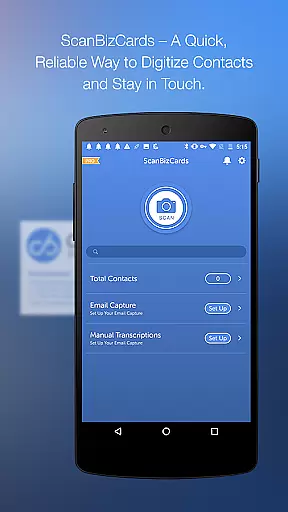
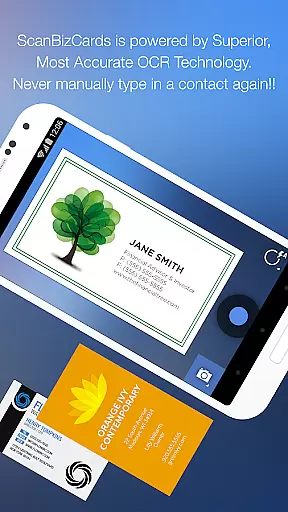
ScanBizCards Premium is a versatile business card management solution designed for professionals who want to digitize and organize their contacts efficiently. The app allows users to scan business cards directly using their phone's camera, with an option for 100%-accurate human transcription for critical data. It supports over 20 languages and offers advanced features such as batch scanning, CRM integration, and email signature capture. With the ability to export unlimited cards to Salesforce and other CRMs, ScanBizCards is ideal for salespeople and business professionals who attend networking events or trade shows.
In addition to its core functionality, the app provides tools like double-sided card scanning, personal notes, custom folder organization, and a 3D gallery view mode. Users can easily search, edit, and share contacts while syncing their data across devices via Google Drive. Whether you're looking to streamline your contact management process or integrate scanned cards into your CRM system, ScanBizCards Premium delivers a comprehensive solution tailored to modern business needs.
ScanBizCards Premium stands out with its robust feature set that caters to both individual and enterprise-level requirements. One of its key highlights is the ability to perform high-speed scans, which are up to five times faster than previous versions. This ensures quick processing even during busy networking sessions. Additionally, the app's upgraded OCR engine improves accuracy, while batch scanning enables users to process multiple cards simultaneously, saving valuable time.
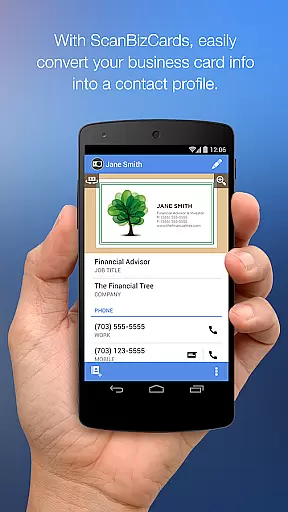
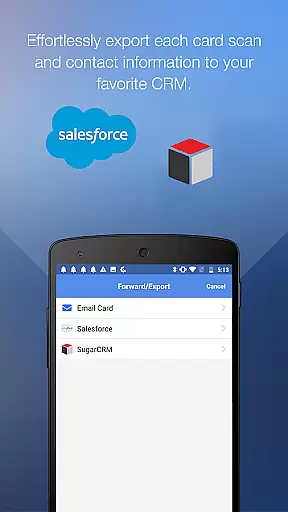
The app also integrates seamlessly with popular CRM platforms like Salesforce and SugarCRM, allowing users to export scanned contacts directly. For U.S.-based users, the newly added Email Signature Capture tool automatically extracts contact details from incoming emails and updates them in the address book or CRM. Furthermore, ScanBizCards supports 22 languages, making it suitable for international use. Its intuitive interface lets users review and edit scanned information alongside the original card image, ensuring precision and ease of use.
In today's interconnected business environment, collaborative work features are essential for seamless team operations. ScanBizCards Premium excels in this area by integrating with major CRM platforms like Salesforce and SugarCRM. This integration allows sales teams to effortlessly export scanned business cards directly into their preferred CRM system.
The app's email signature capture functionality further enhances collaboration by automatically extracting contact information from email signatures across Gmail and Outlook accounts. Once connected, the system continuously scans incoming emails, identifying new contacts or updates to existing ones. These contacts can then be automatically added to the user's address book or exported to their CRM platform of choice.
For conference settings, ScanBizCards offers batch scanning capabilities that enable users to process multiple business cards simultaneously. This feature significantly reduces the time needed to digitize contacts collected during networking events. The app can convert up to seven business cards per month into CRM leads, with unlimited exports available for Salesforce users who connect their email accounts.
These collaborative features not only save valuable time but also ensure that all team members have access to the most current contact information. By automating the contact management process, ScanBizCards helps businesses maintain accurate records while freeing up staff to focus on more strategic activities.
Effective task management is crucial for maintaining productivity in professional environments. ScanBizCards Premium addresses this need through its comprehensive contact management system. Users can efficiently organize their digital business cards using custom folder names, creating a structured system that mirrors their workflow requirements.
The application streamlines task management by providing tools to edit contact information directly alongside the business card image. This visual reference ensures accuracy when updating details or adding personal notes to each contact entry. Additionally, the 3D gallery view mode offers an intuitive way to navigate through stored business cards, making it easier to locate specific contacts quickly.
ScanBizCards enhances task efficiency through its Quick Intro feature, which allows users to send personalized emails complete with their contact information and profile picture. This function simplifies follow-up communications after networking events. Furthermore, the app supports double-sided business card scanning, ensuring all relevant information is captured in a single operation.
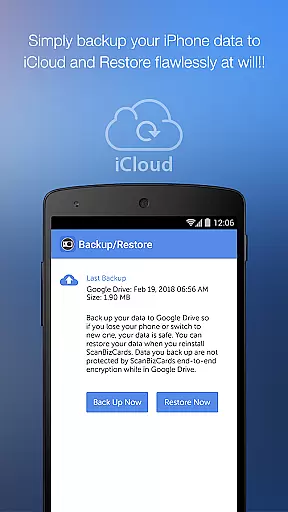
With robust search capabilities and backup options to Google Drive, users can effectively manage their contact database. These features collectively contribute to a more organized workflow, enabling professionals to focus on building relationships rather than managing paperwork. The ability to share business cards via email also facilitates quick information exchange among colleagues and partners.
Fast and accurate scanning
Unlimited CRM exports
Supports 22 languages
Batch scanning capability
Email signature capture
Premium version costly
Limited free exports
Requires internet
Occasional OCR errors
Heavy on storage

GoTo Mobile is a simple & secure calling, messaging & meetings solution
 4.80
4.80
Find the right fit, faster.
4.70
viewing and sharing PDFs and other files—anytime, anywhere!
4.0
enjoy effortless PDF reading anytime, anywhere
3.90
Build a store in minutes with our full suite of AI tools. Start for free!
4.20
view, manage, and share every PDF file you have
3.60
Make invoices, bills, receipts & estimates on the go with Invoice Generator.
4.70
Collaborate seamlessly with Google Chat, part of Google Workspace
4.50
Earn money with the driver & delivery partner app for Uber, UberEats & Postmates
4.60
Employee Management Made Easy
4.80
Create curriculum vitae, a professional cover letter creator and resume designer
4.80
AI-powered document scanner with auto enhance for perfect PDFs.
4.60
Find jobs and make money fast with JobStack.
4.60
Amazon A to Z is the place to manage your work-life at Amazon.
4.50
Earn crypto with secure cloud mining. Monitor, track & withdraw easily
4.40
All-in-one Mobile solutions for employees & managers to succeed at work
4.30
Formerly Facebook Ads Manager. Manage and create ads on the go.
4.20
Shop, deliver, and earn with the Spark Driver™ App
4.10
Simple, Fast & Lightweight
3.90


User Reviews