
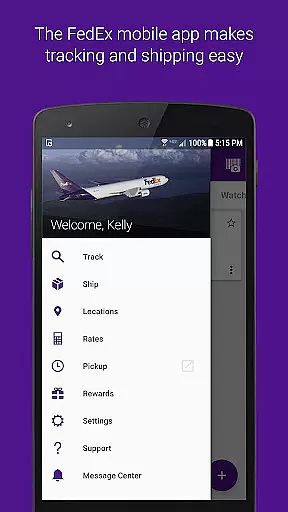
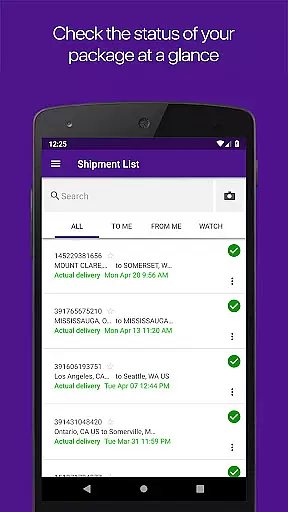
FedEx Mobile is a comprehensive business solution that enables users to manage their shipping and delivery operations directly from their mobile devices. The app allows for seamless creation of domestic and international shipping labels, real-time tracking of shipments, and efficient package management. With features like push notifications and barcode scanning, it ensures users stay informed about their shipment status wherever they are.
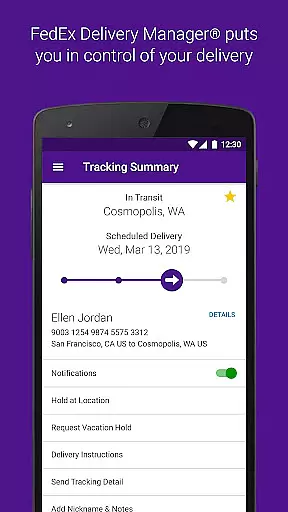
One of the standout capabilities is the FedEx Delivery Manager, which allows customization of delivery preferences. Users can hold packages at preferred locations, leave delivery instructions, or reroute shipments to nearby FedEx points. This makes the app particularly valuable for businesses needing flexible logistics solutions and individuals requiring reliable shipping services.
The app's ability to integrate with device functionalities such as camera scanning and location services enhances its utility. By providing quick access to shipment cost estimates, delivery times, and nearby FedEx locations, it streamlines the entire shipping process, making it an essential tool for modern business operations.
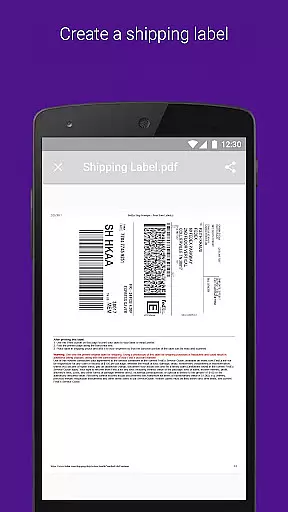
FedEx Mobile offers a rich set of features designed to optimize shipping and delivery processes. One of its primary functions is the ability to create mobile shipment labels and request pickups directly from the app. This feature is complemented by real-time tracking capabilities, allowing users to monitor the status of all incoming and outgoing packages effortlessly.
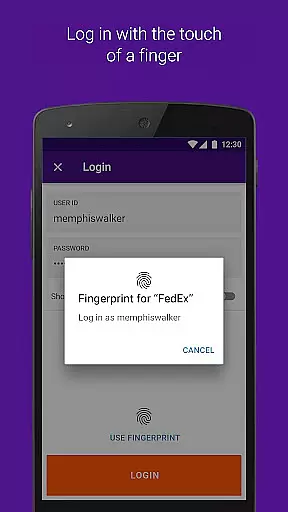
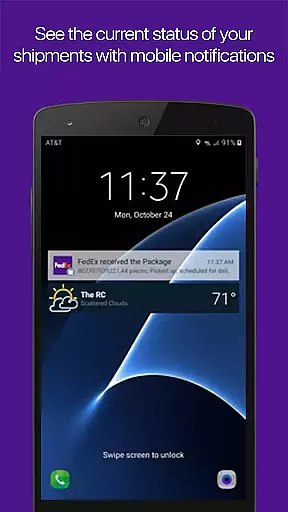
The app leverages device functionalities to enhance user experience. For instance, enabling push notifications provides timely updates on shipments, while sound notifications alert users upon delivery. Barcode scanning simplifies tracking, and location services help find nearby FedEx drop-off points. Additionally, users can log in using facial or fingerprint recognition, ensuring secure and convenient access.
For users within the U.S., the FedEx Delivery Manager adds another layer of convenience. It allows users to customize delivery preferences, reroute packages, and even scan door tags for missed deliveries. These features collectively ensure that FedEx Mobile not only meets basic shipping needs but also offers advanced tools for personalized delivery management.
In the realm of business logistics, collaboration is key. The FedEx Mobile app excels in providing collaborative work features that are essential for businesses and individuals alike. With functionalities such as creating a mobile shipment label and requesting a pickup, the app streamlines the shipping process by allowing team members to perform tasks remotely.
Furthermore, the app enables users to access their shipper address book and search their list of shipments by tracking number, references, vendors, and more. This ensures that everyone involved in the shipping process is on the same page, with access to the same critical information, thus enhancing teamwork and efficiency.
The inclusion of FedEx Delivery Manageru00ae adds another layer of collaborative functionality, allowing users to customize when and where they would like to receive packages. This feature supports residential deliveries within the U.S., offering options such as holding a package at a preferred location or leaving delivery instructions for the courier.
By integrating these collaborative work features, the FedEx Mobile app not only simplifies the logistics process but also empowers teams to manage shipments more effectively, ensuring timely deliveries and customer satisfaction.
Effective task management is crucial for maintaining an efficient workflow, and the FedEx Mobile app offers robust tools to manage your shipping-related tasks. Users can track the status of all incoming or outgoing packages, create new pickups, and view or cancel scheduled pickups, all from their mobile devices.
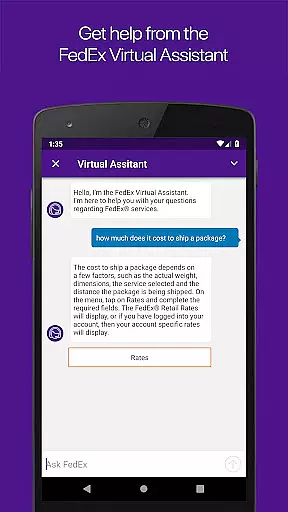
The app's ability to provide quick rates and delivery times allows users to plan their shipments with precision, ensuring that deadlines are met without unnecessary costs. Push notifications further enhance task management by keeping users informed about their shipment statuses and delivering sound notifications for delivered shipments.
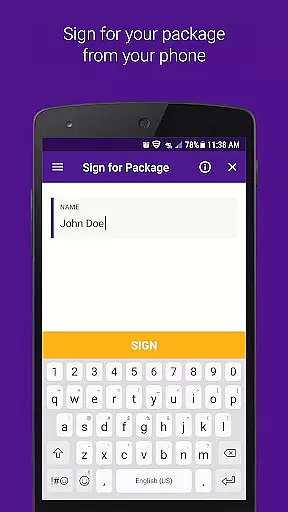
For users who require signature upon delivery or need to reroute packages to a convenient FedEx location, the app provides the necessary controls to execute these tasks seamlessly. Additionally, the option to scan door tags for missed shipments gives users immediate access to information and alternative delivery options.
With these comprehensive task management capabilities, the FedEx Mobile app ensures that users have complete control over their shipping operations, leading to improved productivity and peace of mind.
User-friendly interface
Real-time tracking
Customizable delivery
Secure login options
Comprehensive support
Limited regional features
Requires constant updates
Occasional bugs
Permissions needed
Premium service costs

The All-in-One File Manager for Phone, TV, Watch, Cars, XR / VR, Chromebook
 4.10
4.10
The MyWalmart App is available for all associates in stores.
4.70
Earn free swag, G-Cards & food • Enter sweepstakes • Find stores • So much more.
4.70
viewing and sharing PDFs and other files—anytime, anywhere!
4.1
Take the stress out of storage with the all-in-one app to manage your space.
3.70
Permission Guard is a security app that helps you manage app permissions.
4.80
Shop, deliver, and earn with the Spark Driver™ App
4.10
Earn money with the driver & delivery partner app for Uber, UberEats & Postmates
4.60
ADP Mobile Solutions is an employee self service app
4.50
Manage Your Shop
4.70
Use Generative Summary to understand your rental or insurance docs in seconds.
4.70
Grow your business and connect with more people with Meta Business Suite.
4.60
Drive and earn extra money
4.50
The app that lets you deliver with Amazon.
4.50
Earn crypto with secure cloud mining. Monitor, track & withdraw easily
4.40
One marketplace. Hundreds of services. Unlimited possibilities. All on Fiverr.
4.40
Build a store in minutes with our full suite of AI tools. Start for free!
4.20
Windows App allows you to connect to remote PCs and virtual apps.
3.70
view, manage, and share every PDF file you have
3.60


User Reviews