
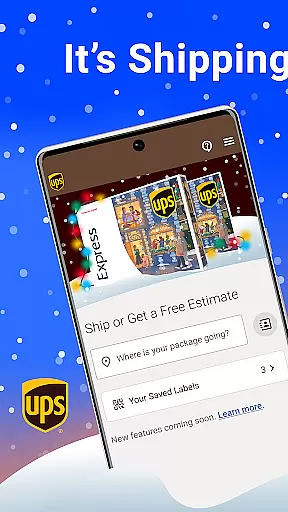

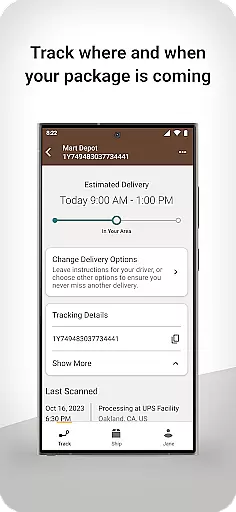
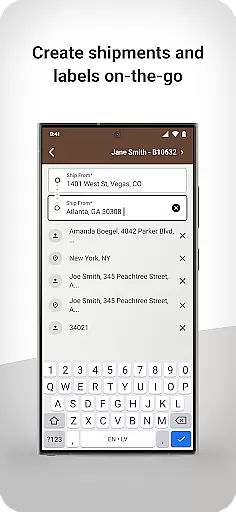
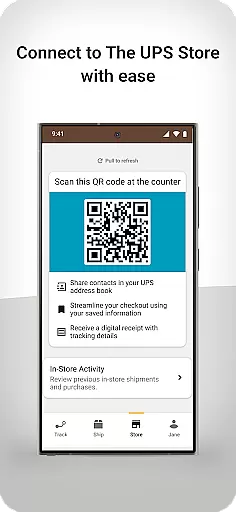
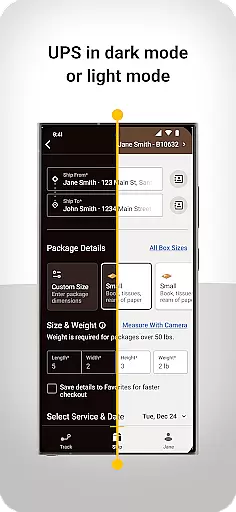
UPS is a business application designed to streamline shipping processes and enhance package tracking capabilities. This app allows users to efficiently manage both domestic and international shipments through a personalized QR code system, enabling quick access to contacts in the UPS address book. Users can generate shipping labels swiftly, receive digital receipts, and enjoy real-time package tracking directly from their mobile devices.
The app's intuitive interface provides a modern, clean, and responsive user experience, ensuring seamless navigation and operation. Its proactive guidance system sets it apart from other carriers by offering unparalleled visibility into shipment statuses. Whether shipping locally or internationally, UPS simplifies the process with clear instructions and support, empowering businesses to operate more smoothly and confidently.
One of the standout features of the UPS app is its ability to provide users with a personalized QR code, streamlining the shipping process by linking directly to saved contacts within the UPS address book. This functionality not only saves time but also reduces errors associated with manual data entry. Additionally, the app supports the creation of shipping labels in seconds, making it ideal for businesses that require rapid turnaround times.
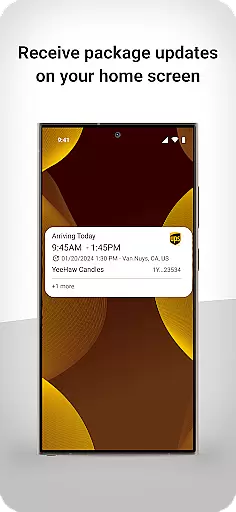
Another key feature is the comprehensive tracking system, which allows users to monitor both inbound and outbound shipments in real time. This includes international shipments, where the app offers unique guidance to navigate customs procedures efficiently. Furthermore, the app delivers push notifications and updates directly to the user's home screen, ensuring they are always informed about their package's status without needing to open the app.
Collaborative work features are essential for modern business applications, enabling teams to work together efficiently regardless of location. The UPS app excels in this area by providing tools that facilitate seamless interaction between businesses and their clients.
This application allows users to access a personalized QR code that simplifies the process of shipping to contacts stored in their UPS address book. This feature not only saves time but also enhances accuracy in package delivery, ensuring that shipments reach the intended recipients without delay.
Moreover, the app supports digital receipts, which can be easily shared with team members or accounting departments, streamlining financial processes within organizations. By integrating these collaborative elements, the UPS app ensures that all stakeholders remain informed and engaged throughout the shipping process.
Effective task management is crucial for maintaining productivity and meeting deadlines in any business environment. The UPS app offers robust task management capabilities that empower users to handle their shipping needs efficiently.
With the ability to create shipping labels quickly and track deliveries from anywhere at any time, users can manage their logistics tasks with unprecedented ease. This functionality is particularly beneficial for businesses that rely on timely shipments to maintain customer satisfaction and operational efficiency.
Additionally, the app provides updates directly on the user's home screen, keeping them informed about the status of their packages without needing to open the app. This proactive approach to task management ensures that users can focus on other critical aspects of their business while trusting that their shipping operations are under control.
Efficient shipping process
Real-time package tracking
User-friendly interface
International shipping support
Proactive guidance system
Limited to UPS services
Occasional update bugs
Requires internet connection
No multi-carrier support
Some features need account linking

FX Plus adds media, networking, and cloud capabilities to FX File Explorer.
 4.10
4.10
ANDROID'S TOP MOBILE OFFICE - Word, Excel, PowerPoint and PDF at your fingertips
4.50
The MyWalmart App is available for all associates in stores.
4.70
Manage work life on the go
4.50
From Gone to Back Again — In Just a Few Taps
4.50
Make invoices, bills, receipts & estimates on the go with Invoice Generator.
4.70
Permission Guard is a security app that helps you manage app permissions.
4.80
Shop, deliver, and earn with the Spark Driver™ App
4.10
We help people get jobs
4.70
Create curriculum vitae, a professional cover letter creator and resume designer
4.80
AI-powered document scanner with auto enhance for perfect PDFs.
4.60
Master crypto trading with real-time simulations and exciting challenges!
4.50
ADP Mobile Solutions is an employee self service app
4.50
Find flexible, hourly jobs hiring near you in restaurant, retail & hospitality!
4.00
On the go? Take FedEx with you.
4.00
enjoy effortless PDF reading anytime, anywhere
3.90
All document reader, pdf viewer app, read docs & excel files
3.80
Take the stress out of storage with the all-in-one app to manage your space.
3.70
viewing and sharing of PDFs
3.60


User Reviews