
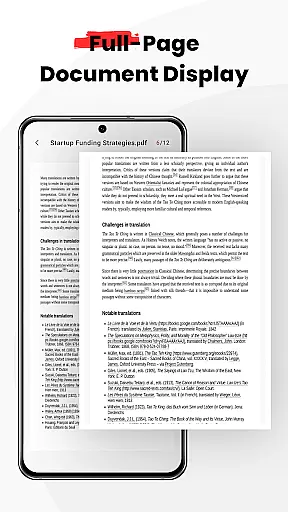
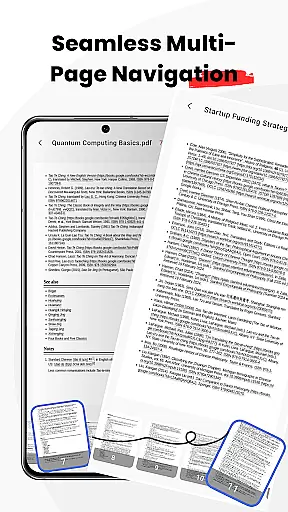
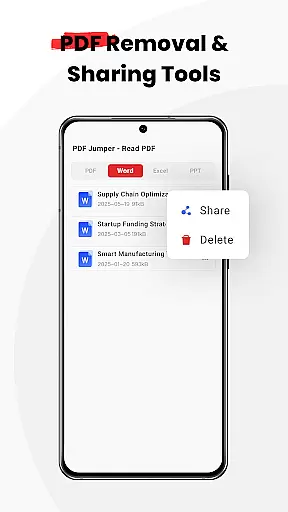
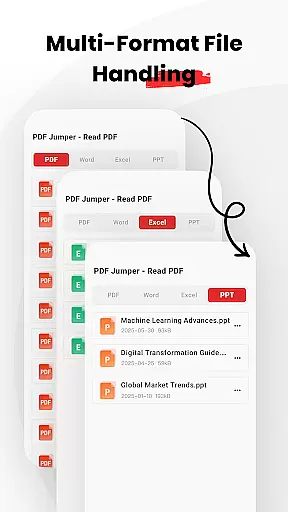
PDF Jumper is a versatile document management solution designed for seamless PDF reading and sharing across all devices. The app offers instant access to PDFs stored on your device, supporting multiple formats including PDF, DOC, PPT, and Excel. With intuitive swipe controls for smooth navigation and smart sharing capabilities, users can effortlessly send documents in various formats. Additionally, the app provides full file management features, allowing users to organize, share, or delete documents directly within the interface.
This application is particularly valuable for business professionals who need reliable document handling on the go. Its universal compatibility and efficient navigation make it an essential tool for managing important files anytime, anywhere.
PDF Jumper stands out with its comprehensive feature set tailored for document management. The app's instant access functionality allows users to open and read PDFs within seconds, while its universal compatibility supports multiple document formats such as PDF, DOC, PPT, and Excel. Smooth navigation is ensured through intuitive swipe controls that simplify page flipping.
Smart sharing enables quick sending of documents in any supported format, enhancing collaboration. Moreover, the app includes robust file management capabilities, empowering users to organize their documents efficiently, share them with others, or delete unnecessary files directly from the app interface.
PDF Jumper offers robust collaborative work features that are essential for modern business environments. The app allows users to share documents seamlessly with colleagues and friends in various supported formats, ensuring smooth communication and workflow.
One of the standout functionalities is its smart sharing capability, which enables quick sending of documents. This feature ensures that team members can easily exchange important files without any hassle, thus improving productivity and collaboration.
In addition to sharing, PDF Jumper supports universal compatibility with multiple formats including PDF, DOC, PPT, and Excel. This ensures that all team members, regardless of the software they use, can participate in the document handling process without any compatibility issues.
By integrating these collaborative features, PDF Jumper not only simplifies document management but also enhances team synergy, making it an invaluable tool for businesses looking to improve their collaborative efforts.
Effective task management is crucial for maintaining productivity, and PDF Jumper excels in this area by providing comprehensive file management capabilities. Users can organize, share, or delete documents directly within the app, streamlining their workflow and ensuring that important files are always accessible.
The app's instant access feature allows users to open and read PDFs stored on their device in seconds. This rapid retrieval of documents ensures that users can quickly address tasks without wasting time on lengthy load times, thus keeping their work processes efficient.
Moreover, the full file management suite within PDF Jumper empowers users to handle their documents with ease. Whether it's rearranging files, removing outdated documents, or distributing necessary information, the app provides the tools needed to keep tasks organized and manageable.
With these task management features, PDF Jumper proves to be a reliable solution for businesses seeking to enhance their document handling processes while maintaining high levels of productivity and organization.
User-friendly interface
Multi-format support
Efficient navigation
Smart sharing options
Comprehensive file management
Requires many permissions
Limited advanced tools
No cloud integration
Premium features locked
Occasional bugs reported

FX Plus adds media, networking, and cloud capabilities to FX File Explorer.
 4.10
4.10
FaxCover - Create fax cover pages. Works with any app or fax machine.
4.90
BuildCalc - the easiest AND the most advanced construction calculator app.
4.80
viewing and sharing PDFs and other files—anytime, anywhere!
4.3
Recover what matters — quickly and easily.
4.70
Access to Paylocity, empowering employees with information they need 24/7.
4.70
Ship, Track, Find a Location or Get a Quote with UPS. Anytime. Anywhere.
4.60
Roadie connects people with stuff to send with drivers already going that way.
3.50
No more passwords, easier sign-in, and greater protection for your accounts.
4.60
Use Generative Summary to understand your rental or insurance docs in seconds.
4.70
Ask Accio anything about business. Alibaba-backed, built by experts, not just AI
4.60
Grow your business and connect with more people with Meta Business Suite.
4.60
Earn money with the driver & delivery partner app for Uber, UberEats & Postmates
4.60
Manage work life on the go
4.50
Master crypto trading with real-time simulations and exciting challenges!
4.50
From Gone to Back Again — In Just a Few Taps
4.50
enjoy effortless PDF reading anytime, anywhere
3.90
Find part-time earning opportunities near you that pay within days.
3.20
Completed Course Lectures on how to use IBM Maximo in Maintenance issues
4.4


User Reviews