
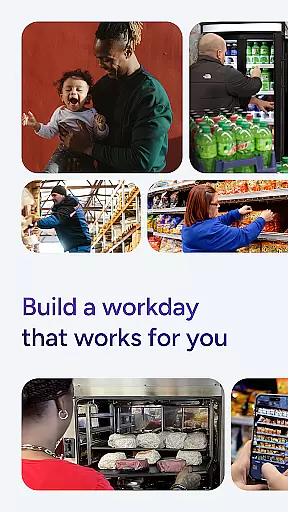
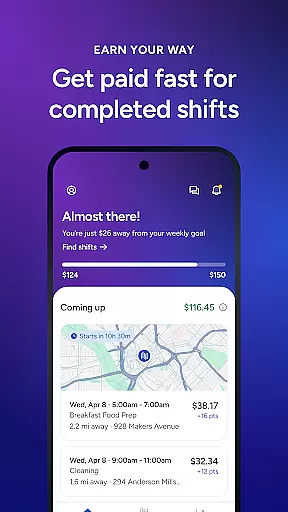
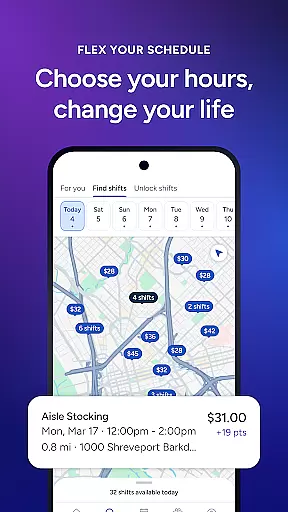
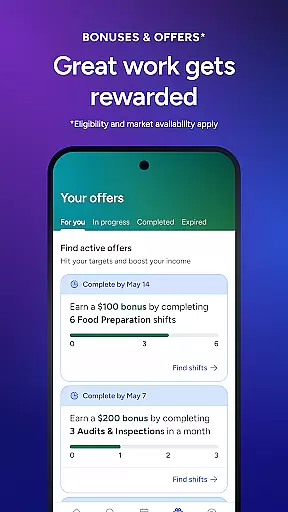
Shiftsmart is a business app designed to connect workers with flexible job opportunities across various industries such as retail, hospitality, and convenience. The app allows users to browse short shifts that fit their schedules, typically lasting 2 to 4 hours, providing the freedom to work when they choose. One of its standout features is the rapid payment system, which ensures workers are paid within days rather than weeks, offering financial flexibility when it's needed most.
In addition to flexible scheduling and fast payments, Shiftsmart provides complete transparency for each shift. Users can review details like location, duration, responsibilities, and pay before accepting a job. This empowers workers to make informed decisions about their time and effort. Furthermore, Shiftsmart offers opportunities to learn new skills through diverse part-time roles such as store merchandising, auditing, and food preparation, helping workers grow professionally while earning income.
Shiftsmart stands out in the Business category due to its unique combination of flexibility, transparency, and professional growth opportunities. A key feature is the ability to set your own schedule, allowing users to pick shifts that align with their personal commitments. Whether you're available evenings, weekends, or sporadically throughout the week, Shiftsmart accommodates varying lifestyles. Additionally, the app provides access to shifts from respected Fortune 500 companies, ensuring reliable and reputable work opportunities.
Another notable feature is the 'Know Before You Go' functionality, where every shift displays comprehensive details including location, duration, responsibilities, and pay rate. This level of transparency helps users avoid surprises and make well-informed decisions. Moreover, Shiftsmart emphasizes skill development by offering diverse roles like grocery restocking, product testing, and store cleaning. These positions allow workers to acquire valuable experience that can translate into future career opportunities, making Shiftsmart not just a job platform but also a learning hub.
Collaborative work features are essential for modern business applications, enabling seamless interaction between team members and clients. Shiftsmart excels in this area by connecting workers with businesses across various industries such as retail, convenience, and hospitality.
The app allows users to choose shifts from multiple companies, streamlining the process of finding temporary work. This feature ensures that independent contractors can collaborate effectively with employers without the need for lengthy job searches or interviews.
Shiftsmart's collaborative environment extends beyond just finding work. It includes detailed shift information, ensuring workers know exactly what is expected of them before starting a job. This transparency fosters trust and cooperation between workers and businesses.
By facilitating these connections, Shiftsmart empowers users to build their skills and experience while maintaining control over their schedules. This collaborative approach not only benefits workers but also provides businesses with the flexible workforce they need.
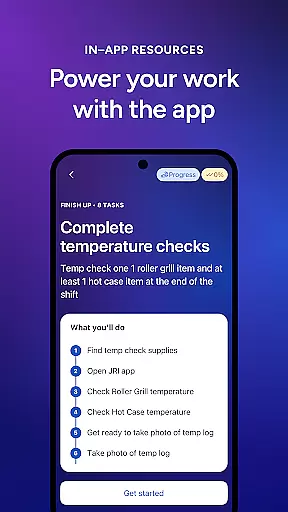
Effective task management is crucial for maximizing productivity and ensuring timely completion of work assignments. Shiftsmart offers robust task management capabilities that allow users to take control of their work schedules with ease.
Users can browse available shifts and select those that fit their personal timetables, whether they prefer evening, weekend, or short 2-4 hour gigs. This flexibility enables workers to manage their time efficiently, accommodating both professional and personal commitments.
In addition to scheduling, Shiftsmart provides clear information about each shift's location, duration, responsibilities, and pay rate. This empowers workers to make informed decisions about which tasks to accept, optimizing their earning potential while maintaining work-life balance.
The app's task management system also supports rapid payment processing, allowing users to receive their earnings within days rather than weeks. This quick turnaround helps workers manage their finances more effectively, addressing immediate needs such as bills and groceries.
Flexible scheduling
Rapid payment system
Transparent shift details
Diverse job opportunities
Skill-building roles
Battery drain from GPS
Limited full-time roles
Location tracking required
Varied shift availability
Potential income inconsistency

viewing and sharing of PDFs
 3.60
3.60
Measure distances, surfaces and draw plans in seconds with CamToPlan!
4.40
The Penny Puss app with DG penny finder
4.10
Scan Business Cards & Conference Badges - Capture Leads at Events & Tradeshows
4.20
Convert Your Lovable.dev Website into a Mobile App Instantly!
4.0
Delivery Track App - Tracking with Fedex, USPS, UPS, DHL. Monitor your Orders.
3.20
Job search app that finds jobs for you! Takes the work out of looking for a job!
4.90
Collaborate seamlessly with Google Chat, part of Google Workspace
4.50
The app that lets you deliver with Amazon.
4.50
Manage Your Shop
4.70
Recover what matters — quickly and easily.
4.70
USPS Mobile®Access USPS.com’s most popular tools on-the-go.
4.70
Grow your business and connect with more people with Meta Business Suite.
4.60
Amazon A to Z is the place to manage your work-life at Amazon.
4.50
ADP Mobile Solutions is an employee self service app
4.50
VSD Viewer - Visio Drawings Viewer for Android Preview VSD, VDX, VSDX drawings
4.10
Quickly open and manage PDF files on your device.
3.80
Roadie connects people with stuff to send with drivers already going that way.
3.50
We are a dynamic team of creatives people of design, marketing, web & apps
3.00


User Reviews