
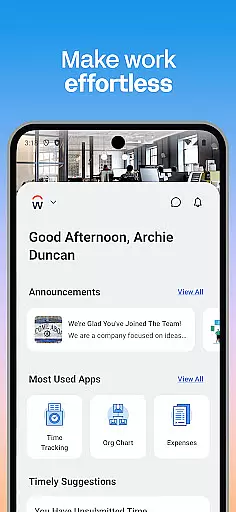
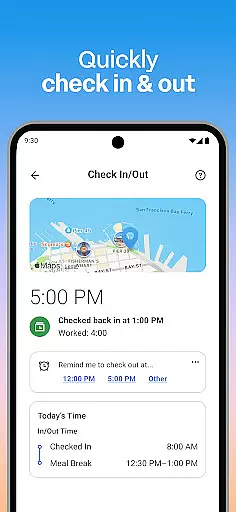
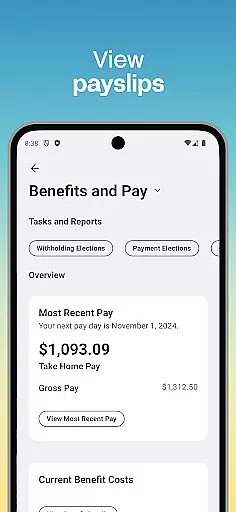
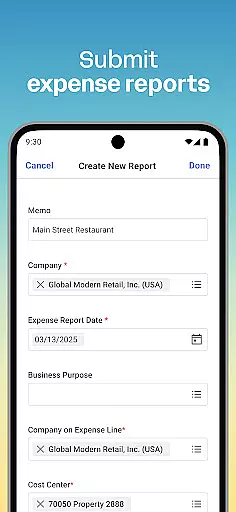
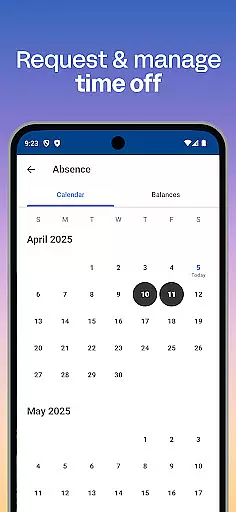
Workday is a comprehensive business management application designed to enhance workplace productivity through its all-in-one platform. The app provides users with instant access to a wide array of Workday tasks, including time tracking, expense submissions, and team communication. With features tailored for both employees and managers, Workday ensures that users can efficiently manage their work life while on the go.
One of the standout capabilities of Workday is its ability to deliver important notifications directly to your mobile device, ensuring you never miss critical deadlines or actions. Additionally, the app offers personalized insights and tools that cater to individual work preferences, making it an invaluable asset for maintaining productivity in today's fast-paced business environment.
Workday stands out with its extensive feature set tailored to meet the needs of modern businesses. Users can submit timesheets and expenses, view payslips, request time off, and connect with teammates effortlessly. For those in managerial roles, the app provides advanced functionalities such as approving employee requests, managing payroll, and conducting performance reviews.
Beyond task management, Workday also emphasizes user experience with its intuitive design and flexible personalization options. The app organizes essential tools and insights in an easy-to-navigate interface, allowing users to customize their experience according to their specific needs. Furthermore, top-notch security measures like biometric authentication ensure that sensitive data remains protected at all times.
Collaboration is at the heart of workplace productivity, and Workday excels in providing tools that enhance team cooperation. The app allows users to connect with teammates effortlessly, making communication seamless and efficient.
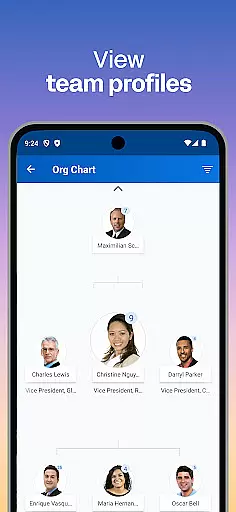
Through its intuitive interface, Workday enables managers and employees to interact in meaningful ways. Managers can approve employee requests with a simple tap, view comprehensive team profiles, and even adjust employee roles as needed, ensuring that collaboration is not just about communication but also about maintaining an organized and efficient workforce.
For employees, the ability to learn about their teammates fosters a collaborative environment where knowledge sharing and teamwork thrive. This feature ensures that every team member is on the same page, promoting synergy and enhancing overall productivity.
Effective task management is crucial for maintaining productivity, and Workday offers a robust set of features to help users stay on top of their responsibilities. From submitting timesheets and expenses to requesting time off, the app consolidates all essential tasks into one convenient location.
Workday goes beyond basic task tracking by offering push notification reminders. These alerts ensure that users never miss important deadlines or forget critical duties, thus maintaining high levels of efficiency and accountability within the workplace.
Additionally, the app provides managers with advanced tools such as performance reviews and hours tracking. These features allow for meticulous oversight of team activities, helping to manage workloads effectively and ensure that projects progress smoothly towards completion.
User-friendly interface
Comprehensive task management
Real-time notifications
Advanced HR features
Robust security protocols
Limited customization options
Occasional syncing issues
Steep learning curve
High cost for small businesses
Dependent on internet connectivity

BuildCalc - the easiest AND the most advanced construction calculator app.
 4.80
4.80
The MyWalmart App is available for all associates in stores.
4.70
Paychex Flex - Save Time and Stay Connected
4.60
All document reader, pdf viewer app, read docs & excel files
3.80
Deliver and earn money
4.30
Find jobs near you and temp work in minutes, from your phone.
4.50
Smarter career moves start here. AI job alerts, insights & the right tools.
4.20
Earn money with the driver & delivery partner app for Uber, UberEats & Postmates
4.60
We help people get jobs
4.70
Find the right fit, faster.
4.70
Find jobs and make money fast with JobStack.
4.60
Finance, Investing, Stocks, Trading and Stock news
4.60
Drive and earn extra money
4.50
The app that lets you deliver with Amazon.
4.50
Earn crypto with secure cloud mining. Monitor, track & withdraw easily
4.40
Find flexible, hourly jobs hiring near you in restaurant, retail & hospitality!
4.00
On the go? Take FedEx with you.
4.00
Quickly open and manage PDF files on your device.
3.80
Completed Course Lectures on how to use IBM Maximo in Maintenance issues
4.4


User Reviews