
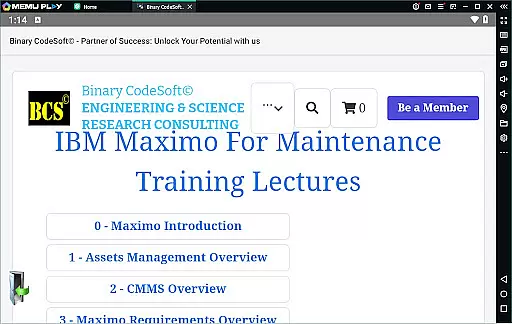
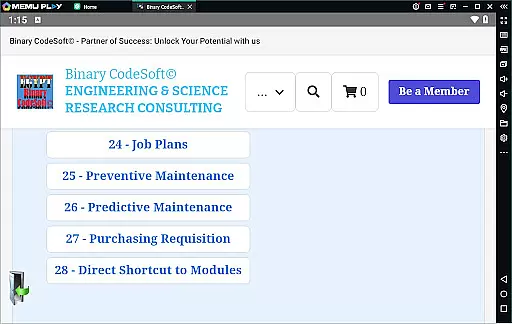
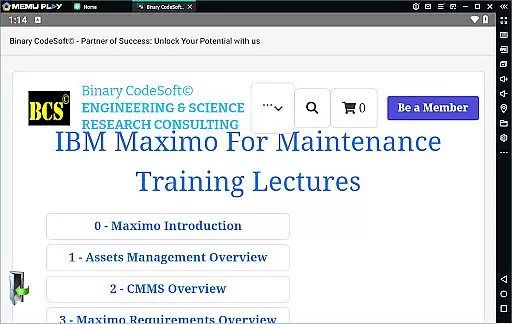
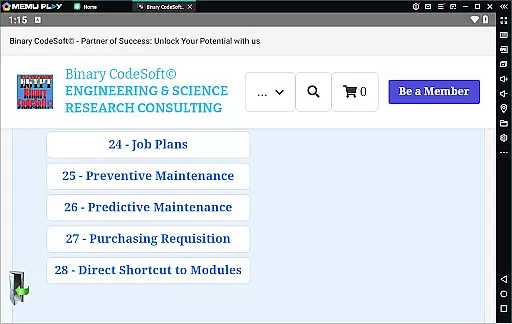

BCS©-Maximo Maintenance course is a comprehensive business application designed to educate users on maintenance operations and IBM Maximo software. The app covers various aspects of maintenance strategies, planning, and scheduling while emphasizing the importance of effective work management.
With detailed modules on asset management, CMMS, and IBM Maximo implementation, this app equips users with essential knowledge about locations, assets, work orders, and job plans. It also explores preventive and predictive maintenance methods, making it an invaluable tool for maintenance professionals seeking to optimize their processes.
The app's content extends to practical features like shutdown planning, monthly planning, and child work orders, ensuring users can apply what they learn directly to real-world scenarios. By providing insights into purchasing and planning techniques, BCS©-Maximo Maintenance course offers significant value to businesses looking to improve their maintenance operations using IBM Maximo.
BCS©-Maximo Maintenance course stands out with its rich feature set tailored for maintenance professionals. One key feature is the detailed breakdown of maintenance strategies and costs, helping users understand the financial implications of poor maintenance practices.
The app provides in-depth coverage of IBM Maximo's functionalities, including asset management, CMMS, and new features in the software. Users can explore topics like dynamic job plans, modifying job plans, and generating work orders based on preventive maintenance schedules. These features ensure that users gain practical skills that are immediately applicable in their work environments.
Another notable feature is the app's focus on planning efficiency, offering tips on staying ahead with maintenance tasks, listing PMs, and following up on important items through reports. With additional modules on executing tasks across multiple records and exporting data to MS Excel or MS Project files, this app delivers a robust learning experience that empowers users to maximize their use of IBM Maximo.
Collaborative work features are essential for any business application aiming to enhance team productivity and streamline project workflows. In the BCSu00a9-Maximo Maintenance course, these features are designed to facilitate seamless communication and coordination among maintenance teams.
The application provides tools for managing work orders, job plans, and preventive maintenance schedules. These functionalities enable teams to collaborate effectively by assigning tasks, tracking progress, and ensuring timely completion of maintenance activities. The ability to create child work orders further enhances task delegation and management within teams.
Users benefit from real-time updates and notifications, ensuring that all team members are informed about the latest developments in their projects. This immediacy helps in making informed decisions quickly, reducing downtime, and improving overall operational efficiency.
Moreover, the integration capabilities with MS Excel and MS Projects allow teams to export data and continue working in environments they are familiar with. This flexibility not only boosts productivity but also ensures that all stakeholders have access to the most current and accurate information, fostering a collaborative work environment.
Effective task management is crucial for maintaining operational efficiency and ensuring that all maintenance activities are performed on schedule. The BCSu00a9-Maximo Maintenance course offers robust task management features that help users organize, prioritize, and execute maintenance tasks efficiently.
With functionalities such as dynamic job plans, users can modify and adapt job plans according to specific requirements or unexpected changes. This adaptability ensures that maintenance operations remain agile and responsive to the needs of the organization. Additionally, the course covers predictive maintenance strategies, allowing users to anticipate potential issues and address them proactively.
The application's task management system supports various types of maintenance strategies, including time-based and meter-based preventive maintenance. These features enable users to set up automated schedules, reducing the risk of human error and ensuring consistent performance of critical assets.
Furthermore, the ability to follow up on important items using reports and track purchase requisitions adds another layer of control and oversight. By providing comprehensive tools for task management, the BCSu00a9-Maximo Maintenance course empowers users to maintain optimal performance levels and achieve better outcomes in their maintenance operations.
User-friendly interface
Comprehensive content coverage
Practical application scenarios
Detailed IBM Maximo guidance
Valuable maintenance insights
Limited interactive features
No offline access available
Advanced topics may overwhelm beginners
Occasional technical glitches reported
Subscription fees apply for full access

GoTo Mobile is a simple & secure calling, messaging & meetings solution
 4.80
4.80
Scan Business Cards & Conference Badges - Capture Leads at Events & Tradeshows
4.20
Your employer must have UKG Ready software configured for Mobile.
4.60
Take the stress out of storage with the all-in-one app to manage your space.
3.70
Recover what matters — quickly and easily.
4.70
Start earning fast. Apply Today.
4.80
Find jobs near you and temp work in minutes, from your phone.
4.50
Make invoices, bills, receipts & estimates on the go with Invoice Generator.
4.70
Smarter career moves start here. AI job alerts, insights & the right tools.
4.20 4.70
4.70
All your team communication in one place
4.70
Finance, Investing, Stocks, Trading and Stock news
4.60
Ship, Track, Find a Location or Get a Quote with UPS. Anytime. Anywhere.
4.60
No more passwords, easier sign-in, and greater protection for your accounts.
4.60
Collaborate seamlessly with Google Chat, part of Google Workspace
4.50
VSD Viewer - Visio Drawings Viewer for Android Preview VSD, VDX, VSDX drawings
4.10
Shop, deliver, and earn with the Spark Driver™ App
4.10
Find flexible, hourly jobs hiring near you in restaurant, retail & hospitality!
4.00
Quickly open and manage PDF files on your device.
3.80


User Reviews