




Zoom for Chromebook is a comprehensive business communication tool that combines team chat, video meetings, phone capabilities, and collaborative whiteboards in a single web application. Designed specifically for Chromebook users, this app enables professionals to work efficiently from anywhere. The platform offers advanced features like AI-powered meeting summaries, virtual backgrounds, and SMS functionality, all while maintaining automatic updates for optimal performance.
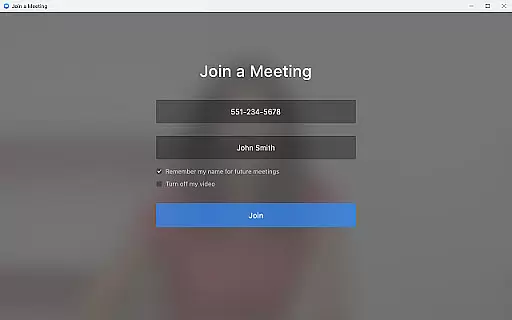
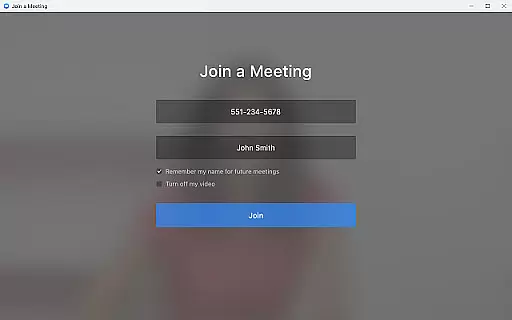
The app's key advantage lies in its seamless integration of multiple communication channels into one interface. Users can easily schedule or join video meetings with a single tap, participate in team chats through public or private channels, and even place phone calls directly from their Chromebook. With support for virtual whiteboarding and remote administration options, Zoom for Chromebook becomes an essential tool for modern businesses seeking enhanced productivity and collaboration.
This application is particularly valuable for remote teams and hybrid work environments where seamless communication is crucial. While certain premium features require a paid subscription, the app provides substantial value even in its free version, making it suitable for both individual professionals and enterprise-level organizations.
Zoom for Chromebook distinguishes itself through several innovative features that enhance business communication. The app's one-tap meeting functionality streamlines the process of joining or scheduling video conferences, while the AI Companion generates automated meeting summaries, saving users valuable time. The integrated team chat system supports both internal and external communications through customizable channels.
One of the app's standout features is its unified communication platform that combines video conferencing, phone capabilities, and SMS messaging in a single interface. This integration eliminates the need for multiple applications, improving workflow efficiency. Additionally, the virtual whiteboard functionality facilitates real-time collaboration and brainstorming sessions, while the virtual background feature helps maintain professional appearances during video calls.
The application also includes enterprise-grade security features and remote installation options for administrators, ensuring centralized control and configuration. Automatic updates guarantee that users always have access to the latest features and security enhancements. These capabilities, combined with its optimized performance on Chrome OS 91+, make Zoom for Chromebook a powerful solution for modern business communication needs.
Collaborative work features are essential for modern business applications, enabling teams to work together efficiently regardless of location. Zoom for Chromebook excels in this area by integrating team chat, video meetings, and virtual whiteboards into a single platform.
The application allows users to schedule or join video meetings with a single tap, streamlining the collaboration process. Its AI Companion feature provides automated meeting summaries, ensuring that all team members stay informed and aligned. Additionally, the chat functionality supports communication in both public and private channels, catering to various collaboration needs.
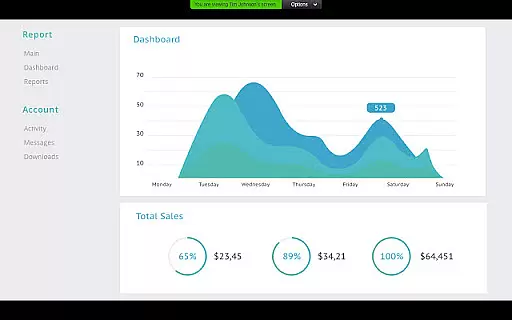
One of the standout collaborative features is the virtual whiteboard, which enables teams to brainstorm and share ideas in real-time. This interactive tool fosters creativity and innovation, allowing users to visualize concepts and make decisions collaboratively. With these robust features, Zoom for Chromebook empowers businesses to maintain productivity and engagement across distributed teams.
Effective task management is crucial for maintaining productivity and ensuring that projects progress smoothly. Zoom for Chromebook offers several features that contribute to efficient task management within a business environment.
Users can place and receive phone calls or send SMS text messages directly from the app, facilitating quick communication and task delegation. The integration of team chat and video meetings allows for seamless coordination and follow-up on assigned tasks, keeping everyone accountable and on track.
Moreover, the automatic updates feature ensures that users always have access to the latest tools and security patches without manual intervention. This reliability minimizes downtime and keeps workflows uninterrupted. For administrators, remote install options provide centralized configuration and security management, further enhancing task oversight and control. These capabilities make Zoom for Chromebook a valuable asset for managing tasks and operations efficiently.
User-friendly interface
Seamless integration
Automatic updates
AI-powered features
Multi-channel support
Paid features required
Limited free options
Chromebook specific
Internet dependent
Subscription costs

AI-powered document scanner with auto enhance for perfect PDFs.
 4.60
4.60
Measure distances, surfaces and draw plans in seconds with CamToPlan!
4.40
viewing and sharing PDFs and other files—anytime, anywhere!
4.0
Find work, shifts and gigs near you. Jobs lasting a few hours to a few months.
4.30
We are a dynamic team of creatives people of design, marketing, web & apps
3.00
Job search app that finds jobs for you! Takes the work out of looking for a job!
4.90
From Gone to Back Again — In Just a Few Taps
4.50
Access All PDF Files
3.40
All-in-one Mobile solutions for employees & managers to succeed at work
4.30
Earn free swag, G-Cards & food • Enter sweepstakes • Find stores • So much more.
4.70
Make invoices, bills, receipts & estimates on the go with Invoice Generator.
4.70
Ship, Track, Find a Location or Get a Quote with UPS. Anytime. Anywhere.
4.60
Manage work life on the go
4.50
All Your Gig Work. One App.
4.30
Deliver and earn money
4.30
Smarter career moves start here. AI job alerts, insights & the right tools.
4.20
Shop, deliver, and earn with the Spark Driver™ App
4.10
Get your benefits on-the-go.
3.80
Roadie connects people with stuff to send with drivers already going that way.
3.50


User Reviews