
Connecteam Team Management App is an all-in-one solution designed specifically for managing non-desk employees efficiently. This powerful platform combines essential business tools such as work scheduling, time tracking, internal communication, task management, employee training, and more into a single intuitive interface.
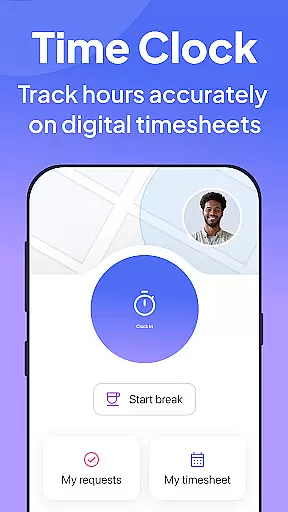
The app's standout feature is its ability to streamline complex processes like employee scheduling and time tracking through automation while offering advanced GPS-based functionalities. It also provides robust communication tools including live chat, posts, and surveys, ensuring seamless interaction between teams. Additionally, Connecteam supports digital transformation by enabling paperless operations through online forms, checklists, and digital ID cards.
Whether you're running a small business or managing large teams across multiple locations, Connecteam helps improve productivity, enhance employee engagement, and reduce administrative overhead. Its affordability and ease of use make it ideal for businesses looking to modernize their workforce management practices.
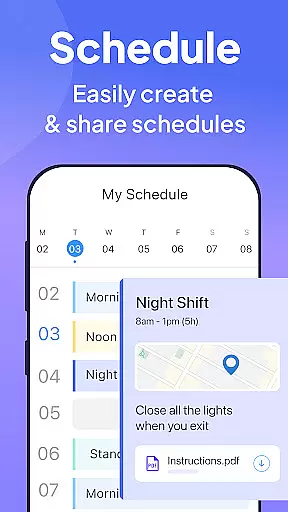
Connecteam offers an impressive array of features tailored to meet diverse business needs. The app excels in simplifying employee scheduling with its auto-scheduling tool, which allows managers to create shifts quickly and collaborate effectively. Advanced GPS functionalities provide real-time job progress updates and ensure accurate time tracking with geofencing capabilities.
Another key highlight is the internal communication platform, which facilitates effective information sharing through live chats, posts, and feedback surveys. This strengthens company culture and keeps employees engaged. The task management system further enhances operational efficiency by automating daily procedures and offering customizable checklists that can be accessed from anywhere.
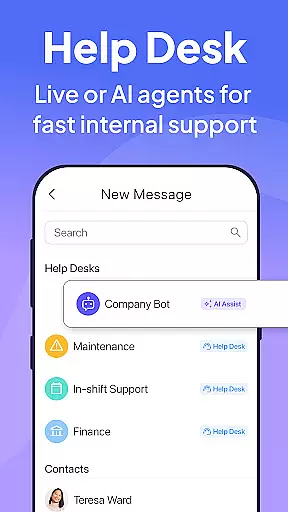
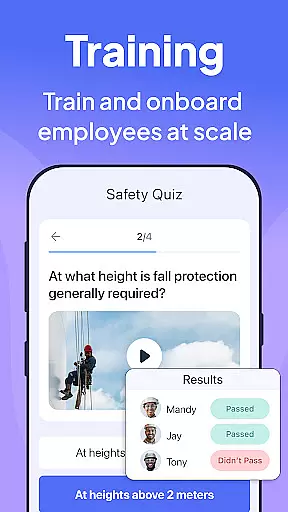
Additionally, Connecteam supports comprehensive employee training programs with professional courses and quizzes, making onboarding smoother. The inclusion of a help desk ticketing system and digital employee ID cards adds another layer of convenience and security. These features collectively empower businesses to operate more efficiently while maintaining high levels of employee satisfaction.
Collaborative work features are essential for businesses aiming to streamline communication and task management among employees. Connecteam's Team Management App excels in this area by offering a comprehensive suite of tools designed to enhance team collaboration.
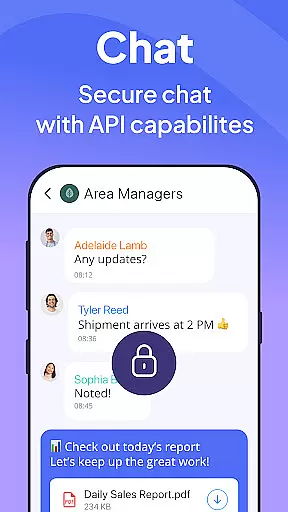
The app provides an internal communication platform that simplifies company-wide interactions. With live chat capabilities for one-on-one or group conversations, employees can stay connected regardless of their location. The directory feature ensures that all work contacts are easily accessible, fostering seamless communication across the organization.
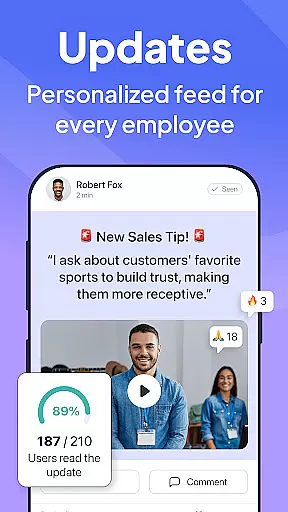
Connecteam also supports employee engagement through posts and updates with comments and reactions, mimicking popular social media interfaces to encourage interaction. Additionally, it offers employee feedback surveys which allow management to gather insights and improve workplace processes continuously.
By integrating these collaborative work features, Connecteam not only facilitates real-time information sharing but also strengthens the companyu2019s culture and connectivity among non-desk employees, making it an invaluable asset for modern businesses.
Effective task management is crucial for maintaining productivity and ensuring that all procedures are followed correctly within a business. Connecteam's Team Management App addresses this need by transforming traditional pen-and-paper or verbal processes into fully automated systems accessible from anywhere.
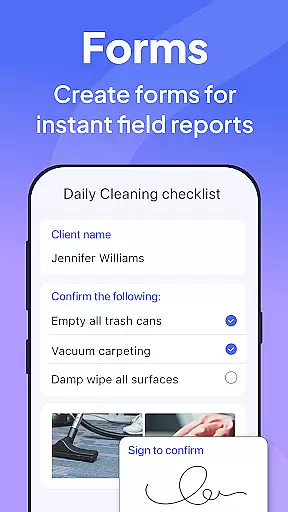
The app includes daily checklists with auto-reminders, ensuring that employees never miss important tasks. These checklists can be customized with read-and-sign options, promoting accountability and compliance with company policies. Furthermore, online forms and tasks enable a paperless environment where daily procedures are streamlined and efficient.
Connecteam allows users to upload images and report geolocations directly through the app, providing valuable context for each task completed. This feature is particularly beneficial for field operations where location data enhances transparency and operational oversight.
With its 100% customizable interface and live mobile preview, Connecteam empowers businesses to tailor their task management processes precisely to their needs while maintaining ease of use. This adaptability makes it an ideal solution for companies looking to enhance on-the-job compliance and overall efficiency.
User-friendly interface
Affordable pricing plans
Comprehensive feature set
Excellent customer support
Highly customizable options
Limited third-party integrations
Occasional syncing issues
Steep learning curve for new users
Basic reporting capabilities
Mobile-only experience

Zoom built for Chrome OS
 3.90
3.90
Find jobs and make money fast with JobStack.
4.60
The revolutionary flexible staffing platform
4.40
VSD Viewer - Visio Drawings Viewer for Android Preview VSD, VDX, VSDX drawings
4.10
Windows App allows you to connect to remote PCs and virtual apps.
3.70
Finance, Investing, Stocks, Trading and Stock news
4.60
Paychex Flex - Save Time and Stay Connected
4.60
Work happy with AI Companion
4.10
Make money as a delivery driver with DoorDash and work when you want as a Dasher
4.30
BuildCalc - the easiest AND the most advanced construction calculator app.
4.80
TurboScan turns your phone into a full-featured PDF document scanner.
4.80
Start earning fast. Apply Today.
4.80
The MyWalmart App is available for all associates in stores.
4.70
Make invoices, bills, receipts & estimates on the go with Invoice Generator.
4.70
Collaborate seamlessly with Google Chat, part of Google Workspace
4.50
Measure distances, surfaces and draw plans in seconds with CamToPlan!
4.40
A secure, all-in-one team collaboration app
4.30
enjoy effortless PDF reading anytime, anywhere
3.90
Completed Course Lectures on how to use IBM Maximo in Maintenance issues
4.2


User Reviews