
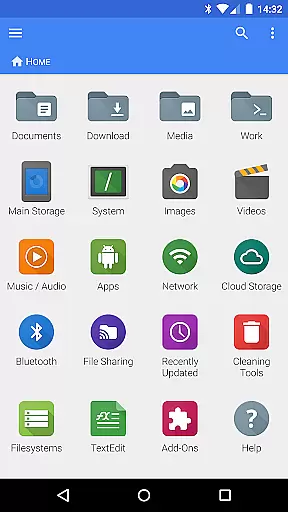
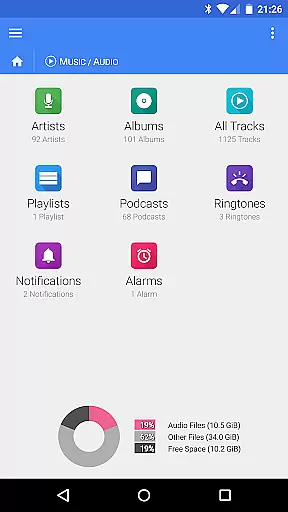
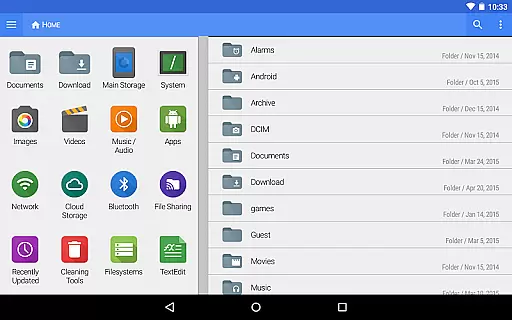
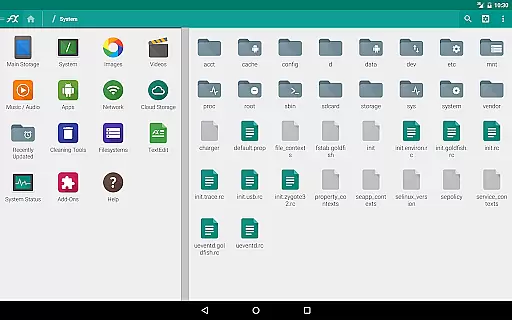
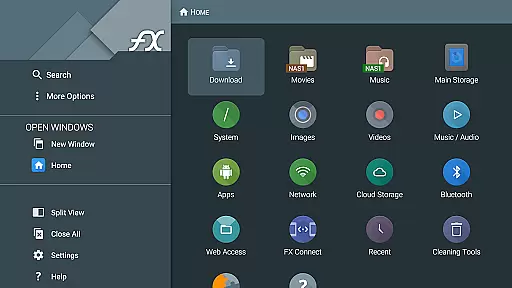
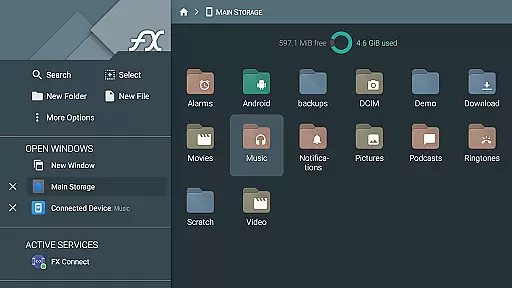
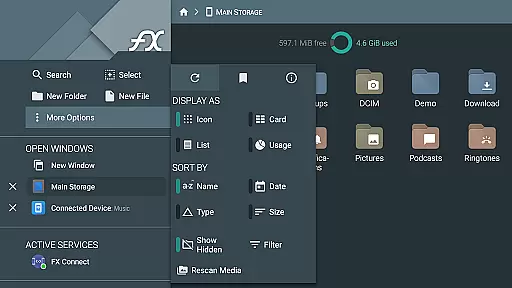
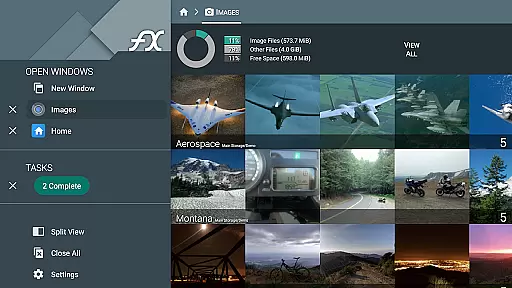
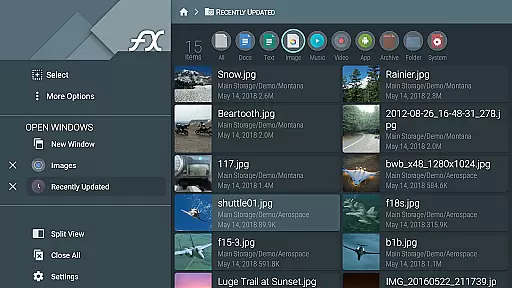
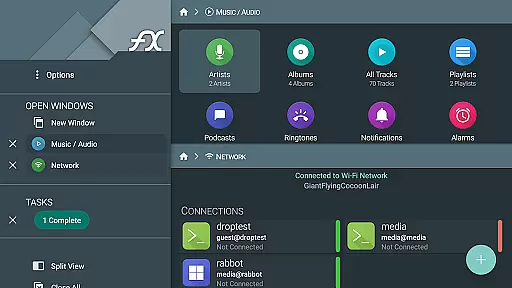


FX File Explorer is a powerful business tool designed to enhance file management capabilities on mobile devices. This application extends its core functionality by integrating media, networking, and cloud services through the FX Plus add-on. Users can efficiently manage files, applications, and multimedia while connecting to various network protocols and cloud storage solutions.
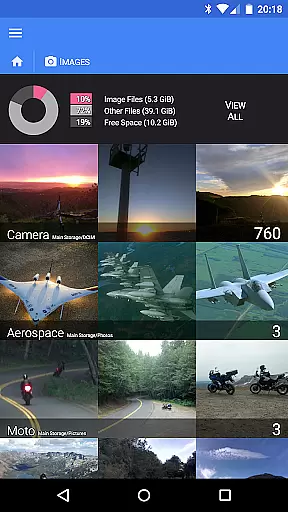
The app supports advanced features like AES-128 and AES-256 encrypted zip file management, secure FTP connections, and streaming media from multiple sources. Its ability to browse and organize image/video collections, audio libraries, and installed applications makes it an essential utility for professionals who require comprehensive data management on the go.
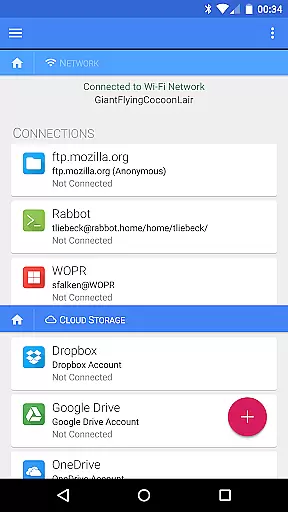
With support for Windows networking (SMB), FTP, SSH FTP, WebDAV, and major cloud platforms such as Google Drive and Dropbox, FX File Explorer provides a versatile solution for businesses that need seamless access to their digital assets across different environments. The app's encrypted keyring ensures sensitive information remains protected, making it suitable for enterprise use.
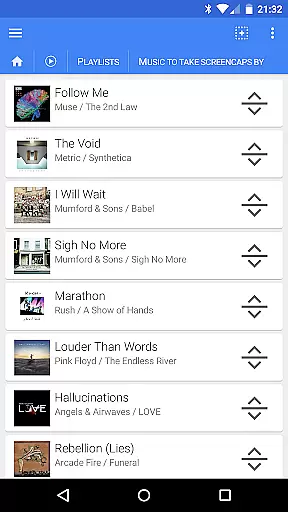
FX File Explorer distinguishes itself through its extensive feature set tailored for business users. The application offers robust file management capabilities, including the creation and extraction of encrypted zip files, allowing users to view contents without full decryption. Its media browsing functions enable easy organization of image, video, and audio collections with intuitive drag-and-drop playlist management.
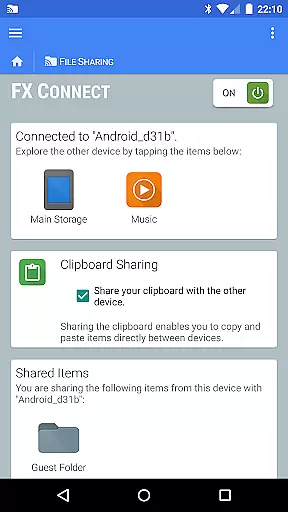
Networking features are equally impressive, supporting multiple protocols such as SMB, FTP, SSH FTP, and WebDAV. The FX Connect functionality facilitates direct file transfers between devices using NFC or Wi-Fi, while FX Web Access allows remote management through a computer's web browser. These features ensure users can access their files from anywhere, using any compatible device.
Cloud integration is another standout feature, with support for Google Drive, Dropbox, SugarSync, Box, and SkyDrive. The app enables streaming of media files directly from these services to mobile media players. Additional capabilities include local network discovery for Windows shares, mDNS service discovery for FTP/SSH shares, and Bluetooth file transfer options, making FX File Explorer a comprehensive solution for modern business needs.
FX File Explorer offers robust collaborative work features that are essential for modern business environments. The application supports various network and cloud capabilities, enabling seamless file sharing and collaboration across different platforms.
With FX Connect, users can transfer files and media between devices directly, using NFC or Wi-Fi. This feature facilitates quick and secure exchanges of information, crucial for team projects and remote work.
Additionally, FX Web Access allows users to browse and manage files using a computer's web browser. This means teams can easily access necessary documents and media without being tied to their mobile devices, enhancing productivity and flexibility in collaborative efforts.
Effective task management is vital for maintaining productivity, and FX File Explorer excels in this area by providing comprehensive tools for organizing and managing tasks efficiently.
The application includes functionalities such as the ability to create and extract AES-128 and AES-256 encrypted zip files, which helps in securing sensitive data while allowing easy access to file contents without full decryption. This ensures that important information is protected yet accessible when needed.
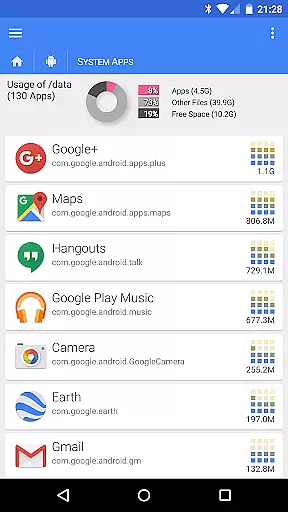
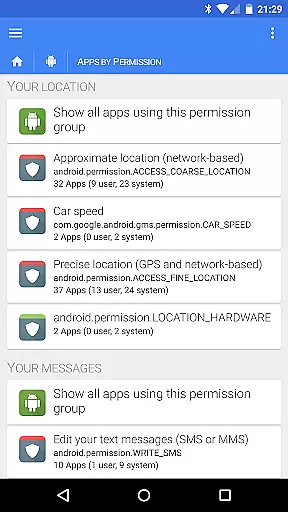
Moreover, FX File Explorer allows users to browse and manage installed applications, rearrange playlists with drag and drop, and view images and videos effortlessly. These features contribute to streamlined task management, allowing users to focus on their core responsibilities without getting bogged down by cumbersome file operations.
User-friendly interface
Advanced encryption options
Comprehensive cloud support
Robust networking capabilities
Intuitive media management
Paid add-on required
Complex for beginners
Occasional performance issues
Limited free version
Requires technical knowledge

viewing and sharing of PDFs
 3.60
3.60
Completed Course Lectures on how to use IBM Maximo in Maintenance issues
4.1
All Your Gig Work. One App.
4.30
Scan Business Cards & Conference Badges - Capture Leads at Events & Tradeshows
4.20
Get instant construction estimates: accurate home repair & material calculator.
4.70
One marketplace. Hundreds of services. Unlimited possibilities. All on Fiverr.
4.40
Shop, deliver, and earn with the Spark Driver™ App
4.10
On the go? Take FedEx with you.
4.00
Chat, meet, and collaborate to achieve more together, all in one place on Teams
4.60
Create curriculum vitae, a professional cover letter creator and resume designer
4.80
BuildCalc - the easiest AND the most advanced construction calculator app.
4.80
Make invoices, bills, receipts & estimates on the go with Invoice Generator.
4.70
Your employer must have UKG Ready software configured for Mobile.
4.60
Ship, Track, Find a Location or Get a Quote with UPS. Anytime. Anywhere.
4.60
Amazon A to Z is the place to manage your work-life at Amazon.
4.50
All-in-one Mobile solutions for employees & managers to succeed at work
4.30
Build a store in minutes with our full suite of AI tools. Start for free!
4.20
Access All PDF Files
3.40
viewing and sharing PDFs and other files—anytime, anywhere!
4.1


User Reviews