
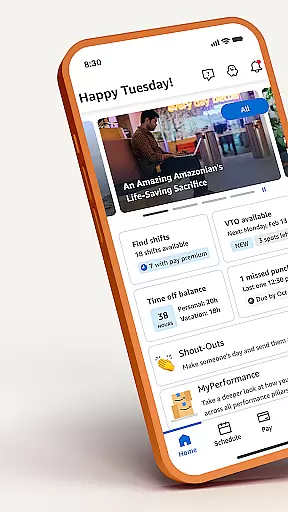

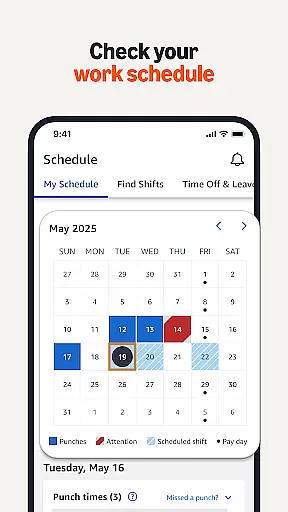

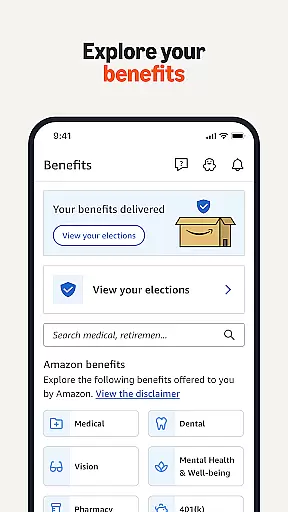

Amazon A to Z is a comprehensive business management app designed specifically for Amazon employees and associates. The app serves as an all-in-one platform for managing work schedules, applying for shift changes, and recording missed punches. With its robust functionality, users can easily view and manage their time off, benefits, and pay details.
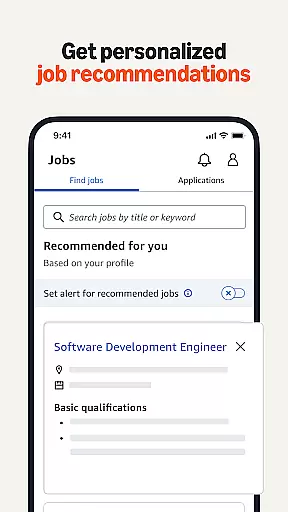
Beyond basic scheduling, the app provides personalized job updates and recommendations, making it easier for users to discover new opportunities within Amazon. Whether you're a current employee, exploring potential roles, or a former associate, Amazon A to Z keeps you connected with the company. The app also offers resources for upskilling and cross-training, ensuring that users can continue their professional development.
This app is particularly useful for those who need to stay organized and informed about their employment details while on the go. By centralizing essential work-related information, Amazon A to Z enhances productivity and ensures users have access to critical data whenever needed.
Amazon A to Z boasts a variety of features tailored to meet the needs of Amazon's workforce. One of its standout capabilities is schedule management, allowing users to look up their work schedules, apply for shift changes, and record missed punches seamlessly. This feature alone significantly reduces administrative overhead and helps maintain accurate attendance records.
In addition to scheduling, the app provides detailed insights into pay and benefits. Users can check their pay details and manage their time off, ensuring they are always aware of their financial and employment status. The app also supports career growth by offering personalized job recommendations and updates on internal opportunities, which is invaluable for those seeking advancement within Amazon.
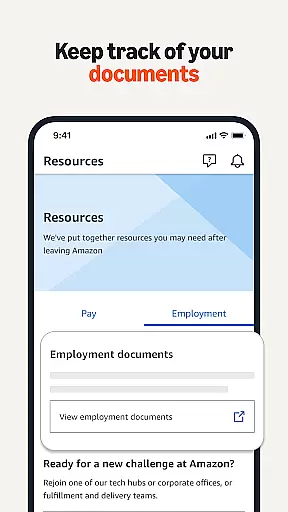
Another key feature is the ability to keep track of important documents even after leaving Amazon. This ensures that former employees retain access to crucial information, such as training certifications and employment history. Overall, these features collectively enhance user experience by providing a centralized, efficient way to manage various aspects of their Amazon employment.
Collaborative work features are essential for modern business applications, enabling seamless teamwork and communication. Amazon A to Z excels in this area by providing tools that allow employees to manage their work schedules effectively. Users can look up their work schedule, apply for shift changes, and record missed punches, all within the app.
The app goes beyond basic scheduling by offering personalized updates and job recommendations. This ensures that employees are always informed about new opportunities within Amazon, promoting internal mobility and career growth. The ability to explore upskilling and cross-training opportunities further enhances workforce collaboration and development.
Moreover, Amazon A to Z facilitates better communication between employees and management. By allowing users to view and manage their time off and benefits directly through the app, it reduces administrative overhead and fosters a more transparent work environment. These collaborative features not only streamline daily operations but also contribute to a more engaged and motivated workforce.
Effective task management is crucial for maintaining productivity and ensuring smooth business operations. With Amazon A to Z, users gain access to comprehensive tools designed to help them manage their professional responsibilities efficiently. One of the key features is the ability to check pay details, which provides transparency and helps employees stay on top of their financial records.
In addition to pay information, the app allows users to keep track of important documents, even after leaving Amazon. This long-term document management capability ensures that former employees have access to critical information whenever needed, supporting better personal record-keeping and future job applications.
Furthermore, the app's functionality extends to helping users stay informed about interesting opportunities at Amazon. By delivering timely notifications and updates, Amazon A to Z keeps employees engaged with the companyu2019s ecosystem. This proactive approach to task management empowers users to take control of their careers and make informed decisions about their professional journey.
User-friendly interface
Comprehensive scheduling tools
Personalized job recommendations
Access to pay and benefits details
Document tracking for former employees
Limited to Amazon employees
Requires internet connection
Occasional bugs reported
No integration with third-party apps
Privacy concerns with personal data

Find jobs and make money fast with JobStack.
 4.60
4.60
Completed Course Lectures on how to use IBM Maximo in Maintenance issues
4.3
All document reader, pdf viewer app, read docs & excel files
3.80
We are a dynamic team of creatives people of design, marketing, web & apps
3.00
Find part-time earning opportunities near you that pay within days.
3.20
Access to Paylocity, empowering employees with information they need 24/7.
4.70
From Gone to Back Again — In Just a Few Taps
4.50
All-in-one Mobile solutions for employees & managers to succeed at work
4.30
Say hello to the mobile work experience built to help you thrive at work.
4.30
BuildCalc - the easiest AND the most advanced construction calculator app.
4.80
Get instant construction estimates: accurate home repair & material calculator.
4.70
AI-powered document scanner with auto enhance for perfect PDFs.
4.60
Ask Accio anything about business. Alibaba-backed, built by experts, not just AI
4.60
Your employer must have UKG Ready software configured for Mobile.
4.60
The revolutionary flexible staffing platform
4.40
Measure distances, surfaces and draw plans in seconds with CamToPlan!
4.40
Scan Business Cards & Conference Badges - Capture Leads at Events & Tradeshows
4.20
The All-in-One File Manager for Phone, TV, Watch, Cars, XR / VR, Chromebook
4.10
Find flexible, hourly jobs hiring near you in restaurant, retail & hospitality!
4.00


User Reviews