
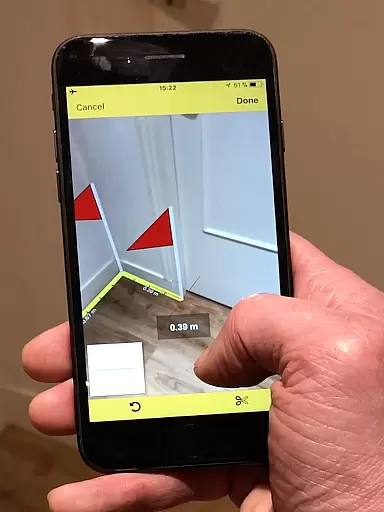
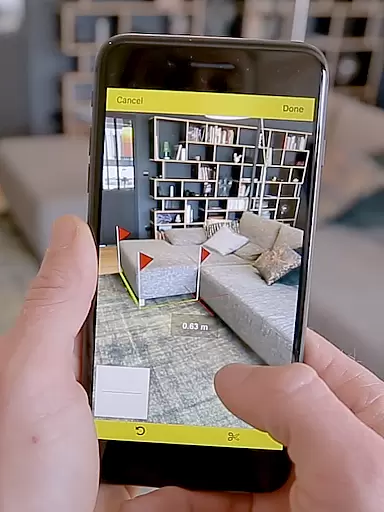
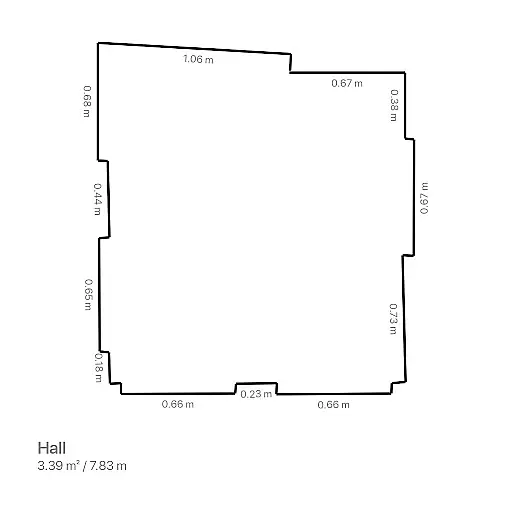
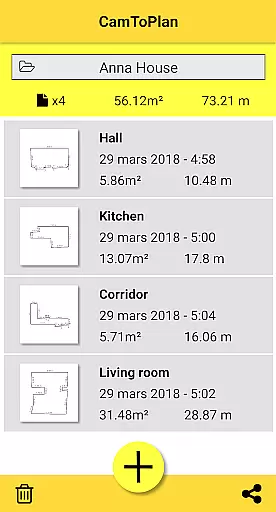
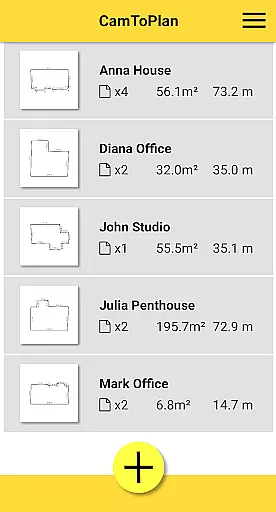
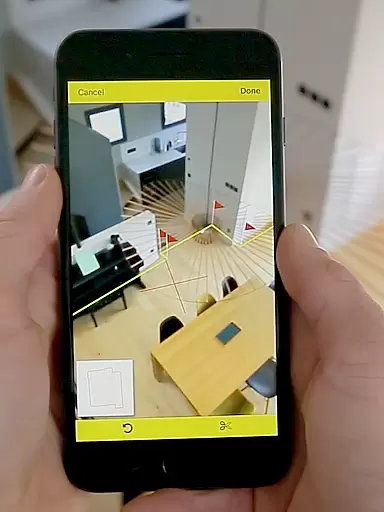
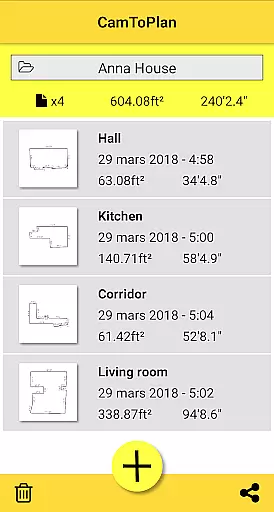
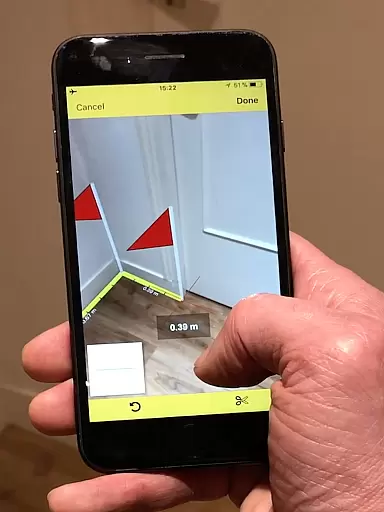
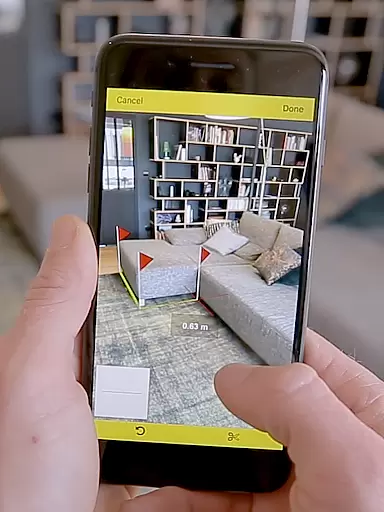
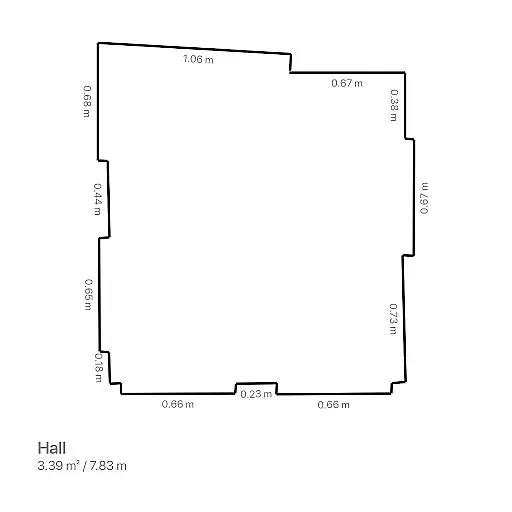
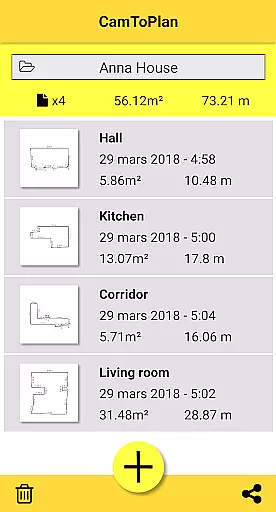
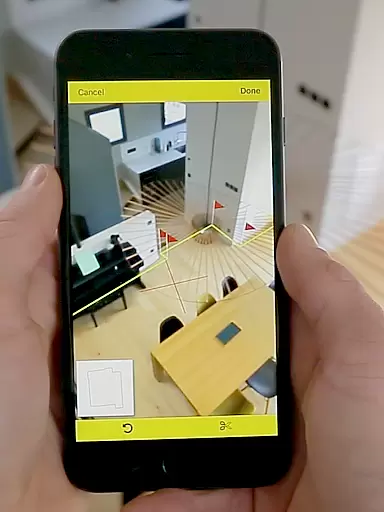
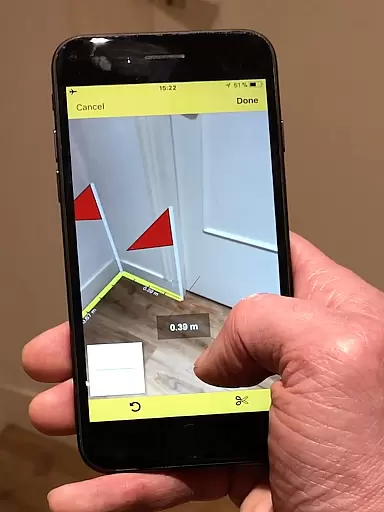
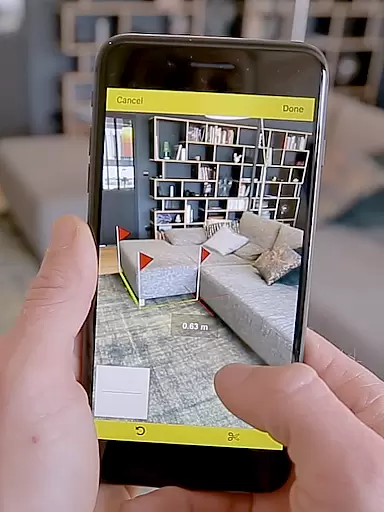
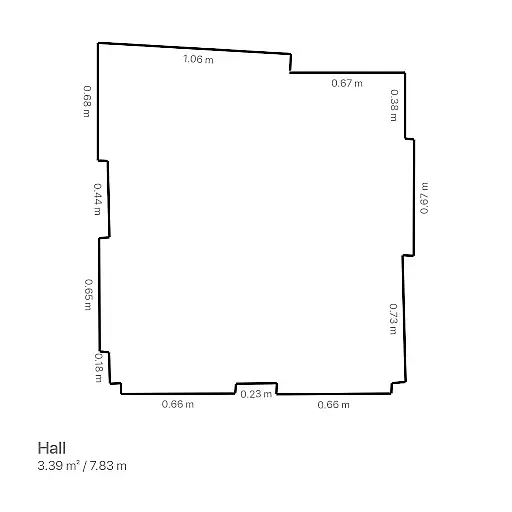
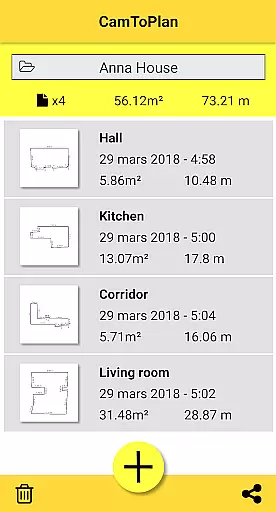
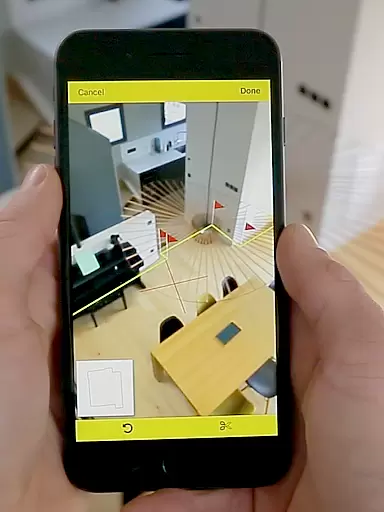
CamToPlan is a revolutionary business application that leverages augmented reality to provide effortless measurement solutions. The app allows users to measure distances both horizontally and vertically, calculate surface areas, and draw room plans instantly. With its innovative 3D tape measure feature displayed on your device's screen, users can easily measure baseboards, walls, furniture dimensions, and more without the need for traditional tools like rulers or laser rangefinders.
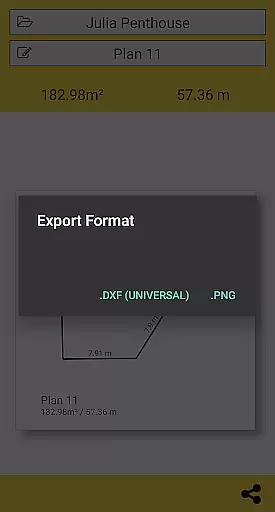
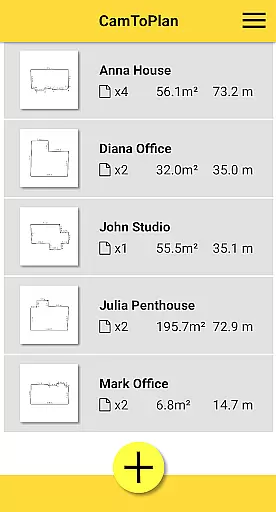
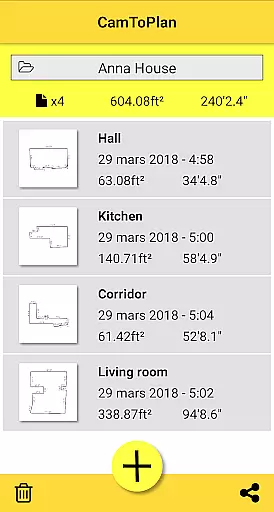
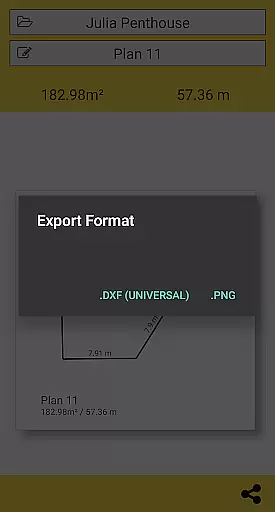
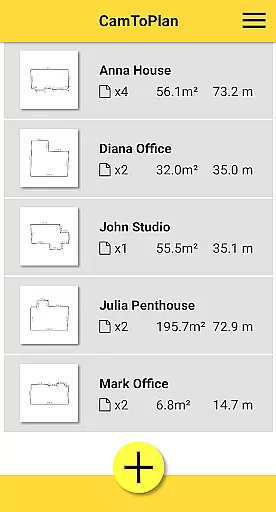
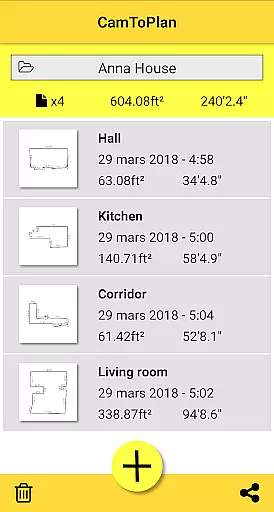
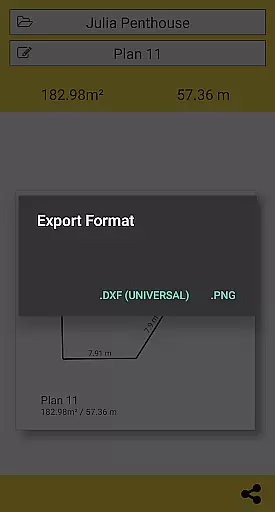
The application supports exporting data in PNG or DXF formats and offers seamless folder management. It caters to professionals such as architects and decorators, as well as DIY enthusiasts, by providing accurate measurements under good conditions. Users can select between Metric or Imperial units and rely on the app's ability to automatically determine intersection points even when furniture obstructs the view. This makes CamToPlan an essential tool for creating precise room plans with minimal effort.
CamToPlan stands out with its advanced augmented reality features that simplify complex measurement tasks. The app's core functionality includes measuring distances and surfaces with precision, drawing room plans complete with all measured dimensions, and offering export options in PNG or DXF formats. Its innovative 3D visualization provides a virtual tape measure on the screen, making it easy to take measurements using the device's video capabilities.
Additional features include automatic determination of intersection points between the floor and target points, even behind furniture, and the ability to safely move while measuring for maximum accuracy. The app supports both Metric and Imperial units and performs optimally under good lighting conditions with textured floors. These features collectively ensure that CamToPlan delivers professional-grade measurement tools directly to your mobile device, enhancing productivity for various business applications.
CamToPlan revolutionizes collaborative work in the field of measurements and planning by leveraging augmented reality. This app allows multiple users to visualize and interact with virtual measuring tapes on their screens as if they were real, streamlining the process of capturing dimensions.
The app's ability to instantly calculate areas and draw room plans with all measured dimensions makes it an invaluable tool for architects, decorators, and other professionals who need to share precise data quickly. With just one click, these plans can be shared via email, message, or social media, enhancing team communication and project coordination.
By exporting data in PNG or DXF formats, CamToPlan ensures that all collaborators can access and utilize the information within their specific workflows. This seamless integration into professional processes supports efficient collaboration across different platforms and devices.
Task management within CamToPlan is designed to simplify and organize the measurement process. Users can effortlessly measure distances, surfaces, and create detailed plans both horizontally and vertically, which optimizes task completion and accuracy.
The application automatically determines intersection points between the floor and target points, even when furniture obstructs the view. This feature reduces the need for manual adjustments and allows users to focus on managing tasks efficiently without unnecessary disruptions.
With options to select Metric or Imperial units and safe movement during measurements, CamToPlan provides a flexible and reliable task management solution adaptable to various working conditions and preferences.
User-friendly interface
Augmented reality features
Accurate measurements
Export options available
Ideal for professionals
Requires good lighting
Accuracy not guaranteed
Dependent on floor texture
Limited to device camera
Potential learning curve

ANDROID'S TOP MOBILE OFFICE - Word, Excel, PowerPoint and PDF at your fingertips
 4.50
4.50
TurboScan turns your phone into a full-featured PDF document scanner.
4.80
The MyWalmart App is available for all associates in stores.
4.70
Find the right fit, faster.
4.70
Simple, Fast & Lightweight
3.90
Recover what matters — quickly and easily.
4.70
enjoy effortless PDF reading anytime, anywhere
3.90
Access All PDF Files
3.40
Say hello to the mobile work experience built to help you thrive at work.
4.30
FaxCover - Create fax cover pages. Works with any app or fax machine.
4.90
BuildCalc - the easiest AND the most advanced construction calculator app.
4.80
Manage Your Shop
4.70
Get instant construction estimates: accurate home repair & material calculator.
4.70
Earn crypto with secure cloud mining. Monitor, track & withdraw easily
4.40
Shop, deliver, and earn with the Spark Driver™ App
4.10
Zoom built for Chrome OS
3.90
Quickly open and manage PDF files on your device.
3.80
Windows App allows you to connect to remote PCs and virtual apps.
3.70
Find part-time earning opportunities near you that pay within days.
3.20


User Reviews