
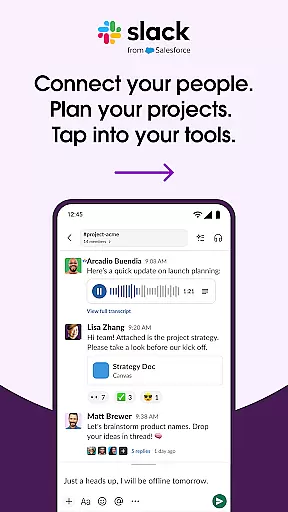

Slack is a comprehensive business communication platform designed to streamline team collaboration and enhance productivity. This powerful tool consolidates various aspects of workplace communication into one cohesive space, allowing teams to have meetings, share files, collaborate on documents, and access their favorite apps all within the same environment.
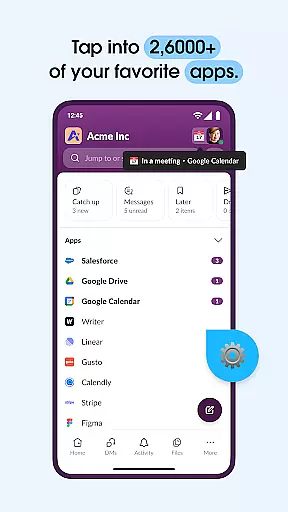
The platform's standout feature is its channel-based system, which provides dedicated spaces for every project, keeping discussions organized and accessible. Slack also supports seamless integration with over 2,600 applications, including major services like Google Drive and Salesforce, making it an essential hub for businesses of all sizes. With additional capabilities such as video conferencing, screen sharing, and AI-driven search functionalities, Slack transforms chaotic workflows into streamlined processes.
Whether you're part of a small startup or a large enterprise, Slack adapts to your needs by offering scalable solutions that grow with your business. Its intuitive interface and robust feature set make it easy for teams to stay connected, manage tasks effectively, and maintain productivity regardless of location.
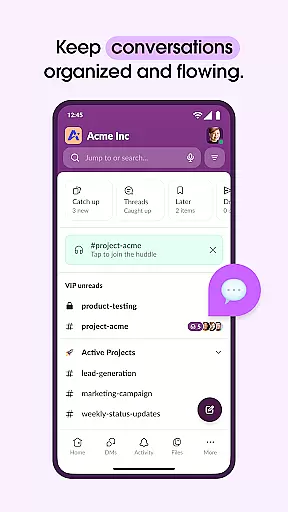
Slack boasts an impressive array of features tailored to improve workplace efficiency and connectivity. One of its core strengths lies in its channel system, where each project gets its own dedicated space for discussion and collaboration. This ensures that information remains organized and easily retrievable, reducing clutter and enhancing focus.
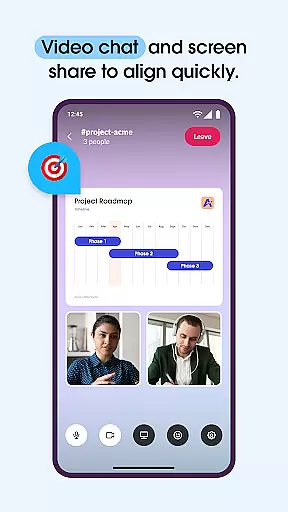
In addition to text-based communication, Slack supports multimedia interactions through video chats and screen sharing. Users can engage in live presentations or discussions, fostering real-time collaboration. For more complex ideas, the platform allows recording and sending audio or video clips, providing clear and concise explanations without the need for lengthy written messages.
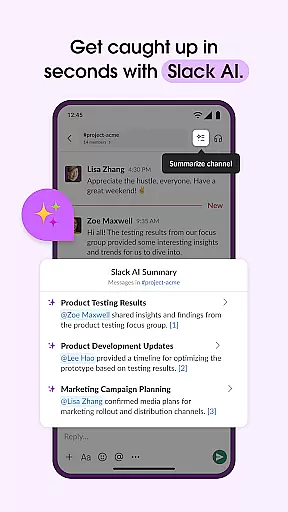
Slack's integration capabilities are unparalleled, connecting users with over 2,600 third-party applications. From project management tools like Asana to cloud storage services like Dropbox, these integrations enable seamless workflows across different platforms. Advanced features such as AI-powered search and automated meeting notes further augment user experience, ensuring that critical information is always at your fingertips.
Collaboration is at the heart of Slack's functionality, enabling teams to work together seamlessly regardless of location. The platform offers dedicated channels for every project, ensuring that discussions, documents, and files are organized and accessible.
Slack allows users to conduct meetings through video chat directly within the app, with screen sharing capabilities to present and discuss work live. This feature bridges the gap between remote and in-office teams, fostering a cohesive working environment.
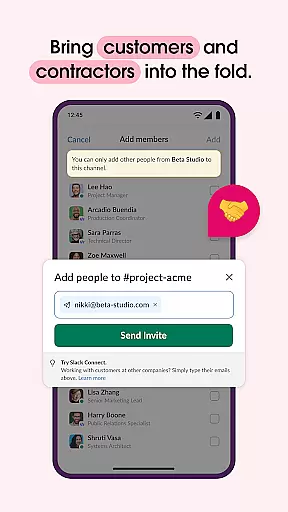
For more complex ideas, users can record and send audio or video clips, providing clear communication when typing isn't sufficient. This ensures that all team members, including customers, contractors, and vendors, stay aligned and informed.
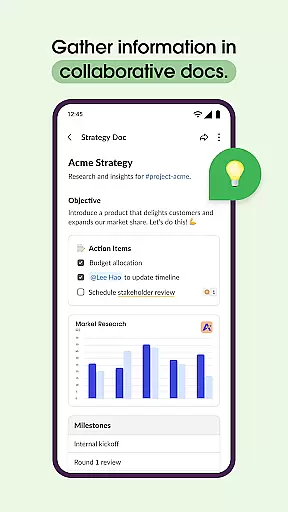
The ability to collaborate on shared documents within channels enhances productivity by keeping conversations and content in one place. With these collaborative work features, Slack transforms scattered communication into streamlined collaboration.
Effective task management is crucial for keeping projects on track, and Slack excels in this area by offering tools that help teams stay organized. Pre-made and customizable templates set projects up for success from the start.
Within Slack, teams can collaborate on marketing plans, product specs, and other documents directly alongside their conversations. This integration keeps everyone focused and aligned on project goals without switching contexts.
Project management tools allow users to track to-dos, assign tasks, and map out milestones efficiently. These features ensure that deadlines are met and responsibilities are clear among team members.
While some advanced task management features require an upgrade to Slack Pro or higher, the core functionalities provide a solid foundation for managing tasks and driving projects forward successfully.
User-friendly interface
Robust integration options
Efficient project management
Real-time collaboration tools
Scalable for any business size
Higher cost for advanced features
Occasional connectivity issues
Steep learning curve for new users
Limited offline functionality
Some features require additional plugins

Zoom built for Chrome OS
 3.90
3.90
Find flexible, hourly jobs hiring near you in restaurant, retail & hospitality!
4.00
The revolutionary flexible staffing platform
4.40
FX Plus adds media, networking, and cloud capabilities to FX File Explorer.
4.10
Earn crypto with secure cloud mining. Monitor, track & withdraw easily
4.40
TurboScan turns your phone into a full-featured PDF document scanner.
4.80
Manage work life on the go
4.50
Use Generative Summary to understand your rental or insurance docs in seconds.
4.70
Make money as a delivery driver with DoorDash and work when you want as a Dasher
4.30
Create curriculum vitae, a professional cover letter creator and resume designer
4.80
Employee Management Made Easy
4.80
Start earning fast. Apply Today.
4.80
Find jobs and make money fast with JobStack.
4.60
From Gone to Back Again — In Just a Few Taps
4.50
Deliver and earn money
4.30
Smarter career moves start here. AI job alerts, insights & the right tools.
4.20
Get your benefits on-the-go.
3.80
Take the stress out of storage with the all-in-one app to manage your space.
3.70
viewing and sharing of PDFs
3.60


User Reviews