
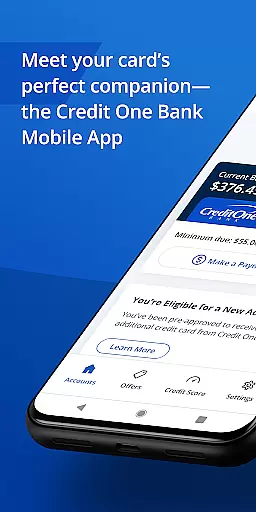
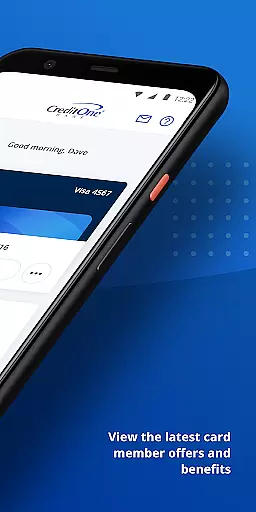
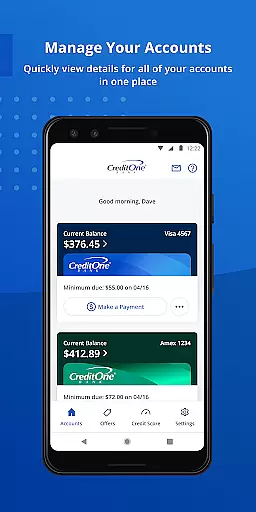
Credit One Bank Mobile is a comprehensive financial management tool designed specifically for Credit One Bank cardholders. This app allows users to manage their accounts with ease, offering features such as account activation, statement viewing, and secure login using fingerprint authentication.
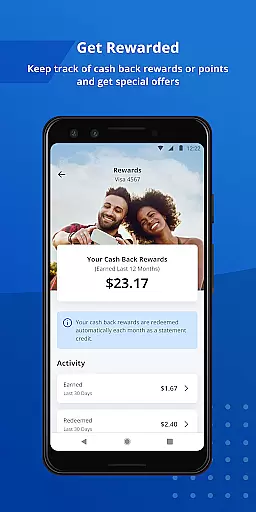
One of the standout capabilities of this app is its robust security framework. Users can lock and unlock their cards, set up customized fraud alerts, and receive transaction notifications. Additionally, it provides tools for tracking rewards, scheduling payments, and monitoring credit scores, making it an indispensable companion for anyone looking to take control of their financial health.
Whether you're at home or on the go, Credit One Bank Mobile ensures you have quick access to your financial information. With features like Quick View for balance checks without signing in and seamless integration with Google Pay, this app is perfect for modern banking needs.
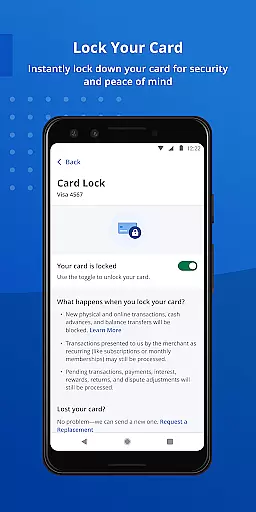
Credit One Bank Mobile offers a wide array of features that cater to both security-conscious and convenience-seeking users. The app's security measures are top-notch, allowing users to sign in quickly and securely using fingerprint authentication. You can also lock and unlock your card directly from the app, providing peace of mind in case your card is lost or stolen.
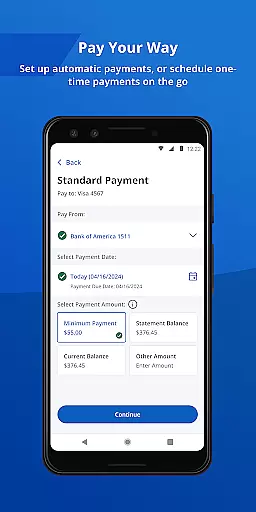
Beyond security, the app excels in user convenience and financial management. It enables users to view statements, schedule payments, and even set up AutoPay for automatic monthly payments. The app also integrates with Google Pay, allowing for easy online and in-store transactions.
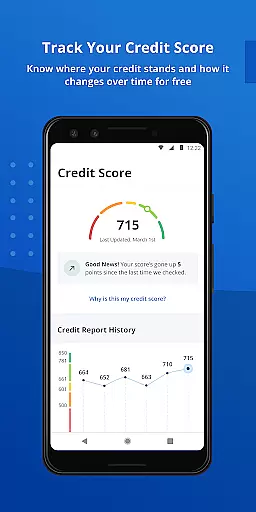
For those interested in tracking their financial progress, the app provides free monthly credit score tracking and detailed credit reports. These features help users understand what factors contribute to their credit scores, empowering them to make informed financial decisions.
Account and fund security is a critical feature of the Credit One Bank Mobile app, ensuring that users can manage their finances with peace of mind. The app employs advanced security measures such as fingerprint authentication for quick and secure sign-ins, providing an additional layer of protection against unauthorized access.
Users have the ability to lock and unlock their cards directly from the app interface, which is particularly useful in case of lost or stolen cards. This instant control over card usage helps prevent fraudulent transactions and offers real-time management capabilities.
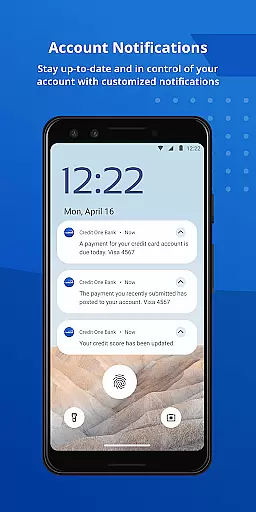
The app also allows customers to set customized fraud alerts and transaction notifications. These proactive measures enable users to stay informed about account activities, thereby reducing the risk of financial fraud. With these features, Credit One Bank Mobile ensures both convenience and enhanced security for its users.
The transaction experience within the Credit One Bank Mobile app is designed to be seamless and user-friendly, allowing customers to perform various banking activities efficiently. Users can quickly schedule payments at their convenience, eliminating the need to wait in lines or adhere to bank operating hours.
For those who prefer automated solutions, the AutoPay feature enables automatic monthly payments, simplifying financial management by removing manual intervention. This functionality not only saves time but also helps avoid late fees and maintain a good credit standing.
In addition, integrating with services like Google Pay enhances the overall payment process. By adding their card to Google Pay, users can make convenient payments both online and in-store, streamlining everyday transactions while enjoying enhanced security benefits provided by digital wallet technologies.
User-friendly interface
Robust security features
Convenient payment options
Reward tracking system
Free credit score monitoring
Limited to Credit One customers
No investment tools
Occasional bugs reported
Customer support delays
Requires constant updates

 4.50
4.50
Bank better with our new app
3.80
Get a cash advance instantly. File taxes & cover unexpected bills in minutes.
4.60
Early payday cash advance up to $150 a day with a max of $1,000 per pay period
4.70
BTC, Crypto, Stocks & Options.
4.20
No credit checked needed.
4.80
Easy budgeting planning on a calendar!
4.80
Loan Calculator, Mortgage Calculator, Compound Interest Calculator
4.70
SuperQi, Your all-in-one Super App.
1.30
Currency Converter, Exchange Rates, Widgets
4.90
Get 250$ Cash Advance to solve emergencies instantly in loan app called LendMe
4.70
Military retirement pay estimation calculator
4.70
Over 180 currencies conversion rates with live exchange rates and offline mode.
4.60
Download the MySynchrony App to manage your accounts securely and conveniently!
4.60
Payday cash advance & Instant cash advance: Borrow money instantly, Get cash now
4.60
Earn cash back. Build credit.
4.60
The US Debt Clock .org App gives you a Real-Time glimpse of US Financial Stats
4.60
Our Chase Mobile App makes it easy for you to bank on the go 24/7.
4.60
Make your paycheck work harder for you with Perpay.
4.10


User Reviews