
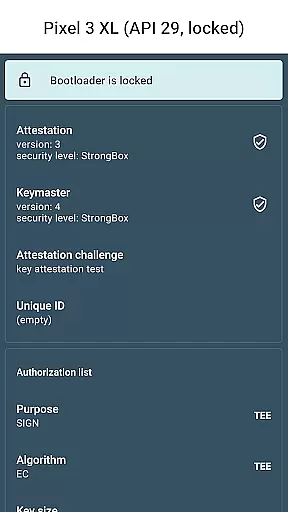
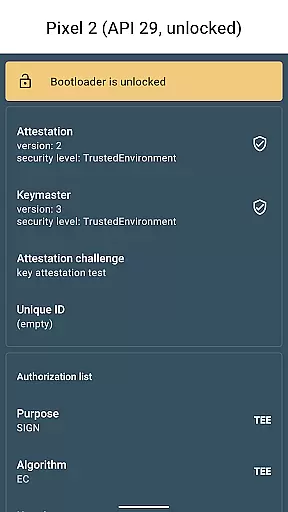
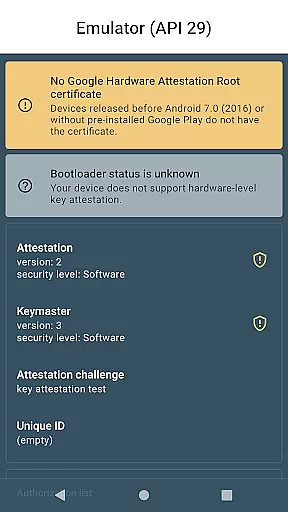
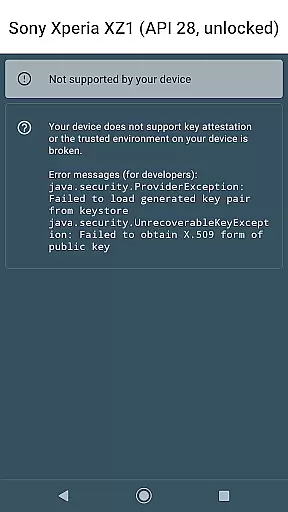
Key Attestation Demo is a specialized application designed for developers and power users who require advanced security features. This app allows users to verify the authenticity of cryptographic keys on Android devices, ensuring that the keys are stored in a secure hardware environment.
The core functionality revolves around implementing and testing key attestation processes as described in official Android documentation. It serves as an essential tool for those developing or auditing security-sensitive applications, providing detailed insights into how keys are generated, stored, and protected on Android platforms.
By using this app, developers can ensure their applications meet modern security standards, particularly when working with sensitive data or financial transactions. The app's ability to validate hardware-backed keys makes it invaluable for creating more secure mobile solutions.
One of the main features of Key Attestation Demo is its ability to provide detailed information about the key attestation process. Users can examine certificate chains, verify key properties, and check whether keys are hardware-backed.
The app also offers direct access to relevant Android security documentation and source code, making it easier for developers to understand and implement best practices. Its integration with Android's Keystore system allows users to test various security configurations and evaluate their effectiveness.
Another notable feature is the app's open-source nature, which enables developers to review, modify, and improve the code according to their specific needs. This transparency helps build trust and encourages collaboration within the developer community.
Functionality completeness is a critical aspect of any development tool, and Key Attestation Demo excels in this area. This app provides developers with the necessary tools to verify the authenticity of security keys on Android devices.
The app covers various aspects of key attestation, ensuring that all essential features are included. It allows users to check the integrity of hardware-backed keys, providing comprehensive coverage for security validation needs.
Developers benefit from the app's thorough implementation of Android's key attestation API. The functionality extends to verifying key properties, confirming device authenticity, and validating security levels.
This complete feature set enables power users and developers to test and validate security implementations effectively. The app's coverage spans multiple Android versions, making it a versatile tool for security-focused development projects.
While primarily a developer tool, Key Attestation Demo maintains a surprising level of usability despite its technical nature. The interface presents complex security information in a relatively accessible manner, even for non-expert users.
Operational smoothness is evident in how efficiently the app processes attestation requests. Users can quickly obtain and review key attestation statements without experiencing significant delays or performance issues.
The app's operation flow follows a logical sequence, from initiating the attestation process to displaying results. This streamlined approach helps minimize user errors during security validations.
Additional usability features include direct links to documentation and source code, enabling developers to quickly access reference materials. These resources enhance the overall user experience while maintaining focus on the app's core technical purpose.
Essential for security testing
Provides detailed key information
Open-source and transparent
Supports hardware-backed keys
Includes official documentation links
Complex for regular users
Limited to Android platform
Requires technical knowledge
No user-friendly interface
Not suitable for casual use

SmartCast mirrors Android phone to TV screen With Cast Screen, Chromecast.
 4.80
4.80
Connect and find your Smarttag devices through our app.
4.00
You can remote control and play much easier.
4.10
Connect and Find your smart tag via our app.our app is compatible with smarttag.
3.30
Al QURAN-القرأن الكريم app to read Quran offline just like an actual Quran book
4.30
CloudEye 365 is a easy-handling APP
3.60
DamonSx2 is the open Source LGPL Emulator
3.20
Game booster GFX may reduce interruptions and improve gaming experience.
4.50
Expo is a free & open source platform to build apps using JavaScript and React.
4.70
Study Bible King James Version: the correct way to learn the Bible with audio
4.80
Popular mods fnaf mods for melon playground
4.50
MirrorLink for connecting your Android phone to your car’s infotainment screen.
4.50
Recite Quran Majeed القران with special 16 line real Kuran page in hand
4.30
Easily evaluate the performance of Scandit's barcode and ID scanning SDK
4.10
A Pydroid Quick Install repository provider.
4.00
Mirror phone to TV effortlessly! Stream, share & connect with Airplay ease.
3.60
Now Available on Android ™
3.40
Collection of Maps and Mods for Dmod
3.30
Endoscope camera an app to connect with endoscope cam or any device
3.30


User Reviews