
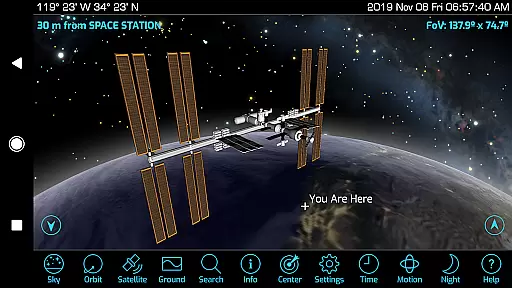
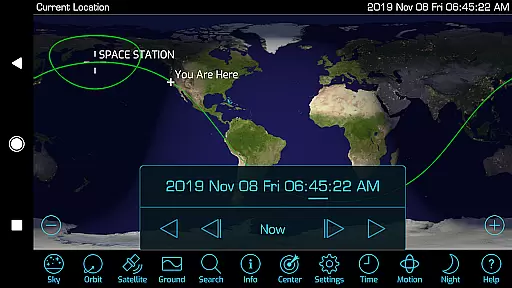
Orbitrack is an innovative educational application designed for space enthusiasts and learners alike. This Augmented-Reality satellite tracker and spaceflight simulator serves as your personal guide to the thousands of spacecraft orbiting Earth. With a comprehensive database of over 4000 satellites, including active satellites, military satellites, the International Space Station, and SpaceX's Starlink satellites, Orbitrack offers users an unparalleled experience in space exploration.
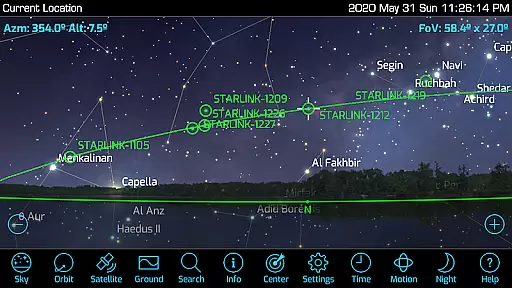
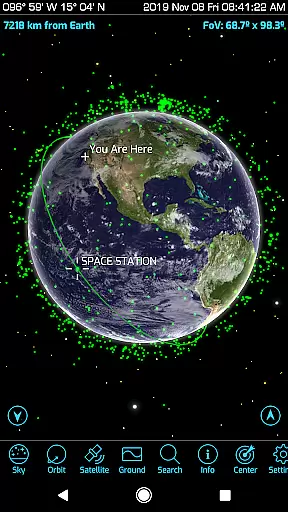
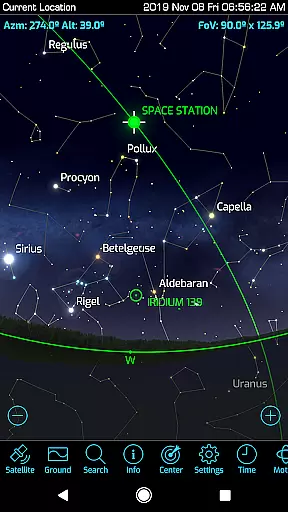
The app stands out with its rich graphics that display atmospheric effects, city lights on Earth’s night side, and highly-detailed 3D satellite models. Its augmented reality mode utilizes your device's GPS and motion sensors to help locate satellites in the sky. Whether you're tracking satellites across the planet or learning about their missions through detailed descriptions, Orbitrack provides both novice and expert users with valuable insights into the world of spaceflight.
Designed for modern Android devices, Orbitrack supports the latest hardware and operating systems. It includes numerous user interface enhancements, new sound effects, ambient background music, and intuitive Time Flow controls for setting dates and animating views. These features make Orbitrack not only powerful but also incredibly user-friendly, offering advanced capabilities without requiring specialized knowledge.
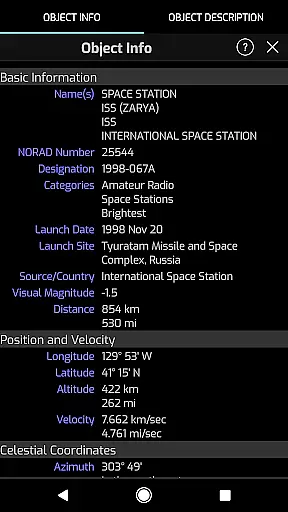
Orbitrack boasts an array of sophisticated features tailored for both casual users and serious space enthusiasts. One of its most notable aspects is the extensive satellite coverage, which includes more than 4000 spacecraft. Users can track everything from amateur radio satellites to classified military satellites, gaining access to real-time data and detailed mission descriptions sourced from reputable platforms like n2yo.com and celestrak.com.
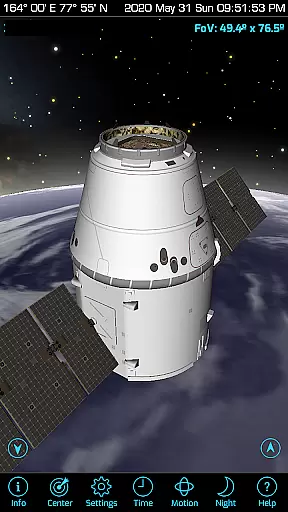
The app's visual presentation is equally impressive, featuring rich graphics that depict atmospheric effects and city lights on Earth's night side. The inclusion of highly-detailed 3D satellite models allows users to explore these spacecraft from any angle, providing an immersive experience akin to viewing them up close. Additionally, Orbitrack's augmented reality functionality enhances this experience by helping users physically locate satellites in the sky using their device’s sensors.
Usability is at the core of Orbitrack's design philosophy. Dozens of user interface tweaks ensure smooth navigation and ease of use, while new sound effects and ambient music create an engaging atmosphere. Advanced Time Flow controls enable users to set specific dates and times, animating views to visualize orbital mechanics dynamically. Overall, these features combine to deliver a seamless blend of education and entertainment, making complex space concepts accessible to everyone.
In the realm of satellite tracking and space education, content accuracy is paramount. Orbitrack excels in this area by sourcing its extensive database from reputable platforms like n2yo.com and celestrak.com. Every day, the app updates its information to reflect the dynamic nature of orbital mechanics, ensuring users receive the most current data on satellite positions, movements, and statuses.
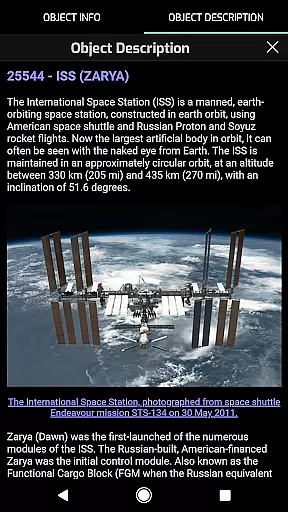
The app doesn't just stop at positional accuracy; it enriches the user's understanding with comprehensive mission descriptions for hundreds of satellites. This educational aspect transforms raw data into digestible knowledge, making complex information accessible even to those without a background in aerospace.
Furthermore, Orbitrack employs detailed 3D models for dozens of satellites, allowing users to explore these spacecraft from any angle. This feature not only enhances visual learning but also reinforces the authenticity of the presented content. Users can trust that what they're seeing is an accurate representation of each satellite's design and function.
Orbitrack stands out in the educational apps landscape by offering personalized learning paths tailored to individual interests within the vast field of space exploration. Whether you're intrigued by the International Space Station or curious about classified military satellites, Orbitrack caters to diverse curiosities through customizable tracking options.
By enabling users to select specific satellites for tracking, Orbitrack allows learners to focus on areas that captivate them most. This personalization extends to viewing angles as well; users can simulate the view from any chosen satellite, experiencing Earth from orbit just as the satellite sees it. Such immersive experiences foster deeper engagement with the subject matter.
Moreover, Orbitracku2019s augmented reality mode adds another layer of personalization. By leveraging device GPS and motion sensors, the app guides users to locate satellites in the real sky above them. This interactive approach not only makes learning more engaging but also adapts to each user's geographical location, creating unique learning opportunities based on where they are in the world.
User-friendly interface
Comprehensive satellite database
Augmented reality integration
Detailed 3D satellite models
Real-time updates
Requires modern hardware
Limited offline functionality
Premium pricing model
Occasional performance lags
Steep learning curve

FAR/AIM, FAR for Flight Crew and FAR for Aviation Maintenance Technicians
 3.80
3.80
One of the most engaging and innovative ABC apps on the market.
4.30
AI Language tutor: Speak fluently with Lucy’s personalized coaching
4.70
Hebrew Vocab
4.90
Nighty Night Circus - Bedtime story for kids
4.10
Explore numbers the Starfall way!
4.00
Prepare for the BCBA / BCaBA exam. Study ABA with the ABA Wizard app.
4.60
THE ESTABLISHED "GO TO" ARMY BOARD PREPARATION APP!
4.30
Courses, certificates, degrees
4.50
A realistic sky map to observe stars, planets, satellites and constellations!
4.80
The Only Official DVSA Theory Test Kit App
4.50
Professional Award-Winning Astronomy Star Map App With Telescope Control
4.40
Pass your FAA written with flying colors - Study Buddy can help.
4.30
Build math skills in: addition, subtraction, multiplication and division.
4.10
Our most popular app series returns, better than ever!
3.90
Quiz App to help case managers studying for CCMC Certification, 200+ Questions
3.40
Master the NRP with 700+ questions, rationales, and updated NREMT scenarios.
3.00
Pickleball guide complete with illustrated Pickleball drills and helpful info
4.5
Animals pop up and make sounds—learn names and noises in Peekaboo Barn!
4.1


User Reviews