
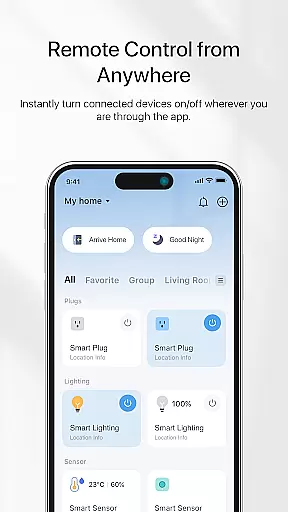
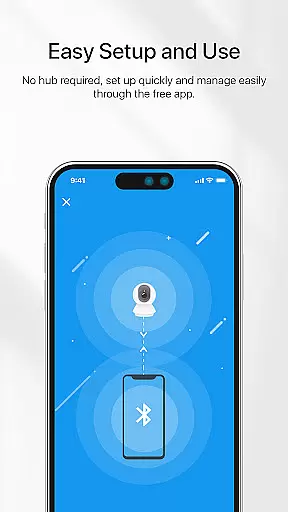
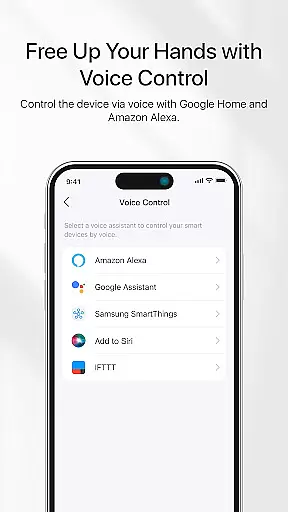
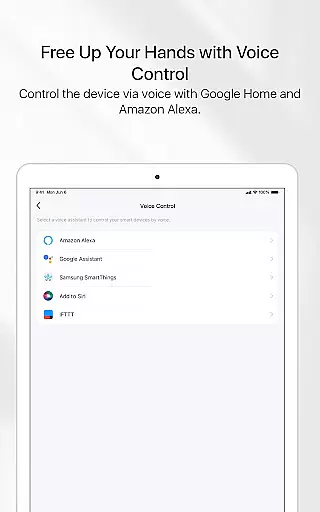
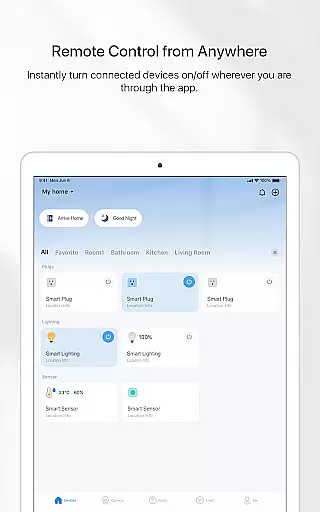
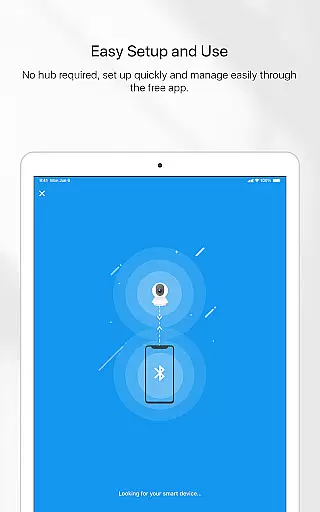

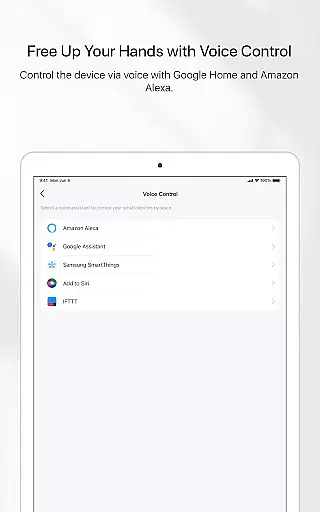
TP-Link Tapo is a comprehensive smart home management application designed to simplify the setup and control of Tapo smart devices. With this app, users can effortlessly configure and manage their smart home ecosystem within minutes. The app provides remote access capabilities, allowing users to control their smart devices from anywhere using their mobile device. Additionally, it supports voice control integration with popular platforms like Google Home and Amazon Echo, making smart home management more accessible than ever.
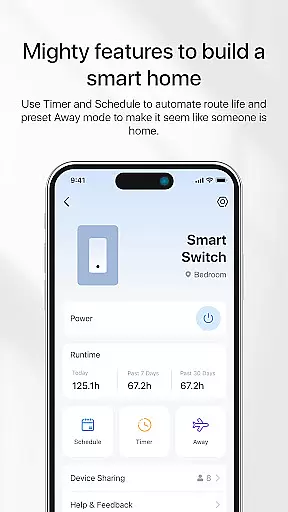
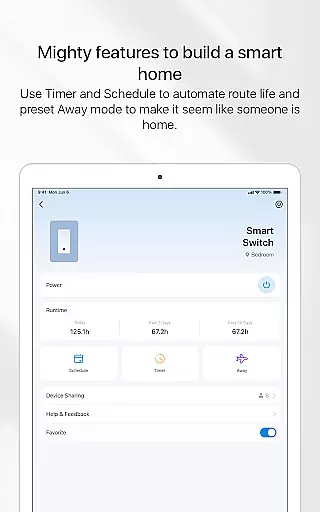
One of the standout features of TP-Link Tapo is its ability to create customized automation scenarios. Users can set up Away mode to simulate occupancy, schedule automatic on/off times for their devices, and even set countdown timers for specific actions. These features not only enhance convenience but also contribute to energy savings and improved home security. Whether you're looking to automate your lighting, control appliances, or manage security cameras, TP-Link Tapo offers a user-friendly solution for all your smart home needs.
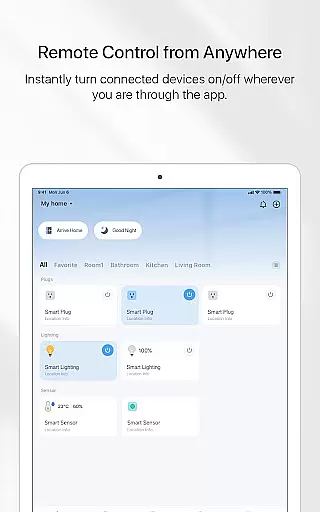
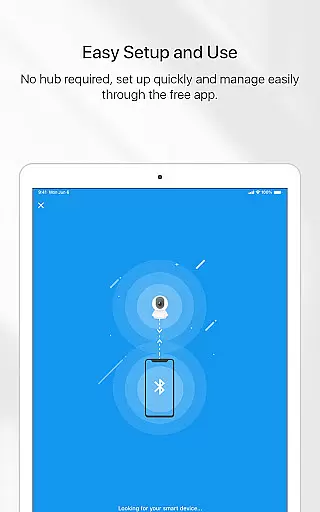
TP-Link Tapo stands out with its robust feature set tailored for smart home enthusiasts. The app's intuitive interface allows for quick and seamless device pairing, typically completing the setup process within minutes. Once connected, users can enjoy complete remote control over their Tapo devices through the app's centralized dashboard. This includes the ability to turn devices on or off, adjust settings, and monitor real-time status updates from anywhere in the world.
Voice control integration represents another key feature of TP-Link Tapo. By connecting with Google Home and Amazon Echo devices, users can execute commands hands-free, creating a truly futuristic smart home experience. The app also excels in automation capabilities, offering advanced scheduling options, customizable Away modes, and precise countdown timers. These features work together to create personalized smart home scenarios that adapt to users' daily routines while optimizing energy efficiency and enhancing home security.
The TP-Link Tapo app offers comprehensive coverage of smart home functionalities, making it an essential tool for modern lifestyles.
With features ranging from remote device control to voice command integration with Google Home and Amazon Echo, the app ensures users can manage their smart devices effortlessly.
Advanced options like Away mode simulation and customizable scheduling provide practical solutions for home security and energy management.
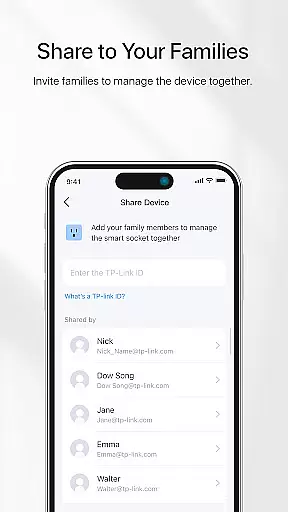
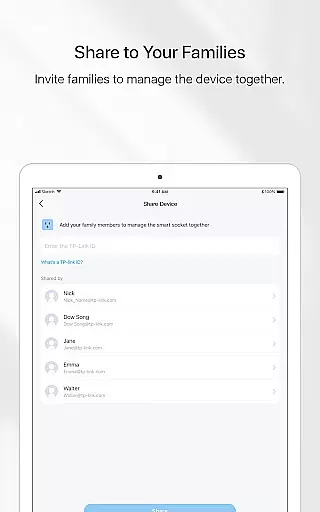
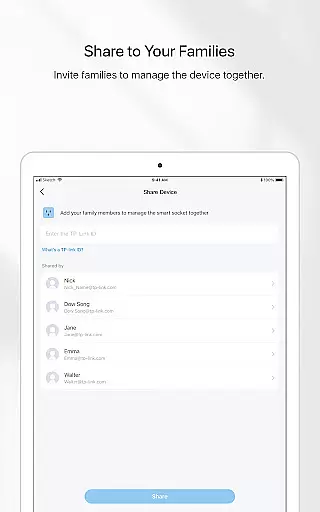
By allowing family sharing, the app fosters a collaborative environment, enabling multiple users to manage smart devices seamlessly.
TP-Link Tapo ensures all its functionalities are developed with utmost attention to detail and accuracy, offering users reliable smart home solutions.
Each feature, from countdown timers to automated schedules, is designed based on real-world needs and tested rigorously for consistent performance.
The app's compatibility with trusted platforms like Google Home and Amazon Echo highlights its commitment to integrating with industry-leading technologies.
Users can trust that every function, whether voice control or preset modes, is crafted to deliver authentic and credible smart home experiences.
User-friendly interface
Comprehensive device compatibility
Advanced scheduling options
Voice control integration
Remote access capabilities
Limited third-party integrations
Occasional connectivity issues
Basic automation features
No 24/7 customer support
Requires stable internet connection

Bring the warm colors of fall directly to your wrist with Autumn Leaves!
 4.4
4.4
Unique "Isometric" style digital watch face for Wear OS
4.50
This is a simple and highly functional alarm clock "Smart Alarm" paid version.
4.20
Do you want to communicate with spirits?
3.80
Play fun games, complete quick surveys, and earn money. It's fun and easy!
4.40
A smart Siddur with halachic times
4.50
Mixing Colors for Menswear
4.20
Your store’s deals, where you are.
4.80
AAA Mobile provides on-the-go access to the services you know and trust.
4.60
Material You inspired colors with BIG and Bold looks for Wear OS watches.
4.20
Use your device sensors to detect energy and convert it into spoken words.
4.10
Digital watch face design. Modern looking, hi-res & battery friendly.
4.00
Your home in your hand
3.80
Design and brew great homebrewing beer, mead, cider and wine recipes on the go!
3.60
Easily manage your child's playtime, spending messaging and more.
3.50
The Miracle Box includes methods used by Steve Huff of Huff Paranormal.
3.20
A daily quote for success
4.3
Customize your Wear OS watch with festive Christmas figures and colors!
4.5
Celebrate the holidays with Advent Calendar: daily surprises and festive fun!
4.0


User Reviews