
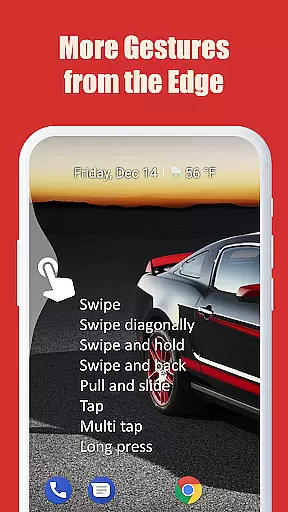
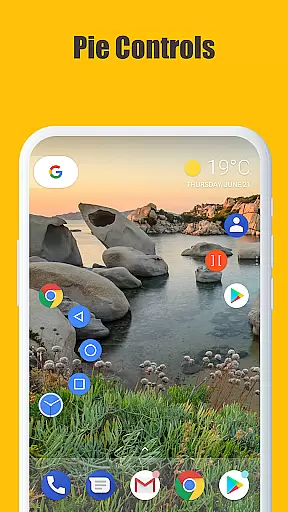
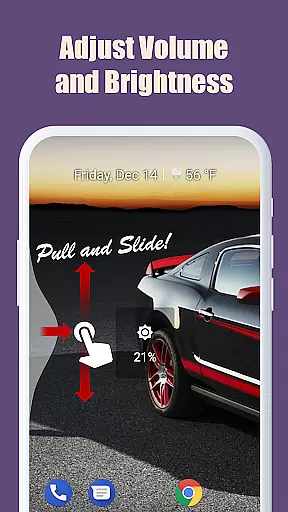
Edge Gestures is a powerful tool that allows users to execute various commands through simple gestures on the screen edge. With support for multiple gesture types, including tap, swipe, and pie controls, it streamlines device interaction.
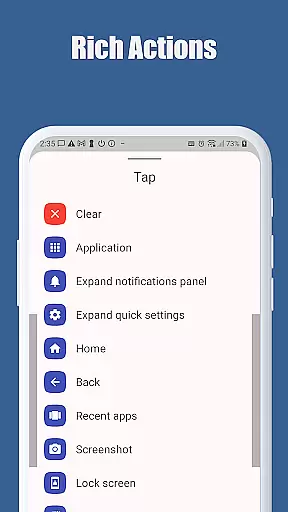
The app's core functionality lies in its ability to launch applications, control soft keys, adjust settings, and manage multitasking features like split screen and app switching, all through intuitive gestures. Its customizable edge areas permit personalization for an optimal user experience.
Ideal for power users seeking efficiency, Edge Gestures transforms how you interact with your Android device, making daily tasks quicker and more streamlined without cluttering the interface.
Edge Gestures stands out with its comprehensive set of gesture controls, supporting actions such as launching apps, navigating soft keys, and managing system UI elements like notifications and quick settings panels.
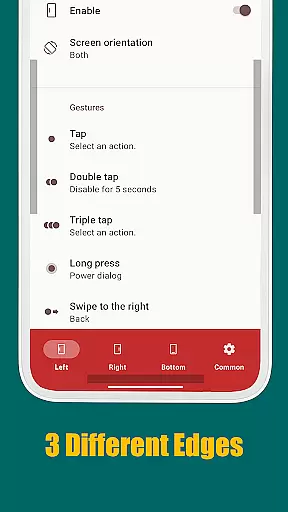
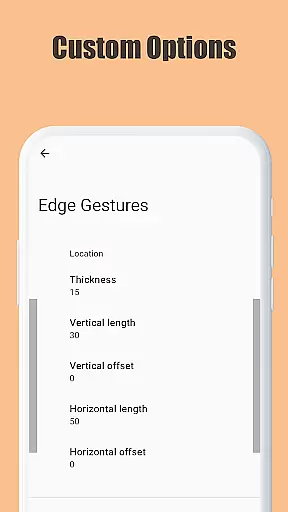
What makes this tool exceptional is its detailed customization options. Users can tailor the edge area's thickness, length, and position to suit their preferences. Additionally, advanced features like scroll-to-start and fast scroll enhance navigation speed.
The app employs accessibility service APIs responsibly, ensuring foreground app detection and seamless command execution without compromising user privacy or device security, offering both innovation and peace of mind.
Edge Gestures provides a highly accurate and effective gesture-based navigation system that transforms the way users interact with their devices. The app supports a wide range of gesture types, including tap, swipe, and pie controls, each designed to execute specific actions seamlessly.
The application's core functions are implemented through an accessibility service API, ensuring reliable performance for critical tasks such as launching apps, controlling soft keys, and managing the status bar. This robust architecture guarantees that every gesture is registered and processed accurately, delivering a smooth user experience.
Users benefit from precise control over their device's functionalities without the need for physical buttons. With customizable edge areas for thickness, length, and position, Edge Gestures offers tailored interaction that enhances both speed and ease of use.
This precision in gesture recognition and execution translates into significant time savings and increased productivity, making daily device interactions more efficient and enjoyable.
The interface design of Edge Gestures emphasizes simplicity and intuitiveness, ensuring that users can easily adopt and utilize its features without a steep learning curve. Upon installation, users are greeted with a straightforward setup process that allows customization of gestures according to personal preferences.
Each gesture type is accompanied by clear visual indicators and descriptions, guiding users through the available actions they can perform. Whether it's launching an application, adjusting brightness, or toggling split-screen mode, the app maintains consistency in its presentation, which aids in quicker memorization and execution.
Moreover, the minimalistic approach extends to the permission system where only necessary permissions are requested, reinforcing trust and transparency. By focusing on essential functionalities, Edge Gestures eliminates clutter, presenting a clean and organized user interface.
This thoughtful design ensures that even novice users can navigate complex tasks effortlessly, enhancing overall satisfaction and engagement with the app.
Intuitive gestures
Highly customizable
Efficient multitasking
Comprehensive controls
User-friendly design
Requires permissions
Complex for beginners
Limited iOS support
Device compatibility
Premium features cost

1-Click close all background apps on Android TV
 3.90
3.90
Canon PRINT is a companion app for your Canon printer.
4.60
Amateur Radio app for APRS: Track friends, exchange messages, get tactical info.
3.90
Bedrock Together: Join any bedrock server on Xbox/PS
4.80
Fast Video Downloader, Movie Downloader, Torrent Downloader & Adblock Browser
4.70
Screen Mirroring for Roku Sticks, Roku TCL TV and Roku Hisense TV
4.50
NFC Tools can read and write NFC tags.
4.70
Protect your device with antivirus, storage cleanup, and system monitoring
4.70
Screen recorder with audio to record high-quality videos and take screenshots.
4.40
The one-and-only remote control for PC, Mac, and Linux
4.70
Creation, Learning, Entertainment & More — The All-in-One AI Search Engine
4.70
Connect instantly to a fast, encrypted VPN with one tap
4.60 4.50
4.50
Complete kernel toolbox with features to manage and tweak your rooted device
4.30
Quickly check the frequency of the Earth
4.30
Remote for Roku, Fire TV, Samsung TV, LG TV, Android TV, Chromecast and VIZIO TV
4.20
Introducing Smart Printer, your ultimate destination for printing solutions!
4.00
Unleash gamepad precision for ultimate mobile gaming dominance.
3.90
Download any file easily and quickly with Downloader
4.2


User Reviews