
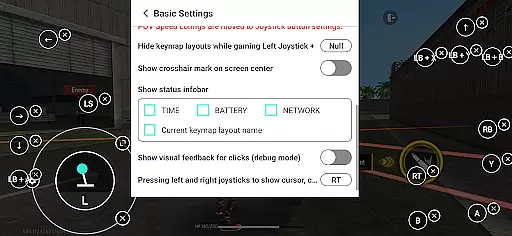
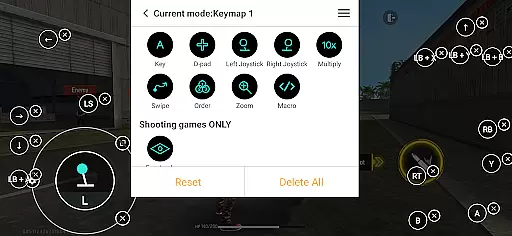
Panda Gamepad Pro is a powerful tool designed to enhance mobile gaming by enabling seamless gamepad support. This app allows gamers to enjoy precise control and superior comfort compared to traditional touch controls, making it ideal for competitive gameplay.
The application supports direct game launching without the need for cloning, secure Google Play logins, and ban-proof gaming technology. It also offers universal compatibility with nearly all gamepad brands and extensive support for various game genres. Whether you're playing on Android 11+ or older versions, activation is simple and hassle-free.
Panda Gamepad Pro stands out with its unique features tailored for mobile gamers. The app's direct game launch functionality lets users jump straight into their favorite games without additional steps. Its secure login system ensures that players can access their Google Play accounts safely.
One of the key highlights is its ban-proof technology, which allows gamers to play without worrying about account restrictions. The universal compatibility feature supports a wide range of controllers, ensuring that users can utilize both modern and classic gamepads. Additionally, the app provides extensive game support across multiple genres, enhancing the overall gaming experience.
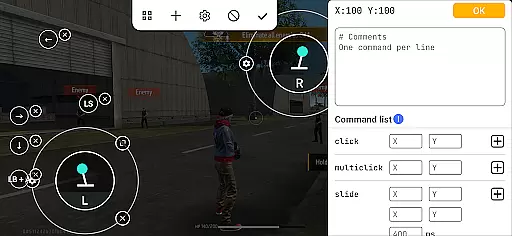
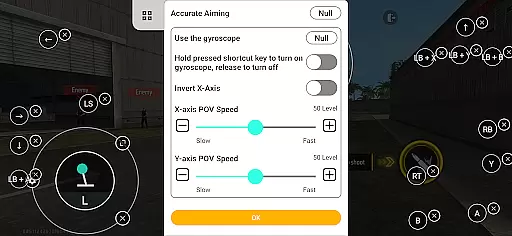
Panda Gamepad Pro excels in delivering precise and effective control functionality for mobile gaming. The app ensures that every button press, joystick movement, and trigger pull translates directly into accurate in-game actions.
Through its advanced mapping technology, the application supports a wide range of gamepad brands, ensuring compatibility with both modern and older controllers. This universal support guarantees that users can enjoy an authentic console-like experience on their mobile devices without any lag or misinterpretation of inputs.
Gamers benefit from enhanced precision when playing various genres, including shooting games, MOBAs, and sports titles. The elimination of touch controls provides a more comfortable and immersive experience, allowing players to focus on strategy and skill rather than finger placement.
The direct game launch feature further enhances the user experience by removing unnecessary steps between controller setup and gameplay, streamlining the entire gaming process for maximum enjoyment and efficiency.
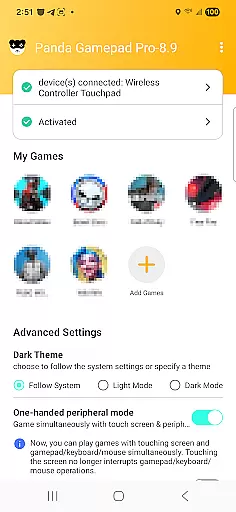
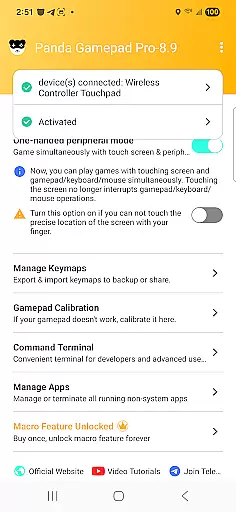
The interface design of Panda Gamepad Pro prioritizes simplicity and intuitive navigation, making it accessible even for newcomers to gamepad usage. Upon launching the app, users are greeted with a clean layout that emphasizes ease of use without compromising functionality.
Activation processes are tailored to different Android versions, providing straightforward instructions for each scenario. For devices running Android 11 and above, activation occurs directly on the device, while older versions offer quick PC or Mac-based solutions. Rooted devices enjoy automatic configuration, demonstrating the app's adaptability across various user setups.
Additional features such as secure Google Play login and ban-proof gaming technology are seamlessly integrated into the interface, ensuring that security measures do not complicate the user journey. Instead, they provide peace of mind through unobtrusive yet robust protection mechanisms.
With comprehensive video tutorials and guides available, users can quickly learn how to maximize their gamepad's potential, reinforcing the app's commitment to delivering an intuitive and hassle-free experience for all types of gamers.
Enhanced gamepad precision
Secure Google Play login
Ban-proof gaming technology
Universal controller support
Extensive game compatibility
Requires initial setup
Limited free features
Activation complexity on older devices
Premium version costs
Occasional connection issues

pdf merge, word to pdf, jpg to pdf, edit pdf, convert to pdf and much more!
 4.20
4.20
Just swipe the edge to do something!
4.40
Extremely fast, secure, and protects your privacy
4.80
Family Locator, Share location, StayConnect with your family in real time
3.90
Universal TV remote control all TVs, Roku, LG, Samsung, Fire, Vizio, Sony, TCL.
4.40
Optimize your WiFi network, turn your phone into Wifi Analyzer
4.70
The one-and-only remote control for PC, Mac, and Linux
4.70
Planner and Tracker for Stardew Valley
4.60
Protect your device with antivirus, storage cleanup, and system monitoring
4.70
App to pay for FUTO Keyboard
4.60
Head tracking for PC sim games such as MSFS 2024 or Elite:Dangerous. No headset!
4.50
Forza Tuning Calculator App for Forza Horizon 5, Motorsport and Earlier Titles
4.40
A simple app to back up and restore SMS & MMS messages and call logs.
4.10
Automate everything from settings to photos, SMS to speech. ADC2 prize winner.
4.10
Detect hidden spy camera with advanced scanning {{ Premium version }}
4.00
A recovery soft,it features photo recovery, video recovery, file recovery.
3.40
Clean the junk files on your device
3.40
PDF Reader - Document Viewer: Read, Manage & Organize Your Documents
3.10
Download any file easily and quickly with Downloader
4.1


User Reviews