
SMS Backup & Restore Pro is a premium Android application designed for secure backup and restoration of SMS, MMS messages, and call logs. This tool ensures that users can create encrypted copies of their communication data, storing them locally or in cloud services like Google Drive, Dropbox, and OneDrive.
With advanced features such as WebDAV support, scheduled backups, and WiFi direct transfer between devices, the app offers a comprehensive solution for managing personal communication records. It is especially useful for individuals who frequently upgrade devices or need to safeguard important conversations against accidental loss.
The app's ability to compress and encrypt backups provides an additional layer of security, while its user-friendly interface allows easy viewing and restoring of data. The pro version removes ads, offering uninterrupted functionality for power users who require reliable data management.
This application stands out with its robust feature set tailored for meticulous data management. Users can choose specific conversations to backup or restore, ensuring flexibility in managing their message history. The option to automatically upload backups to various cloud platforms guarantees data safety beyond the physical device.
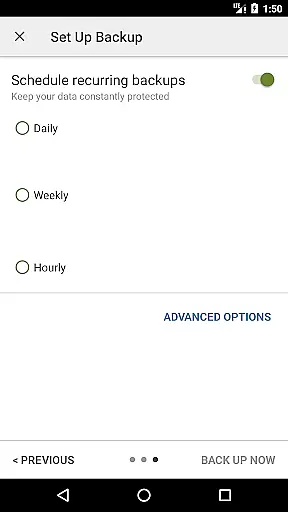
One of the key highlights is the ability to schedule recurring backups at custom intervals, automating the process of data preservation. Additionally, the app supports fast data transfer between two phones over WiFi direct, making device switching seamless. Its compatibility with multiple Android versions ensures broad usability across different devices.
For enhanced security, backups can be compressed and encrypted, protecting sensitive information from unauthorized access. The XML backup format allows for easy viewing on computers via an online viewer, providing transparency and accessibility. These features collectively make SMS Backup & Restore Pro an indispensable tool for anyone serious about data protection.
SMS Backup & Restore Pro excels in its core functionality by providing reliable backup and restore solutions for SMS, MMS, and call logs. The app creates XML format backups, ensuring that all message details are accurately captured and can be restored without loss of information.
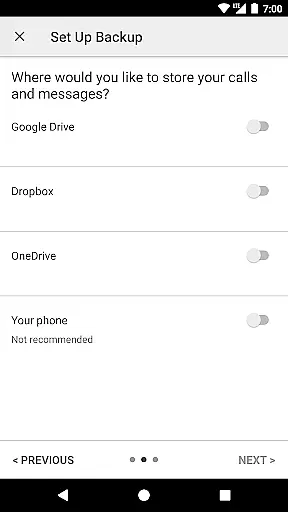
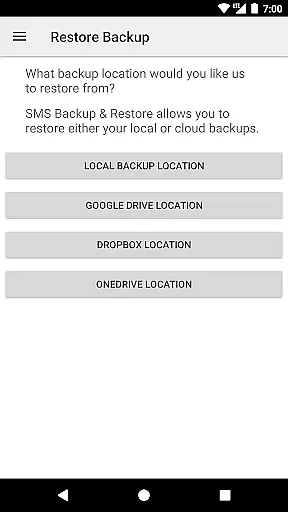
The application offers multiple backup location options including local storage, Google Drive, Dropbox, and OneDrive. This versatility ensures users can select the most convenient and secure storage solution for their needs. Additionally, the ability to compress and encrypt backups adds an extra layer of security and efficiency, making sure that your data remains private and takes up minimal space.
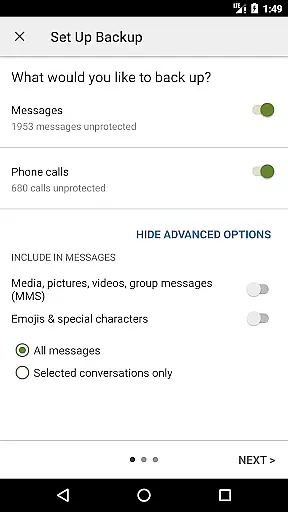
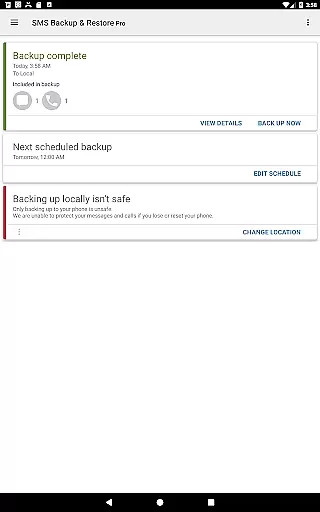
With features like scheduled automatic backups and selective conversation backup or restore, the app provides a customizable experience tailored to individual preferences. These options ensure that users can automate their backup processes while retaining control over which conversations are preserved, enhancing both convenience and data management.
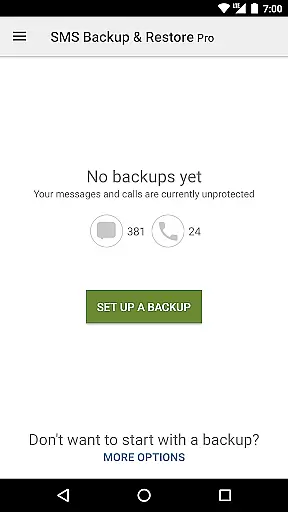
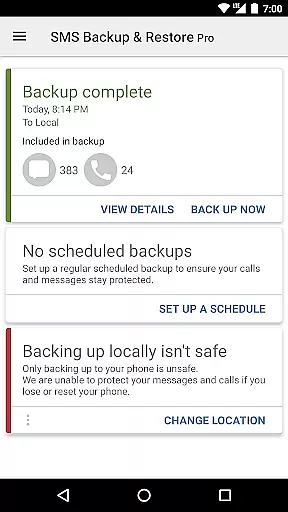
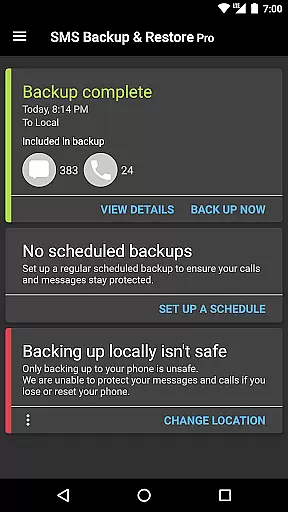
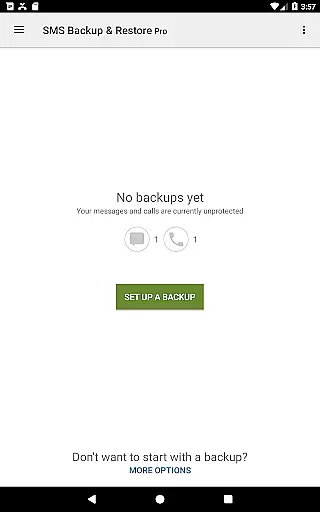
The user interface of SMS Backup & Restore Pro is designed with simplicity and ease of use in mind. Upon opening the app, users are greeted with a straightforward dashboard that clearly presents all available functions such as creating a new backup, viewing existing backups, and restoring data.
Navigation within the app is intuitive, allowing users to effortlessly switch between different sections like settings, backup history, and cloud integration options. Each feature is accompanied by clear labels and instructions, minimizing the learning curve even for those who may not be tech-savvy.
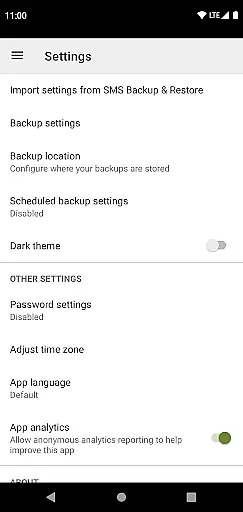
Moreover, advanced features such as WebDAV support and encryption settings are tucked away in menus, keeping the main interface uncluttered while still being easily accessible when needed. This balance ensures that both basic and advanced users can operate the app efficiently without feeling overwhelmed by unnecessary complexity.
Secure encryption
Cloud integration
Scheduled backups
WiFi direct transfer
Ad-free experience
Paid application
No iOS support
Requires existing backups
Limited to Android 5.0+
Complex for beginners

FV File Manager Pro, Fast and powerful file manager for Android
 4.60
4.60
Unit and currency converter with easy and simple UI.
4.80
HD Video player and downloader for all formats, fast & smooth 4K video playback.
4.60
An open-source APK explorer for Android!
4.10
Signal Strength, Mobile, Wifi, Speed Test, Bad Signals, Cellular, 5G, LTE, 4G
4.20
The ultimate tool for network analysis, wifi scanning and problem detection.
4.90
Clean up your phone, find files, play media, and share files offline
4.50
Screen recorder with audio to record high-quality videos and take screenshots.
4.40
The ideal app to be the digital eye of your family
3.40
Connect wirelessly to your computer to watch movies, browse the web, play games
5.00
Enjoy smooth gameplay with Game Booster
4.90
Easily install aab(Android App Bundle) files on your Android device with our app
4.80
Extremely fast, secure, and protects your privacy
4.80
eXtended Permission Manager - a small app to manage permissions and AppOps
4.50
Screen Mirroring for Roku Sticks, Roku TCL TV and Roku Hisense TV
4.50
pdf merge, word to pdf, jpg to pdf, edit pdf, convert to pdf and much more!
4.20
Remote for Roku, Fire TV, Samsung TV, LG TV, Android TV, Chromecast and VIZIO TV
4.20
Carry a FTP server in your pocket and avoid USB cables for file transfer
4.20
1-Click close all background apps on Android TV
3.90


User Reviews