
WiFi Pro FTP Server transforms your Android device into a fully functional FTP server, enabling seamless file transfers between your phone or tablet and other devices. With support for FTP over TLS/SSL (FTPS), this app ensures secure data exchanges while offering advanced configuration options such as anonymous access, home folder settings, and user authentication.
This tool is particularly useful for users who want to avoid cumbersome USB cables and prefer wireless file management. Whether you're transferring photos, movies, songs, or documents, the app works efficiently over both standard Wi-Fi networks and hotspot modes, making it versatile for various use cases.
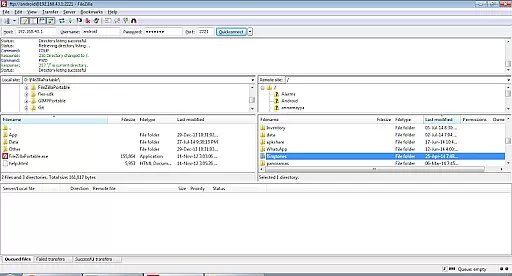
By hosting your own FTP server, you gain complete control over your data and can easily back up or share files with other devices using FTP clients like FileZilla. Its intuitive interface and robust functionality make it an essential utility for anyone seeking efficient wireless file management.
WiFi Pro FTP Server stands out with its comprehensive feature set tailored for power users. The app allows you to configure critical parameters such as port numbers, ensuring compatibility with non-rooted devices by defaulting to ports above 1024. Additionally, the inclusion of FTPS (FTP over TLS/SSL) provides enhanced security during file transfers, safeguarding sensitive information from unauthorized access.
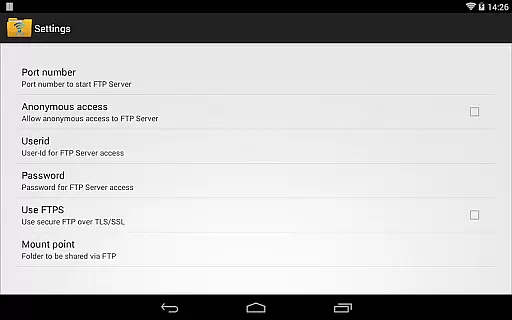
One of the standout features is its flexibility in customization. Users can define their home folder (mount point), set unique usernames and passwords, and even enable anonymous access if needed. These options ensure that the app adapts to individual preferences while maintaining high standards of usability and protection.
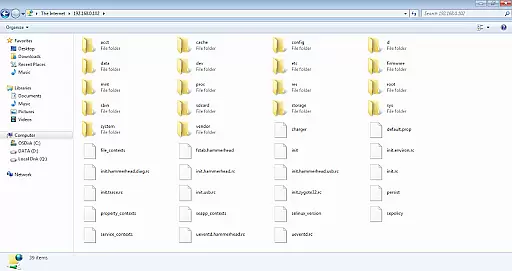
Another notable aspect is its compatibility with multiple platforms. You can connect to the FTP server not only via dedicated FTP clients but also through Windows File Explorer, broadening its accessibility. This versatility, combined with its ability to operate in tethering mode (hotspot), makes WiFi Pro FTP Server a reliable solution for managing files wirelessly across different environments.
WiFi Pro FTP Server excels in providing a reliable and efficient file transfer solution. The app transforms Android devices into fully functional FTP servers, enabling seamless file sharing over Wi-Fi networks. With support for FTP over TLS/SSL (FTPS), it ensures secure data transmission, which is crucial for maintaining the integrity of transferred files.
The application allows users to configure key parameters such as port number, home folder, and access credentials. This customization capability enhances its functionality by letting users tailor the server setup according to their specific needs. Whether you need to transfer files, photos, movies, or music, the app handles all types of data with precision and speed.
One of the standout features is its ability to work over Wi-Fi tethering mode, making it versatile for different network environments. Users can avoid cumbersome USB cables and opt for wireless transfers, significantly improving convenience. The app's performance remains consistent even when handling large files, ensuring that users experience minimal latency during transfers.
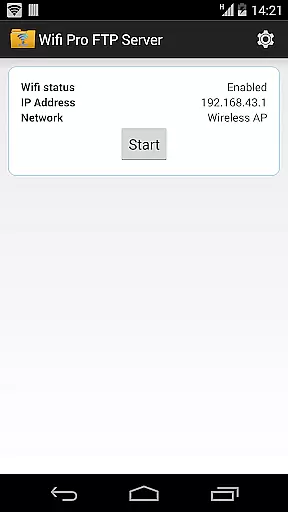
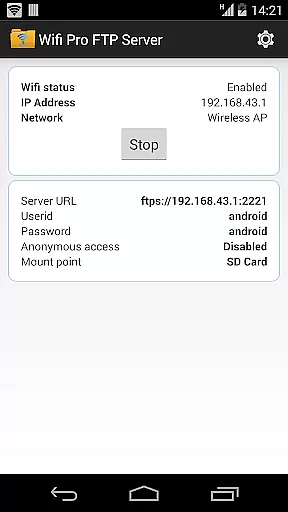
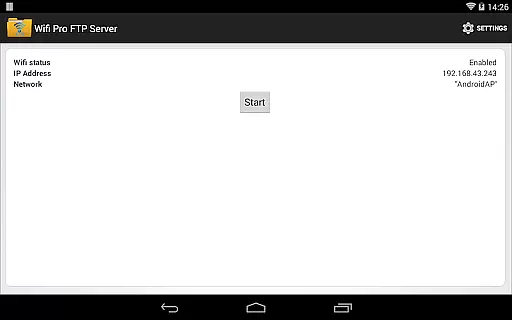
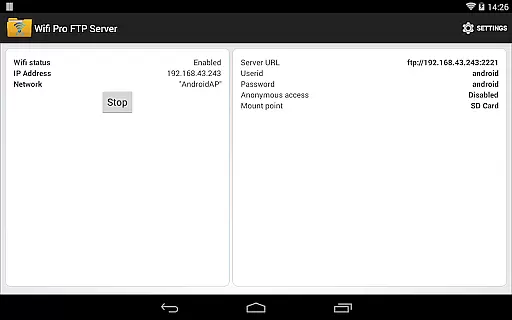
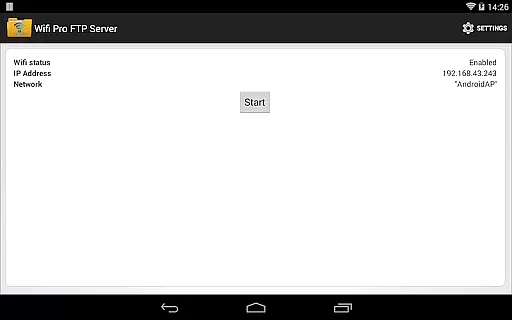
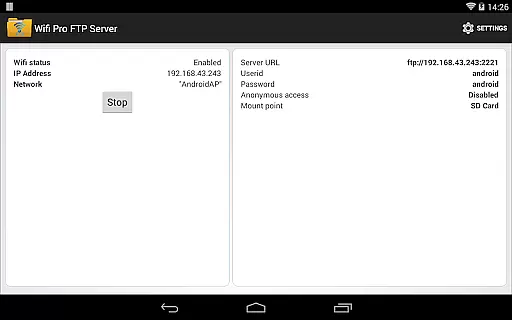
The user interface of WiFi Pro FTP Server is designed to be straightforward and easy to navigate. Upon launching the app, users are greeted with a clean layout that highlights essential functions without overwhelming them with unnecessary details. Key settings such as configuring the home folder, setting up user credentials, and adjusting the port number are easily accessible from the main screen.
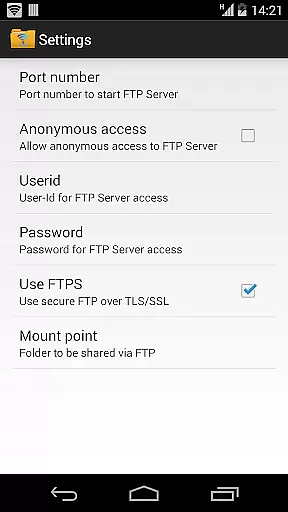
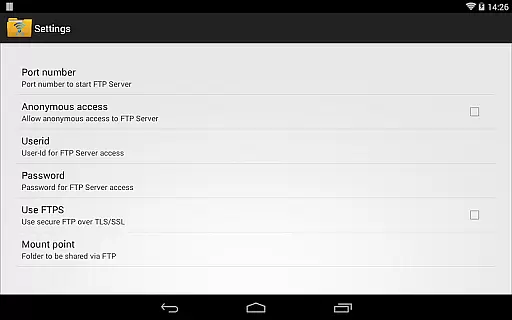
For those new to FTP servers, the app offers a hassle-free setup process. It provides clear instructions and default configurations that help users get started quickly. Advanced users will appreciate the ability to fine-tune settings like anonymous access and FTPS support, which are presented in an organized manner within the settings menu.
Additionally, the app includes helpful resources such as links to download compatible FTP clients like FileZilla. This attention to detail extends to customer support, where users can email feedback or report bugs directly through the app. Overall, WiFi Pro FTP Server combines powerful functionality with an intuitive interface, making it accessible for both beginners and experienced users alike.
Secure FTPS support
Customizable settings
Works in hotspot mode
User-friendly interface
Efficient wireless transfers
No SFTP support yet
Limited on rooted devices
Default port restrictions
Requires FTP client
Paid version only

 4.50
4.50
FV File Manager Pro, Fast and powerful file manager for Android
4.60
Learn the vast amount of system information about device and monitor it's state
4.70
Remote for Roku, Fire TV, Samsung TV, LG TV, Android TV, Chromecast and VIZIO TV
4.20
App to pay for FUTO Keyboard
4.60
Unleash gamepad precision for ultimate mobile gaming dominance.
3.90
Fast Video Downloader, Movie Downloader, Torrent Downloader & Adblock Browser
4.70
Automate everything from settings to photos, SMS to speech. ADC2 prize winner.
4.10
Fun lie-detection pranks for friends and parties.
3.80
Connect wirelessly to your computer to watch movies, browse the web, play games
5.00
Unit and currency converter with easy and simple UI.
4.80
WiFi Signal Strength Meter help you detect WiFi Signal Strength in real time.
4.80 4.50
4.50
PC precision for mobile gaming: dominate with keyboard and mouse!
4.30
Just one-tap to easy translate in any language after calls within seconds.
4.20
Detect hidden spy camera with advanced scanning {{ Premium version }}
4.00
Amateur Radio app for APRS: Track friends, exchange messages, get tactical info.
3.90
This app unlocks the Pro features of the Central for DayZ app
3.60
Download any file easily and quickly with Downloader
4.2


User Reviews