
Speedtest by Ookla is a leading internet speed testing tool that provides accurate measurements of your connection's performance. The app offers download, upload, and ping tests, giving users a comprehensive view of their network quality. With its intuitive interface and reliable results, it has become an essential utility for both casual users and network professionals.
Beyond basic speed testing, the app includes advanced features like real-time monitoring, detailed analytics, and customizable test servers. These capabilities make it suitable for various use cases, from troubleshooting home networks to assessing mobile data performance on-the-go. Whether you're optimizing your Wi-Fi setup or verifying your ISP's promised speeds, Speedtest delivers valuable insights to help you make informed decisions about your internet connection.
Speedtest stands out with its global network of over 10,000 testing servers worldwide, ensuring accurate results regardless of your location. The app's intelligent server selection algorithm automatically chooses the optimal testing point for maximum precision. Advanced users can manually select specific servers for targeted testing scenarios.
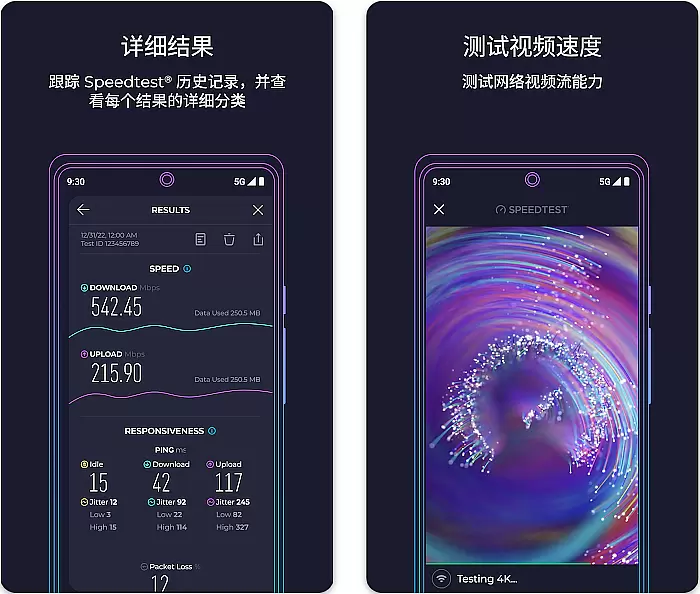
The application goes beyond simple speed measurements by providing detailed network diagnostics, including packet loss, jitter, and latency metrics. Its innovative Results History feature allows users to track their connection's performance over time through interactive graphs and charts. Additionally, the built-in background testing capability (available on supported devices) enables continuous monitoring without interrupting daily activities.
Speedtest by Ookla is a premier tool designed to deliver precise internet speed measurements. The app's core functionality lies in its ability to accurately measure download and upload speeds, latency, and packet loss. This precision is achieved through a global network of high-performance servers specifically optimized for speed testing.
The application employs advanced algorithms that ensure reliable results regardless of location or network conditions. It intelligently selects the optimal server based on proximity and performance, guaranteeing maximum accuracy during each test session. This automated selection process eliminates potential errors from manual configurations while maintaining consistent measurement standards.
Users benefit from having access to real-time data about their internet connection quality. Whether troubleshooting network issues or verifying promised speeds from service providers, Speedtest provides actionable insights. The app's reliability makes it an essential tool for both casual users and network professionals seeking dependable performance metrics.
Speedtest excels in providing an intuitive user interface that simplifies complex technical measurements. The main screen features a single prominent button, making it easy for users of all technical backgrounds to initiate tests quickly. This minimalistic approach reduces cognitive load while maintaining full functionality.
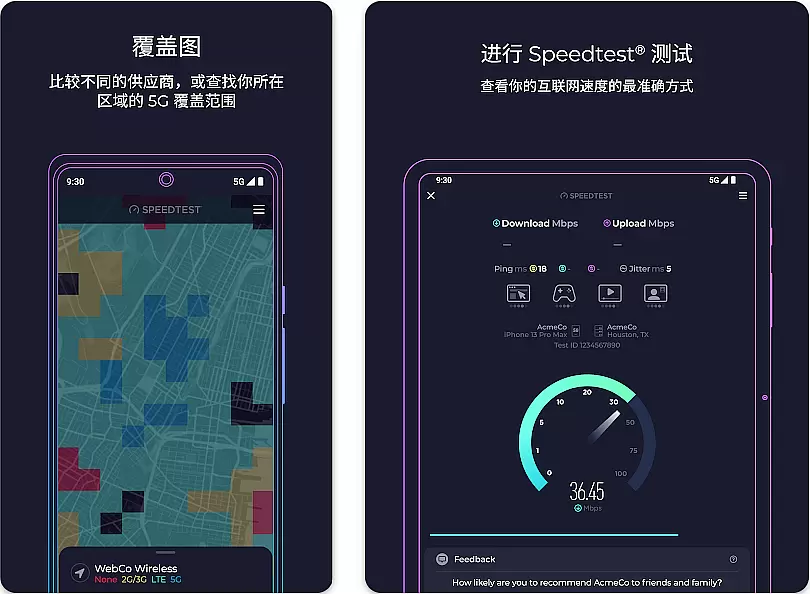
Visual indicators and progress animations provide clear feedback during testing procedures. Users can easily track the progress of their speed tests through dynamic graphics that update in real-time. The interface also includes historical data visualization, allowing users to monitor their connection's performance trends over time without requiring technical expertise.
Advanced settings are thoughtfully organized in secondary menus, keeping the primary interface clean while still offering power users access to detailed configuration options. This balance between simplicity and advanced functionality ensures that both novice and experienced users can effectively utilize the application according to their needs.
Highly accurate speed measurements
User-friendly interface design
Extensive server network coverage
Detailed network analytics tools
Reliable performance tracking system
Premium features require subscription
Ads in free version may distract
Background testing drains battery
Occasional server connectivity issues
Limited advanced options for free users

pdf merge, word to pdf, jpg to pdf, edit pdf, convert to pdf and much more!
 4.20
4.20
Remote for Roku, Fire TV, Samsung TV, LG TV, Android TV, Chromecast and VIZIO TV
4.20
card-reader app
2.20
App to pay for FUTO Keyboard
4.60
Undelete and recover your lost or deleted files with DiskDigger!
3.40
The Ultimate Bluetooth Keyboard & Mouse. Securely control your PC, Mac, and more
4.50
Protect your device with antivirus, storage cleanup, and system monitoring
4.70
A clean app.
4.50
fast and easy mp3 music downloader
4.80
Change your GPS location instantly. Simulate routes anywhere in the world.
4.90
Excellent scientific calculator with symbolic algebra, integrals, derivatives
4.80
Creation, Learning, Entertainment & More — The All-in-One AI Search Engine
4.70
Just swipe the edge to do something!
4.40
Fluid navigation gestures for all of us!
4.30
App that Recover your pictures, videos or files after you delete them.
4.20
Fun lie-detection pranks for friends and parties.
3.80
A recovery soft,it features photo recovery, video recovery, file recovery.
3.40
PDF Reader - Document Viewer: Read, Manage & Organize Your Documents
3.10
Download any file easily and quickly with Downloader
4.5


User Reviews