
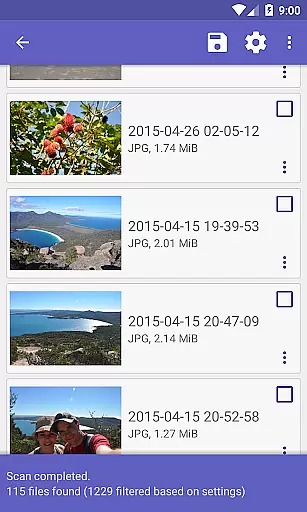
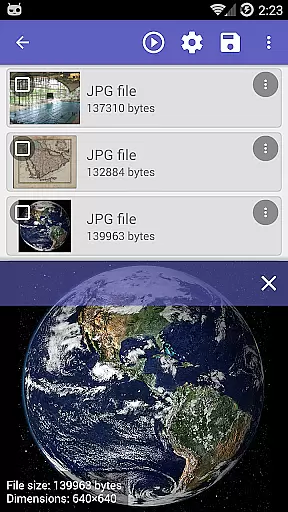
DiskDigger Pro is a powerful data recovery tool designed for rooted Android devices. This application specializes in retrieving lost files, including photos, documents, videos, and music from both internal memory and external memory cards. With its advanced scanning capabilities, DiskDigger Pro can recover accidentally deleted files even after memory card reformatting.
While the app offers limited functionality on non-rooted devices, allowing only the recovery of lower-resolution photos and videos, it truly shines when used on rooted devices. It supports a wide range of file types, making it an essential tool for anyone looking to recover valuable data. Whether you're a casual user or a tech-savvy individual, DiskDigger Pro provides a reliable solution for file recovery needs.
DiskDigger Pro stands out with its comprehensive file recovery features tailored for rooted Android devices. The app's deep scanning technology meticulously searches through device storage to locate and restore over 30 different file formats, including JPG, PNG, MP4, DOCX, PDF, and more. This ensures that users can retrieve various types of lost content, from cherished photos to critical documents.
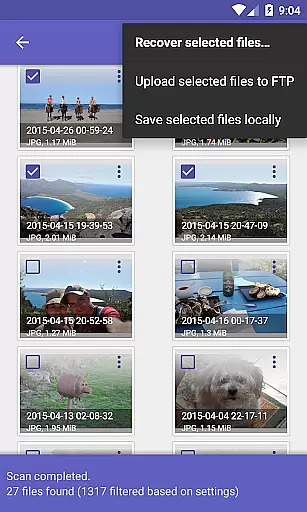
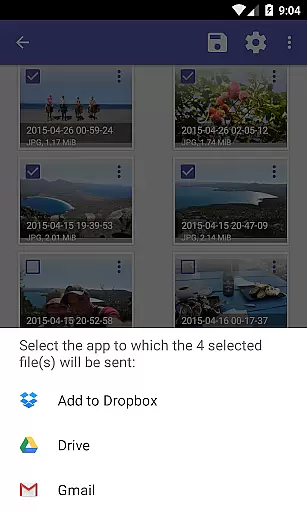
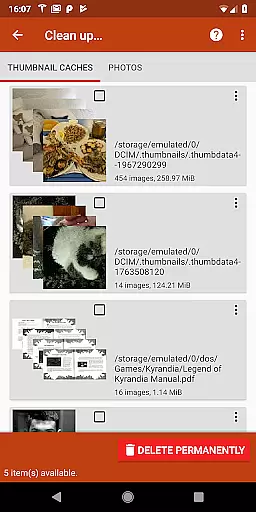
In addition to its robust recovery capabilities, DiskDigger Pro offers convenient post-recovery options. Users can directly upload recovered files to cloud services like Google Drive and Dropbox, send them via email, or save them to a local folder. The app also includes experimental features such as 'Clean up' for permanently deleting unnecessary items and 'Wipe free space' to prevent future data recovery. These features collectively make DiskDigger Pro an indispensable tool for managing and protecting your digital assets.
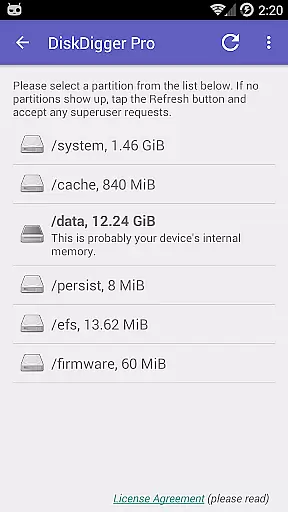
DiskDigger Pro specializes in data recovery with precision and efficiency, making it a reliable tool for retrieving lost files. The app employs advanced scanning algorithms that meticulously comb through your device's memory to locate recoverable files.
For rooted devices, the app offers comprehensive recovery options including photos, documents, videos, and music. Its ability to recover high-resolution files and various formats like JPG, PNG, PDF, MP3, DOCX, and more makes it an indispensable utility for users who need extensive data retrieval.
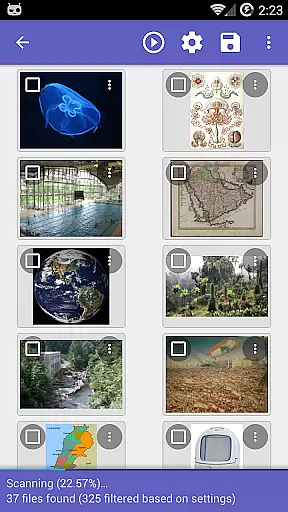
Even on non-rooted devices, DiskDigger Pro provides a basic scan feature that can recover lower-resolution versions of photos from cache and thumbnail directories. This ensures that all users have some level of data recovery available to them regardless of their deviceu2019s root status.
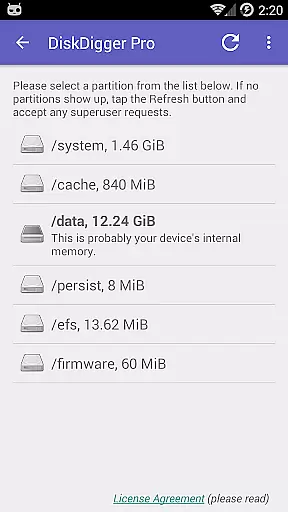
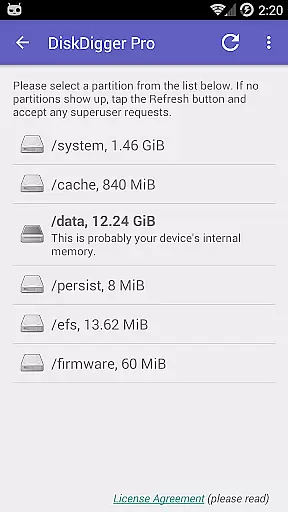
The user interface of DiskDigger Pro is designed to be straightforward and easy to navigate, ensuring users can quickly initiate scans and recover files without a steep learning curve. Clear options and instructions guide users through the process, from scanning to recovering files.
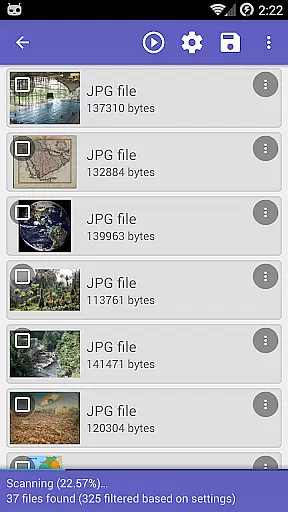
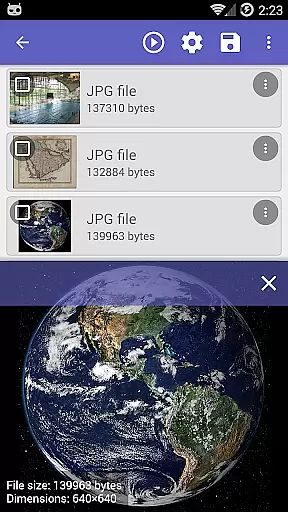
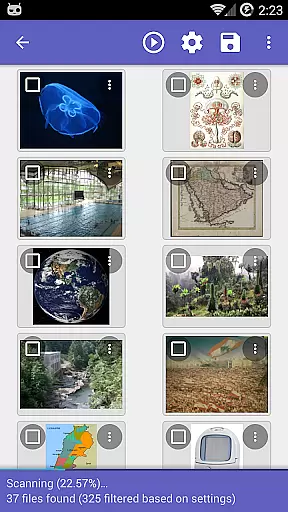
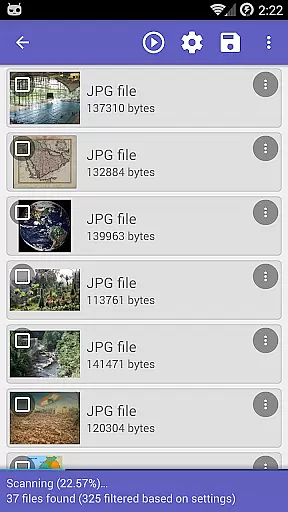
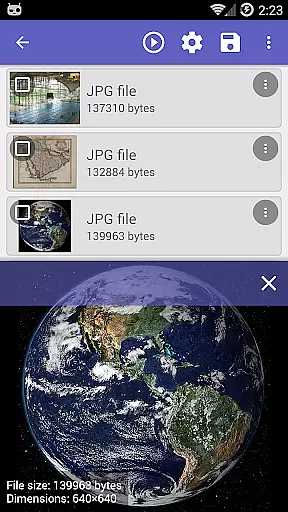
After completing a scan, users are presented with a list of recoverable items, allowing them to select and restore specific files they need. The inclusion of a 'Clean up' button helps users manage space by permanently deleting unnecessary items found during scans.
Additional features such as 'Wipe free space' provide enhanced functionality, enabling users to erase residual free space on their device, thus preventing future data recovery. These intuitive controls ensure that even those unfamiliar with data recovery can use DiskDigger Pro effectively.
Powerful recovery
Wide format support
Cloud integration
User-friendly
Root optimization
Limited on non-root
Complex for beginners
Experimental features
Requires internet
Paid version

 4.50
4.50
Transfer Files, APK from Phone to Watch & Install.
4.1
Learn the vast amount of system information about device and monitor it's state
4.70
Use your phone as a webcam on your computer over WiFi or USB.
4.40
Clean the junk files on your device
3.40
Pro Emulator is an easy to use game console emulator for a range of consoles.
4.40
Automate everything from settings to photos, SMS to speech. ADC2 prize winner.
4.10
Button mapper, mouse toggle, sleep timer and a lot of another features
4.50
Screen recorder with audio to record high-quality videos and take screenshots.
4.40
Enjoy smooth gameplay with Game Booster
4.90
Best leveling tool for your Android device. Hang paintings like a pro.
4.90
HD Video player and downloader for all formats, fast & smooth 4K video playback.
4.60
Making emulation easy for everyone!
4.30
Quickly check the frequency of the Earth
4.30
Remote for Roku, Fire TV, Samsung TV, LG TV, Android TV, Chromecast and VIZIO TV
4.20
Introducing Smart Printer, your ultimate destination for printing solutions!
4.00
Family Locator, Share location, StayConnect with your family in real time
3.90
Create your own live wallpaper or check out thousands already made presets
3.90
Create your own custom widget with endless possibilities
3.90


User Reviews