
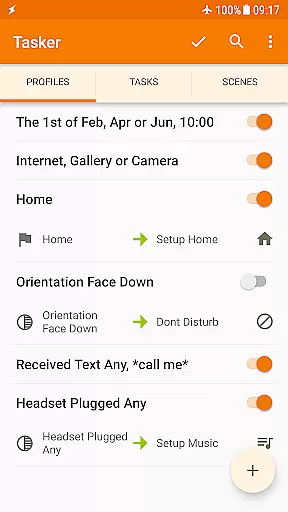
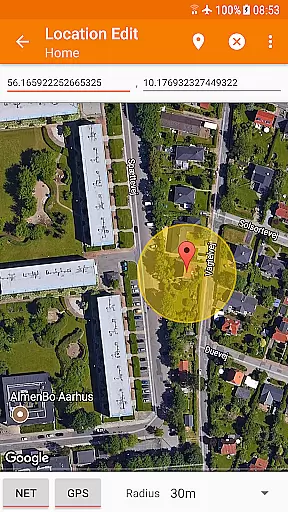
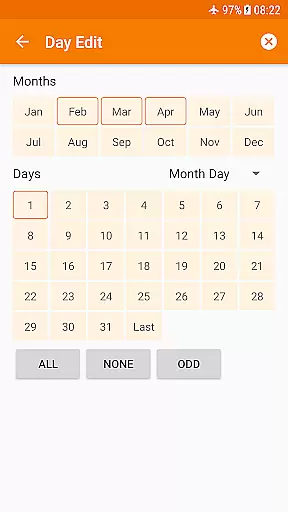
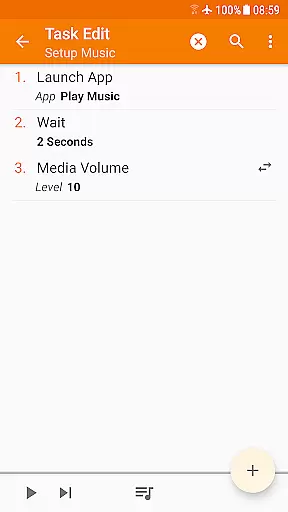
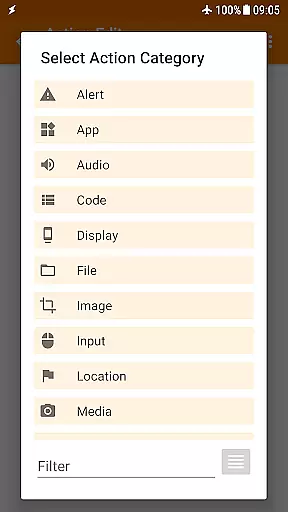
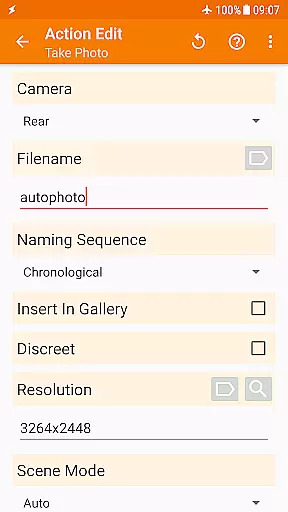
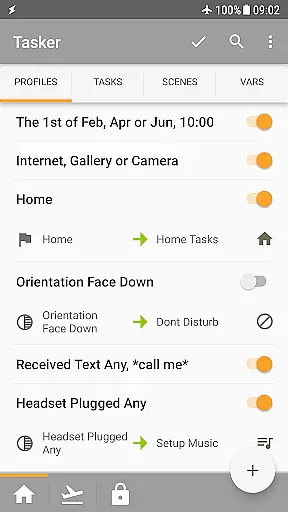
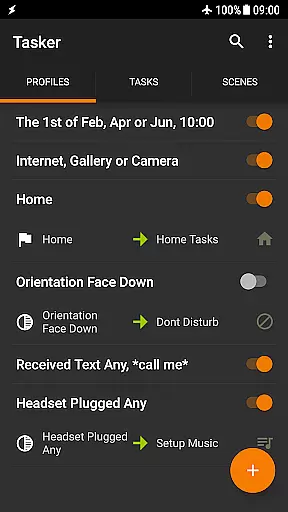
Tasker is a powerful automation tool designed specifically for Android devices. It allows users to automate various tasks based on specific triggers such as time, location, or events like receiving an SMS. The app's true strength lies in its ability to seamlessly integrate different conditions and actions, providing unparalleled customization options.
With over 350 available actions, Tasker can manipulate system settings, send messages, manage files, control music playback, and much more. Users can create complex automation workflows that enhance their smartphone experience without needing root access for most functions. Additionally, Tasker supports external plugins and web API integrations, making it an indispensable tool for tech-savvy individuals looking to maximize their device's potential.
Whether you're automating daily routines or creating custom applications, Tasker offers a versatile platform that adapts to various needs. Its user-friendly interface and extensive documentation make it accessible even to those new to automation, ensuring that anyone can harness the full power of their Android device.
Tasker stands out with its comprehensive suite of features tailored for automation enthusiasts. One of its core functionalities is the ability to trigger actions based on a wide array of contexts, including time, location, and system events. This flexibility allows users to create personalized automation scripts that suit their unique requirements, from simple tasks like adjusting the volume when leaving home to complex workflows involving multiple apps and system settings.
The app boasts over 350 built-in actions, enabling users to customize nearly every aspect of their device. These actions range from sending SMS messages and managing Wi-Fi settings to controlling media playback and manipulating files. Tasker also supports third-party plugins, expanding its capabilities even further. For developers, Tasker provides robust tools for integrating web APIs and creating standalone apps through the Tasker App Factory, offering endless possibilities for innovation and customization.
Another notable feature is Tasker's scene design functionality, which allows users to create custom user interfaces for displaying information or triggering tasks. Combined with remote triggering capabilities via Join, Tasker becomes a central hub for managing and automating all aspects of your digital life, whether you're at home or on the go.
Tasker exemplifies core function accuracy and effectiveness through its robust automation capabilities. The app allows users to create complex automations based on a multitude of triggers, including time, location, and system events. With over 350 actions available, it offers precise control over various smartphone functions, ensuring that the desired tasks are executed accurately every time.
The effectiveness of Tasker is further enhanced by its flexibility in combining different contexts and tasks. Users can set up multi-step automations that adapt to their daily routines without manual intervention. For instance, Tasker can change your phone's settings automatically when you leave home or mute notifications during meetings, streamlining your digital life with reliable precision.
Moreover, Tasker supports integration with third-party apps and services, extending its functionality beyond the native environment. This interoperability ensures that users can leverage Tasker's accurate execution within a broader ecosystem, making it an indispensable tool for power users who demand efficiency and reliability from their mobile devices.
Despite its powerful capabilities, Tasker maintains an interface that balances simplicity with advanced functionality. The app provides an intuitive drag-and-drop task creation process, allowing users to build automations without needing to write code. Visual indicators and straightforward menus guide users through setting up contexts and actions, ensuring ease of use even for those new to automation tools.
Tasker also includes features like scenes and widgets that contribute to its user-friendly design. Scenes enable users to create custom UI elements that interact directly with their tasks, while widgets offer quick access to frequently used functions. These elements simplify interaction with the app, reducing the learning curve associated with mastering its extensive feature set.
Furthermore, Tasker offers comprehensive guides and community support to assist users in navigating its interface. Starter guides, pre-made projects, and active forums provide resources for troubleshooting and inspiration, fostering an environment where users can confidently explore the depths of what Tasker has to offer without feeling overwhelmed by complexity.
Highly customizable
Extensive automation options
No root required for most features
Supports third-party plugins
User-friendly interface
Steep learning curve
Some features require root
Occasional stability issues
Limited iOS support
Complex setup for beginners

Head tracking for PC sim games such as MSFS 2024 or Elite:Dangerous. No headset!
 4.50
4.50
This app unlocks the Pro features of the Central for DayZ app
3.60
Smart and comfortable browsing experience.
3.80
Making emulation easy for everyone!
4.30
Support Fossify apps with a warm thank you!
5.00
Play your X-Box games remotely in 1080p with any controller and zero latency
4.60
Button mapper, mouse toggle, sleep timer and a lot of another features
4.50
A clean app.
4.50
The ideal app to be the digital eye of your family
3.40
Monitor car performance in real time and troubleshoot malfunctions.
4.80
The one-and-only remote control for PC, Mac, and Linux
4.70
HD Video player and downloader for all formats, fast & smooth 4K video playback.
4.60
Mirror your screen to Chromecast and Android TV - Super fast and simple
4.60
Quickly switch to an encrypted DNS server on Android TV
4.50
Mirror your screen to Fire TV - Super fast and simple
4.40
Quickly check the frequency of the Earth
4.30
Screen Mirroring with sound for Samsung TV, LG TV, Sony TV, Smart TV and Browser
4.20
MS-DOS in your pocket. Play old DOS games anywhere you are ;)
4.10
1-Click close all background apps on Android TV
3.90


User Reviews