
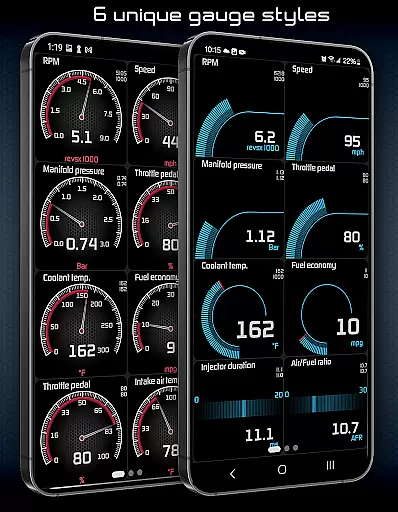
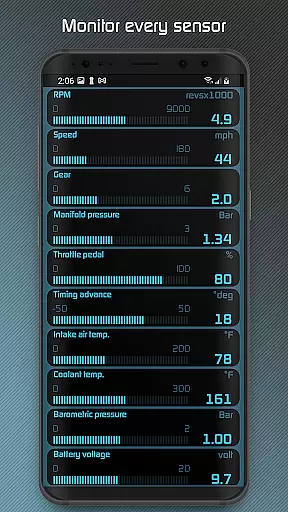
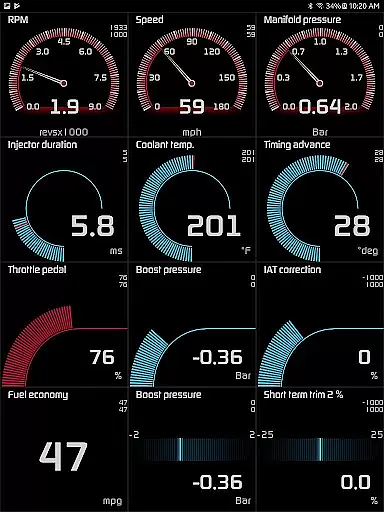
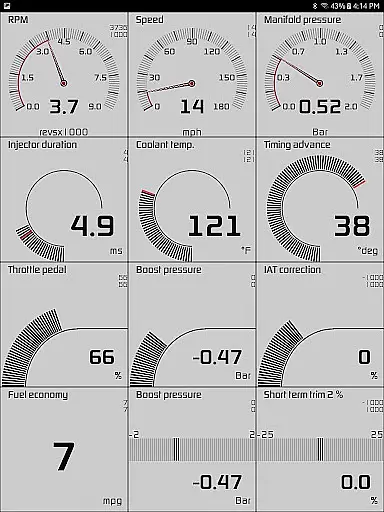
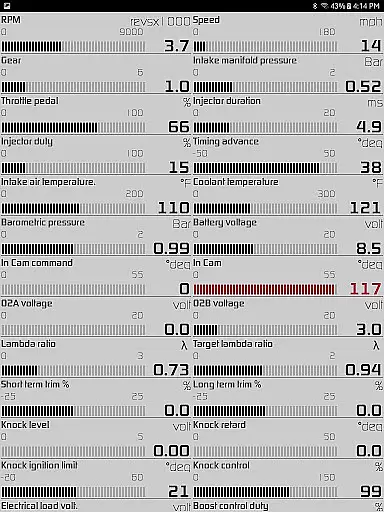
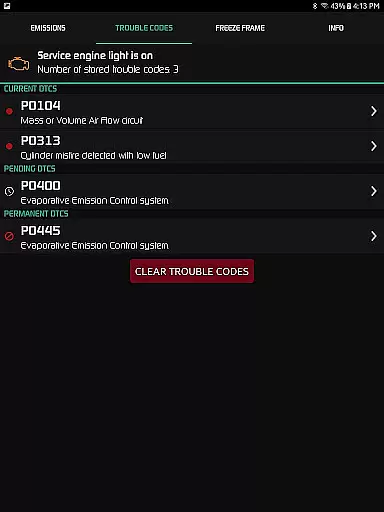
Hondata app transforms your Android device into a comprehensive performance tracking and troubleshooting tool for Honda vehicles. It allows real-time monitoring of 80 sensors through customizable gauges, providing critical data such as fuel economy, boost pressure, and battery voltage.
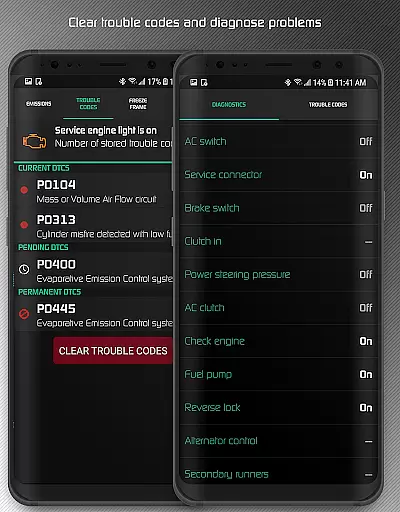
One standout feature is the ability to troubleshoot vehicle malfunctions by accessing the onboard ECU. This empowers users to understand issues before visiting a mechanic. Additionally, the app offers advanced diagnostics, fuel economy tracking in multiple units, and even drag race timing capabilities.
Ideal for car enthusiasts and everyday drivers alike, Hondata provides both practical maintenance tools and performance tracking features. The app's compatibility with specific Hondata hardware ensures reliable functionality for supported Honda models.
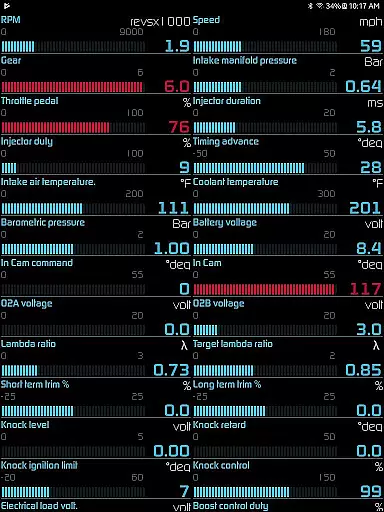
The Hondata app boasts an impressive array of features designed for automotive enthusiasts. Users can customize up to 80 real-time sensor readings through interactive gauges and graphs, including unique metrics like G-force and VTEC pressure.
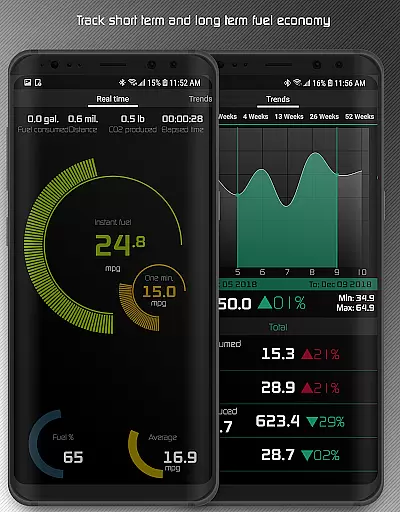
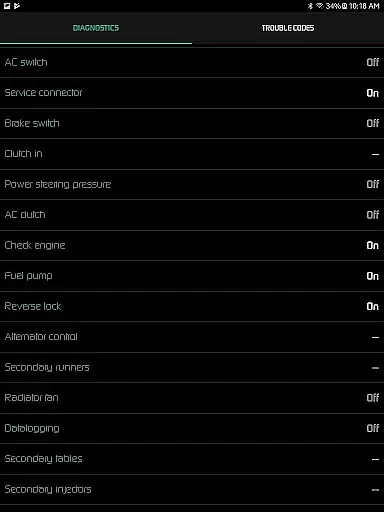
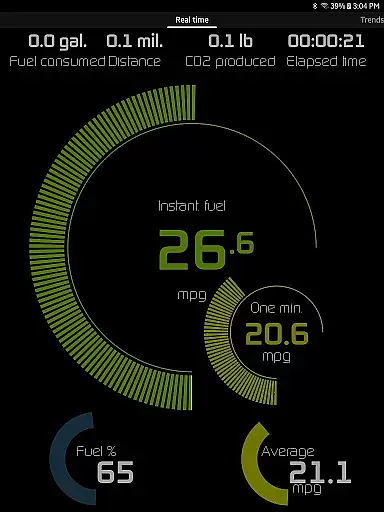
Advanced diagnostic capabilities allow users to read and clear trouble codes, reset service lights, and access 40+ diagnostic parameters. The app's fuel economy tracking stands out with five calculation methods and multiple display units including mpg and km/l.
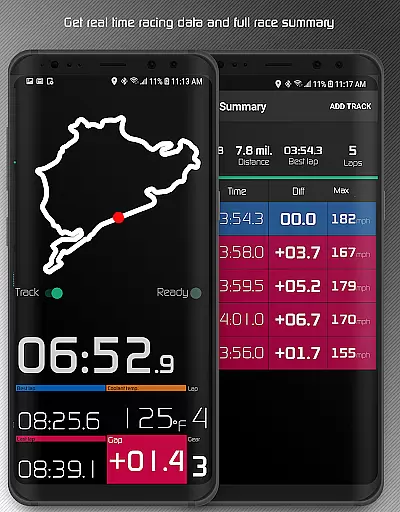
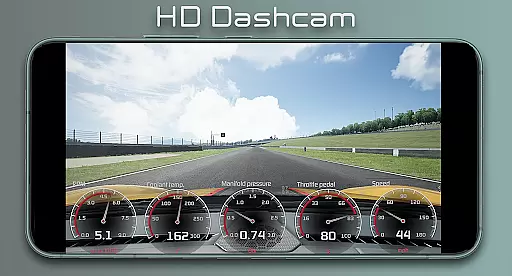
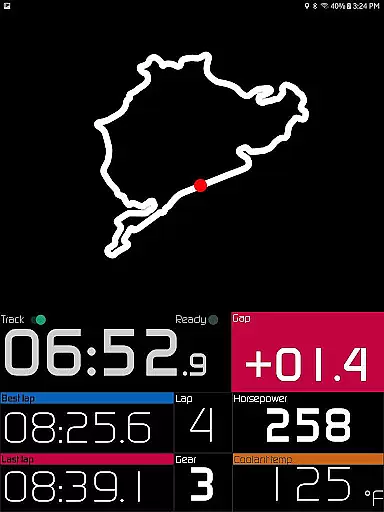
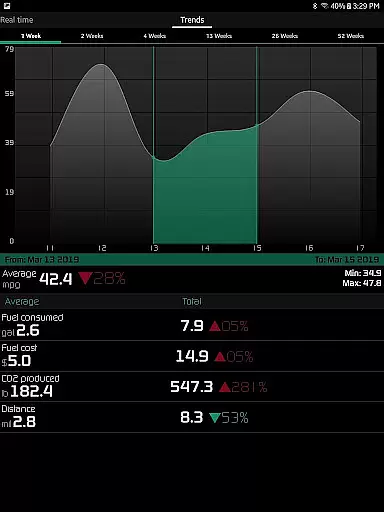
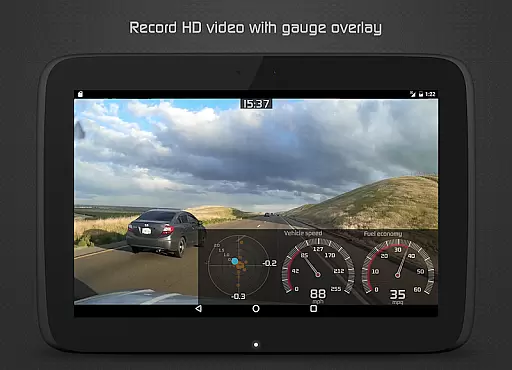
Racing enthusiasts will appreciate the dedicated track features, including 0-60 mph timing, lap tracking, and GPS-based circuit recording. Additional innovations include video recording with superimposed gauges, long-term economy tracking through interactive graphs, and various safety alerts.
The Hondata app offers precise monitoring of your Honda's performance through customizable gauges that track up to 80 sensors in real time. This includes critical data such as fuel economy, boost pressure, and battery voltage, ensuring you have accurate and up-to-date information about your vehicle's status.
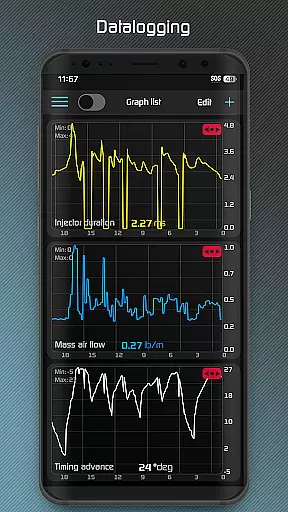
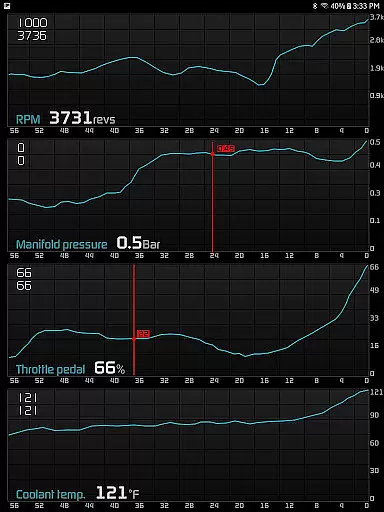
With the ability to plot sensor data on interactive graphs and record data from multiple sensors simultaneously, the app provides an effective way to analyze your car's performance. You can save this recorded data in CSV format for further analysis, making it a powerful tool for both everyday drivers and automotive enthusiasts.
In addition to performance tracking, the Hondata app allows users to troubleshoot malfunctions by accessing the onboard ECU. This feature empowers car owners to read and clear vehicle trouble codes, potentially saving time and money by diagnosing issues before visiting a mechanic.
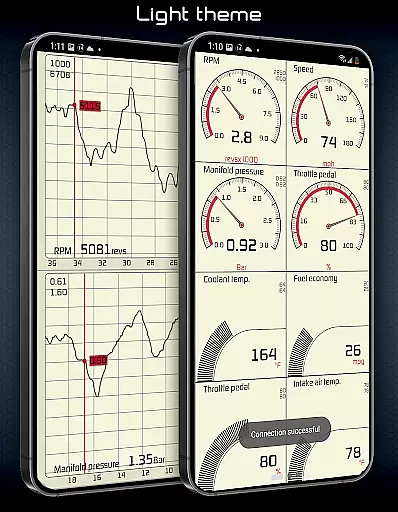
Hondata app simplifies complex automotive data through an intuitive interface that makes it accessible even to those who may not be familiar with advanced vehicle diagnostics. The app features two themes and a landscape mode available for all views, providing a user-friendly experience tailored to individual preferences.
One of the standout aspects is the ability to track fuel economy over three time intervals using an easy-to-understand interface. With fuel economy data presented in various units, including mpg and km/l, users can effortlessly monitor their consumption patterns and make informed decisions to optimize efficiency.
Furthermore, the inclusion of visual and sound notifications when sensor readings reach user-defined limits ensures that drivers are promptly alerted to important changes in their vehicle's condition. This proactive approach enhances safety and vehicle maintenance without overwhelming the user with unnecessary complexity.
Comprehensive sensor coverage
Real-time performance tracking
Advanced diagnostic tools
Fuel economy optimization
Racing features included
Limited hardware compatibility
No Android Auto support
Complex for beginners
Device-specific functions
Potential connection issues

Complete kernel toolbox with features to manage and tweak your rooted device
 4.30
4.30
Quickly & easily calculate the spacing of handrail balusters
4.20
card-reader app
2.20
VESC Tool can monitor and configure VESC-compatible devices over BLE and Wifi
4.20
Mirror your screen to Chromecast and Android TV - Super fast and simple
4.60
Support Fossify apps with a warm thank you!
5.00
Mirror your screen to Fire TV - Super fast and simple
4.40
Screen Mirroring with sound for Samsung TV, LG TV, Sony TV, Smart TV and Browser
4.20
Mobile Security with Scam Protection | Malware & Virus Cleaner | Safe Browser
4.70
Bedrock Together: Join any bedrock server on Xbox/PS
4.80
Easily install aab(Android App Bundle) files on your Android device with our app
4.80
Optimize your WiFi network, turn your phone into Wifi Analyzer
4.70
Creation, Learning, Entertainment & More — The All-in-One AI Search Engine
4.70
Automate everything from settings to photos, SMS to speech. ADC2 prize winner.
4.10
A convenient photo, video, and file recovery tool.
4.00
Fun lie-detection pranks for friends and parties.
3.80
A recovery soft,it features photo recovery, video recovery, file recovery.
3.40
Clean the junk files on your device
3.40
Transfer Files, APK from Phone to Watch & Install.
4.0


User Reviews