
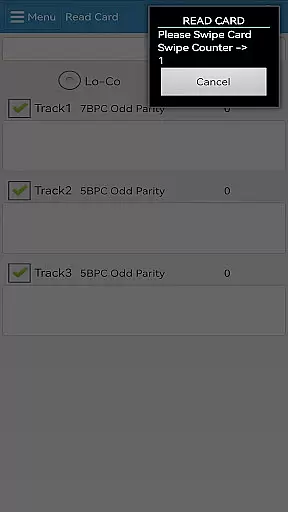
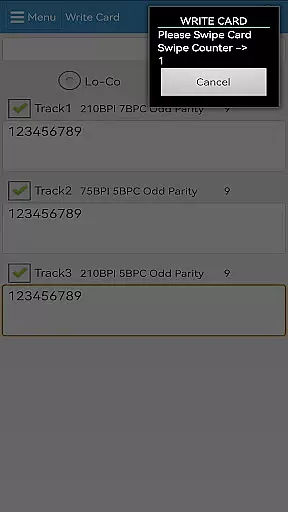
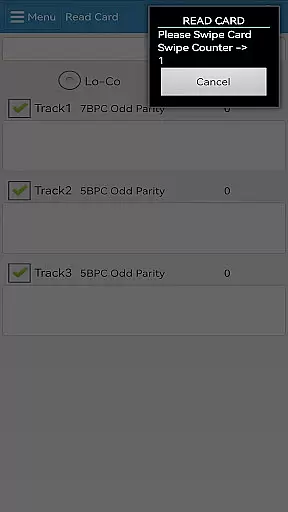
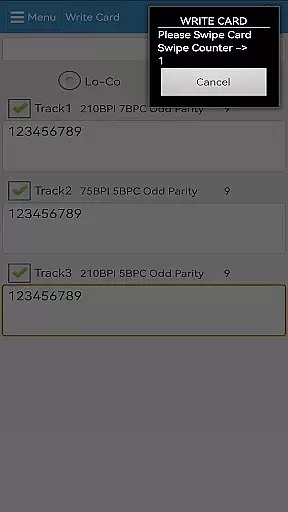
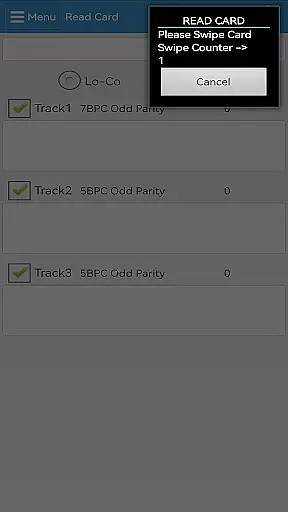

EasyMSR is a versatile tool application designed for seamless magnetic card reading and writing. The app establishes a reliable Bluetooth connection between mobile devices, enabling wireless operations without the constraints of traditional wired card readers. Suitable for businesses and individuals who frequently handle magnetic cards, EasyMSR transforms your Android device into a portable card management solution.
The app's core functionality lies in its ability to securely process card data while maintaining ease of use. Whether you're managing customer information or processing payments, EasyMSR ensures accurate data transmission every time. Its intuitive interface makes it accessible even to non-technical users, providing significant value by streamlining card-related tasks.
EasyMSR stands out with its robust feature set tailored for efficient card management. The app supports wireless Bluetooth connectivity, eliminating the need for cumbersome cables and allowing greater mobility during operations. It is compatible with a wide range of Android devices, ensuring broad accessibility for various users.
One of the key features is its ability to both read and write magnetic card data, making it suitable for multiple use cases such as loyalty programs, access control, and payment processing. The app also includes advanced security protocols to protect sensitive information during transmission. These capabilities, combined with an intuitive user interface, make EasyMSR a comprehensive solution for anyone needing reliable card data management on the go.
EasyMSR stands out in the Tools category by offering precise and effective core functionalities that are essential for users who need reliable magnetic card reading and writing capabilities. The app ensures data accuracy through a stable Bluetooth connection between mobile devices and magnetic card readers, providing seamless operations without the need for physical wired connections.
The effectiveness of EasyMSR is demonstrated through its ability to handle various types of magnetic cards with high precision. Whether it's credit cards, ID cards, or any other type of magnetic stripe card, the app processes the information swiftly and accurately. This reliability makes it an indispensable tool for businesses and individuals who require quick access to card information without compromising on data integrity.
For users, this means they can trust EasyMSR to deliver consistent performance every time they use it. The app minimizes errors during data transfer, ensuring that each read or write operation is completed successfully. This level of accuracy not only saves time but also enhances overall productivity by reducing the need for repeated operations due to data inaccuracies.
In addition to its core functionalities, EasyMSR excels in providing a user-friendly interface that simplifies complex operations into intuitive actions. The design philosophy behind the app focuses on minimizing the learning curve while maximizing operational efficiency, making it accessible even to those who may not be tech-savvy.
Every feature within EasyMSR is strategically placed to ensure ease of access and smooth navigation. Users can effortlessly connect their mobile devices to magnetic card readers via Bluetooth, initiate read or write commands, and manage their data without facing any significant hurdles. This straightforward approach eliminates unnecessary complications, allowing users to focus on their primary tasks without being bogged down by technical intricacies.
Ultimately, the simplicity and intuitiveness of EasyMSR's interface translate into tangible benefits for its users. By streamlining the interaction process, the app not only enhances user satisfaction but also boosts productivity. Users can perform their tasks more efficiently, knowing that they have an intuitive tool at their disposal that responds promptly to their needs.
User-friendly interface
Wireless Bluetooth support
Secure data transmission
Wide device compatibility
Efficient read/write capability
Limited to Android
Bluetooth dependency
No iOS version
Premium features locked
Occasional connectivity issues

Transfer Files, APK from Phone to Watch & Install.
 4.4
4.4
Save any video in HD - paste the link, download fast and watch offline.
4.0
Small and simple app to Verify Root Access and BusyBox Install!
4.70
Excellent scientific calculator with symbolic algebra, integrals, derivatives
4.80
Bedrock Together: Join any bedrock server on Xbox/PS
4.80
With videos, electrical calculators, and built-in ebook, Ugly’s has your answer.
4.50
Play your X-Box games remotely in 1080p with any controller and zero latency
4.60
Enjoy a smooth mobile reading experience!
3.60
The ideal app to be the digital eye of your family
3.40
Support Fossify apps with a warm thank you!
5.00
The ultimate tool for network analysis, wifi scanning and problem detection.
4.90
Unit and currency converter with easy and simple UI.
4.80
Monitor car performance in real time and troubleshoot malfunctions.
4.80
App to pay for FUTO Keyboard
4.60
Clean up large files and similar photos, fast and easy to use
4.40 4.10
4.10
A simple app to back up and restore SMS & MMS messages and call logs.
4.10
Unleash gamepad precision for ultimate mobile gaming dominance.
3.90
A non-root local ADB shell client. READ BELOW!
3.40


User Reviews