
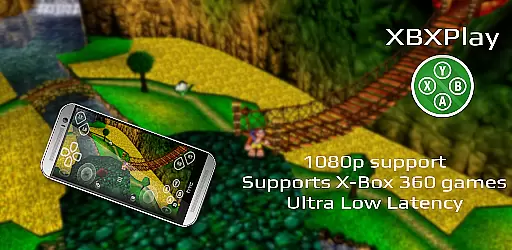
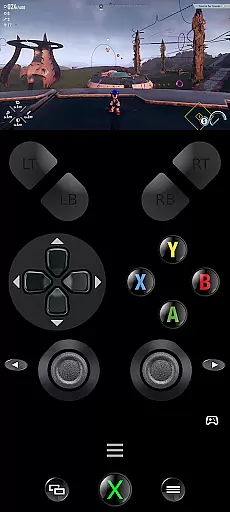
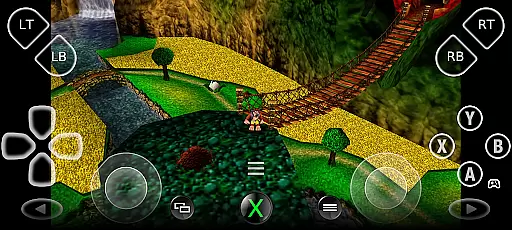
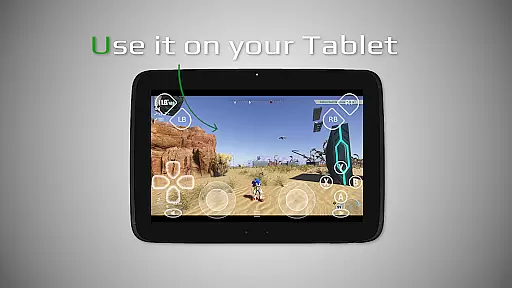
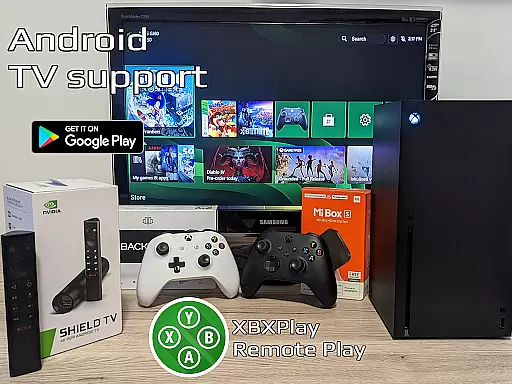

XBXPlay is a powerful remote control application that allows users to seamlessly connect with and control their X-Box Series X/S or X-Box One (X/S) consoles. The app supports 1080p streaming, enabling gamers to enjoy their favorite titles remotely without compromising on quality. With optimized low-latency streaming, support for third-party controllers, and even mobile data connections, XBXPlay ensures an uninterrupted gaming experience.
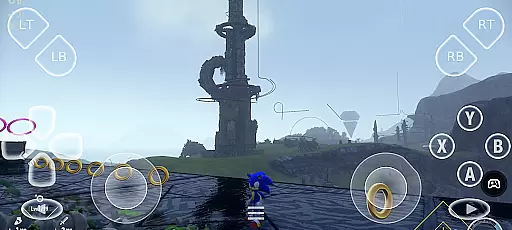
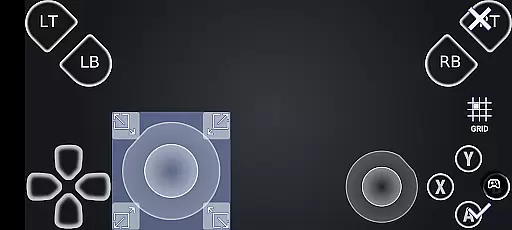
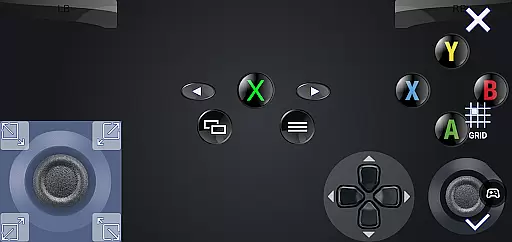
One of the standout features of XBXPlay is its customizable onscreen gamepad layout, which allows users to play games directly from their device screen without needing a physical controller. Additionally, it supports X-Box 360 games and offers advanced functionalities like manual bitrate adjustments, fullscreen mode, and USB-OTG support. These capabilities make XBXPlay a versatile tool for both casual and hardcore gamers who want flexibility in how and where they play.
The app is particularly useful for users who travel frequently but still want to access their console games. By connecting through a stable high-speed internet connection, players can stream games from virtually anywhere. This makes XBXPlay not only a practical solution for remote gaming but also a cost-effective alternative to purchasing additional hardware. Whether you're looking to play the latest releases or revisit classic X-Box 360 titles, XBXPlay delivers a reliable and high-quality remote gaming experience.
XBXPlay stands out with its comprehensive set of features designed to enhance the remote gaming experience. First and foremost, the app supports 1080p streaming, ensuring that users can enjoy high-definition gameplay even when away from their consoles. This feature is complemented by the app's optimization for low-latency streaming, which minimizes delays and provides a smoother gaming experience. Additionally, XBXPlay includes manual bitrate adjustments, allowing users to fine-tune their streaming quality based on their internet connection.
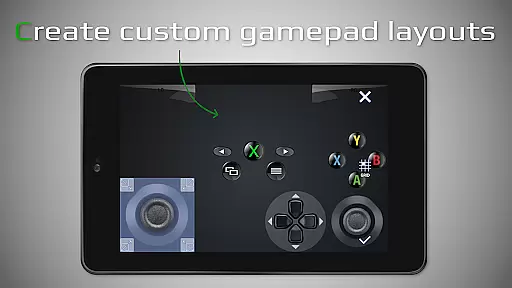
Another key feature is the customizable onscreen gamepad layout. This functionality enables users to create personalized control schemes that suit their gaming preferences, providing a more intuitive and comfortable experience. XBXPlay also supports third-party controllers and native USB-OTG connectivity, giving users the flexibility to choose their preferred input method. Furthermore, the app offers Picture-In-Picture mode and Multi-Window support, making it easier to multitask while gaming.
XBXPlay is compatible with both X-Box Series X/S and X-Box One consoles, including backward compatibility with X-Box 360 games. This broad compatibility ensures that users can access a wide range of titles without limitations. The app also functions as a virtual gamepad, allowing users to control their console directly from their mobile device. Overall, these features combine to create a versatile and user-friendly remote gaming solution that caters to a variety of gaming needs.
XBXPlay delivers exceptional core functionality by enabling seamless remote control of X-Box consoles, including the X-Box Series X/S and X-Box One. The app supports 1080p streaming, ensuring high-quality visuals while playing games remotely. This level of resolution provides users with crisp and clear images, enhancing the overall gaming experience.
One standout feature is the ability to adjust streaming bitrate manually. This allows users to optimize their connection based on available bandwidth, resulting in minimal latency during gameplay. Whether using a third-party controller or the customizable on-screen touch layout, XBXPlay ensures responsive controls that mimic physical gamepads closely.
The app also supports X-Box 360 games, expanding its compatibility beyond newer titles. By integrating native USB-OTG support and offering features like Picture-in-Picture mode, XBXPlay caters to various user preferences. These functionalities ensure an effective and versatile remote gaming experience tailored to individual needs.
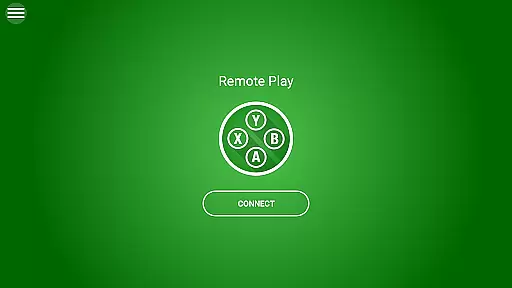
XBXPlay excels in providing an intuitive interface designed for ease of use. Upon launching the app, users are greeted with a streamlined layout that prioritizes essential functions such as connecting to their console and starting game streams. This simplicity reduces the learning curve, making it accessible even for those unfamiliar with remote gaming applications.
A key highlight is the customizable on-screen gamepad layout. Users can create personalized control schemes that suit specific games, improving both comfort and efficiency during play sessions. With fullscreen support eliminating black bars, players enjoy an immersive experience without distractions.
Additional features like Multi-Window support (for Android 7.0+) and virtual gamepad functionality further enhance usability. These options allow users to multitask effectively while maintaining focus on their gaming session. Overall, XBXPlay combines powerful tools with straightforward navigation, ensuring a smooth and enjoyable user journey.
User-friendly interface
Low latency streaming
Customizable controls
Supports third-party controllers
Compatible with multiple devices
No microphone support
Requires stable internet
Limited to compatible games
Occasional connection issues
Dependent on console firmware

 4.10
4.10 4.50
4.50
pdf merge, word to pdf, jpg to pdf, edit pdf, convert to pdf and much more!
4.20
Just swipe the edge to do something!
4.40
Quickly check the frequency of the Earth
4.30
Download any file easily and quickly with Downloader
4.1
A clean app.
4.50
fast and easy mp3 music downloader
4.80
The ideal app to be the digital eye of your family
3.40
The ultimate tool for network analysis, wifi scanning and problem detection.
4.90
ADB support Android 4.X-Android 13(Support wireless pair mode).No root required!
4.70
Canon PRINT is a companion app for your Canon printer.
4.60
Mirror your screen to Fire TV - Super fast and simple
4.40
Pro Emulator is an easy to use game console emulator for a range of consoles.
4.40
Making emulation easy for everyone!
4.30
Just one-tap to easy translate in any language after calls within seconds.
4.20
An open-source APK explorer for Android!
4.10
A non-root local ADB shell client. READ BELOW!
3.40
Unlock your Essential Key. Create custom shortcuts to your favorite apps!
4.4


User Reviews