
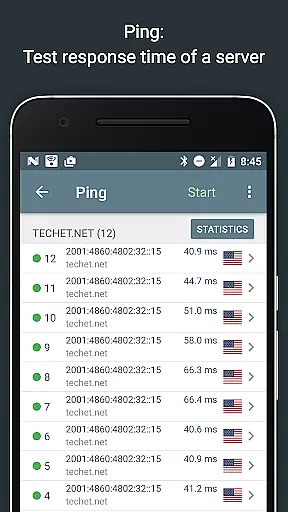
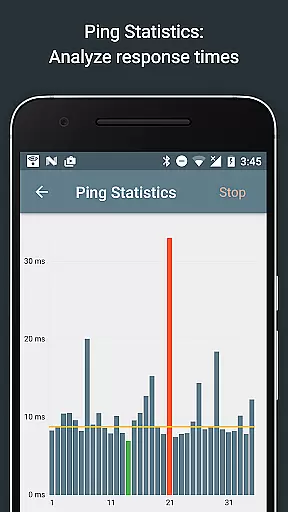
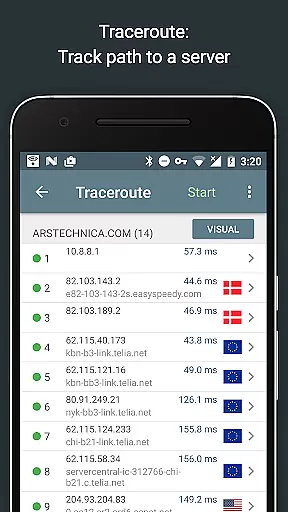
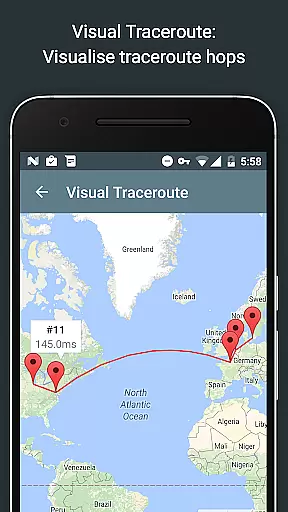
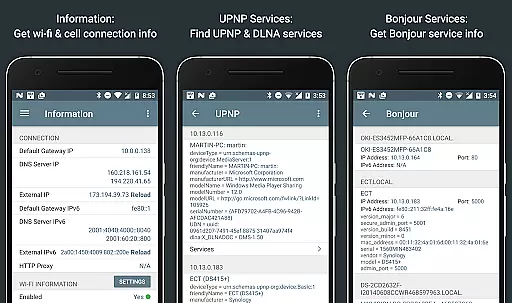
Network Analyzer Pro is a comprehensive network diagnostic tool designed to help users troubleshoot various issues related to their Wi-Fi networks and Internet connectivity. The app provides an extensive suite of utilities, including a fast Wi-Fi device discovery feature that identifies all LAN devices along with their addresses and names, as well as the Bonjour/DLNA services they offer. It also includes standard network diagnostic tools such as ping, traceroute, port scanner, DNS lookup, whois, and network speed test functionalities.
In addition to diagnosing local network problems, Network Analyzer Pro can detect issues on remote servers, making it an invaluable tool for both home users and IT professionals. Its ability to display neighboring Wi-Fi networks with details like signal strength, encryption type, and router manufacturer helps in optimizing wireless router channels. With support for both IPv4 and IPv6 protocols, this application ensures compatibility across different network environments, providing a robust solution for maintaining optimal network performance.
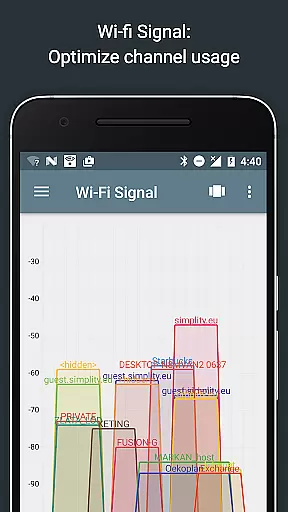
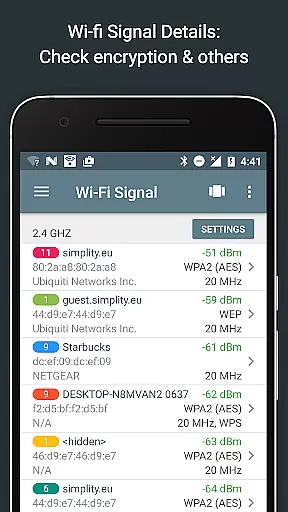
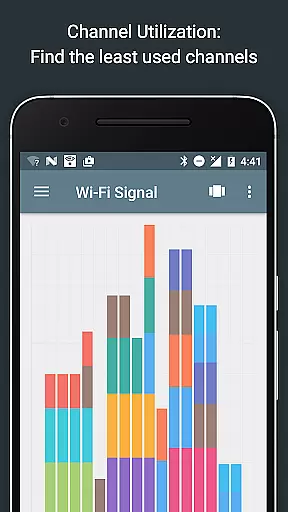
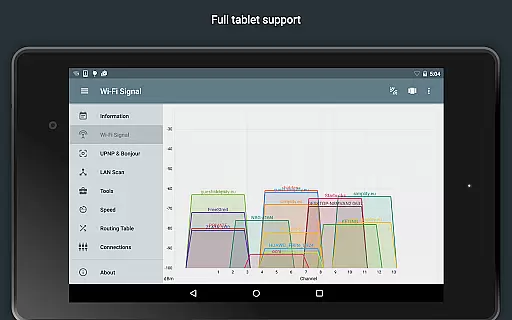
One of the standout features of Network Analyzer Pro is its detailed Wi-Fi signal meter, which offers both graphical and textual representations of network channels and signal strengths. This allows users to visualize channel usage and identify potential sources of interference. Additionally, the app provides insights into Wi-Fi network types (WEP, WPA, WPA2), encryption methods (AES, TKIP), and even BSSID (router MAC address) information, helping users make informed decisions about their network setup.
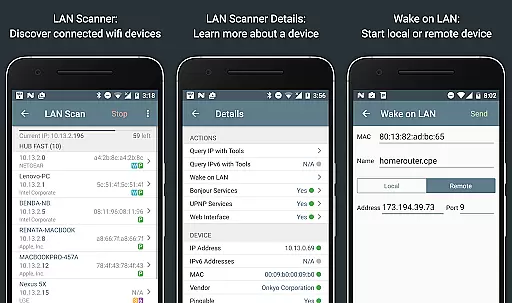
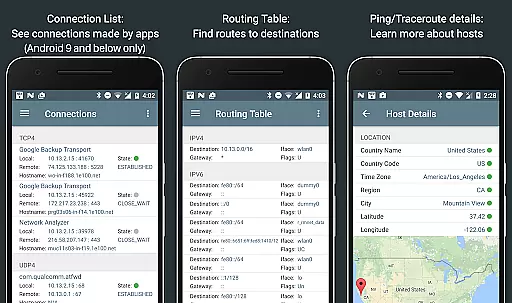
The LAN scanner within the app is another powerful tool, enabling fast and reliable detection of all network devices. Users can view IP addresses of discovered devices, perform pingability tests, and check for IPv6 availability. Advanced features like Wake on LAN (WOL) and custom IP range scanning further enhance its utility. Moreover, the routing table feature displays essential data such as destination, gateway, interface used, and flags, supporting both IPv4 and IPv6 configurations. These capabilities ensure that Network Analyzer Pro remains a versatile and indispensable tool for network management.
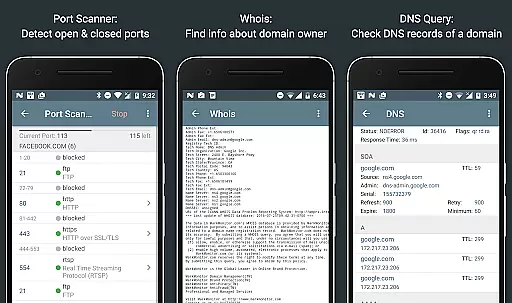
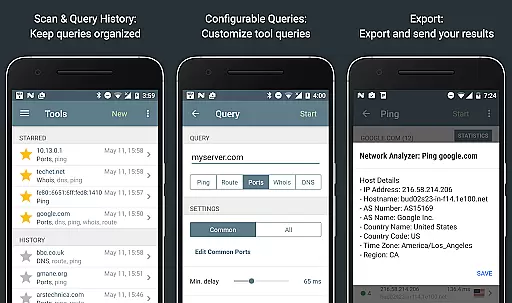
Network Analyzer Pro stands out in its ability to provide accurate and effective network diagnostic tools. The app includes a comprehensive suite of utilities such as ping, traceroute, port scanner, DNS lookup, and whois, which are critical for diagnosing network issues.
Each tool is designed to deliver precise results. For instance, the ping and traceroute features offer detailed insights into network latency and routing paths, complete with geolocation data. This ensures that users can pinpoint where network disruptions occur and take appropriate action.
The port scanner uses an adaptive algorithm to quickly identify open, closed, or firewalled ports. With real-time updates and both IPv4 and IPv6 support, Network Analyzer Pro equips users with reliable information about their network security posture.
Ultimately, these core functions empower users to troubleshoot effectively, ensuring optimal network performance and connectivity. Whether for personal or professional use, the app's robust feature set supports thorough network analysis and problem resolution.
A key strength of Network Analyzer Pro lies in its simple and intuitive interface, which makes advanced network diagnostics accessible even to non-experts. The design prioritizes ease of use without compromising on functionality, allowing users to navigate through various tools effortlessly.
Upon launching the app, users are greeted with a clean layout that organizes all available diagnostic utilities in a coherent manner. Each tool is accompanied by clear instructions and visual aids, reducing the learning curve typically associated with network analysis software.
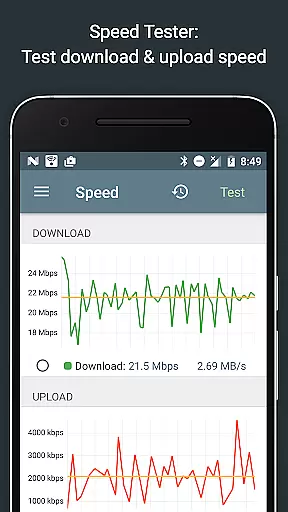
Moreover, the app provides graphical representations of data, such as signal strength meters and speed test graphs. These visuals simplify complex information, enabling users to grasp network conditions at a glance and make informed decisions about their connectivity.
By combining powerful diagnostic capabilities with an approachable interface, Network Analyzer Pro ensures that users of all technical backgrounds can maintain and optimize their networks efficiently.
Comprehensive network diagnostics
Fast Wi-Fi device discovery
Supports IPv4 and IPv6
Detailed Wi-Fi signal analysis
User-friendly interface
Paid version required for full features
Advanced settings may overwhelm beginners
Limited offline functionality
No automatic issue resolution
Requires technical knowledge

Learn the vast amount of system information about device and monitor it's state
 4.70
4.70
eXtended Permission Manager - a small app to manage permissions and AppOps
4.50
Best leveling tool for your Android device. Hang paintings like a pro.
4.90
Effortlessly run ADB commands directly on your device without a PC.
4.20
Detect hidden spy camera with advanced scanning {{ Premium version }}
4.00
Mirror your screen to Chromecast and Android TV - Super fast and simple
4.60
Quickly check the frequency of the Earth
4.30
Clean up large files and similar photos, fast and easy to use
4.40
Enhance your Beats
3.70
Change your GPS location instantly. Simulate routes anywhere in the world.
4.90
ADB support Android 4.X-Android 13(Support wireless pair mode).No root required!
4.70
Small and simple app to Verify Root Access and BusyBox Install!
4.70
Fast Video Downloader, Movie Downloader, Torrent Downloader & Adblock Browser
4.70 4.50
4.50
Just one-tap to easy translate in any language after calls within seconds.
4.20
Quickly & easily calculate the spacing of handrail balusters
4.20
This app unlocks the Pro features of the Central for DayZ app
3.60
Clean the junk files on your device
3.40
PDF Reader - Document Viewer: Read, Manage & Organize Your Documents
3.10


User Reviews