
Permission Manager X is a powerful tool designed to give Android users complete control over app permissions. This utility allows you to manage both manifest permissions and AppOps, providing fine-grained access control for every installed application on your device.
The app's standout feature is the ability to set reference states for permissions, which can be backed up and restored across devices or after reinstalling apps. Visual indicators make it easy to review permission settings at a glance, saving time when ensuring privacy and optimizing performance.
Ideal for power users and privacy-conscious individuals, Permission Manager X helps you maintain control over critical aspects like background execution, location access, and sensitive data permissions while supporting advanced features through its paid version.
Permission Manager X offers an extensive set of features that go beyond basic permission management. The app allows users to view, grant, or revoke both manifest permissions and AppOps settings from a single interface, streamlining the permission management process.
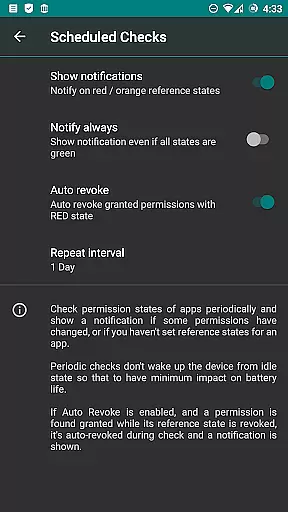
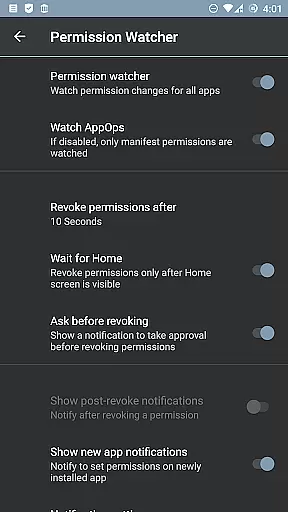
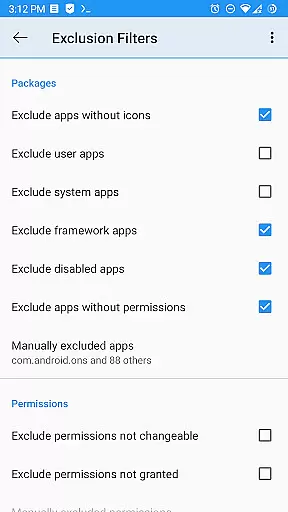
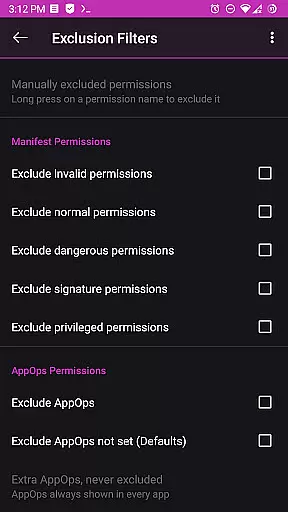
Advanced capabilities include setting reference values for permissions, creating backups of permission states, and using the Permission Watcher feature to automatically remove unwanted permissions. The app also supports batch operations, scheduled checks, and multi-user profiles for more comprehensive management.
For rooted devices or those with ADB enabled, the app provides even deeper control over system-level permissions. Paid features enhance functionality further with sorting options, auto-revoke capabilities, and theming choices, making it a versatile tool for both casual users and advanced Android enthusiasts.
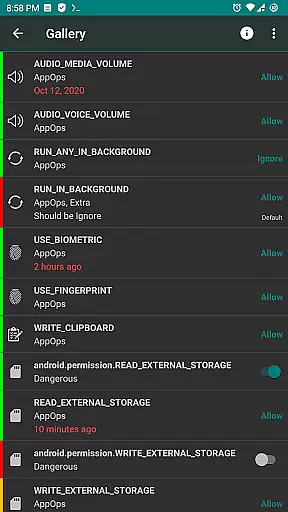
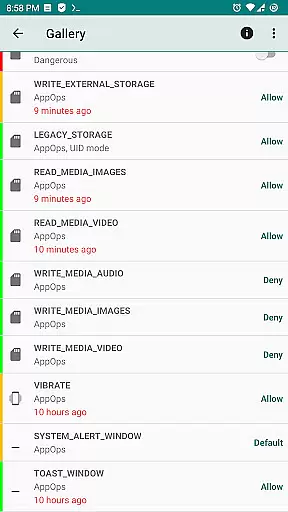
Permission Manager X offers a comprehensive suite of tools designed to manage app permissions with precision and control. The core functionality allows users to view, grant, or revoke both manifest permissions and AppOps permissions from a single screen. This ensures that every permission change is accurately reflected in the system, providing users with complete control over their privacy settings.
The application's ability to set reference values for each changeable permission adds another layer of effectiveness. These reference states can be backed up and restored, making it easier to maintain consistent permission settings across reinstalls, device changes, or ROM upgrades. This feature not only saves time but also enhances security by allowing quick restoration of trusted configurations.
For advanced users, Permission Manager X provides fine-grained control over background execution, clipboard access, and other critical operations through its robust AppOps framework integration. This level of detail ensures that even the most complex permission scenarios can be managed effectively, giving power users the tools they need to optimize their devices' performance while maintaining strict privacy standards.
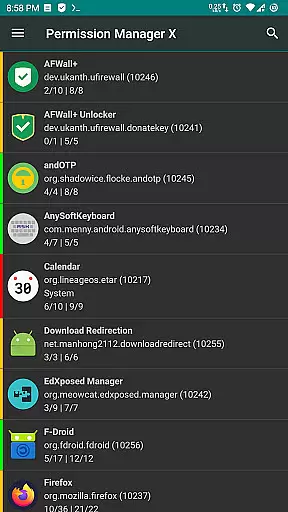
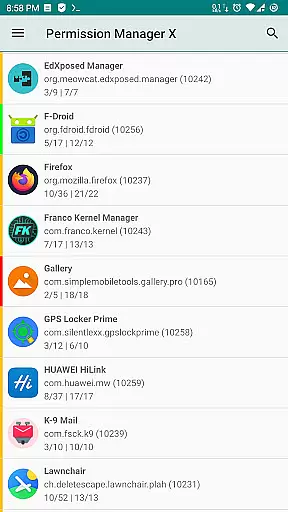
Despite its powerful features, Permission Manager X maintains an intuitive and user-friendly interface. The main screen presents all installed apps alongside colored bars that indicate permission statuses at a glance. This visual cue system simplifies the process of reviewing packages and permissions, allowing users to quickly identify and address any unwanted access rights without needing extensive technical knowledge.
The app includes helpful guides and FAQs accessible via a linked webpage, ensuring that even newcomers can understand how to use the tool effectively. By answering common questions about manifest permissions, AppOps, and permission references, these resources make the learning curve much more manageable. Additionally, search suggestions and theming options enhance usability by streamlining navigation and personalizing the user experience.
Advanced functionalities such as scheduled checks and auto-revoke capabilities are presented clearly within the interface, ensuring that users can take full advantage of these features without feeling overwhelmed. Overall, Permission Manager X strikes a perfect balance between offering sophisticated tools and maintaining an accessible design, making it suitable for both casual users and tech enthusiasts alike.
Comprehensive permission control
User-friendly interface
Powerful backup and restore
Regular updates and support
Open-source and privacy-focused
Limited without root access
Complex for beginners
Paid features are expensive
ADB setup can be tricky
Not compatible with all ROMs

Easily install aab(Android App Bundle) files on your Android device with our app
 4.80
4.80
Quickly switch to an encrypted DNS server on Android TV
4.50
Universal TV remote control all TVs, Roku, LG, Samsung, Fire, Vizio, Sony, TCL.
4.40
Canon PRINT is a companion app for your Canon printer.
4.60
Effortlessly run ADB commands directly on your device without a PC.
4.20
A non-root local ADB shell client. READ BELOW!
3.40
Excellent scientific calculator with symbolic algebra, integrals, derivatives
4.80
Support Fossify apps with a warm thank you!
5.00
Screen recorder with audio to record high-quality videos and take screenshots.
4.40
The Ultimate Flex Drivers Utility App - Convenient Tapping & Block Filters
4.70
Fast Video Downloader, Movie Downloader, Torrent Downloader & Adblock Browser
4.70
Keep track of your Palia friendships, tasks, and inventory with Palia Notebook
4.60
App to pay for FUTO Keyboard
4.60
With videos, electrical calculators, and built-in ebook, Ugly’s has your answer.
4.50
The Ultimate Bluetooth Keyboard & Mouse. Securely control your PC, Mac, and more
4.50
1-Click close all background apps on Android TV
3.90
Fun lie-detection pranks for friends and parties.
3.80
PDF Reader - Document Viewer: Read, Manage & Organize Your Documents
3.10
Unlock your Essential Key. Create custom shortcuts to your favorite apps!
4.5


User Reviews