
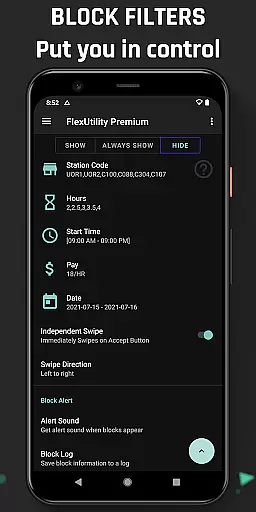
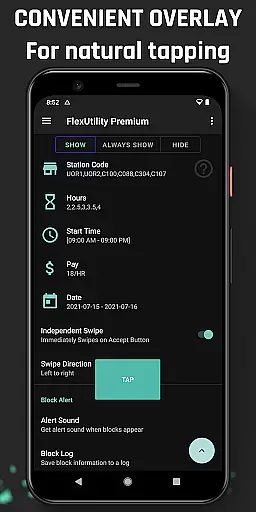
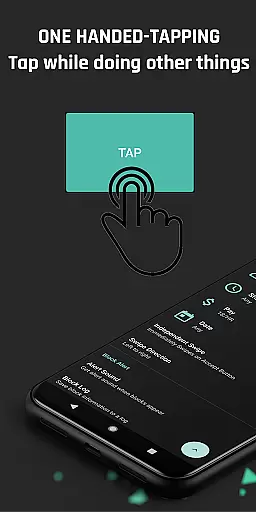
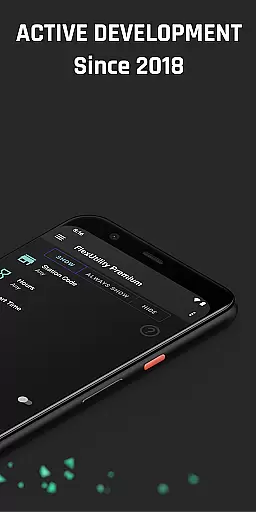
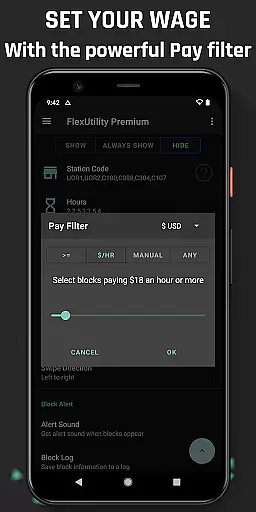
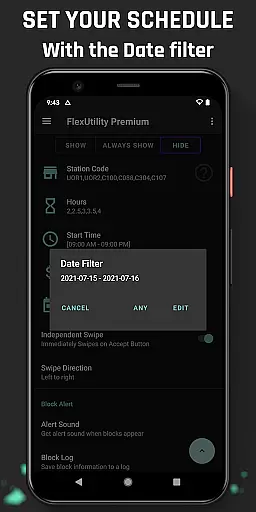
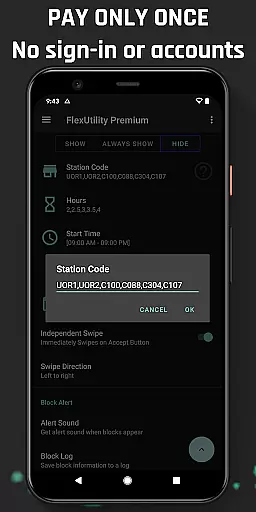
Flex Utility Premium is a powerful tool designed specifically for Flex drivers, offering an innovative solution to streamline their workflow. The app features a unique one-tap overlay button that eliminates the need for constant attention while searching for work blocks, allowing drivers to multitask effectively. With its advanced filtering system, users can customize their work preferences by setting specific pay rates, preferred stations, workdays, start times, and job durations.
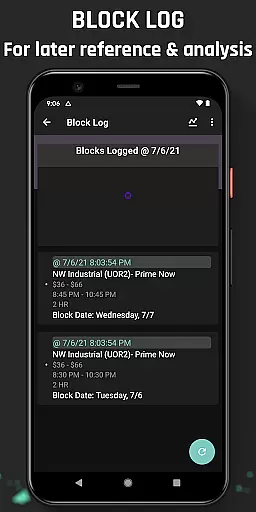
Beyond basic filtering, the app provides valuable features like Block Alert notifications and a detailed Block Log with CSV export functionality. These tools help drivers optimize their work schedules and analyze block availability patterns. Developed in 2018 and continuously updated based on community feedback, Flex Utility Premium represents an essential investment for drivers seeking to maximize their earnings while minimizing effort. The app's commitment to accessibility and user privacy makes it a reliable choice for all Flex drivers.
Flex Utility Premium distinguishes itself through several key features that enhance the Flex driving experience. The application's core functionality revolves around its sophisticated filtering system, which enables drivers to define precise work parameters. Users can set minimum pay rates, select favorite stations, choose specific workdays, determine preferred start times, and specify desired job lengths, ensuring they only receive relevant work opportunities.
The app's Block Alert feature revolutionizes how drivers monitor available work by providing timely notifications when suitable blocks become available. Additionally, the comprehensive Block Log serves as a valuable analytical tool, allowing users to track historical data and identify optimal work patterns. As an Android Accessibility Service, Flex Utility Premium ensures equal access for drivers with disabilities while maintaining strict privacy standards by not collecting personal data or requiring user credentials.
Flex Utility Premium exemplifies core function accuracy and effectiveness by streamlining the block acceptance process for Flex drivers. The app's one-tap overlay button simplifies interaction, ensuring that users can secure blocks without the need for constant attention to their device.
The app's powerful filtering system is a testament to its functional precision. Drivers can customize filters based on pay rate, station preference, workdays, start times, and job duration. This specificity in setting work parameters showcases the app's commitment to delivering only the most relevant opportunities to its users.
With features like Block Alert and Block Log, Flex Utility goes beyond basic functionality. These tools not only notify users of suitable blocks but also provide valuable data for strategic planning. The ability to export logs for deeper analysis demonstrates the app's dedication to empowering drivers with actionable insights.
Regular updates and community-driven improvements ensure that Flex Utility remains effective and responsive to user needs. By focusing on accessibility and ease of use, especially for drivers with disabilities, the app maintains its position as an essential tool in a Flex driver's arsenal.
Flex Utility Premium excels in interface simplicity and intuitiveness, offering Flex drivers an unparalleled user experience. The app's design centers around a single overlay button, which minimizes distractions and allows drivers to focus on their work rather than complex navigation.
The straightforward filter setup is a hallmark of the app's intuitive design. Users can easily input their preferences for pay rate, station codes, workdays, start times, and job lengths. This logical arrangement of options ensures that even new users can quickly grasp how to tailor the app to their needs.
Additional features such as Block Alert and Block Log are seamlessly integrated into the interface. These functions operate discreetly in the background, notifying users only when necessary and maintaining an uncluttered workspace. Such thoughtful design enhances the overall user experience without overwhelming the senses.
By adhering to official Android Accessibility Service guidelines, Flex Utility ensures compatibility and ease of use for all drivers, including those with disabilities. This commitment to accessibility reinforces the app's reputation for providing an intuitive and supportive interface that truly understands its users' needs.
Efficient one-tap system
Comprehensive filtering options
Valuable Block Log analytics
Regular feature updates
Strong privacy protection
Not an auto-tapping solution
Requires initial setup time
Premium version only
Android-specific
Learning curve for new users

Head tracking for PC sim games such as MSFS 2024 or Elite:Dangerous. No headset!
 4.50
4.50
Remote for Roku, Fire TV, Samsung TV, LG TV, Android TV, Chromecast and VIZIO TV
4.20
eXtended Permission Manager - a small app to manage permissions and AppOps
4.50
Amateur Radio app for APRS: Track friends, exchange messages, get tactical info.
3.90
Effortlessly run ADB commands directly on your device without a PC.
4.20
Smart and comfortable browsing experience.
3.80
The Ultimate Bluetooth Keyboard & Mouse. Securely control your PC, Mac, and more
4.50
Remote Play with FSR upscaling, low latency & full controller support
4.80
Automate everything from settings to photos, SMS to speech. ADC2 prize winner.
4.10
Fast Video Downloader, Movie Downloader, Torrent Downloader & Adblock Browser
4.70
Connect instantly to a fast, encrypted VPN with one tap
4.60
HD Video player and downloader for all formats, fast & smooth 4K video playback.
4.60
App to pay for FUTO Keyboard
4.60 4.50
4.50
Just swipe the edge to do something!
4.40
Universal TV remote control all TVs, Roku, LG, Samsung, Fire, Vizio, Sony, TCL.
4.40
Pro Emulator is an easy to use game console emulator for a range of consoles.
4.40
App that Recover your pictures, videos or files after you delete them.
4.20
Signal Strength, Mobile, Wifi, Speed Test, Bad Signals, Cellular, 5G, LTE, 4G
4.20


User Reviews