
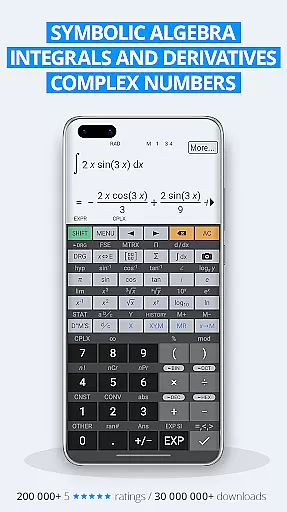
HiPER Calc Pro is an advanced scientific calculator that excels in symbolic algebra, graphing, solving equations, and performing calculus operations like integrals and derivatives. With over 40 million downloads globally, this app has earned a reputation for its powerful computational abilities and user-friendly interface.
The calculator supports multiple layouts optimized for different screen sizes, including pocket mode for small devices, compact mode for smartphones, and expanded mode for tablets. It also offers a multiline display option on tablets to show calculation history and previous results. Users can choose from several high-quality themes to personalize their experience.
This versatile tool is ideal for students, engineers, and professionals who need precise mathematical calculations. Its ability to handle complex expressions, matrices, vectors, and statistical computations makes it an indispensable companion for both academic and professional use.
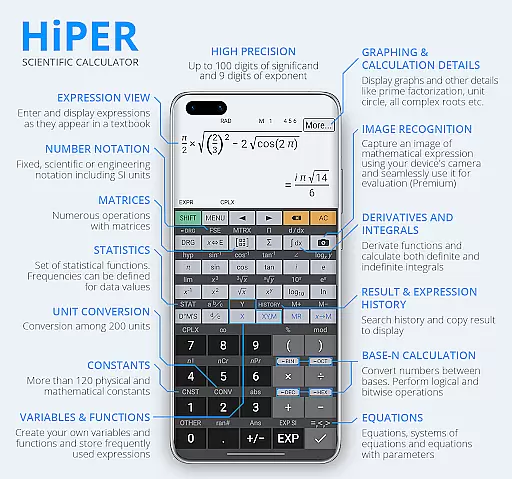
HiPER Calc Pro stands out with its extensive range of features designed to meet the needs of advanced mathematics users. The calculator supports up to 100 digits of significand and 9 digits of exponent, making it suitable for highly precise calculations. It handles basic arithmetic operations, fractions, periodic numbers, and even complex algebraic expressions with ease.
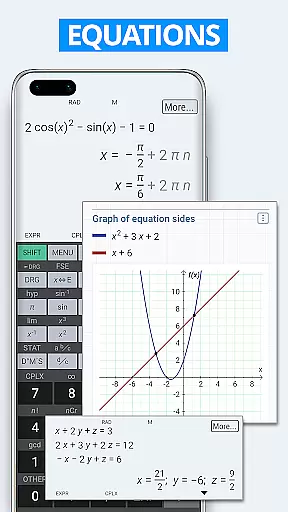
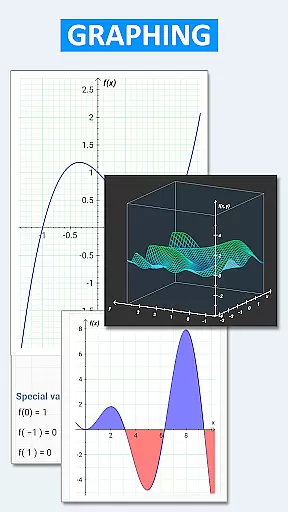
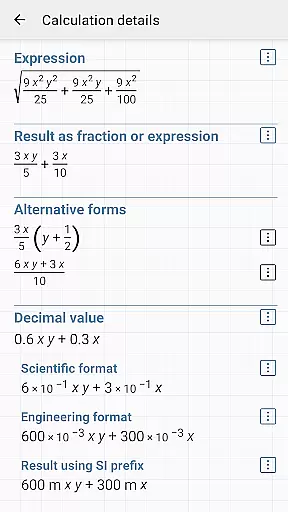
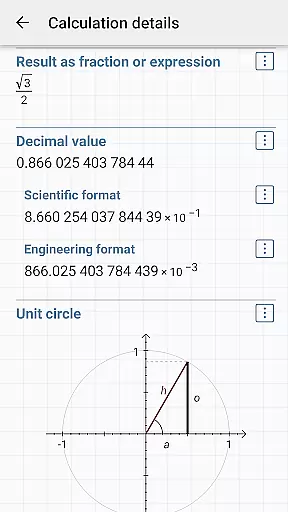
One of the standout features is its capability to perform symbolic computation, solve equations with one or more variables, and handle systems of equations. The app also includes tools for calculus, such as derivatives, integrals, and limits, along with graphing functions for visualizing mathematical concepts. Additionally, it provides detailed calculation information, including all complex roots and unit circle representations.
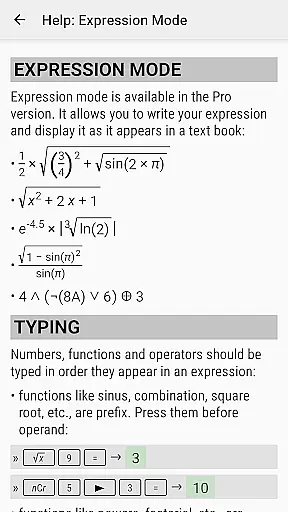
Beyond mathematics, HiPER Calc Pro offers practical tools like conversion between numeral systems, logical operations, and bitwise shifts. It includes over 90 physical constants and allows conversion among 250 units, making it useful for engineering and scientific applications. The built-in help feature ensures users can easily understand and utilize all these powerful capabilities.
HiPER Calc Pro stands out as a highly accurate and effective scientific calculator, offering advanced mathematical capabilities. The app supports symbolic algebra, graphing, equations, integrals, and derivatives, ensuring precision in every calculation.
With features such as handling up to 100 digits of significand and 9 digits of exponent, the calculator provides reliable results for complex computations. It includes basic arithmetic operations, fractions, periodic numbers, and unlimited braces, all adhering to operator priority rules.
Users benefit from the app's ability to solve equations with one or more variables, perform matrix and vector calculations, and conduct regression analysis. This functionality ensures that whether you're tackling algebraic expressions or calculus problems, HiPER Calc Pro delivers accurate and efficient solutions.
The interface of HiPER Calc Pro is designed to cater to various screen sizes, enhancing user experience through its adaptable layouts. Options include a pocket layout for small devices, compact for smartphones, and expanded for tablets, ensuring ease of use regardless of the device.
A notable feature is the multiline display available on tablets, which shows the complete history of calculations and allows access to previous results. This intuitive design helps users track their work and verify calculations effortlessly.
Additionally, users can choose from several high-quality themes, customizing the appearance to their preference. With clear settings to manage full-screen mode, decimal and thousand separators, HiPER Calc Pro combines functionality with an intuitive interface, making it accessible even to those new to scientific calculators.
Powerful computational engine
User-friendly interface
Extensive customization options
Advanced mathematical functions
High-quality graphing tools
Steep learning curve
Occasional performance lags
Limited offline functionality
Premium price point
Complex UI for beginners

Quickly switch to an encrypted DNS server on Android TV
 4.50
4.50
A powerful, easy-to-use flight computer on your phone or tablet!
3.80
Extremely fast, secure, and protects your privacy
4.80
Quickly & easily calculate the spacing of handrail balusters
4.20
PC precision for mobile gaming: dominate with keyboard and mouse!
4.30
The one-and-only remote control for PC, Mac, and Linux
4.70
Mirror your screen to Fire TV - Super fast and simple
4.40
Remote Play with FSR upscaling, low latency & full controller support
4.80
Clean up large files and similar photos, fast and easy to use
4.40
Powerful collection of electronics tools and reference.A must for any enthusiast
4.90
ADB support Android 4.X-Android 13(Support wireless pair mode).No root required!
4.70
Creation, Learning, Entertainment & More — The All-in-One AI Search Engine
4.70
Canon PRINT is a companion app for your Canon printer.
4.60 4.50
4.50 4.50
4.50
Making emulation easy for everyone!
4.30
Quickly check the frequency of the Earth
4.30
VESC Tool can monitor and configure VESC-compatible devices over BLE and Wifi
4.20
Clean the junk files on your device
3.40


User Reviews