
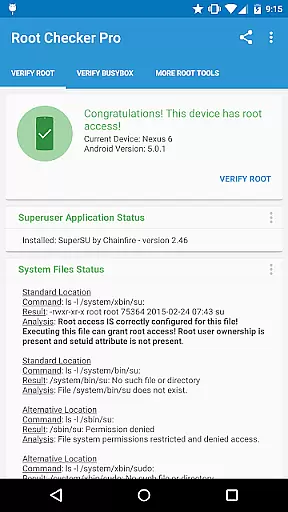
Root Checker Pro is a powerful diagnostic tool designed to verify root access on Android devices. The application provides a comprehensive check of the su binary, ensuring proper installation and permissions are in place. It also evaluates BusyBox installations, giving users a clear understanding of their device's root status.
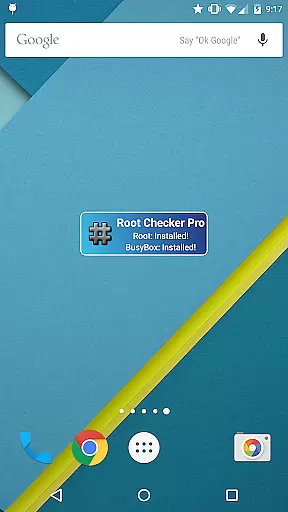
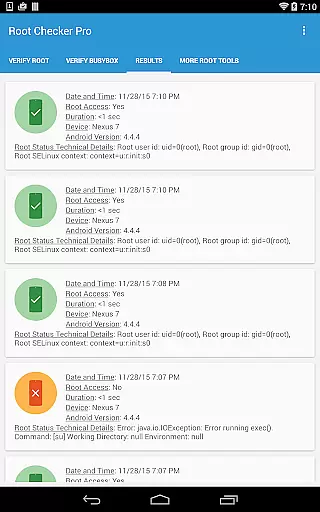
This app stands out with its detailed reporting features. Users can quickly export technical data via email or social media for troubleshooting purposes. The built-in widget offers real-time monitoring of root and BusyBox status, making it an essential tool for both novice and advanced Android users who need to maintain their device's root access.
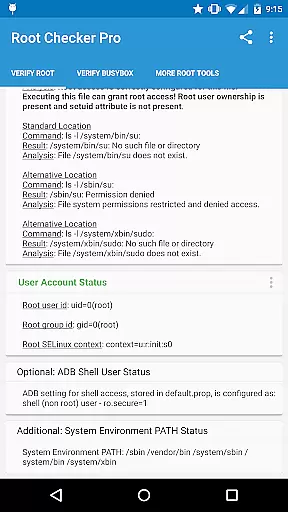
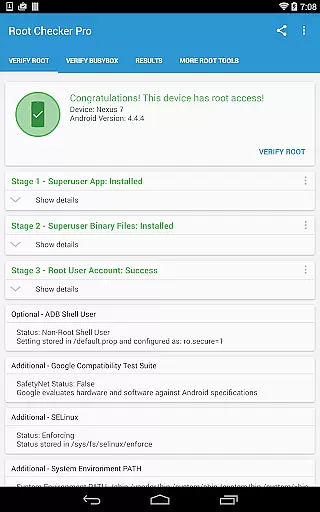
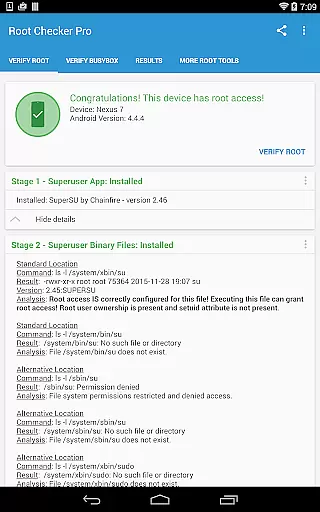
The application offers multiple layers of functionality for root verification. It checks standard su binary locations, file permissions, and SELinux contexts while also verifying Superuser application installations and versions. The app provides detailed information about root uid/gid, adb shell default user mode, and system PATH configurations.
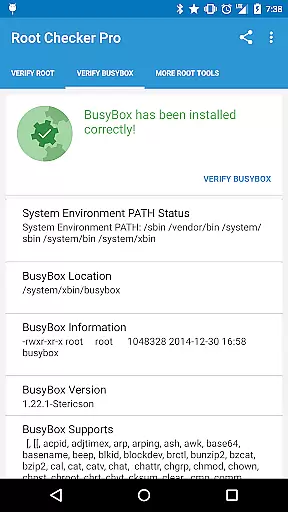
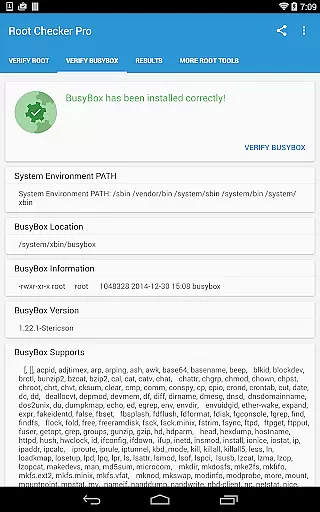
Advanced users will appreciate the comprehensive technical details provided for troubleshooting. The app displays crucial information about BusyBox installations and presents all necessary data to resolve potential issues. Its ability to export detailed output through various sharing options makes it invaluable for collaborative problem-solving and technical support scenarios.
Root Checker Pro delivers exceptional accuracy in verifying root access on Android devices. The application meticulously checks the presence and status of the su binary, which is critical for granting root permissions.
The app's effectiveness lies in its comprehensive analysis of various root-related parameters. It examines standard su binary locations, file permissions, root uid/gid results, and SELinux contexts, providing users with a detailed overview of their device's root status.
For technically inclined users, the app offers advanced details about the root environment and BusyBox installation. This includes Superuser application versions, adb shell user modes, and system PATH information, enabling precise troubleshooting of potential issues.
The straightforward testing method ensures even novice Android users can easily determine their device's root status. With reliable verification processes and quick response times, this tool establishes itself as an essential utility for both casual users and advanced developers.
The interface design of Root Checker Pro emphasizes simplicity and ease of use. The main functionality is accessible through a clear, single-button interface that initiates the root verification process without unnecessary complexity.
Despite its technical nature, the application presents complex information in an intuitive manner. Key root status indicators are displayed in a logical sequence, making it easy for users to follow and understand their device's configuration.
Advanced features such as exporting detailed reports are implemented through straightforward buttons. Users can quickly share root and BusyBox details via email or social media applications installed on their device.
The inclusion of a monitoring widget further enhances usability. This feature allows users to maintain constant awareness of their root status through customizable interval checks and on-screen notifications, ensuring they stay informed about any changes in their device's root configuration.
Comprehensive root checking
Easy-to-use interface
Detailed BusyBox analysis
Quick export functionality
Real-time monitoring widget
No automatic root fixing
Basic users may find it complex
Limited to Android platform
Requires manual checks
Paid version only

HD Camera captures every special moment.
 4.60
4.60
FV File Manager Pro, Fast and powerful file manager for Android
4.60
VESC Tool can monitor and configure VESC-compatible devices over BLE and Wifi
4.20
Best leveling tool for your Android device. Hang paintings like a pro.
4.90
Monitor car performance in real time and troubleshoot malfunctions.
4.80
The one-and-only remote control for PC, Mac, and Linux
4.70
Fast Video Downloader, Movie Downloader, Torrent Downloader & Adblock Browser
4.70
Connect wirelessly to your computer to watch movies, browse the web, play games
5.00
Fun lie-detection pranks for friends and parties.
3.80
Powerful collection of electronics tools and reference.A must for any enthusiast
4.90
Change your GPS location instantly. Simulate routes anywhere in the world.
4.90
Easily install aab(Android App Bundle) files on your Android device with our app
4.80
eXtended Permission Manager - a small app to manage permissions and AppOps
4.50
Universal TV remote control all TVs, Roku, LG, Samsung, Fire, Vizio, Sony, TCL.
4.40
Complete kernel toolbox with features to manage and tweak your rooted device
4.30
Quickly check the frequency of the Earth
4.30
Automate everything from settings to photos, SMS to speech. ADC2 prize winner.
4.10
1-Click close all background apps on Android TV
3.90
A non-root local ADB shell client. READ BELOW!
3.40


User Reviews