
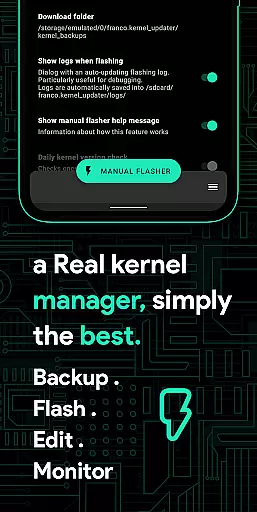
Franco Kernel Manager is a comprehensive toolbox designed for Android users who want to optimize their device performance. This app provides a rich set of features that cater to both beginners and expert users, allowing them to manage and tweak their kernel with ease. Whether you're looking to boost battery life, enhance performance, or flash mods without a custom recovery, Franco Kernel Manager has got you covered.
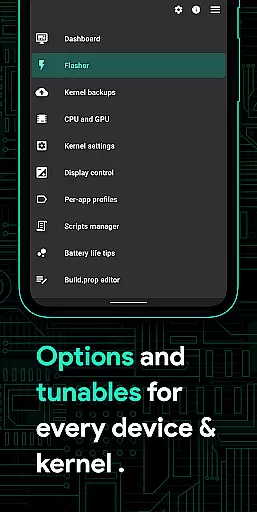
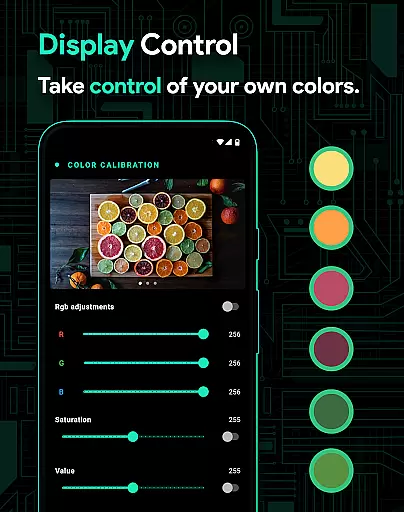
The application offers detailed battery monitoring, build.prop editing, auto-flashing of kernels and Magisk modules, and advanced CPU/GPU controls. It also includes powerful tools like per-app profiles, system health monitoring, and color temperature presets. With support for rooted devices and compatibility across all kernels, this app empowers users to supercharge their Android experience.
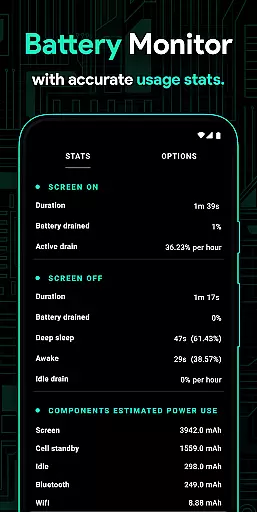
Franco Kernel Manager stands out with its extensive feature set tailored for power users. The app provides detailed battery stats, including power consumption metrics for individual components like WiFi, screen, and signal. Its standout capabilities include the ability to flash kernels and mods directly within the app, eliminating the need for a custom recovery.
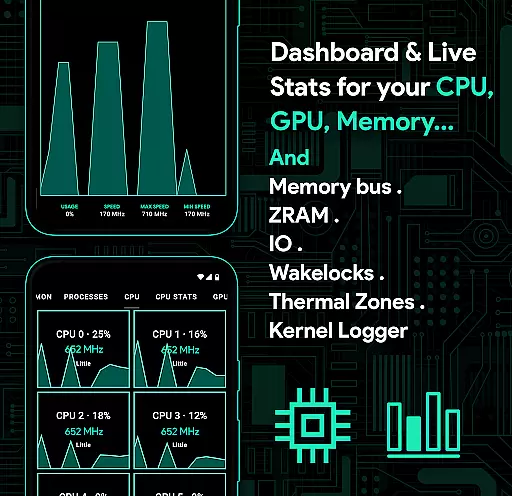
Advanced users will appreciate the granular control over CPU frequencies, GPU settings, and IO schedulers. The app also supports creating per-app profiles, allowing users to customize performance settings based on specific applications. Additionally, features like automatic Night Shift, High Brightness Mode (HBM), and real-time system monitoring make it an indispensable tool for optimizing your device's performance and battery life.
Franco Kernel Manager offers a comprehensive suite of tools designed to enhance kernel management with precision and efficiency. The app provides detailed control over CPU frequencies, GPU settings, and system memory, ensuring that every tweak is accurately applied and optimized for performance.
With features like the Build.prop editor, users can make precise modifications to system properties, while the kernel logger viewer allows developers to monitor kernel activities in real time. These functions are implemented with meticulous attention to detail, ensuring reliable performance improvements without compromising system stability.
The app's effectiveness is further demonstrated through its ability to flash mods and kernels without requiring a custom recovery. This streamlined process saves time and reduces the risk of errors, making kernel management accessible even to less experienced users while still offering advanced options for experts.
By delivering accurate system monitoring and customizable per-app profiles, Franco Kernel Manager empowers users to fine-tune their devices according to specific needs. This level of precision ensures optimal device performance, extended battery life, and an overall enhanced user experience.
The interface of Franco Kernel Manager strikes a perfect balance between functionality and ease of use, catering to both novice and expert users. Its clean layout organizes a rich feature set into intuitive menus, allowing users to navigate effortlessly through various kernel management options.
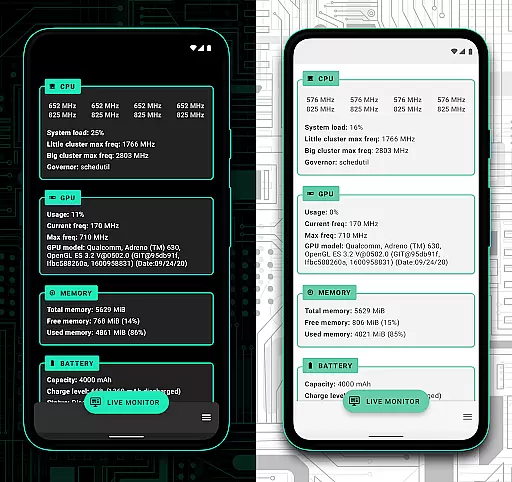
Key features such as the Battery Monitor and System Health displays are presented with clear visuals and real-time data, providing immediate insights into power consumption and system performance. Users can easily access advanced settings like CPU governor profiles or GPU boost options without feeling overwhelmed by technical complexity.
Additionally, the app supports light and dark themes, ensuring compatibility with the latest Android versions while enhancing readability and user comfort. Quick-access tiles for frequently used functions further simplify navigation, enabling users to perform tasks with minimal effort.
By prioritizing an intuitive design, Franco Kernel Manager ensures that even users unfamiliar with kernel management can confidently utilize its powerful tools. This accessibility makes it a versatile choice for anyone looking to optimize their device's performance efficiently.
User-friendly interface
Extensive feature set
Per-app profile customization
Real-time system monitoring
Auto-flash functionality
Requires root access
Complex for beginners
Some features are niche
No iOS support
Occasional bugs reported

 4.50
4.50
A powerful, easy-to-use flight computer on your phone or tablet!
3.80
A convenient photo, video, and file recovery tool.
4.00
Just one-tap to easy translate in any language after calls within seconds.
4.20
PDF Reader - Document Viewer: Read, Manage & Organize Your Documents
3.10
1-Click close all background apps on Android TV
3.90
This app unlocks the Pro features of the Central for DayZ app
3.60
The Ultimate Bluetooth Keyboard & Mouse. Securely control your PC, Mac, and more
4.50
Fast Video Downloader, Movie Downloader, Torrent Downloader & Adblock Browser
4.70
Optimize your WiFi network, turn your phone into Wifi Analyzer
4.70
Small and simple app to Verify Root Access and BusyBox Install!
4.70
Play your X-Box games remotely in 1080p with any controller and zero latency
4.60
Quickly switch to an encrypted DNS server on Android TV
4.50
Use your phone as a webcam on your computer over WiFi or USB.
4.40
Pro Emulator is an easy to use game console emulator for a range of consoles.
4.40
Quickly & easily calculate the spacing of handrail balusters
4.20
Automate everything from settings to photos, SMS to speech. ADC2 prize winner.
4.10
Undelete and recover your lost or deleted files with DiskDigger!
3.40
Transfer Files, APK from Phone to Watch & Install.
4.5


User Reviews