
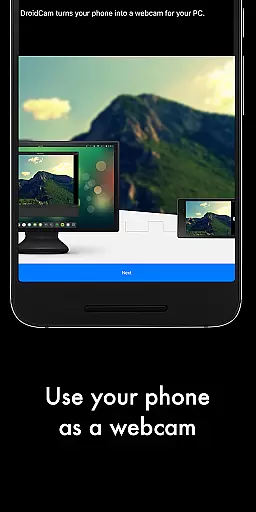
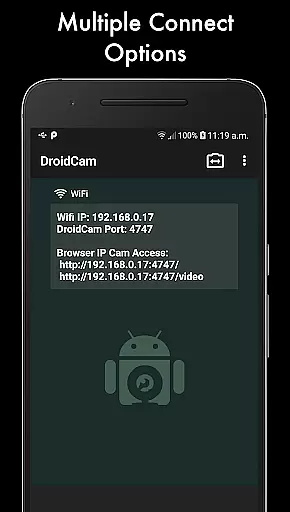
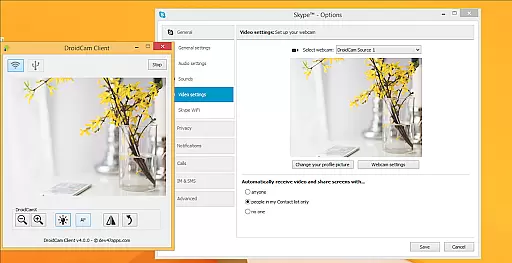
DroidCamX HD (Classic) is a versatile tool that transforms your Android device into a high-quality webcam for your computer. This app allows users to chat using the 'DroidCam Webcam' feature, providing both sound and picture. It supports connections over Wifi or USB, making it adaptable to various user needs.
With HD Mode, DroidCamX supports 720p/1080p video quality, ensuring clear and crisp visuals. The 'Smooth FPS' option in settings enhances video stability. Users can operate other apps simultaneously with DroidCamX running in the background, and it conserves battery by working even when the screen is off. This functionality makes it an ideal choice for remote work, online classes, or virtual meetings.
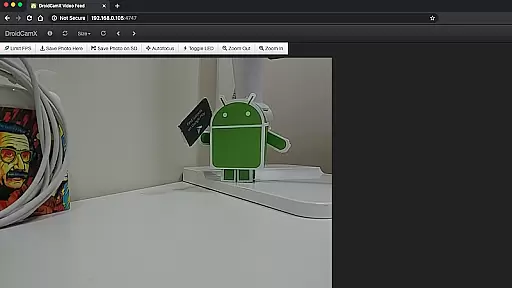
DroidCamX HD (Classic) offers a range of features designed to enhance user experience. One notable feature is the IP Webcam MJPEG access, which allows users to access the camera via a browser or from another device. Camera controls such as auto-focus, zoom, flash light, and more are available, giving users extensive control over their video feeds.
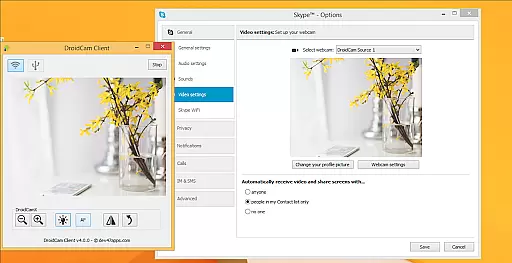
The app also enables capturing still image frames on the phone or computer while it is running. Additionally, Pro controls on the Windows Client offer advanced settings like Mirror, Flip, Brightness, and Contrast adjustments. These features ensure that users can customize their video output to meet specific requirements, whether for professional or personal use.
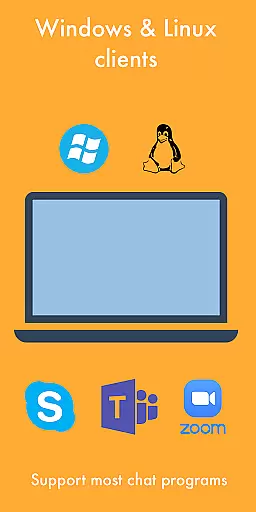
Compatibility with both Windows and Linux clients further extends its usability, allowing a broad range of users to benefit from this tool. Overall, DroidCamX HD (Classic) provides a comprehensive solution for anyone looking to utilize their Android device as a webcam with advanced functionalities.
DroidCamX HD (Classic) excels in delivering accurate and effective core functionality by transforming your Android device into a high-quality webcam. This app ensures that both audio and video streams are transmitted seamlessly to your computer, providing a reliable communication tool for various scenarios.
The application supports multiple connection methods including Wi-Fi and USB, ensuring flexibility and convenience. With the added support for 720p/1080p video through HD Mode, users can expect clear and detailed video quality, making it suitable for professional video conferencing and content creation.
Additional features such as the 'Smooth FPS' option enhance video stability, while background operation allows users to multitask without interrupting the video feed. These functionalities ensure that DroidCamX meets diverse user needs effectively, from casual chatting to professional use.
The interface of DroidCamX HD (Classic) is designed with simplicity and intuitiveness in mind, allowing users to easily navigate and utilize its features. Upon launching the app, users are greeted with a straightforward setup process that guides them through connecting their Android device to their computer.
Controls for camera settings such as auto-focus, zoom, and flash are readily accessible, ensuring that users can quickly adjust settings to suit their environment. The app also provides pro controls on the Windows client, offering advanced options like mirror, flip, brightness, and contrast adjustments, which contribute to a more tailored user experience.
By maintaining an uncluttered and intuitive interface, DroidCamX ensures that even novice users can operate the app efficiently, minimizing the learning curve and maximizing productivity right from the start.
User-friendly interface
High-quality video support
Versatile connectivity options
Advanced camera controls
Battery-efficient operation
Requires PC client installation
USB connection setup can be complex
Limited to specific operating systems
Occasional download issues
Additional cost for full features

pdf merge, word to pdf, jpg to pdf, edit pdf, convert to pdf and much more!
 4.20
4.20
eXtended Permission Manager - a small app to manage permissions and AppOps
4.50
App to pay for FUTO Keyboard
4.60
MS-DOS in your pocket. Play old DOS games anywhere you are ;)
4.10
Signal Strength, Mobile, Wifi, Speed Test, Bad Signals, Cellular, 5G, LTE, 4G
4.20
Making emulation easy for everyone!
4.30
With videos, electrical calculators, and built-in ebook, Ugly’s has your answer.
4.50
Creation, Learning, Entertainment & More — The All-in-One AI Search Engine
4.70
Clean up your phone, find files, play media, and share files offline
4.50
Connect wirelessly to your computer to watch movies, browse the web, play games
5.00
Change your GPS location instantly. Simulate routes anywhere in the world.
4.90
Powerful collection of electronics tools and reference.A must for any enthusiast
4.90
Play your X-Box games remotely in 1080p with any controller and zero latency
4.60
Button mapper, mouse toggle, sleep timer and a lot of another features
4.50
Universal TV remote control all TVs, Roku, LG, Samsung, Fire, Vizio, Sony, TCL.
4.40
Mirror your screen to Fire TV - Super fast and simple
4.40
Quickly & easily calculate the spacing of handrail balusters
4.20
Introducing Smart Printer, your ultimate destination for printing solutions!
4.00
Unleash gamepad precision for ultimate mobile gaming dominance.
3.90


User Reviews