

Magic DosBox is a highly optimized and fast DOSBox emulator for Android, designed to bring your favorite DOS and Windows games to your mobile device. With full support for mouse, keyboard, sound, and gamepads, it allows seamless gaming on the go.
The app features a unique control system that eliminates the need for external hardware, making it perfect for gaming anywhere. It supports IPX networking for multiplayer experiences and offers customizable controls for an optimal play experience. Whether you're revisiting classic games or exploring new ones, Magic DosBox provides a versatile platform for all your retro gaming needs.
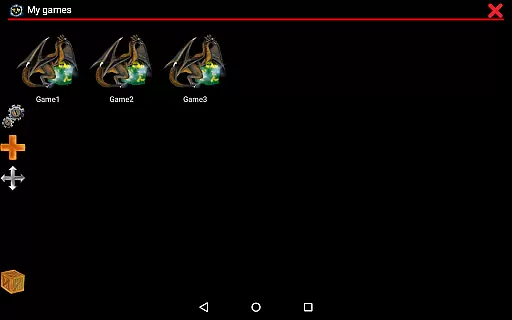
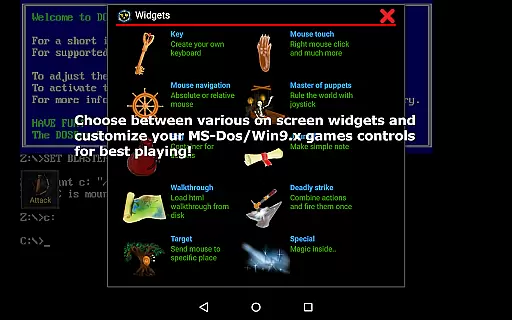
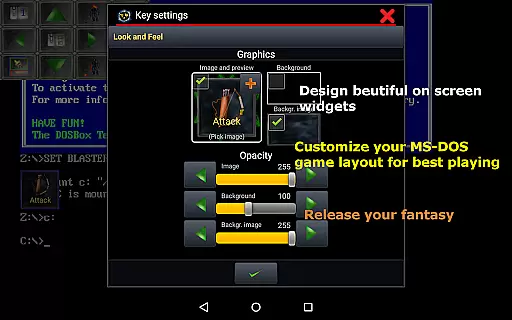
Magic DosBox stands out with its extensive customization options. Users can create personalized game profiles, design on-screen buttons, and even share layouts with friends through export/import features. The app includes over ten types of widgets such as Key, Mouse, Dpad, and more, each with dozens of settings for precise control.
Advanced functionalities include support for various input methods like swipes, gestures, and external controllers. The app also supports multiple languages, ISO files, and sound configurations. With features like in-game screenshots, orientation lock, and resizable screens, Magic DosBox ensures a comprehensive and user-friendly emulation experience tailored to both casual and hardcore gamers.
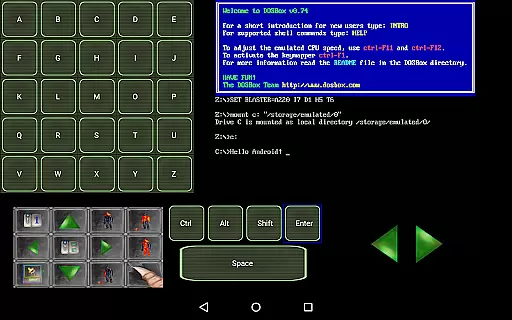
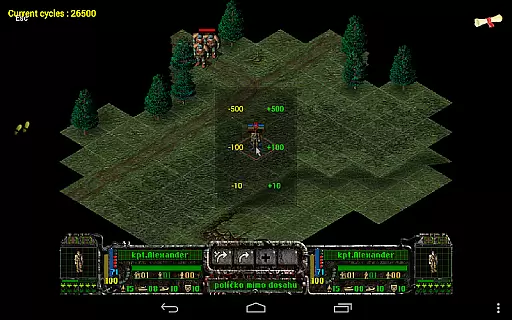
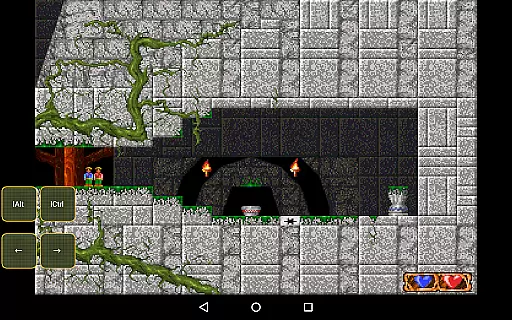
Magic DosBox is designed to emulate the DOS environment with precision, allowing users to run their favorite DOS and Windows games on Android devices. The app achieves this through a highly optimized port of the original DOSBox, ensuring that games run smoothly without the need for external hardware.
The emulator supports full mouse, keyboard, sound, and gamepad functionalities, making it versatile for various types of games. With added features like IPX network support, users can enjoy multiplayer experiences. This level of compatibility ensures that both classic and more demanding DOS games perform accurately on modern devices.
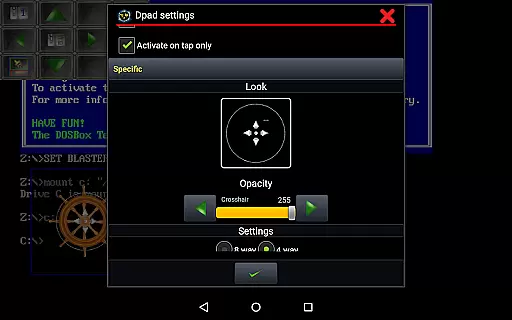
One of the standout aspects of Magic DosBox is its customizable control system. Users can create on-screen buttons, virtual D-pads, and even map gestures, swipes, and stylus inputs. This flexibility allows gamers to tailor the interface to their specific needs, enhancing both the accuracy and effectiveness of their gaming sessions.
Additionally, Magic DosBox offers unique tools such as game profile customization, export/import capabilities, and multi-language support. These features not only improve usability but also ensure that users can replicate authentic DOS gaming experiences on the go, maintaining the core functionality expected from a reliable emulator.
Magic DosBox excels in providing an intuitive and user-friendly interface despite the complexity of its core functions. The app simplifies the emulation setup process by offering widgets and detailed documentation on its website, helping users get started without hassle.
With ten types of on-screen widgets available, including key, mouse, and D-pad controls, users can design a layout that suits their preferences. These widgets are highly customizable, allowing adjustments to images, text, and positioning, which makes navigation straightforward and personalized.
The app includes various modes such as design mode and play mode, catering to different user needs. Design mode lets users create and tweak their gaming environment effortlessly, while play mode offers a seamless gaming experience. This dual-mode approach keeps the interface clean and focused on the task at hand.
Furthermore, Magic DosBox supports external controllers like NVIDIA Shield and Xbox 360 gamepads, integrating them smoothly into the interface. By combining touch controls with external hardware support, the app strikes a balance between simplicity for casual users and depth for enthusiasts, ensuring an intuitive experience for all.
Highly optimized performance
Extensive customization options
Full gamepad and keyboard support
Unique on-screen control system
Active development and support
No included games
Complex setup for beginners
Limited free version features
Occasional compatibility issues
Requires technical knowledge

Transfer Files, APK from Phone to Watch & Install.
 4.4
4.4
PDF Reader - Document Viewer: Read, Manage & Organize Your Documents
3.10
Complete kernel toolbox with features to manage and tweak your rooted device
4.30
Unlock your Essential Key. Create custom shortcuts to your favorite apps!
4.5
Save any video in HD - paste the link, download fast and watch offline.
4.2
VESC Tool can monitor and configure VESC-compatible devices over BLE and Wifi
4.20
The one-and-only remote control for PC, Mac, and Linux
4.70
Mirror your screen to Fire TV - Super fast and simple
4.40
Enjoy a smooth mobile reading experience!
3.60
Powerful collection of electronics tools and reference.A must for any enthusiast
4.90
The ultimate tool for network analysis, wifi scanning and problem detection.
4.90
Connect instantly to a fast, encrypted VPN with one tap
4.60 4.50
4.50
Detect hidden spy camera with advanced scanning {{ Premium version }}
4.00
Introducing Smart Printer, your ultimate destination for printing solutions!
4.00
Amateur Radio app for APRS: Track friends, exchange messages, get tactical info.
3.90
Fun lie-detection pranks for friends and parties.
3.80
A recovery soft,it features photo recovery, video recovery, file recovery.
3.40
card-reader app
2.20


User Reviews