

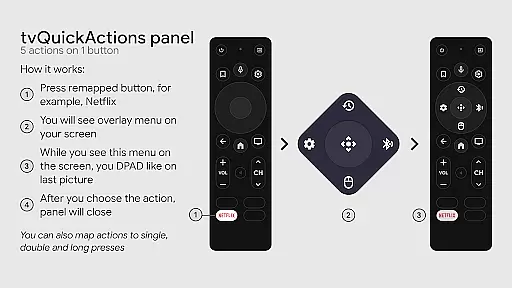
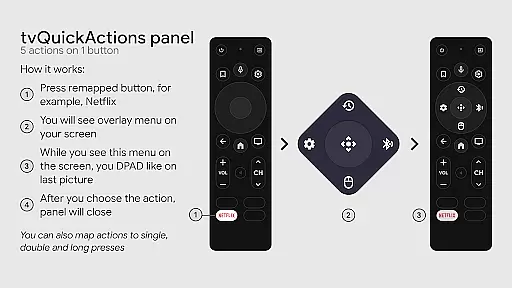
tvQuickActions Pro is an advanced button/key mapper specifically designed for TV devices, compatible with Android TV, Google TV, and AOSP on most devices. One of its standout features allows users to assign up to five actions to a single remote button, significantly enhancing the functionality of their TV devices.
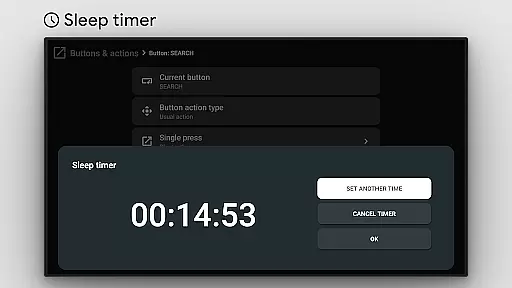
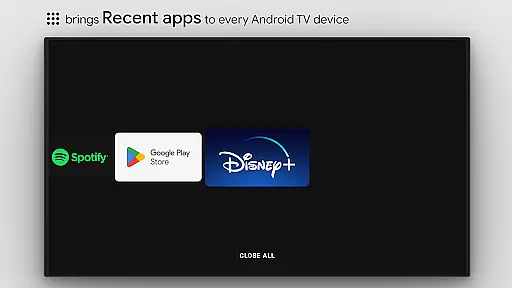
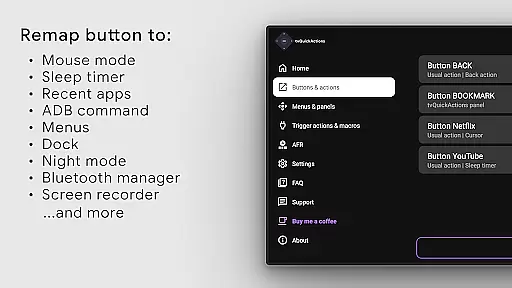
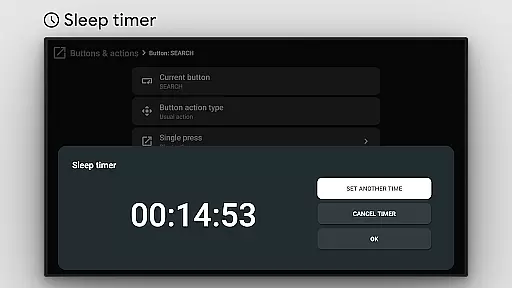
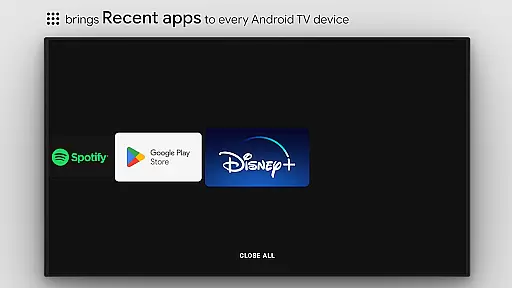
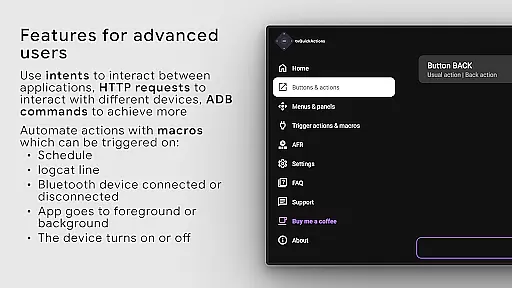
In addition to button remapping, the app offers a variety of useful functions such as creating docks with apps similar to macOS/iPadOS, managing recent apps, customizing menus, executing ADB commands, toggling mouse functionality, setting sleep timers, accessing dialpads, recording screens, enabling night mode, managing Bluetooth, controlling media panels, and quickly changing TV inputs. It also supports auto framerate features for Amlogic devices based on Android 9-11.
This app is particularly beneficial for users looking to customize and optimize their TV experience by adding functionalities that are not typically available out-of-the-box. Whether it's remapping buttons or automating certain tasks, tvQuickActions Pro provides a versatile solution for power users seeking more control over their TV devices.
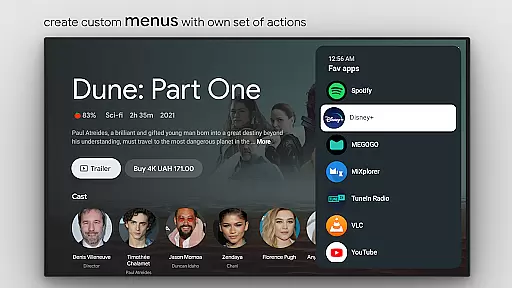
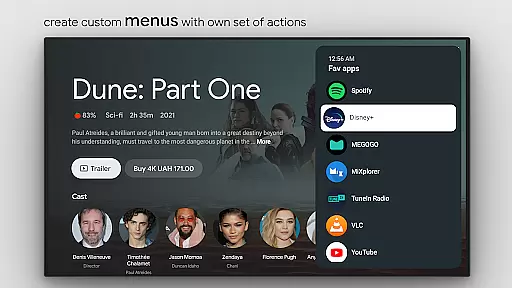
tvQuickActions Pro boasts an extensive list of features tailored to enhance TV device usability. Users can create custom menus with any desired actions, execute user-defined ADB commands, toggle mouse functionality on any remote, set sleep timers, access dialpads, record screens, enable night mode, manage Bluetooth connections, control media panels, and quickly switch TV inputs.
Additionally, the app supports unique functionalities like auto framerate adjustments for Amlogic devices running Android 9-11, remapping Netflix buttons on Xiaomi and TiVo Stream 4K devices, and remapping app buttons on Xiaomi Mi Stick 4K and other devices. Users can also configure actions to trigger on power-on, sleep entry, or exit, create custom channels for Android TV homes from menus, and lock apps.
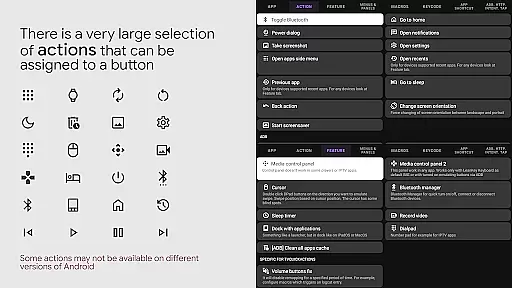
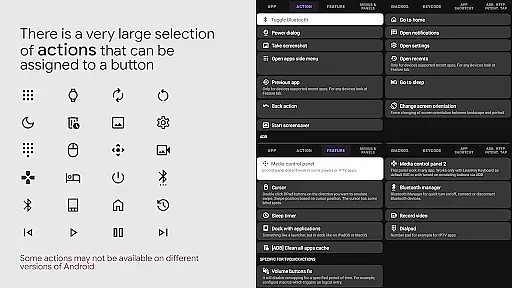
The range of assignable actions includes opening apps or specific app activities, using shortcuts and intents, sending keycodes, opening power dialogs, navigating home, accessing recent apps, switching to previous apps, interacting with voice assistants, toggling WiFi and Bluetooth, controlling media playback, taking screenshots, opening URLs, and accessing settings. These features collectively offer a highly customizable and efficient TV experience.
tvQuickActions Pro stands out as a highly accurate and effective button/key mapper specifically designed for TV devices, including Android TV, Google TV, and AOSP. The app's core functionality revolves around its ability to remap buttons on your remote, allowing up to five distinct actions per button. This feature significantly enhances the utility of any compatible device by enabling users to execute multiple functions through a single button press.
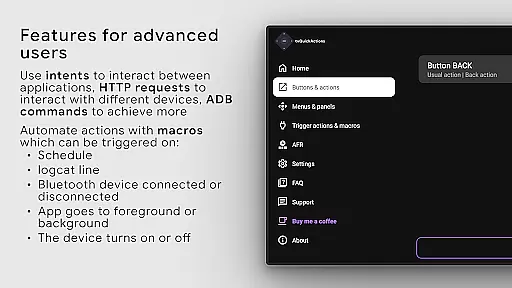
The application employs AccessibilityService API to ensure that key events are captured and processed correctly. This is crucial for the remapping feature to work seamlessly across different devices and firmware versions. By leveraging this API, tvQuickActions Pro can listen to and block key events, ensuring that the assigned actions are triggered without interference from default system behaviors.
Users benefit from an extensive list of assignable actions, ranging from opening apps and recent apps management to controlling media playback and toggling device settings like WiFi and Bluetooth. Each action is implemented with precision, providing a reliable way to extend the functionality of TV remotes beyond their original capabilities.
While some features may vary in effectiveness depending on the specific device and Android version, the overall accuracy and reliability of tvQuickActions Pro make it an indispensable tool for power users seeking to customize their TV experience.
tvQuickActions Pro excels in providing an intuitive and straightforward user interface that simplifies the complex task of button remapping. Despite the technical nature of its core functions, the app ensures that users can easily navigate and configure their desired settings without requiring advanced technical knowledge. The design philosophy focuses on making powerful customization features accessible to users of all skill levels.
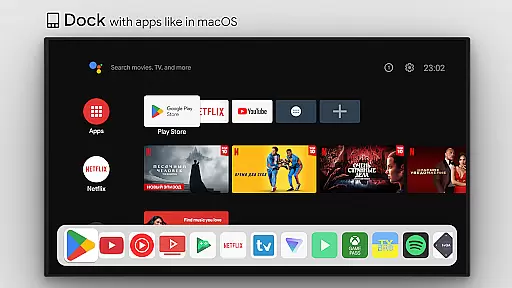
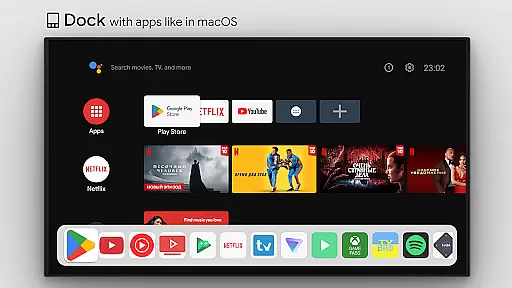
A notable aspect of the interface is the dock feature, reminiscent of macOS/iPadOS, which allows quick access to frequently used apps. This visual element not only enhances usability but also contributes to a more organized and efficient home screen layout. Additionally, the inclusion of custom menus and the ability to create custom channels for Android TV further demonstrate the app's commitment to offering flexible yet easy-to-use tools.
Even with a plethora of configuration options available, tvQuickActions Pro maintains clarity by categorizing actions into logical groups. Users can effortlessly assign actions such as opening apps, controlling media playback, or toggling device settings, thanks to the well-structured menu system. This thoughtful organization reduces the learning curve and empowers users to make the most of their remapping experience.
Overall, the combination of powerful functionality and an intuitive interface makes tvQuickActions Pro a standout choice for those looking to enhance their TV device's capabilities while maintaining ease of use.
Highly customizable
Wide compatibility
Extensive feature set
User-friendly interface
Regular updates
Complex setup process
Limited support for older devices
Potential conflicts with firmware
Requires technical knowledge
Some features may not work universally

 4.10
4.10 4.50
4.50
Connect instantly to a fast, encrypted VPN with one tap
4.60
Family Locator, Share location, StayConnect with your family in real time
3.90
Navigate with Ease and Style
4.90
With videos, electrical calculators, and built-in ebook, Ugly’s has your answer.
4.50
Connect wirelessly to your computer to watch movies, browse the web, play games
5.00
Fun lie-detection pranks for friends and parties.
3.80
Clean up large files and similar photos, fast and easy to use
4.40
Support Fossify apps with a warm thank you!
5.00
Powerful collection of electronics tools and reference.A must for any enthusiast
4.90
Unit and currency converter with easy and simple UI.
4.80
An open-source APK explorer for Android!
4.10
Smart and comfortable browsing experience.
3.80
A recovery soft,it features photo recovery, video recovery, file recovery.
3.40
card-reader app
2.20
Transfer Files, APK from Phone to Watch & Install.
4.0
Unlock your Essential Key. Create custom shortcuts to your favorite apps!
4.2
Save any video in HD - paste the link, download fast and watch offline.
4.1


User Reviews