
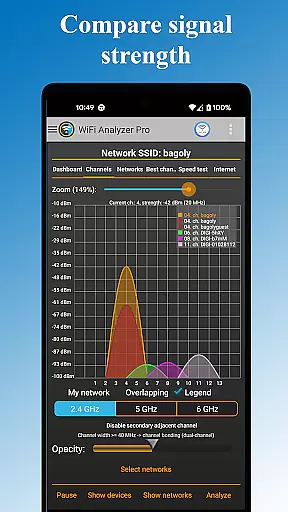
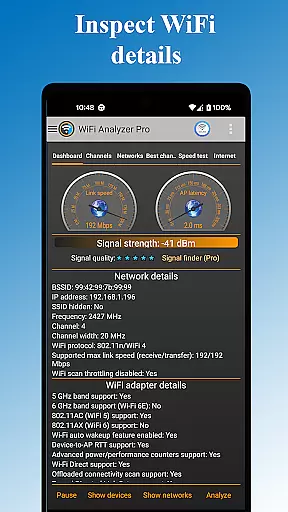
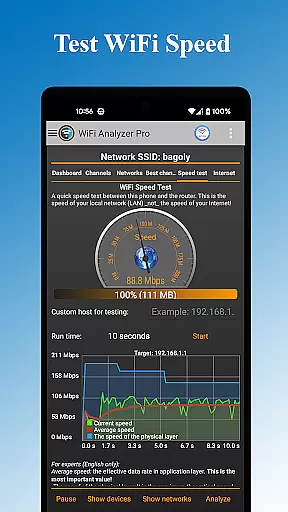
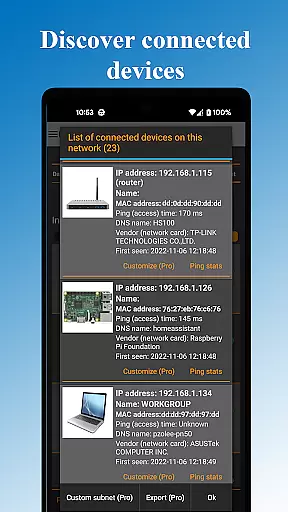
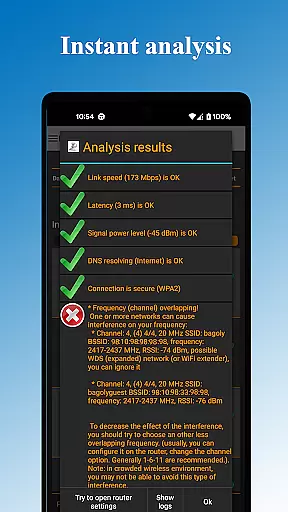
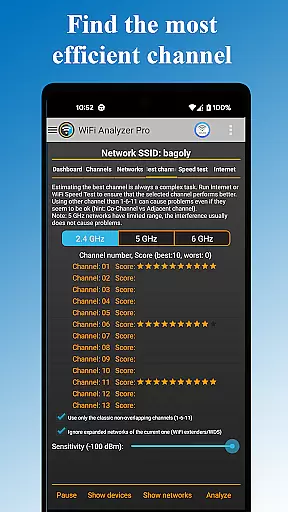
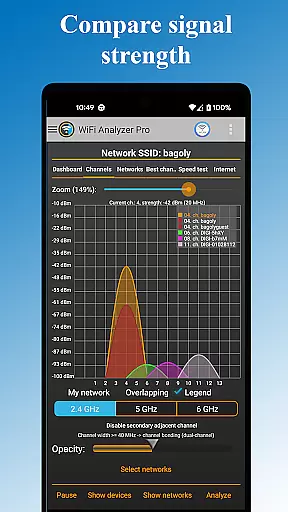
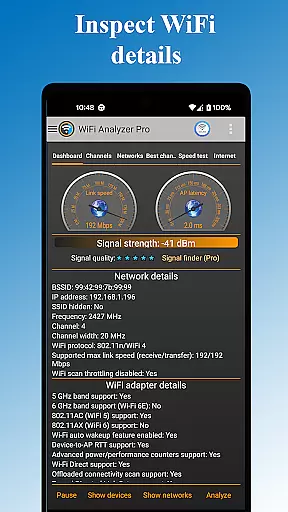
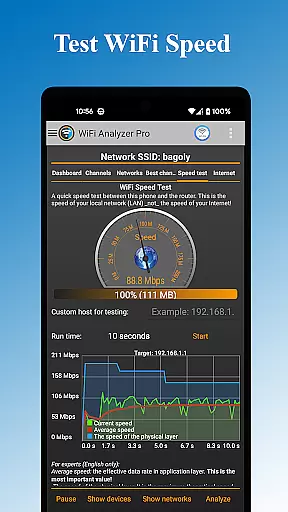
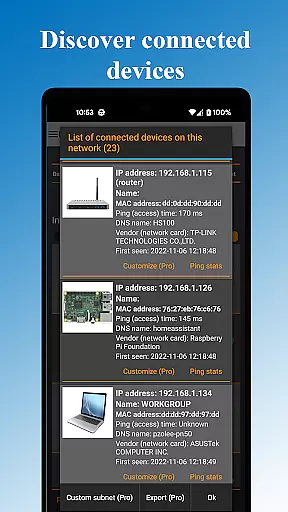
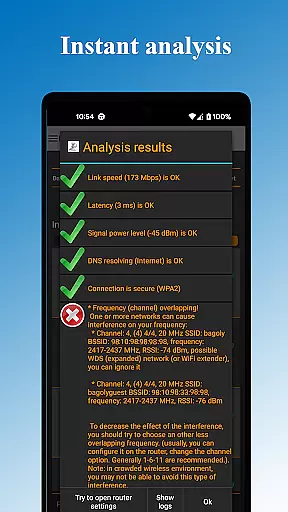
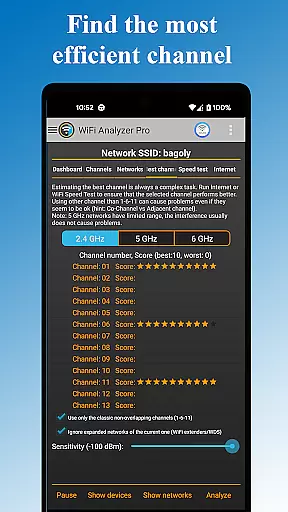
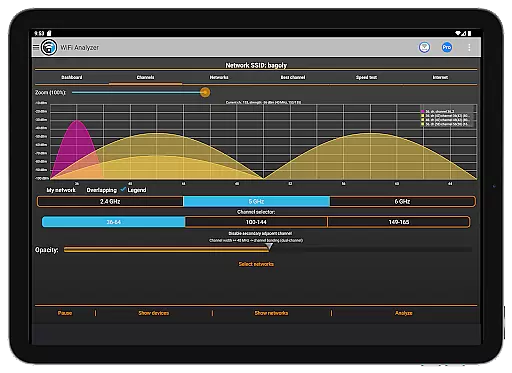
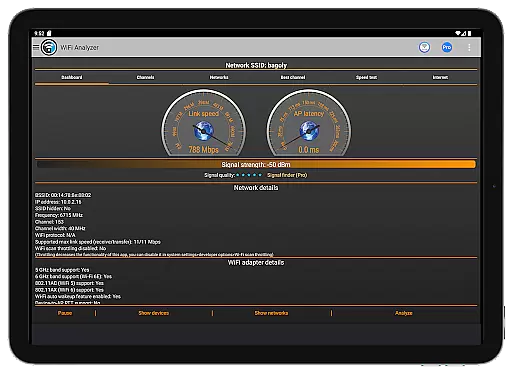
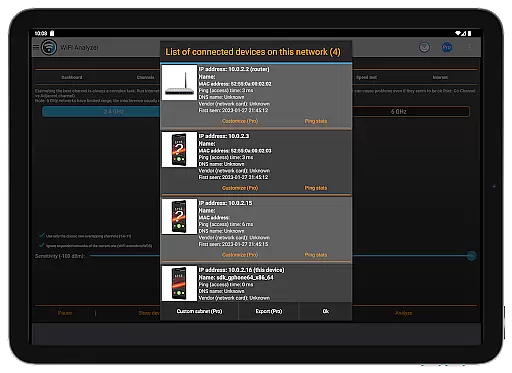
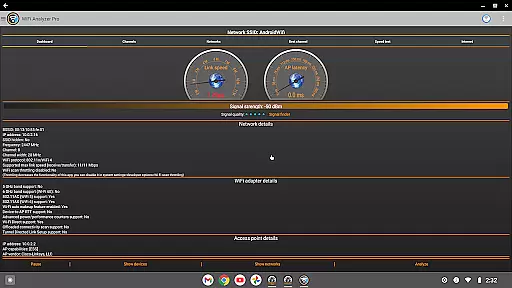
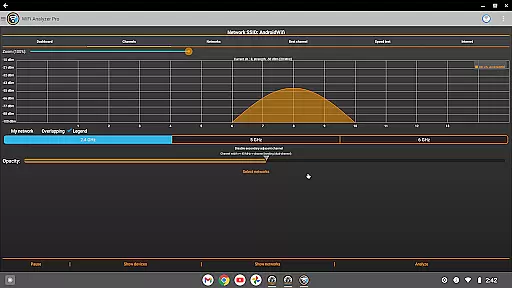
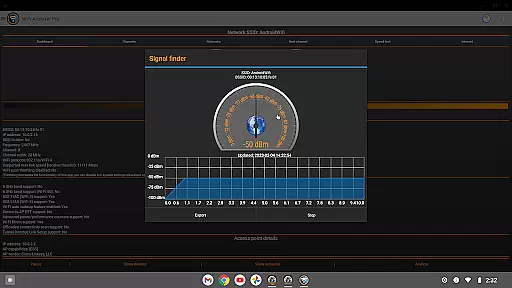
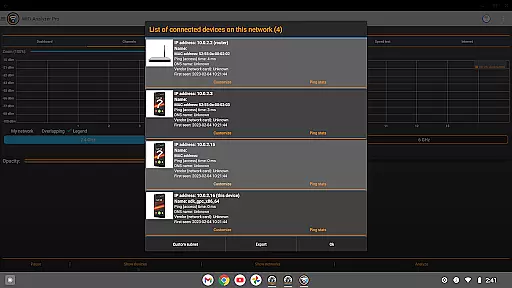
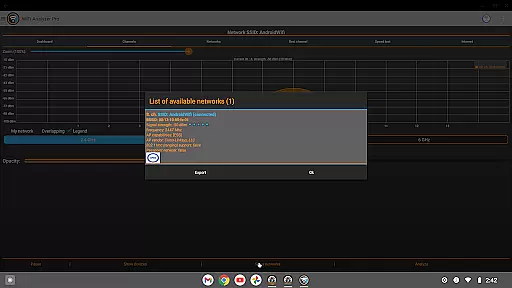
WiFi Analyzer Pro is a powerful network optimization tool designed to help users maximize their WiFi performance. The app provides detailed analysis of your wireless network, identifying the best router placement and channel settings for optimal speed and stability. With support for both 2.4GHz and 5GHz bands, it offers comprehensive insights into signal strength, latency, and network security.
This professional-grade tool stands out with its advanced features like device scanning, DNS verification, and access point details including vendor information and channel width. Whether you're troubleshooting connectivity issues or setting up a new network, WiFi Analyzer Pro delivers the critical data needed to optimize your WiFi environment. Its intuitive interface makes it accessible even to non-technical users while providing depth for IT professionals.
WiFi Analyzer Pro distinguishes itself through a robust set of features designed for comprehensive network management. The app's core functionality includes detailed network scanning that identifies all connected devices, analyzes signal strength, and detects potential security vulnerabilities. Advanced users will appreciate the ability to check overlapping channels and verify DNS functionality across their network.
What sets this tool apart is its proactive approach to network optimization. The app doesn't just report data - it provides actionable recommendations for channel selection and router placement. Additional premium features include log exporting, customized device management, and direct router settings access. The inclusion of both dark and light themes, along with various filtering options, ensures a comfortable user experience regardless of working conditions.
WiFi Analyzer Pro excels in delivering accurate and effective core functionalities that are essential for optimizing your WiFi network. The app provides detailed insights into your network's performance by analyzing signal strength, latency, and channel congestion. This ensures that users receive precise data to make informed decisions about their WiFi setup.
The application goes beyond basic network details by offering advanced features such as detecting unauthorized devices on your network and scanning nearby wireless networks. With support for both 2.4 GHz and 5 GHz bands, it gives a comprehensive view of your WiFi environment. These capabilities allow users to pinpoint issues affecting their connection speed and overall network health.
For those looking to enhance their network further, WiFi Analyzer Pro recommends the best channels for optimal performance. It also allows users to export results and send logs to their Internet provider, ensuring any persistent issues can be addressed promptly. This level of detail and actionability underscores the app's commitment to accuracy and effectiveness.
A standout feature of WiFi Analyzer Pro is its interface simplicity and intuitiveness, making it accessible even to those without technical expertise. The app presents complex network information in an easy-to-understand format, allowing users to quickly grasp their WiFi status without needing extensive knowledge of networking terms like RSSI or link speed.
The design includes clear charts and graphs that display vital statistics such as signal strength, channel usage, and device connections. Users can easily interpret this data thanks to the straightforward layout, which highlights key metrics without overwhelming them with unnecessary details. This approach ensures that anyone can use the tool effectively, regardless of their technical background.
Additionally, the availability of both dark and light themes caters to user preferences, enhancing readability and comfort during extended use. Customizable filters for SSID, WiFi band, and overlapping channels further simplify navigation and analysis. By prioritizing usability and clarity, WiFi Analyzer Pro empowers all users to optimize their WiFi networks effortlessly.
User-friendly interface
Comprehensive network analysis
Actionable optimization tips
Regular feature updates
Ad-free experience
Paid subscription required
Location service dependency
Advanced features may overwhelm beginners
Occasional compatibility issues
Export functions need improvement

Fluid navigation gestures for all of us!
 4.30
4.30
Safely recover deleted photos, videos, and files with a single easy tap.
3.70
Universal TV remote control all TVs, Roku, LG, Samsung, Fire, Vizio, Sony, TCL.
4.40
Navigate with Ease and Style
4.90
View detailed information about your Nissan Leaf the dealer never shows you.
4.10
Support Fossify apps with a warm thank you!
5.00
Protect your device with antivirus, storage cleanup, and system monitoring
4.70
Enhance your Beats
3.70
The ideal app to be the digital eye of your family
3.40
Powerful collection of electronics tools and reference.A must for any enthusiast
4.90
Change your GPS location instantly. Simulate routes anywhere in the world.
4.90
Monitor car performance in real time and troubleshoot malfunctions.
4.80
eXtended Permission Manager - a small app to manage permissions and AppOps
4.50
Pro Emulator is an easy to use game console emulator for a range of consoles.
4.40
VESC Tool can monitor and configure VESC-compatible devices over BLE and Wifi
4.20
Unleash gamepad precision for ultimate mobile gaming dominance.
3.90
This app unlocks the Pro features of the Central for DayZ app
3.60
Undelete and recover your lost or deleted files with DiskDigger!
3.40
Transfer Files, APK from Phone to Watch & Install.
4.3


User Reviews